Увод
This manual provides detailed instructions for the operation and maintenance of the LAUNCH X431 PRO3S+ V5.0 automotive diagnostic tool. It covers essential information to help users effectively utilize the device's advanced diagnostic capabilities, bi-directional control, and extensive service functions.
The LAUNCH X431 PRO3S+ V5.0 is designed for professional automotive technicians, offering OE-level diagnostic features, broad vehicle coverage, and support for various specialized functions.
Кључне карактеристике
- Комплетна системска дијагностика на нивоу оригиналне опреме: Свеобухватно скенирање свих доступних система возила.
- Bi-Directional Control (Active Test): Perform active tests on various vehicle components to verify functionality.
- Advanced ECU Coding: Customize vehicle settings, perform online coding, and flash hidden features.
- 37+ Reset and Service Functions: Includes Oil Reset, EPB, SAS, BMS, DPF, TPMS, IMMO, ABS Bleeding, Injector Coding, Gearbox Matching, and more.
- Вођене функције: Step-by-step instructions for complex procedures, compatible with VAG vehicles (VW/Audi/Skoda/Seat).
- AutoAuth for FCA SGW: Secure gateway access for Chrysler, Alfa Romeo, and Fiat vehicles (2017 and newer).
- Широка покривеност возила: Supports over 10,000 vehicle models and 160+ brands.
- Remote Diagnosis: Facilitates remote technical assistance.
- Мапирање топологије: Visual representation of vehicle communication networks for efficient troubleshooting.
- Support for Extension Modules: Compatible with optional modules like Videoscop, X431 TSGUN, X-PROG3, and ADAS calibration tools (sold separately).
Сетуп
1. Распакивање и први преглед
Carefully unpack all components from the packaging. Verify that all items listed in the packing list are present and undamaged. Report any missing or damaged items to your vendor immediately.

Image: Contents of the LAUNCH X431 PRO3S+ V5.0 package, including the diagnostic tablet, various connectors, and accessories.
2. Укључивање и почетна конфигурација
- Притисните и држите дугме за напајање да бисте укључили уређај.
- Follow the on-screen prompts to select your preferred language. The device supports 24 languages.
- Connect to a Wi-Fi network for software updates and online functions.
- Register your device and create a user account as prompted.

Image: The main user interface of the LAUNCH X431 PRO3S+ V5.0 diagnostic tool, showing various diagnostic and service options.
3. Connecting to the Vehicle
- Locate the vehicle's OBD-II diagnostic port, typically under the dashboard on the driver's side.
- Connect the diagnostic cable from the LAUNCH X431 PRO3S+ V5.0 to the vehicle's OBD-II port.
- Turn the vehicle's ignition to the ON position (engine off).
- The device will automatically establish communication with the vehicle.
Упутство за употребу
1. Дијагностичке функције
- Intelligent Diagnose: Automatically identifies vehicle VIN and performs a full system scan.
- Local Diagnose: Manually select vehicle make, model, and year to perform specific diagnostic tests.
- Читање/брисање DTC-ова: Retrieve and erase Diagnostic Trouble Codes from all control modules.
- Стримовање података уживо: View real-time sensor data in text, graph, or gauge format. Supports 12-in-1 live data graphing for detailed analysis.
- Мапирање топологије: Access a visual map of the vehicle's communication network to quickly identify problematic modules.

Image: The full system diagnostic interface of the LAUNCH X431 PRO3S+ V5.0, showing a vehicle's system status.

Image: The intuitive topology mapping feature on the LAUNCH X431 PRO3S+ V5.0, displaying vehicle module connections.
2. Special Functions and Services
- Кодирање ЕЦУ-а: Modify vehicle parameters, activate hidden functions, and perform component matching.
- Bi-Directional Control (Active Test): Send commands to vehicle systems to test their operational status. Exampлес укључује:
- Turning on/off radiator fan
- Modulating throttle
- Operating windows and mirrors
- Testing injector buzz
- Activating interior/exterior lights and horn
- Тестирање брава на вратима
- Reset Services: Access over 37 common maintenance and reset functions. Navigate to the "Reset" menu and select the required service.

Image: A display of the 37+ reset and service functions available on the LAUNCH X431 PRO3S+ V5.0, including ABS bleeding, oil reset, and IMMO services.
3. Remote Diagnosis and Reporting
- Remote Diagnosis: Initiate a remote diagnostic session to receive assistance from a technician.
- Health Report: Generate and print comprehensive diagnostic reports for record-keeping or client presentation.
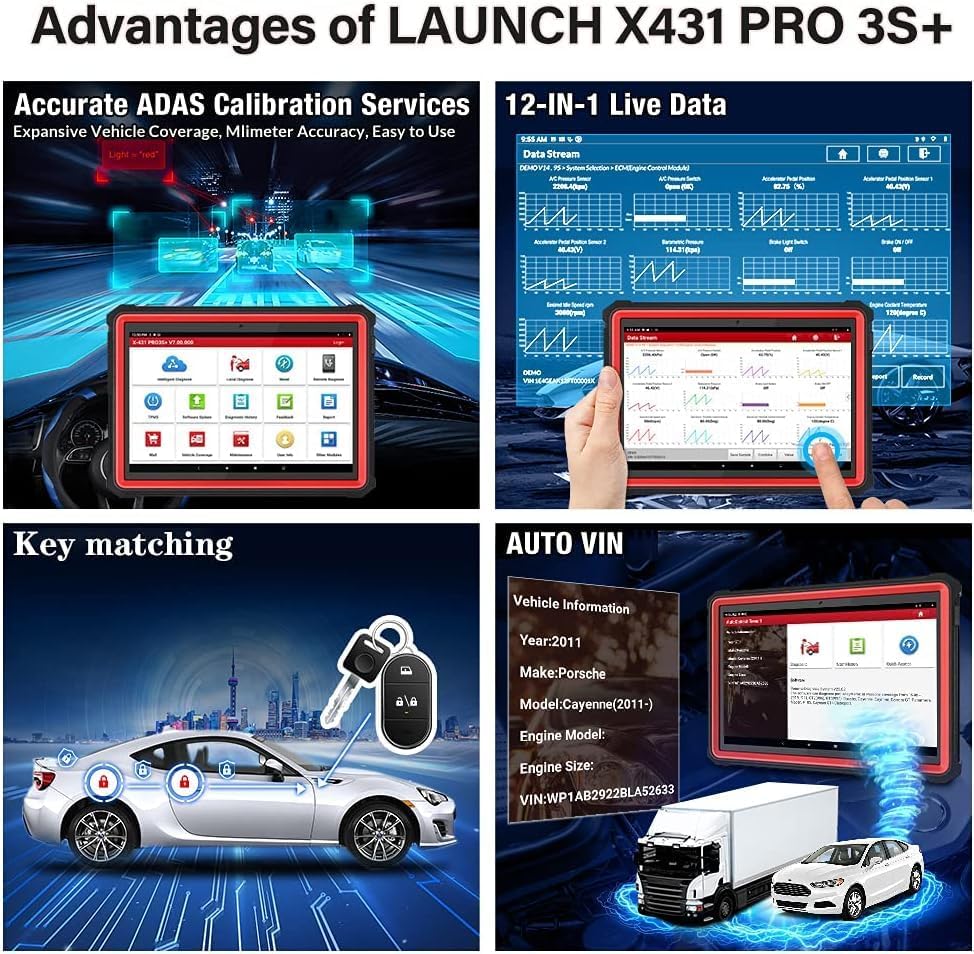
Image: Screenshots illustrating the remote diagnosis and health report generation capabilities of the LAUNCH X431 PRO3S+ V5.0.
Одржавање
1. Ажурирања софтвера
Regularly update the diagnostic software to ensure compatibility with the latest vehicle models and access new features. Connect the device to a stable Wi-Fi network and navigate to the "Software Update" section on the main menu.
2. Брига о батерији
The device is equipped with a 6300mAh Lithium-ion battery. To prolong battery life:
- Избегавајте екстремне температуре.
- Charge the device regularly, but avoid overcharging for extended periods.
- If storing the device for a long time, ensure the battery is charged to approximately 50-70%.
3. Чишћење и складиштење
Очистите уређај меком, дamp cloth. Avoid using abrasive cleaners or solvents. Store the device in its protective case in a dry, cool environment when not in use.
Решавање проблема
If you encounter issues with your LAUNCH X431 PRO3S+ V5.0, refer to the following common troubleshooting steps:
- Уређај се не укључује: Уверите се да је батерија напуњена. Повежите уређај са адаптером за напајање и покушајте поново.
- Нема комуникације са возилом:
- Verify the diagnostic cable is securely connected to both the device and the vehicle's OBD-II port.
- Ensure the vehicle's ignition is in the ON position.
- Проверите да ли је акумулатор возила довољно напуњен.
- Try a different vehicle to rule out vehicle-specific issues.
- Software Freezes or Slow Performance:
- Поново покрените уређај.
- Уверите се да је софтвер ажуриран.
- Clear cache or free up storage space if necessary.
- Нетачна очитавања: Ensure the correct vehicle information (make, model, year) is selected. Perform a software update.
For persistent issues, consult the "Feedback" section on the device or contact technical support.
Спецификације
| Феатуре | Спецификација |
|---|---|
| Број модела | Кс431-005 |
| Оперативни систем | Андроид 10.0 |
| Процесор | Оцта-Цоре |
| Интерна меморија | 64GB (expandable up to 128GB) |
| Величина екрана | 10.1 инча |
| Батерија | 6300мАх литијум-јонски |
| Повезивање | Dual-band Wi-Fi (2.4 & 5 GHz), Bluetooth |
| Димензије (Д к Ш к В) | 60 к 44 к 19 цм |
| Тежина | 7.65 килограма |
| Подржани језици | 24 језика |
| Подржани протоколи | CAN FD & DOIP Protocols |

Image: An illustration highlighting the high-configuration hardware of the LAUNCH X431 PRO3S+ V5.0, including its Octa-Core processor, 6300mAh battery, 64GB ROM, 10.1-inch touchscreen, Wi-Fi, and Bluetooth capabilities.

Image: A visual representation of the 24 supported languages on the LAUNCH X431 PRO3S+ V5.0 diagnostic tool.
Гаранција и подршка
- гаранција: The LAUNCH X431 PRO3S+ V5.0 comes with a 24-month maintenance warranty.
- техничка подршка: 7 days a week, 24 hours a day, 365 days a year technical support is available.
- Политика враћања: A 60-day refund or return policy is applicable.
For technical assistance or warranty claims, please contact your vendor or LAUNCH customer service.


