1. Увод
Thank you for choosing the W-KING Bluetooth Speaker. This powerful and versatile portable speaker is designed to deliver high-quality audio for various outdoor and indoor environments. With its robust construction, IPX6 waterproof rating, and extended battery life, it is an ideal companion for your adventures and gatherings. This manual provides essential information for setting up, operating, and maintaining your speaker to ensure optimal performance and longevity.
2. Важне информације о безбедности
Please read all safety warnings and instructions carefully before using this product. Keep these instructions for future reference.
- Do not expose the speaker to extreme temperatures (hot or cold) or high humidity.
- Do not disassemble, repair, or modify the speaker. This may void the warranty and pose a safety risk.
- Ensure the charging port cover is securely closed when not charging to maintain IPX6 waterproof integrity.
- Use only the specified charging cable and adapter. Incorrect charging may damage the battery or speaker.
- Држите звучник даље од медицинских уређаја, јер његово магнетно поље може ометати њихов рад.
- Избегавајте дуже слушање на високим нивоима јачине звука како бисте спречили оштећење слуха.
- Dispose of the speaker and its battery responsibly according to local regulations.
3. Производ је готовview
Компоненте
The W-KING Bluetooth Speaker features a robust design with advanced audio components for superior sound quality.
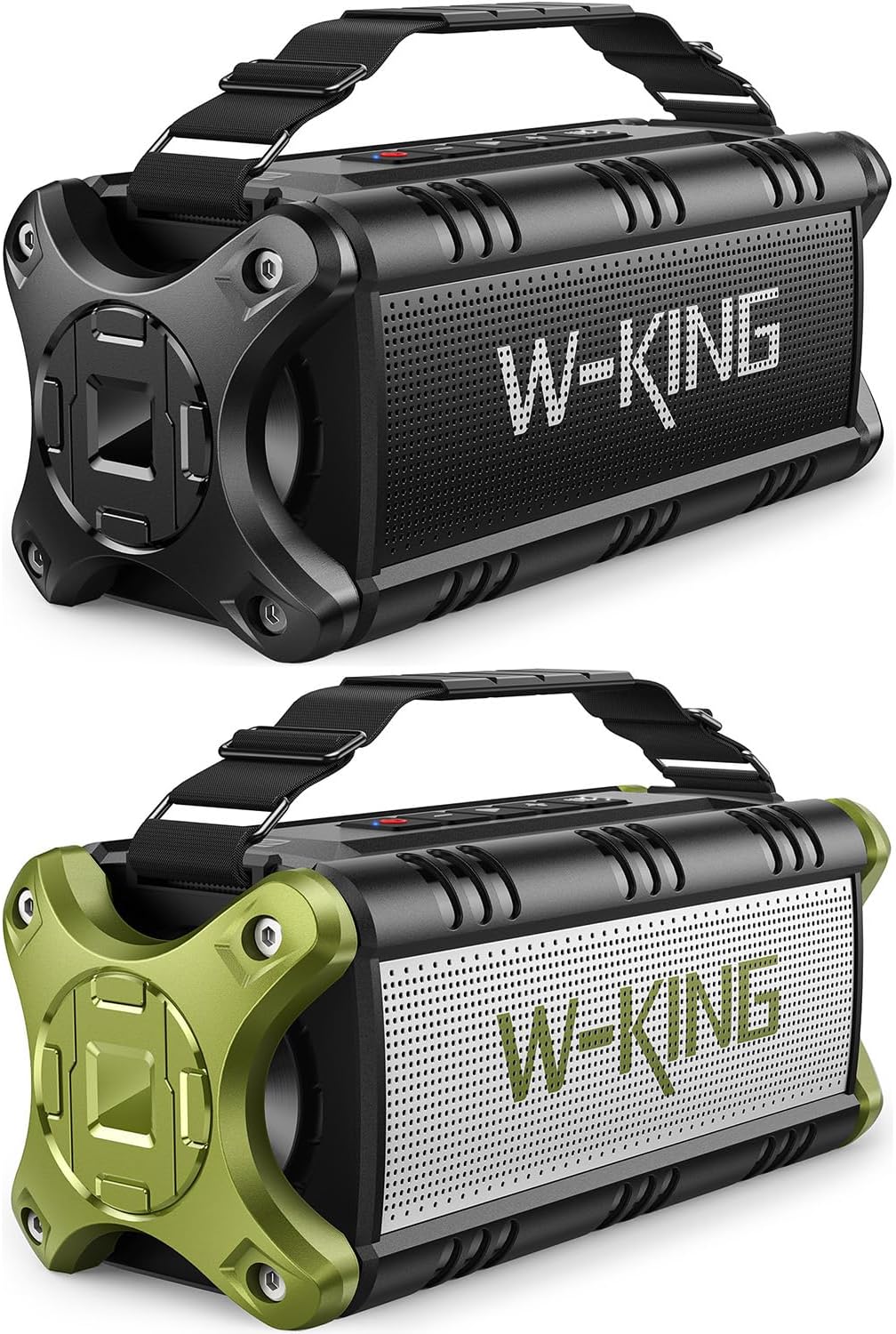
Слика 3.1: Предња страна view of the W-KING Bluetooth Speaker, showcasing its rugged design and W-KING branding.

Figure 3.2: Diagram illustrating the internal components, including 2x25W subwoofers, 2x5W tweeters, and passive bass radiators, contributing to 90W Peak 50W RMS sound output.
Изглед контролне табле
The top panel of the speaker houses all essential controls for easy operation.
- Дугме за напајање: Притисните и држите да бисте укључили/искључили уређај. Кратко притисните да бисте проверили статус батерије.
- Дугме за репродукцију/паузу: Play or pause audio. Answer/end calls.
- Утишавање (-): Decrease volume. Press and hold for previous track.
- Јачина звука (+): Increase volume. Press and hold for next track.
- ЕК тастер: Cycle through different equalizer modes (Indoor/Outdoor).
- ТВС дугме: Покрените упаривање са правим бежичним стерео уређајем.
- Индикаторска светла батерије: Прикажи тренутни ниво батерије.
- Порт за пуњење (УСБ-Ц): За пуњење звучника.
- УСБ-А излазни порт: For power bank function.
- AUX-in порт: За жично повезивање звука.
- Слот за ТФ картицу: For playing music directly from a TF card.
4. Подешавање
4.1 Пуњење звучника
Before first use, fully charge the speaker. The battery indicator lights will show charging progress.
- Отворите заштитни поклопац са стране звучника да бисте приступили порту за пуњење.
- Повежите USB-C кабл за пуњење са портом за пуњење звучника.
- Connect the other end of the cable to a compatible USB power adapter (5V).
- The battery indicator lights will illuminate during charging and turn off when fully charged.
- Once charging is complete, securely close the protective cover to maintain waterproof integrity.
4.2 Почетно упаривање путем Bluetooth-а
Pair your W-KING speaker with your Bluetooth-enabled device.
- Press and hold the Power Button to turn on the speaker. The Bluetooth indicator light will flash, indicating it's in pairing mode.
- На свом уређају (паметном телефону, таблету, лаптопу) омогућите Блутут и потражите доступне уређаје.
- Select "W-KING" from the list of devices.
- Once connected, the Bluetooth indicator light will stop flashing and remain solid.
- Звучник је сада спреман за репродукцију звука са вашег уређаја.
4.3 NFC Connection (Android Only)
For quick pairing with NFC-enabled Android devices:

Figure 4.1: An Android smartphone being tapped against the W-KING speaker to establish an NFC connection, allowing for quick Bluetooth pairing without manual searching.
- Уверите се да је NFC омогућен на вашем Андроид паметном телефону.
- Turn on the W-KING speaker.
- Gently tap your smartphone against the NFC area on the speaker (usually indicated by an NFC logo).
- Потврдите захтев за упаривање на свом паметном телефону.
5. Упутство за употребу
5.1 Основна репродукција
- Пусти/паузирај: Кратко притисните дугме Плаи/Паусе.
- Појачавање/утишавање: Кратко притисните дугмад „+“ или „-“.
- Следећа нумера: Притисните и држите дугме „+“.
- Претходни запис: Притисните и држите дугме '-'.
5.2 Режими еквилајзера (EQ)
The speaker offers different EQ modes to optimize sound for various environments.

Figure 5.1: The W-KING speaker displaying its two distinct EQ modes, Indoor and Outdoor, allowing users to adjust sound profiles for different listening environments.
- Press the EQ button to cycle between available sound modes (e.g., Indoor, Outdoor).
- Each mode is designed to enhance specific aspects of the audio, such as bass or clarity, depending on the listening environment.
5.3 Упаривање са правим бежичним стерео (TWS) системом
Connect two W-KING speakers for a powerful stereo sound experience.

Figure 5.2: Two W-KING speakers wirelessly connected to create a True Wireless Stereo setup, delivering 100W (180W MAX) super powerful stereo sound.
- Ensure both W-KING speakers are powered on and not connected to any other Bluetooth device.
- On one speaker (this will be the primary speaker), short press the TWS button. The TWS indicator light will flash.
- The primary speaker will automatically search for the secondary speaker.
- Once connected, both speakers will emit a confirmation tone, and the TWS indicator lights on both speakers will remain solid.
- Now, connect your device to the primary speaker via Bluetooth. Audio will play through both speakers in stereo.
5.4 Позивање без употребе руку
The built-in microphone allows for hands-free calls when connected via Bluetooth.

Figure 5.3: Illustration of individuals using the W-KING speaker for hands-free calling, highlighting its built-in microphone for clear communication.
- Одговори на позив: Кратко притисните дугме Плаи/Паусе.
- Заврши позив: Кратко притисните дугме Репродукуј/Паузирај током позива.
- Одбиј позив: Притисните и држите дугме за репродукцију/паузу.
5.5 Функција преносног пуњача
Use the speaker's large battery to charge your mobile devices.

Figure 5.4: The W-KING speaker demonstrating its power bank capability by charging a smartphone, indicating its 40-hour playtime and external charging function.
- Отворите заштитни поклопац са стране звучника.
- Connect your device's charging cable to the USB-A output port on the speaker.
- The speaker will begin charging your device.
- Remember to close the protective cover when not in use to maintain waterproof integrity.
5.6 AUX and TF Card Playback
The speaker supports audio input via a 3.5mm AUX cable and direct playback from a TF (MicroSD) card.
- АУКС улаз: Insert a 3.5mm audio cable into the AUX-in port on the speaker and connect the other end to your audio source. The speaker will automatically switch to AUX mode.
- ТФ картица: Уметните ТФ картицу (са музиком files) into the TF card slot. The speaker will automatically detect the card and begin playing music.
6. Одржавање
6.1 Чишћење
Да бисте одржали звучник у оптималном стању:

Figure 6.1: The W-KING speaker submerged in water, illustrating its IPX6 waterproof capability, making it suitable for use near water.
- Обришите звучник меком, дamp тканина. Немојте користити абразивна средства за чишћење или раствараче.
- If the speaker gets wet, ensure all port covers are securely closed. After exposure to water, wipe it dry thoroughly before opening any ports or charging.
6.2 Складиштење
- Чувајте звучник на хладном и сувом месту, даље од директне сунчеве светлости и екстремних температура.
- Ако складиштите батерију дуже време, пуните је до приближно 50% сваких неколико месеци како бисте продужили њен век трајања.
КСНУМКС. Решавање проблема
If you encounter issues with your W-KING speaker, refer to the table below for common problems and solutions.
| Проблем | Решење |
|---|---|
| Звучник се не укључује. | Уверите се да је батерија напуњена. Прикључите звучник на извор напајања и покушајте поново. |
| Није могуће упарити са Блуетоотх уређајем. | Make sure the speaker is in pairing mode (flashing Bluetooth light). Ensure Bluetooth is enabled on your device and it's within 100ft range. Forget previous pairings on your device and try again. |
| Нема звука или је јачина звука ниска. | Check volume levels on both the speaker and your connected device. Ensure the speaker is properly paired. If using AUX, check cable connection. |
| Упаривање TWS-а не успева. | Ensure both speakers are W-KING models and not connected to any other Bluetooth device. Place them close to each other during pairing. |
| Speaker not charging external devices. | Ensure the speaker has sufficient battery charge. Check the USB cable connection. |
| Изобличење звука. | Смањите јачину звука и на звучнику и на уређају. Уверите се да извор звука није изобличен. |
8. Спецификације
Key technical specifications for the W-KING Bluetooth Speaker.
| Феатуре | Валуе |
|---|---|
| Бранд | В-КИНГ |
| Модел | B093LS3Q1H |
| Спеакер Типе | Преносиви Блуетоотх звучник на отвореном |
| Вршна излазна снага | 90В (50В РМС) |
| Ниво отпорности на воду | ИПКС6 водоотпоран |
| Технологија повезивања | Bluetooth 5.0, NFC, AUX, TF Card |
| Домет | До 100 стопе (30 метара) |
| Трајање батерије | До 40 сати (варира у зависности од количине и садржаја) |
| Повер Банк функција | Да |
| Укључене компоненте | Rechargeable battery, Passive radiators, 3.5mm audio jack |
| Материјал | Алуминијум, Пластика |
9. Гаранција и подршка
The W-KING Bluetooth Speaker comes with a standard manufacturer's warranty. Please refer to the warranty card included in your product packaging for specific terms and conditions. For technical support, troubleshooting assistance, or warranty claims, please contact W-KING customer service through the official webсајт или вашу платформу за куповину. Сачувајте доказ о куповини ради потврде гаранције.


