1. Производ је готовview
The Dell Latitude 5350 is a high-performance business laptop designed for productivity and reliability. It features a 13.3-inch IPS touchscreen, powered by an Intel Core Ultra 7-165U vPro processor, 32GB of RAM, and a 512GB NVMe SSD. This manual provides essential information for setting up, operating, maintaining, and troubleshooting your device.
Кључне карактеристике:
- 13.3-inch FHD (1920x1080) IPS Touchscreen with Anti-Glare
- Intel Core Ultra 7 165U vPro Processor
- 32GB LPDDR5x RAM меморије
- 512GB M.2 NVMe SSD
- Integrated Intel ARC Graphics
- Оперативни систем Windows 11 Pro
- Connectivity: 2x Thunderbolt 4, 2x USB-A 3.2 Gen 1, HDMI 2.1, 3.5mm Audio Jack, Wi-Fi 6E, Bluetooth 5.3
- Fingerprint Reader and FHD HDR + IR Camera for enhanced security
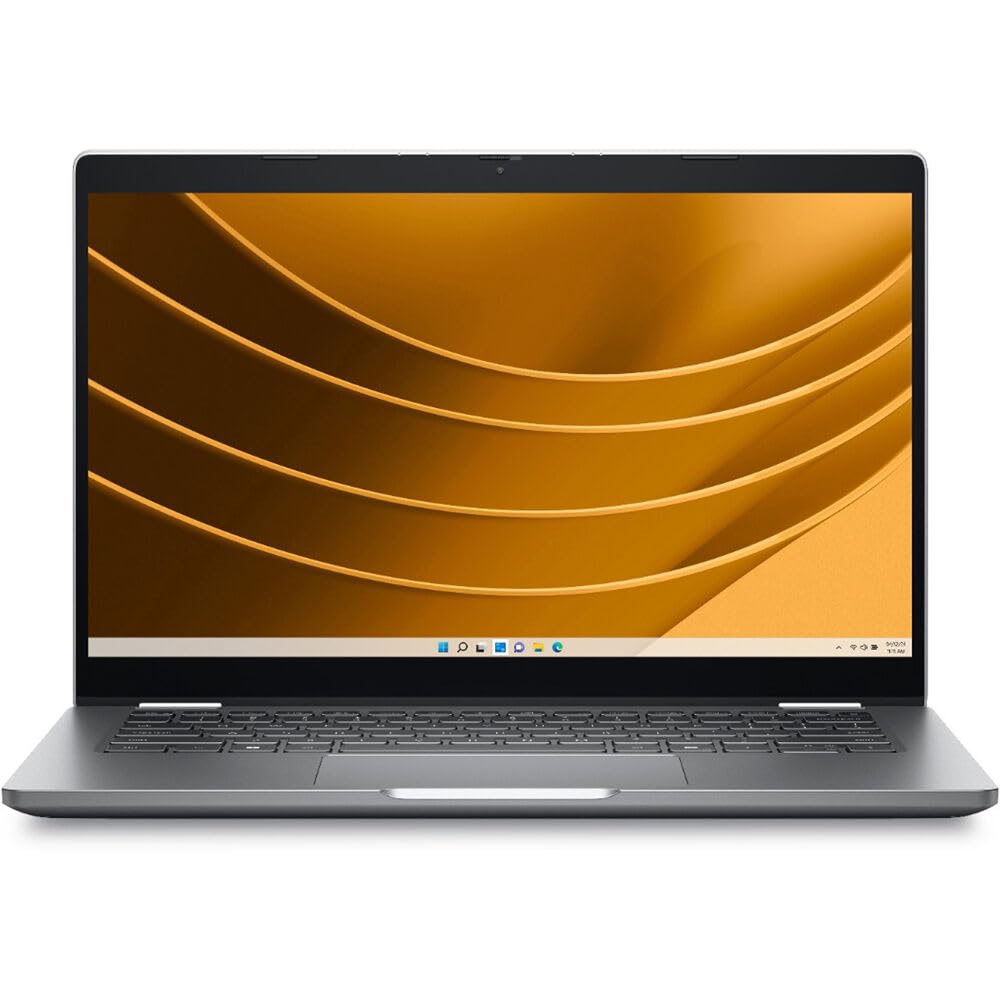
Figure 1: Dell Latitude 5350 Laptop (Overall View)
2. Упутства за подешавање
2.1 Распакивање и почетни преглед
Пажљиво извадите све компоненте из паковања. Уверите се да су присутне следеће ставке:
- Лаптоп Dell Latitude 5350
- АЦ адаптер
- Батерија (може бити унапред инсталирана)
- Документација (Кратки водич, Безбедносне информације)
Inspect the laptop and accessories for any signs of damage. If any components are missing or damaged, contact Dell support immediately.
2.2 Повезивање адаптера за напајање
- Connect the AC adapter cable to the power port on the laptop.
- Plug the AC adapter into a wall outlet. The battery indicator light will illuminate, indicating that the laptop is charging.
2.3 Почетно укључивање и подешавање Windows-а
- Отворите поклопац лаптопа.
- Притисните дугме за напајање, које се обично налази у горњем десном углу тастатуре.
- Follow the on-screen instructions to complete the Windows 11 Pro setup process. This includes selecting your region, language, connecting to a network, and creating a user account.
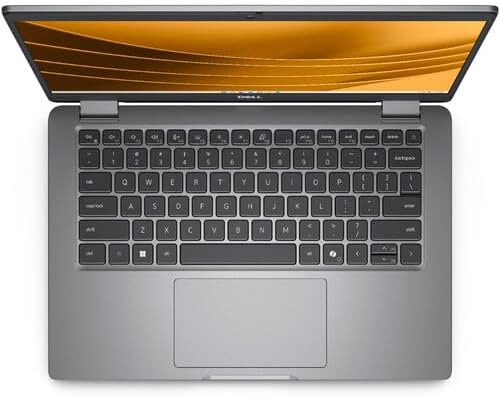
Figure 2: Dell Latitude 5350 Laptop Keyboard and Touchpad
3. Упутство за употребу
3.1 Коришћење тастатуре и тачпеда
- The laptop features a US English backlit keyboard. Use the Fn key in combination with function keys (F1-F12) for special functions like adjusting brightness, volume, or toggling the keyboard backlight.
- Тачпед подржава гестове са вишеструким додиром за навигацију, скроловање и зумирање. Погледајте подешавања Windows-а за прилагођавање.
3.2 Управљање екраном осетљивим на додир
The 13.3-inch IPS touchscreen allows for direct interaction with the operating system and applications. Use gestures such as tapping, swiping, pinching, and stretching for navigation and control.
3.3 Повезивање са мрежама
- Ви-Фи: Click the Wi-Fi icon in the taskbar, select your desired network, enter the password if prompted, and click Connect. The laptop supports Wi-Fi 6E for fast wireless connectivity.
- Блуетоотх: To connect Bluetooth devices, go to Подешавања > Bluetooth и уређаји, turn on Bluetooth, and select 'Add device'.
3.4 Using Ports and Connectors
The Dell Latitude 5350 offers various ports for connecting external devices:
- Тандерболт 4 (x2): За брзи пренос података, видео излаз и испоруку напајања.
- USB-A 3.2 Gen 1 (x2): За повезивање стандардних УСБ уређаја.
- ХДМИ КСНУМКС: За повезивање са екстерним екранима или пројекторима.
- 3.5 мм аудио прикључак: За слушалице или екстерне звучнике.

Figure 3: Dell Latitude 5350 Laptop Side View са портовима
4. Одржавање
4.1 Чишћење лаптопа
- Користите меку крпу која не оставља длачице дampОчистите екран водом или средством за чишћење екрана. Избегавајте јаке хемикалије.
- For the keyboard and chassis, use a soft cloth. A can of compressed air can help remove dust from between keys and vents.
- Уверите се да је лаптоп искључен и искључен из струје пре чишћења.
4.2 Одржавање батерије
- Избегавајте екстремне температуре, које могу смањити век трајања батерије.
- За оптималан век трајања батерије, избегавајте стално држање лаптопа на 100% напуњеног или често потпуно пражњење.
- Dell Power Manager software can help optimize battery settings.
4.3 Ажурирања софтвера
Regularly update your Windows operating system and Dell drivers. This ensures optimal performance, security, and compatibility. You can check for updates via Windows Update and Dell SupportAssist.
КСНУМКС. Решавање проблема
This section addresses common issues you might encounter with your Dell Latitude 5350 laptop.
5.1 Laptop Not Powering On
- Уверите се да је АЦ адаптер безбедно повезан и са лаптопом и са исправном утичницом.
- Check the battery charge level. If the battery is completely drained, it may take a few minutes of charging before the laptop can power on.
- Покушајте да држите дугме за напајање 15-20 секунди да бисте извршили хард ресетовање.
5.2 Проблеми са Wi-Fi повезивањем
- Проверите да ли је Wi-Fi омогућен у подешавањима система Windows.
- Рестартујте рутер и модем.
- Покрените програм за решавање проблема са мрежом у систему Windows (Подешавања > Мрежа и интернет > Напредна подешавања мреже > Алат за решавање проблема са мрежом).
- Ensure your Wi-Fi drivers are up to date.
5.3 Екран осетљив на додир не реагује
- Поново покрените лаптоп.
- Check Device Manager for any issues with the touchscreen driver. Update or reinstall the driver if necessary.
- Уверите се да је екран чист и без прљавштине.
For more complex issues, refer to the Dell support webсајту или контактирајте техничку подршку.
6. Спецификације
Detailed technical specifications for the Dell Latitude 5350 Laptop.
| Феатуре | Спецификација |
|---|---|
| Бранд | Делл |
| Назив модела | Географска ширина 5350 |
| Величина екрана | 13.3 инча |
| Резолуција екрана | 1920 x 1080 (FHD) IPS Touchscreen |
| Рефресх Рате | 60 Хз |
| Макимум Бригхтнесс | 300 Нит |
| Процесор | Intel Core Ultra 7 165U vPro (12 cores, 14 threads, up to 4.9 GHz Turbo) |
| РАМ меморија | 32 ГБ ЛПДДР5к |
| Складиштење | 512 GB M.2 NVMe SSD |
| Графика | Integrated Intel ARC Graphics |
| Оперативни систем | Виндовс 11 Про |
| Бежично повезивање | Wi-Fi 6E (802.11ax), Bluetooth 5.3 |
| Портс | 2x Thunderbolt 4, 2x USB-A 3.2 Gen 1, 1x HDMI 2.1, 1x 3.5mm Audio Jack |
| Сигурносне карактеристике | Fingerprint Reader, FHD HDR + IR Camera (Facial Recognition) |
| Тастатура | US English backlit keyboard with Copilot key |
| Dimensions (L x W x Thickness) | 8.27 cm D x 12 cm Š x 0.59 cm Deb |
| Тежина | 2.07 килограма |
| Тип батерије | Lithium Ion (3 cells, 650 Watt Hours) |
7. Гаранција и подршка
7.1 Информације о гаранцији
Your Dell Latitude 5350 Laptop includes Dell ProSupport, offering advanced hardware and software support. The product also has a 3-year EU Spare Part Availability duration, indicating long-term support for components.
For specific warranty terms and conditions, please refer to the documentation included with your product or visit the official Dell support webсајту.
7.2 Техничка подршка
За техничку помоћ, преузимање драјвера или даље решавање проблема, посетите званичну Dell подршку webсајт:
You will need your laptop's Service Tag, which can typically be found on a sticker on the bottom of the laptop or accessed through the BIOS/UEFI settings.


