Увод
This instruction manual provides comprehensive guidance for the 8Bitdo Media Remote (White Short Edition), designed for seamless media control on your Xbox One, Xbox Series X, and Xbox Series S consoles. This remote offers dedicated media playback buttons, Xbox system navigation, and motion-activated backlighting for enhanced usability.
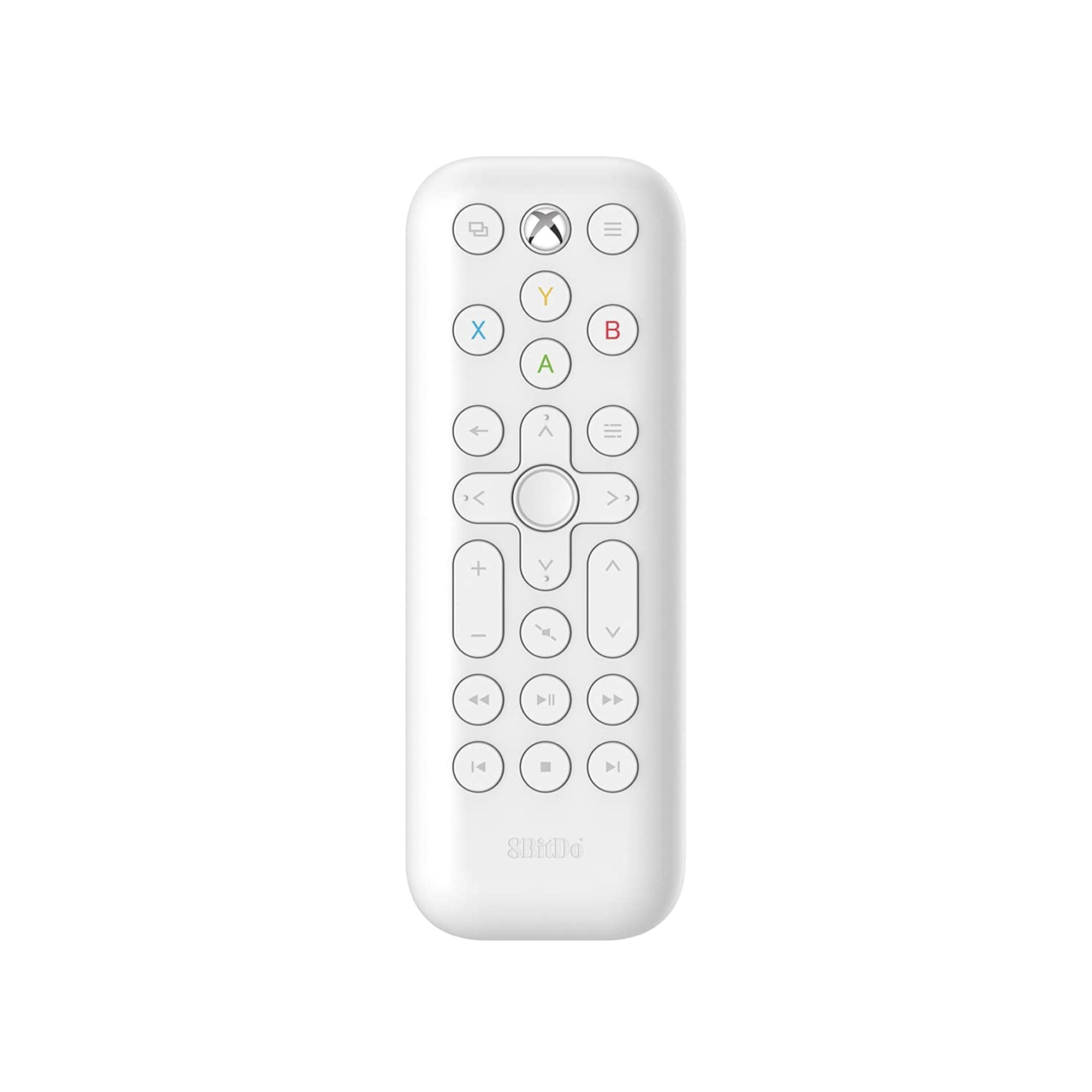
Image: The 8Bitdo Media Remote in White, Short Edition, showcasinњегов компактан дизајн и распоред дугмади.
Сетуп
1. Инсталација батерије
The 8Bitdo Media Remote requires two AAA batteries for operation. These are typically included with your purchase.
- Пронађите поклопац одељка за батерије на задњој страни даљинског управљача.
- Померите поклопац надоле да бисте отворили одељак.
- Уметните две ААА батерије, водећи рачуна о исправном поларитету (+ и -).
- Вратите поклопац одељка за батерију на место док не кликне чврсто.

Image: A hand demonstrating how to open the battery compartment and insert AAA batteries into the remote.
2. Почетна веза
The 8Bitdo Media Remote uses infrared (IR) technology. No manual pairing is required. Simply ensure a clear line of sight between the remote's IR emitter (located at the top) and your Xbox console's IR receiver.

Image: A user holding the 8Bitdo Media Remote, pointing it towards an Xbox Series S console, illustrating the line-of-sight requirement for infrared communication.
Упутство за употребу
1. Powering On/Off and Navigation
- Dedicated Home Button: Press the Xbox Home button (located at the top center) to instantly wake your Xbox console.
- Смерни тастер (D-Pad): Use the circular D-Pad for navigating menus and selecting items.
- Дугмад A/B/X/Y: These colored buttons correspond to standard Xbox controller functions for menu selection and interaction.

Image: The 8Bitdo Media Remote being used to wake an Xbox console, highlighting the dedicated Home button functionality.
2. Контроле за репродукцију медија
The remote features a full suite of media playback buttons:
- Пусти/паузирај: Покрените или паузирајте репродукцију медија.
- Премотавање унапред/уназад: Skip forward or backward through content.
- Појачавање/утишавање: Adjust the volume of your media.
- Искључи звук: Искључите или укључите звук.
3. Motion-Activated Backlight
The buttons on the remote are motion-activated and will illuminate when the remote is picked up or moved, making it easy to use in low-light conditions.
4. OneGuide Button Customization
The OneGuide button (three horizontal lines icon) can be customized to launch a specific application on your Xbox. To configure this:
- On your Xbox, go to Подешавања.
- Дођите до Devices & connections, а затим изаберите Медијски даљински.
- Choose the desired action or app to launch when the OneGuide button is pressed.
5. TV Volume Control (HDMI-CEC)
Your Xbox can control your TV's volume if your TV supports HDMI-CEC (Consumer Electronics Control). To enable this:
- Press the Xbox button on your controller to open the guide.
- Иди на Подешавања > генерал > Опције за телевизоре и екране.
- Изаберите Контрола уређаја > ХДМИ-ЦЕЦ and enable all options.
- Consult your TV manufacturer's manual for specific HDMI-CEC settings.
Одржавање
1. Замена батерије
Replace the AAA batteries when the remote's performance diminishes or the backlight becomes dim. Refer to the 'Battery Installation' steps in the Setup section.
2. Чишћење
Wipe the remote with a soft, dry cloth. Avoid using harsh chemicals or abrasive materials that could damage the finish or buttons.
Решавање проблема
- Даљински не реагује:
- Уверите се да су нове батерије правилно инсталиране.
- Verify a clear line of sight between the remote and your Xbox console. Obstructions can block the infrared signal.
- Confirm your Xbox console is powered on and not in a deep sleep mode that disables IR reception.
- Backlight constantly active:
- The backlight is motion-activated. Any movement will trigger it. This is normal operation.
- If battery life is a concern due to frequent backlighting, consider using rechargeable AAA batteries.
- Контрола јачине звука на телевизору не ради:
- Ensure your TV supports HDMI-CEC and that it is enabled in your TV's settings.
- Verify HDMI-CEC settings are correctly configured on your Xbox console (Settings > General > TV & display options > Device control > HDMI-CEC).
Спецификације
| Модел | 6922621501848 (White Short Edition) |
| Бранд | КСНУМКСБитдо |
| Повезивање | Инфрацрвени (ИР) |
| Компатибилност | Ксбок Сериес Кс, Ксбок Сериес С, Ксбок Оне |
| Извор напајања | 2 к ААА батерије (укључене) |
| Dimensions (Short Edition) | 134.25 к 48 к 18.8 мм |
| Тежина артикла | 2.88 унци |

Image: A visual comparison of the 8Bitdo Media Remote in both short and long editions, detailing their respective dimensions.

Image: An illustration showing the 8Bitdo Media Remote's compatibility with Xbox One, Xbox Series X, and Xbox Series S consoles.
Гаранција и подршка
8Bitdo is committed to producing high-quality gaming hardware. For specific warranty information, product support, or to access the latest firmware updates, please visit the official 8Bitdo webсајт или директно контактирајте њихову корисничку службу. Сачувајте доказ о куповини за потребе гаранције.
За додатне ресурсе и информације о производу, можете посетити 8Bitdo Store on Amazon.
Производ је завршенview Видео
Видео: Званичник прекоview of the 8Bitdo Media Remote for Xbox One and Xbox Series X|S, demonstrating its features and functionality.


