1. Увод
The Milfra Smart Plug (Model 501) is a versatile smart home device designed to bring convenience and efficiency to your daily life. This smart plug allows you to control your electronic devices remotely, via voice commands, or through scheduled timers. It features a 16A capacity, a built-in USB charging port, and is compatible with popular smart home ecosystems like Amazon Alexa and Google Home. This manual provides detailed instructions for setting up, operating, and maintaining your Milfra Smart Plug.

Слика: Прекоview of the Milfra Smart Plugs, highlighting their compact design and integrated USB port.
2. Безбедносне информације
Please read and understand all safety instructions before using the Milfra Smart Plug. Failure to follow these instructions may result in electric shock, fire, or other hazards.
- The smart plug is made from high-quality, flame-retardant PC-V0 materials for enhanced safety.
- Features built-in short-circuit protection, over-voltage protection, over-current protection, and overheating protection.
- Немојте растављати или модификовати уређај.
- Не излажите уређај води или прекомерној влажности.
- Ensure the connected appliance's power consumption does not exceed the smart plug's maximum load (16A, 2000W).
- The USB port cannot be controlled via the app and remains continuously powered.
- This product is certified with CE, RoHS, and REACH for health and safety.
3. Карактеристике производа
The Milfra Smart Plug offers a range of features designed to enhance your smart home experience:
- УСБ пуњач: Conveniently charge your USB-powered devices directly from the smart plug.
- Timer and Countdown Function: Schedule your devices to turn on or off at specific times or after a set duration using the "Smart Life" app.
- Physical ON/OFF Button: Control the main socket directly on the device, in addition to app control.
- Device Grouping: Integrate and control multiple smart plugs or other smart devices within your home.
- Породично дељење: Делите контролу над својим паметним утикачима са члановима породице путем апликације.
- Контрола гласом: Compatible with Amazon Alexa, Google Home Assistant, and supports SmartThings for hands-free operation.
- даљински управљач: Turn devices on/off from anywhere using the "Smart Life" or "Tuya" app on your smartphone.

Image: Key features and compatibility of the Milfra Smart Plug.
4. Подешавање
4.1 Инсталација апликације
To control your Milfra Smart Plug, you need to download and install the "Smart Life" or "Tuya" app on your smartphone or tablet. These apps are available for both iOS and Android devices.
- Тражи "Smart Life" or "Tuya Smart" in the Apple App Store (for iOS) or Google Play Store (for Android).
- Преузмите и инсталирајте апликацију.
- Отворите апликацију и региструјте се за нови налог или се пријавите ако га већ имате.
4.2 Упаривање уређаја
Follow these steps to pair your Milfra Smart Plug with the app:
- Plug the Milfra Smart Plug into a standard wall outlet. The indicator light on the plug should start blinking rapidly, indicating it's in pairing mode. If not, press and hold the physical ON/OFF button for 5-10 seconds until it blinks rapidly.
- Open the "Smart Life" or "Tuya" app on your smartphone.
- Додирните „+" icon in the top right corner to add a device.
- Select "Electrical Outlet" or "Socket (Wi-Fi)" from the device list.
- Confirm that the indicator light is blinking rapidly.
- Enter your Wi-Fi network password (ensure you are connected to a 2.4GHz Wi-Fi network, as 5GHz is not supported).
- Апликација ће почети да се повезује са паметним утикачем. Када се повеже, индикаторска лампица ће престати да трепери и остати непрекидно светлећа.
- You can now rename the device for easier identification (e.g., "Living Room Lamp").
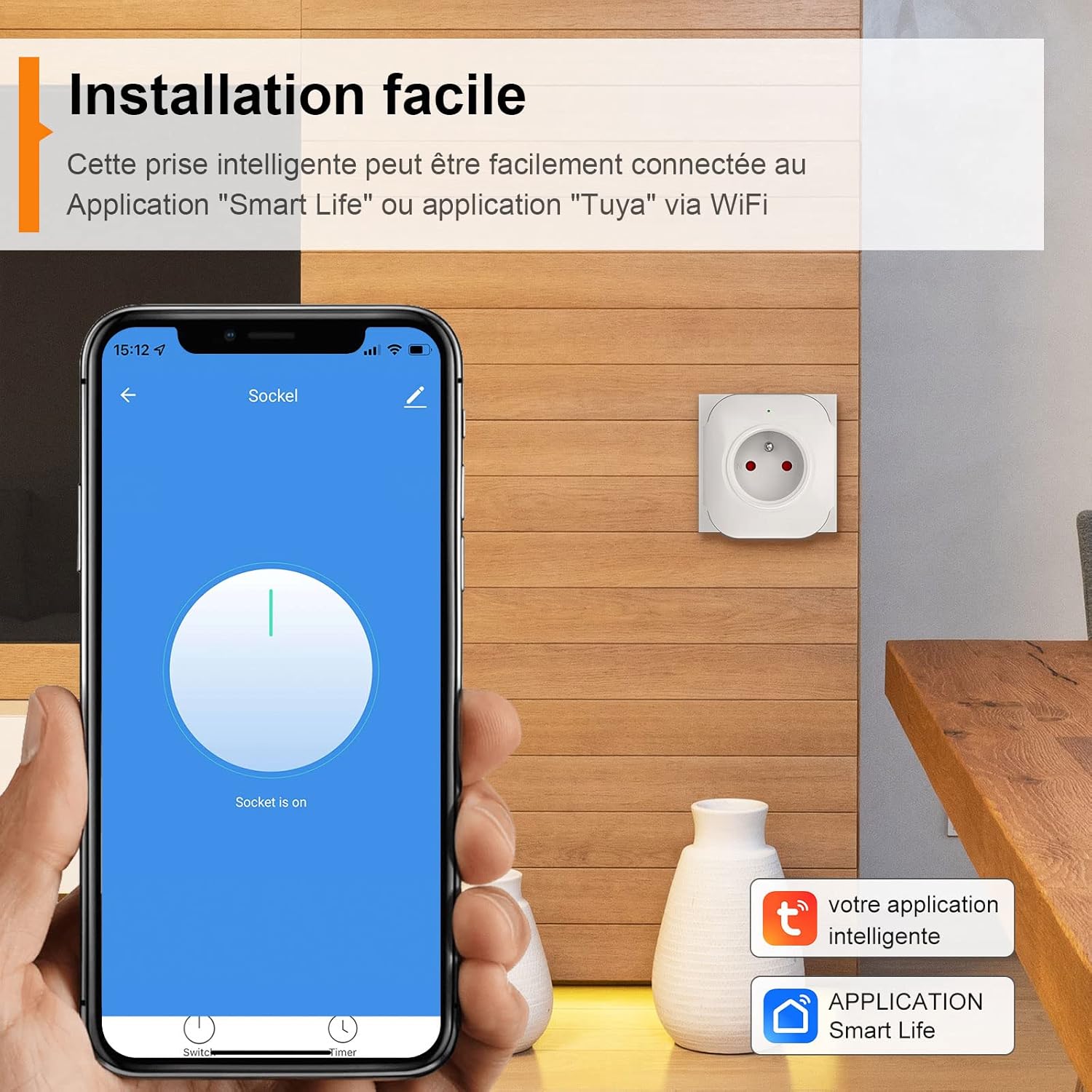
Image: Easy installation process using the Smart Life app.
5. Упутство за употребу
5.1 Даљинско управљање путем апликације
Once paired, you can control your Milfra Smart Plug from anywhere using the "Smart Life" or "Tuya" app.
- Open the app and select the smart plug you wish to control.
- Tap the ON/OFF button on the app interface to toggle the power to the connected appliance.
- You can also group multiple smart plugs to control them simultaneously.

Image: Remote control functionality of the smart plug via the app.
5.2 Гласовна контрола (Alexa и Google Home)
The Milfra Smart Plug is compatible with Amazon Alexa and Google Home Assistant, allowing for convenient voice control.
- Link the App: In your Alexa or Google Home app, enable the "Smart Life" or "Tuya Smart" skill/action. You will need to link your Smart Life/Tuya account.
- Откријте уређаје: Once linked, ask your voice assistant to "Discover devices" or manually add the device in the app.
- Гласовне команде: Користите команде као што су:
- "Alexa, turn on [device name]"
- "Hey Google, turn off [device name]"
- "Alexa, set [device name] to 50%" (if applicable for dimmable devices, though not directly for this plug)

Слика: прample of voice control with Amazon Alexa.
5.3 Timer and Countdown Function
Automate your devices by setting schedules and countdowns:
- Тајмер: In the app, select your smart plug and navigate to the "Timer" or "Schedule" section. Set specific ON/OFF times for different days of the week.
- Одбројавање: Use the countdown feature to turn a device off after a set period (e.g., turn off a lamp after 30 minutes).

Image: Setting up timer programming for automated control.
5.4 Дељење са породицом
Share control of your smart plugs with family members without sharing your account password:
- In the app, go to the device settings or "Home Management" section.
- Select "Share Device" or "Add Member".
- Enter the account (email or phone number) of the family member you wish to share with. They must also have a "Smart Life" or "Tuya" account.
- The shared member will receive an invitation and can then control the device from their own app.

Image: Family sharing feature allowing multiple users to control smart devices.
5.5 УСБ пуњење
The integrated USB port provides a convenient charging solution for your devices.
- Simply plug your USB charging cable into the USB port on the smart plug.
- Note that the USB port is always active and cannot be controlled via the app or voice commands.
- USB Output: 5V/1A.

Image: USB charging functionality of the smart plug.
6. Одржавање
To ensure the longevity and proper functioning of your Milfra Smart Plug, follow these simple maintenance guidelines:
- Keep the smart plug clean by wiping it with a soft, dry cloth.
- Не користите јаке хемикалије или абразивна средства за чишћење.
- Ensure the plug is disconnected from the power outlet before cleaning.
- Store the plug in a cool, dry place when not in use.
КСНУМКС. Решавање проблема
| Проблем | Могући узрок | Решење |
|---|---|---|
| Smart plug cannot connect to Wi-Fi. | Incorrect Wi-Fi password; 5GHz Wi-Fi network; plug too far from router; router issues. |
|
| Device offline in app. | Ви-Фи је искључен; нестало је струјеtage; plug unplugged. |
|
| Гласовна контрола не ради. | Skill/action not enabled; device not discovered; incorrect device name. |
|
| УСБ порт се не пуни. | Cable issue; device issue; power issue. |
|
8. Спецификације
| Атрибут | Валуе |
|---|---|
| Бранд | Милфра |
| Број модела | 501 |
| Материјал | Поликарбонат (ПЦ) |
| Боја | Бела |
| Називна струја | 16А (Мак) |
| Ратед Волtage | АЦ100-240В (50/60Хз) |
| Називна снага | 2000В |
| УСБ излаз | 5В/1А |
| Вирелесс Фрекуенци | 2.4ГХз |
| вирелесс стандард | ИЕЕЕ802.11 б/г/н |
| Компатибилни уређаји | Alexa, Google Home, SmartThings |
| Димензије производа | 73 к 69 к 36.5 мм |
| Тежина артикла | 550 g (for 4-pack, individual weight not specified) |

Image: Detailed dimensions and technical specifications of the Milfra Smart Plug.
9. Гаранција и подршка
Milfra products are designed for reliability and performance. For warranty information and technical support, please refer to the official Milfra webсајт или контактирајте њихову корисничку службу. Сачувајте рачун као доказ о куповини за евентуалне рекламације по гаранцији.
За додатну помоћ, посетите Milfra Store on Amazon.


