1. Увод
Thank you for choosing Baseus W11 True Wireless Earbuds. This manual provides detailed instructions for the proper use and maintenance of your device. Please read it carefully before use.

Image: Baseus W11 True Wireless Earbuds and Charging Case.
2. Шта је у кутији
Пакет укључује следеће ставке:
- Baseus W11 True Wireless Earbuds (Left and Right)
- Футрола за бежично пуњење
- УСБ-Ц кабл за пуњење
- Multiple sizes of silicone ear tips (XS, S, M, L)
- Упутство за употребу
Video: TWS W11 Operation Guide Video, demonstrating unboxing and initial setup steps.
3. Производ је готовview
Слушалице
- Додирните контролну област
- Микрофон
- Цхаргинг Цонтацтс
- Силиконски врх за уши
Футрола за пуњење
- Прорези за пуњење слушалица
- Индикатор батерије
- УСБ-Ц прикључак за пуњење
- Фунцтион Буттон

Image: Baseus W11 Earbuds inside their charging case, showing the earbuds and charging contacts.
4. Подешавање
4.1 Почетно пуњење
Before first use, ensure the charging case and earbuds are fully charged. Remove any insulation stickers from the earbud charging contacts.
- Повежите USB-C кабл са кућиштем за пуњење и извором напајања.
- Алтернативно, поставите кућиште за пуњење на компатибилну подлогу за бежично пуњење.
- Индикаторска лампица на кућишту ће показати статус пуњења.

Image: Baseus W11 charging case on a wireless charging pad, illustrating wireless charging capability.

Image: Baseus W11 charging case connected via USB-C cable, showing fast charging feature.
4.2 Упаривање са уређајем
- Отворите кућиште за пуњење. Слушалице ће аутоматски ући у режим упаривања.
- На свом уређају (паметном телефону, таблету итд.) омогућите Блутут.
- Тражи "Baseus Encok W11" in the list of available Bluetooth devices and select it to connect.
- Када се повежете, чућете звучни сигнал и слушалице ће бити спремне за употребу.
4.3 Baseus App Installation
For enhanced features like anti-lost function, gesture customization, and firmware updates, download the official Baseus app from your device's app store.

Image: Baseus app interface showing anti-lost function, low latency, and button customization options.
5. Упутство за употребу
5.1 Ношење слушалица
Choose the ear tips that provide the most comfortable and secure fit for your ears. Insert the earbuds into your ear canal and gently twist them to lock them in place.

Image: Man wearing Baseus W11 earbuds while running, demonstrating the secure and comfortable fit for active use.
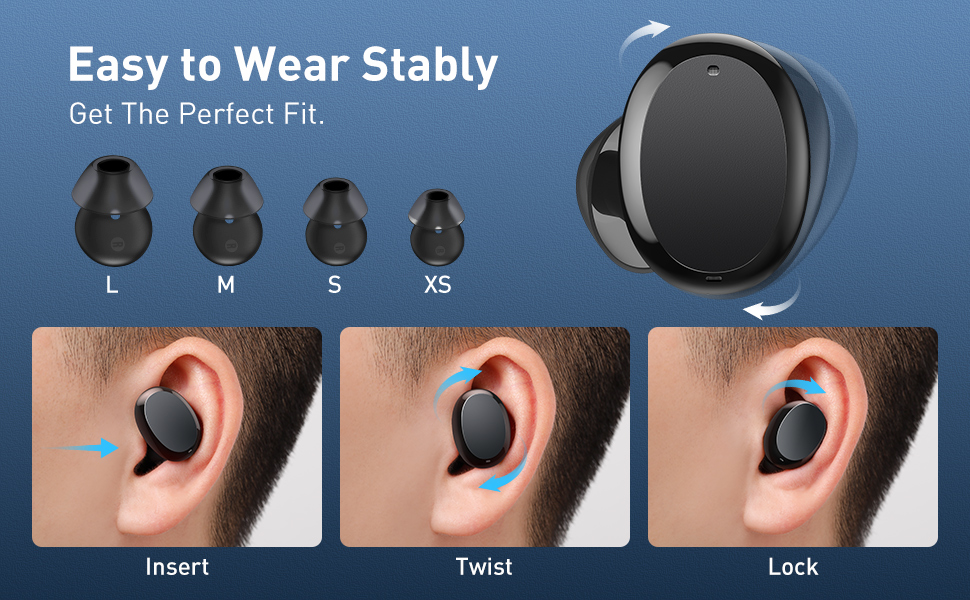
Image: Diagram illustrating the three steps to achieve a secure fit for the Baseus W11 earbuds: insert, twist, and lock.
5.2 Контроле на додир
The earbuds feature smart touch controls. Functions can be customized via the Baseus app.
- Пусти/паузирај: Double-tap Left/Right earbud.
- Следећа нумера: Long press Right earbud.
- Претходни запис: Long press Left earbud.
- Активирање гласовног помоћника: Triple-tap Left/Right earbud.
- Одговори/прекини позив: Double-tap Left/Right earbud.
- Одбиј позив: Long press Left/Right earbud.
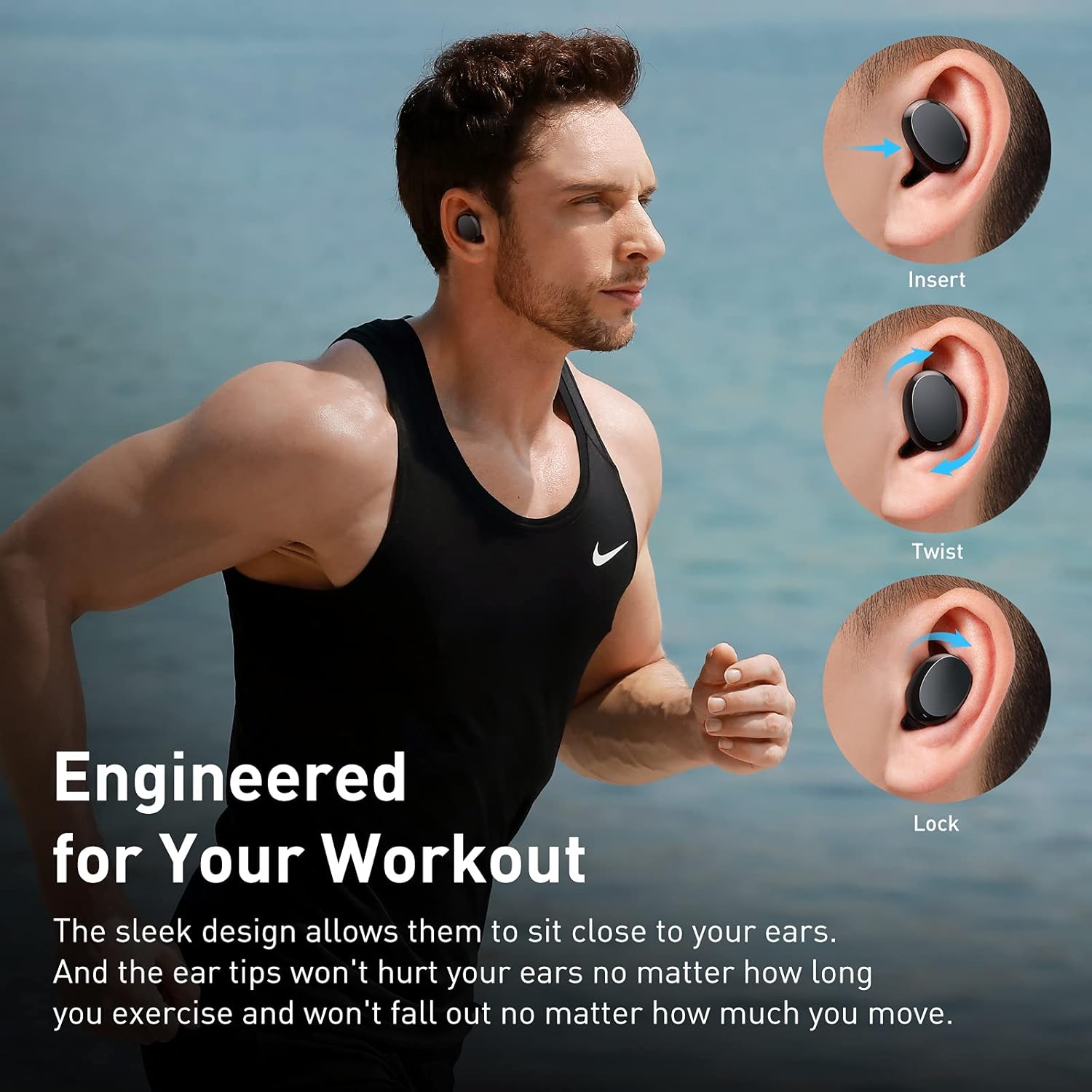
Image: Diagram illustrating the various touch control functions for the Baseus W11 earbuds, including play/pause, track skipping, voice assistant, and call management.
5.3 Употреба једне слушалице
The Baseus W11 earbuds support independent use. You can use either the left or right earbud individually while the other is charging or stored.
6. Пуњење
6.1 Пуњење слушалица
Place the earbuds into the charging case. They will automatically begin charging. The case's indicator light will show the charging status.
6.2 Пуњење кућишта
The charging case can be charged via the included USB-C cable or wirelessly using a compatible Qi-certified wireless charger.
6.3 Брзо пуњење
The earbuds feature fast charging. A 10-minute charge can provide up to 4 hours of playback time.
7. Одржавање
7.1 Waterproof Rating (IPX8)
The Baseus W11 earbuds are IPX8 waterproof, providing protection against sweat and rain. This makes them suitable for sports and outdoor activities. Avoid prolonged submersion in water.
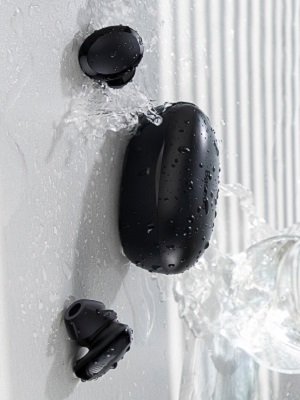
Image: Baseus W11 earbuds and case with water splashing, demonstrating IPX8 waterproof rating.
7.2 Чишћење
Regularly clean the earbuds and charging case with a soft, dry cloth. Ensure charging contacts are free from dust and debris to maintain optimal charging performance.
КСНУМКС. Решавање проблема
- Слушалице се не упарују: Ensure both earbuds are fully charged and removed from the case. Check your device's Bluetooth settings and try reconnecting. If issues persist, try resetting the earbuds (refer to the app or full user manual for specific reset instructions).
- Једна слушалица не ради: Ensure both earbuds are charged. Try placing them back in the case and taking them out again. If only one earbud connects, try re-pairing them as a pair.
- Проблеми са квалитетом звука: Ensure ear tips are properly fitted to create a good seal. Check the audio source and volume levels on both your device and the earbuds.
- Lost Earbuds: Use the anti-lost function in the Baseus app to locate misplaced earbuds by making them emit a sound.
Video: Great Waterproof Wireless Earbuds with Locator App, demonstrating the app's anti-lost feature.
9. Спецификације
| Феатуре | Спецификација |
|---|---|
| Назив модела | NGTW060001 (W11) |
| Технологија повезивања | бежични (Блуетоотх) |
| Бежична комуникациона технологија | Блуетоотх В5.0 |
| Капацитет батерије за слушалице | 40мАх (0.148Вх) |
| Капацитет батерије кутије за пуњење | 300мАх (1.11Вх) |
| Опсег фреквенцијског одзива | 20Хз-20кХз |
| Интерфејс за пуњење | Типе-Ц |
| Ниво отпорности на воду | ИПКС8 водоотпоран |
| Тип аудио драјвера | 10мм динамички драјвер |
| Контролни метод | Апликација, додир |
| Тежина | 5.1 ounces (total item weight) |
| Материјал | Durable Plastic or Rubber |
10. Гаранција и подршка
Baseus products come with a standard manufacturer's warranty. For warranty claims, technical support, or any product-related inquiries, please contact Baseus customer service through their official webсајт или контакт информације које су наведене у паковању вашег производа.
За додатну помоћ посетите: www.baseus.com/support


