Увод
This user manual provides comprehensive instructions for the TERIOS Wireless Controller, designed for an enhanced gaming experience. This controller is compatible with PlayStation 4, PS4 Pro, and PS4 Slim consoles.

Слика: Фронт view of the green TERIOS Wireless Controller, showcasinњегов ергономски дизајн и распоред дугмади.
Шта је у кутији
Приликом отварања пакета, молимо вас да се уверите да су присутни сви следећи елементи:
- 1 x TERIOS Wireless Controller
- 1 к УСБ кабл за пуњење
- 1 x Controller User Manual (this document)

Image: The TERIOS Wireless Controller, USB charging cable, and user manual laid out, representing the package contents.
Карактеристике производа
The TERIOS Wireless Controller is equipped with several features designed to enhance your gaming experience:
- Бежична повезаност: Connects wirelessly to your PS4 console via Bluetooth 4.2 for a stable connection up to 8 meters.
- Built-in Speaker & Headset Jack: Features an integrated speaker and a 3.5mm stereo headset jack for immersive audio.
- Multitouch Pad: A central multitouch pad expands gaming possibilities and interaction.
- Дугме за дељење: Allows for live-streaming and sharing gameplay moments without interrupting your session.
- Двоструки аналогни стикови: Provides pinpoint accuracy and enhanced sensitivity for precise control.
- Двострука вибрација удара: Integrated motors provide haptic feedback for an immersive gaming experience.
- Turbo Feature: Enables rapid-fire functionality for certain in-game actions.
- Пуњива батерија: Equipped with a 1000mAh lithium battery, offering 10-12 hours of continuous use on a single charge.
- Ергономски дизајн: Conforms to the palm structure for comfortable extended gaming sessions.

Слика: Крупни план views highlighting the built-in speaker, share button, and multitouch pad functionalities of the controller.

Image: Visuals illustrating the Bluetooth 4.2 connection, ergonomic design for comfortable grip, and the placement of advanced gaming buttons.

Image: The controller with a visual emphasis on its dual analog sticks, indicating their role in providing a better gaming experience.
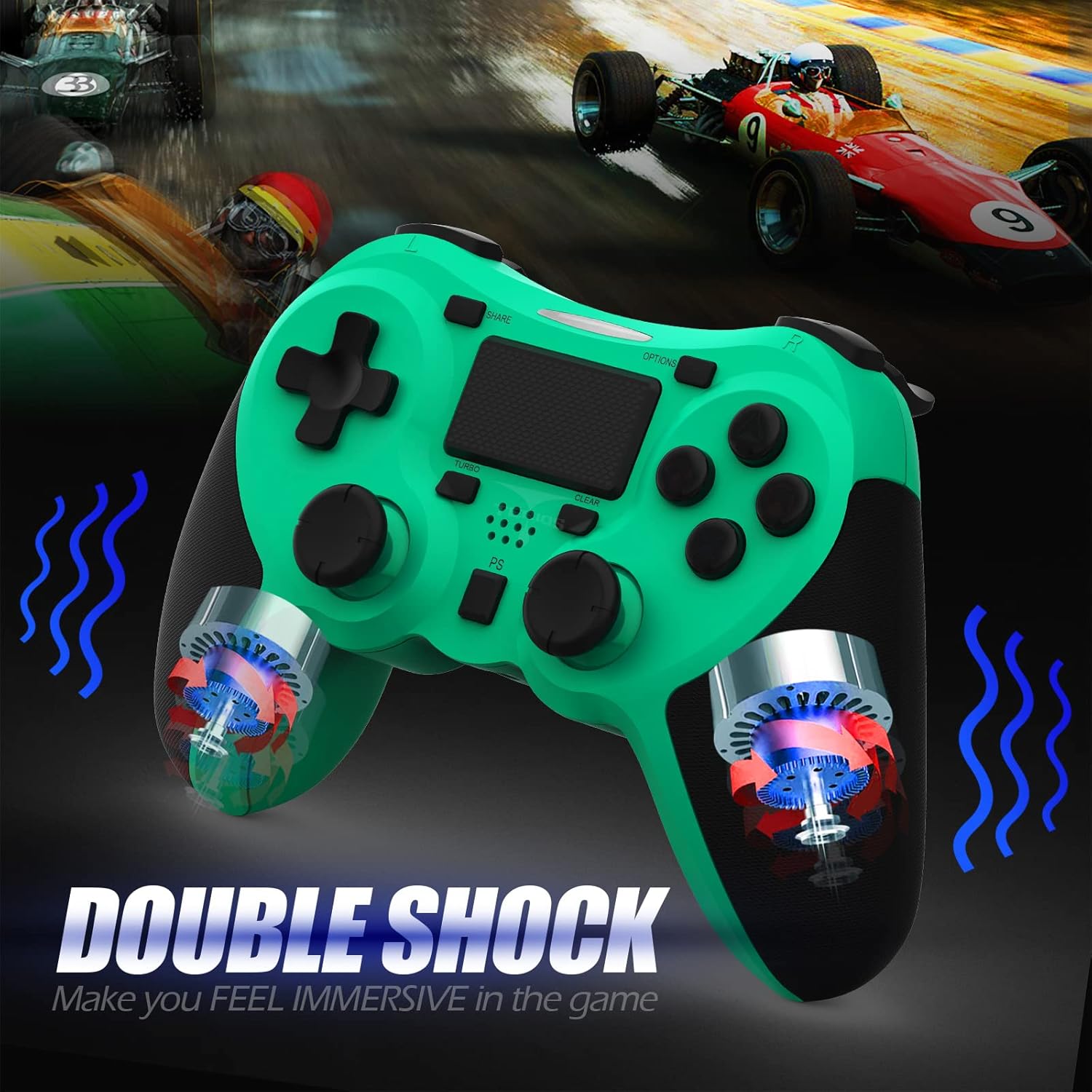
Слика: Интерна view of the controller highlighting the double shock vibration motors, designed to provide immersive haptic feedback.
Водич за подешавање
1. Почетно пуњење
Before first use, fully charge the controller. Connect the supplied USB charging cable to the controller's micro USB port and the other end to a USB port on your PlayStation 4 console or a compatible USB wall adapter.
- Време пуњења: Приближно 2-3 сата за потпуно пуњење.
- Battery Life: Up to 10-12 hours of continuous gameplay.
- Време приправности: До 30 дана.
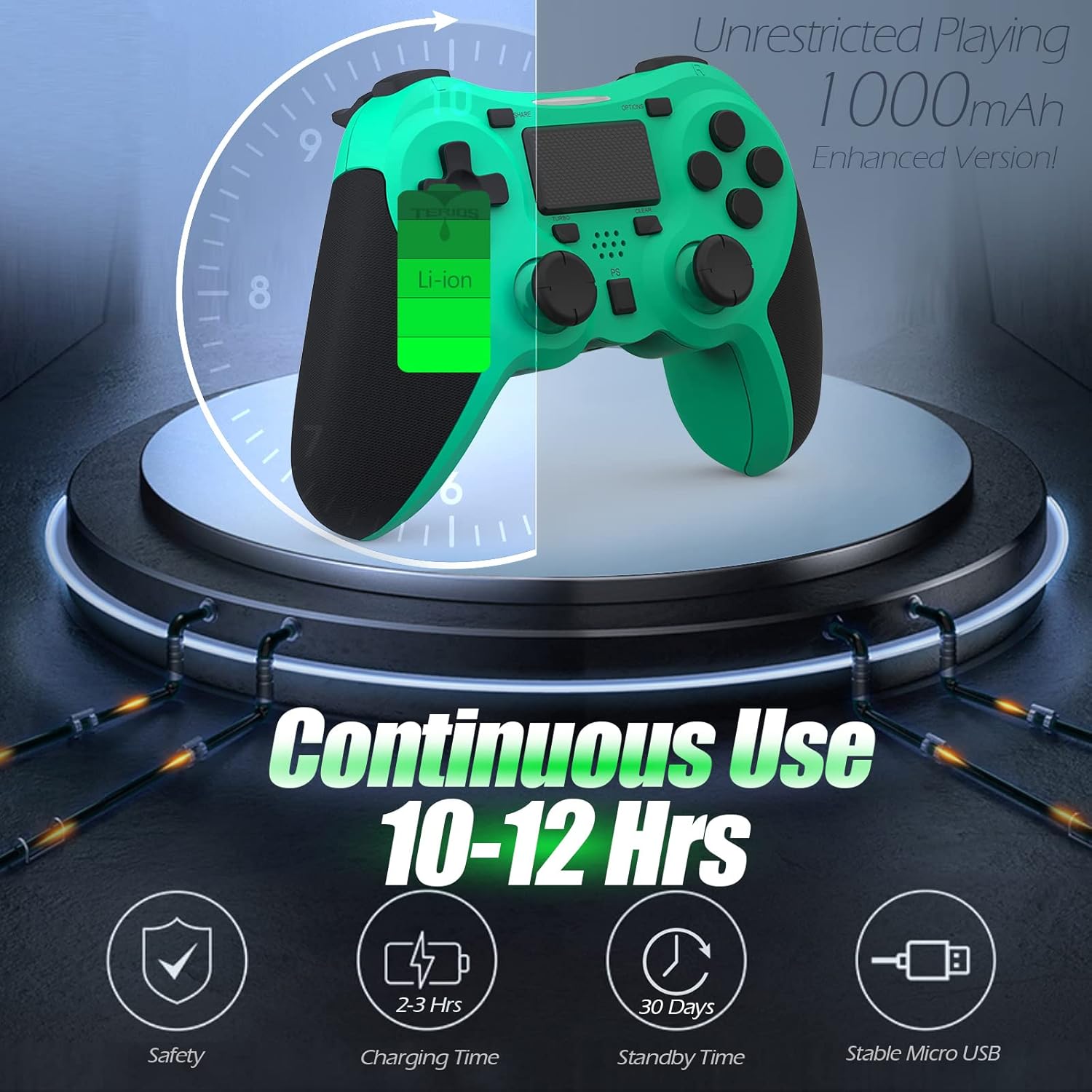
Image: A visual representation of the controller's 1000mAh battery, indicating 10-12 hours of continuous use, 2-3 hours charging time, and 30 days standby time.
2. Упаривање са PlayStation 4
Да бисте упарили контролер са ПС4 конзолом:
- Уверите се да је ваша PS4 конзола укључена.
- Connect the controller to the PS4 console using the USB charging cable.
- Притисните тастер Дугме ПС (located in the center of the controller). The light bar on the controller will flash, then glow a solid color, indicating successful pairing.
- Након упаривања, можете искључити УСБ кабл за бежичну репродукцију.
Напомена: If the controller does not pair, ensure it is charged and try connecting it to a different USB port on the console. For persistent issues, refer to the Troubleshooting section.
Упутство за употребу
Основне контроле
| Компонента | Функција |
|---|---|
| ПС дугме | Powers on the controller, accesses the PS4 home screen, switches users, or turns off the console (long press). |
| СХАРЕ дугме | Accesses the Share menu to capture screenshots, record video clips, or broadcast gameplay. |
| Дугме ОПЦИЈЕ | Pauses games, accesses in-game menus, or confirms selections. |
| Дугмад за смер (D-Pad) | Navigates menus and provides directional input in games. |
| Дугмад за акције (троугао, круг, крст, квадрат) | Performs in-game actions, confirms, or cancels selections. |
| Left/Right Sticks (L3/R3) | Controls character movement, camera, or other analog inputs. Pressing down on the sticks activates L3/R3 buttons. |
| L1/R1 Buttons | Trigger various in-game actions, often for aiming or secondary functions. |
| L2/R2 окидачи | Analog triggers for actions like accelerating, braking, or firing weapons. |
| Multitouch Pad | Provides touch input for specific game interactions or navigation. |
| 3.5 мм прикључак за слушалице | Connects compatible headsets for game audio and voice chat. |
Специјалне функције
Турбо функција
The Turbo feature allows for rapid, continuous input of a button press, useful for actions like rapid firing in games.
- Притисните и држите Дугме ТУРБО (located below the touchpad).
- While holding TURBO, press the action button you wish to apply the rapid-fire function to (e.g., Square, Cross, Circle, Triangle, L1, R1, L2, R2).
- Release both buttons. The selected action button will now continuously register presses as long as it is held down.
- To disable Turbo for a specific button, repeat the process: hold TURBO and press the button again.
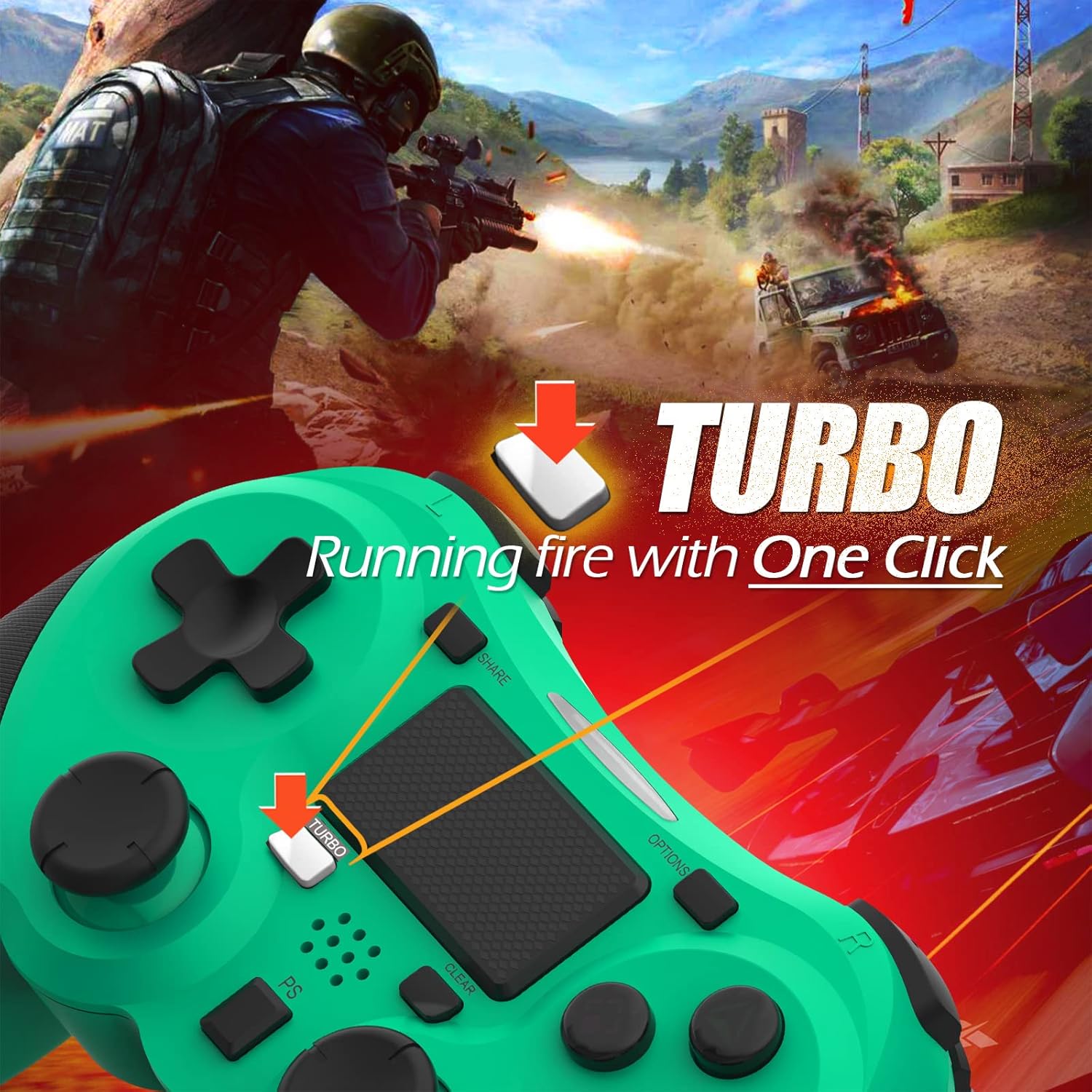
Image: A visual guide demonstrating how to activate the Turbo feature on the controller for rapid-fire actions.
Share Button Functionality
The SHARE button provides quick access to PS4's sharing features:
- Појединачна штампа: Opens the Share menu, allowing you to save a screenshot, save a video clip, or start a broadcast.
- Дуго притисните: Takes a screenshot directly.
- Доубле Пресс: Starts/stops video recording.
Одржавање
Proper maintenance ensures the longevity and optimal performance of your TERIOS Wireless Controller.
Чишћење
- Use a soft, dry cloth to wipe down the controller's surface.
- За тврдокорну прљавштину, благо дampОперите крпу водом или благим, неабразивним средством за чишћење. Избегавајте прекомерну влагу.
- Do not use harsh chemicals, solvents, or abrasive materials, as these can damage the controller's finish and internal components.
Складиштење
- Чувајте контролер на хладном и сувом месту, даље од директне сунчеве светлости, екстремних температура и високе влажности.
- Avoid placing heavy objects on the controller to prevent damage to buttons or analog sticks.
Баттери Царе
- To preserve battery life, avoid fully discharging the controller frequently.
- Ако складиштите батерију дуже време, напуните је на око 50% пре складиштења.
- Recharge the controller at least once every three months if not in use to prevent deep discharge.
Решавање проблема
If you encounter issues with your TERIOS Wireless Controller, please refer to the following common solutions:
Контролер се не повезује/не упарује
- Проверите батерију: Ensure the controller is sufficiently charged. Connect it to the PS4 via USB cable to charge.
- Поново упарите: Connect the controller to the PS4 with the USB cable and press the PS button to re-establish the connection.
- Ресетуј контролер: Locate the small reset button hole on the underside of the controller (near the L2 button). Use a straightened paperclip or a similar thin object to press and hold the button for 3-5 seconds. This will reset the controller. After resetting, attempt to re-pair it with the PS4.
- сметње: Move closer to the PS4 console to rule out wireless interference.
Buttons or Sticks Unresponsive/Lagging
- Ресетуј контролер: Perform a hard reset as described above.
- чисто: Ensure no debris is lodged around the buttons or sticks. Clean the controller as per the Maintenance section.
- Фирмвер: Ensure your PS4 system software is up to date.
Прекомерна вибрација
- Ресетуј контролер: A reset can often resolve unexpected vibration issues.
- Подешавања игре: Check in-game settings for vibration intensity.
Спецификације
| Атрибут | Детаљ |
|---|---|
| Модел | TERIOS 5S |
| ASIN | B09KLR5DCZ |
| Компатибилност | PlayStation 4, PS4 Pro, PS4 Slim |
| Повезивање | Wireless (Bluetooth 4.2), USB |
| Тип батерије | Литијум полимер (1 укључен) |
| Капацитет батерије | 1000мАх |
| Време непрекидног коришћења | 10-12 сати |
| Време пуњења | 2-3 сати |
| Време приправности | До 30 дана |
| Тежина артикла | 10.8 унце (приближно 306 грама) |
| Димензије пакета | 6.69 к 5.24 к 2.72 инча |
| Произвођач | ТЕРИОС |
| Датум првог доступног | 28. октобра 2021. године |
Гаранција и подршка
TERIOS stands behind the quality of its products. This controller comes with a 1 година гаранције од датума куповине, покривајући производне недостатке.
For customer support, technical assistance, or warranty claims, please contact TERIOS customer service through the platform where you purchased the product or visit the official TERIOS store page for contact information.
We are committed to providing premium customer support and ensuring your satisfaction with our products.


