1. Готовоview
The Nubwo N1 Pro Gaming Headphones are designed to provide an immersive audio experience for gaming and multimedia. Featuring a comfortable on-ear design, a noise-reduction microphone, and versatile connectivity, these headphones are suitable for extended use.

Image 1.1: Nubwo N1 Pro Gaming Headphones with their 3.5mm audio jack, microphone jack, and USB connector for LED lighting.
2. Садржај пакета
Молимо вас да проверите да ли су све ставке присутне у пакету:
- Nubwo N1 Pro Gaming Headphones
- Јастучићи за уши (унапред инсталирани)
- Headband (pre-installed)
- Кориснички приручник (овај документ)
3. Упутства за подешавање
3.1 Connecting the Headphones
- Аудио веза: Locate the 3.5mm audio jack (green connector) on your headphones. Plug this into the audio output port (usually green) on your computer, gaming console controller, or other audio device.
- Повезивање микрофона: Locate the 3.5mm microphone jack (orange connector) on your headphones. Plug this into the microphone input port (usually pink) on your computer or device.
- USB Power for LED Lighting: Plug the USB connector into an available USB port on your computer or gaming console to power the headphone's LED lighting feature. The headphones will function for audio and microphone without the USB connection, but the lights will not illuminate.
3.2 System Configuration (Windows Exampле)
After connecting, you may need to configure your operating system's sound settings:
- Right-click the speaker icon in your taskbar and select 'Sound Settings' or 'Playback devices'.
- Under 'Output', select 'Speakers (Realtek High Definition Audio)' or similar entry corresponding to your 3.5mm jack.
- Under 'Input', select 'Microphone (Realtek High Definition Audio)' or similar entry.
- Adjust volume levels as needed.
4. Упутство за употребу
4.1 Контрола јачине звука
The headphones feature an integrated volume knob for convenient audio adjustment.
- Повећајте јачину звука: Rotate the volume knob upwards.
- Смањи јачину звука: Rotate the volume knob downwards.
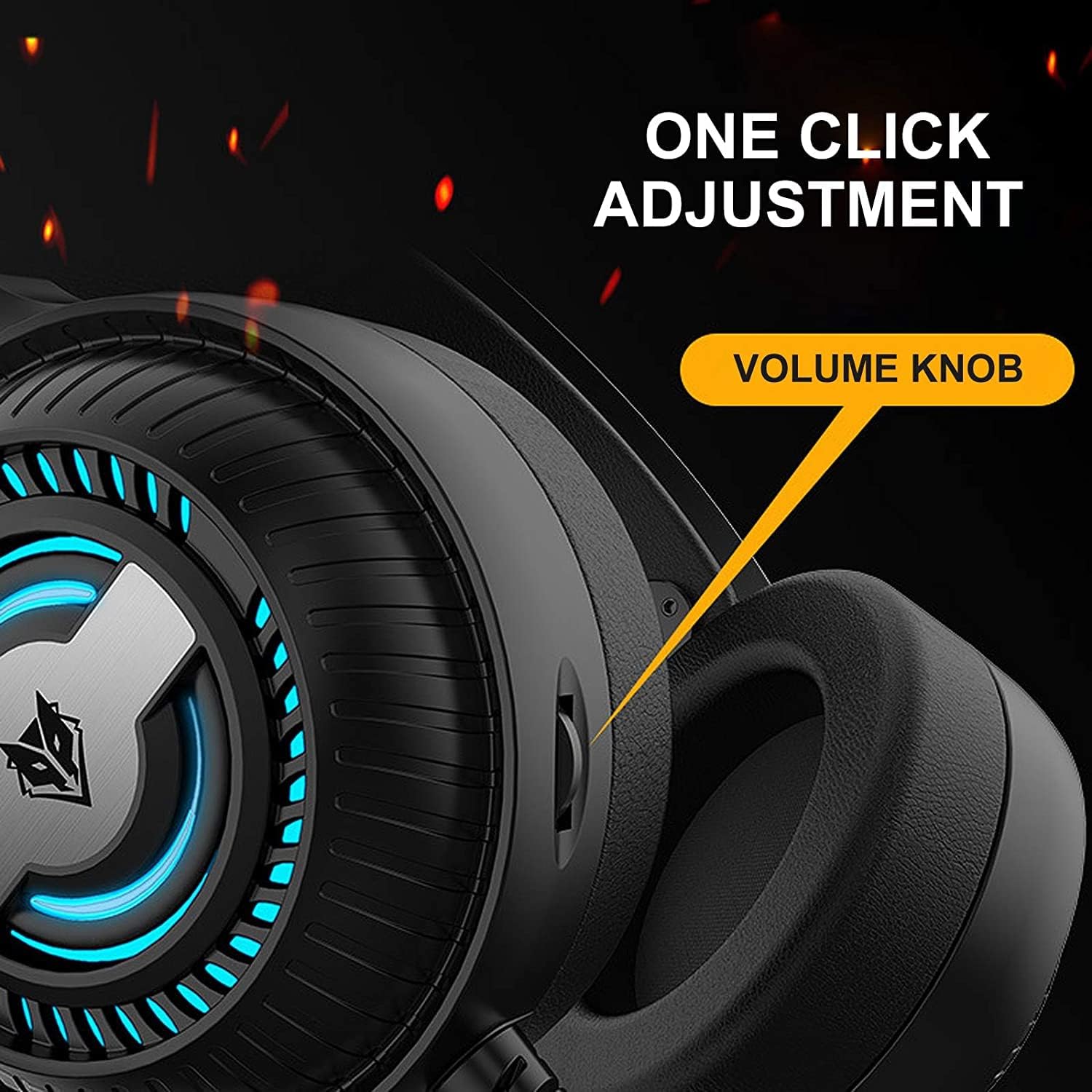
Image 4.1: The volume knob located on the left ear cup for quick audio adjustments.
4.2 Употреба микрофона
The flexible microphone is equipped with noise reduction technology for clear communication.
- Позиционирање: Adjust the flexible microphone boom to a comfortable position near your mouth for optimal voice pickup.
- Смањење буке: The integrated sponge on the microphone helps to reduce ambient noise, ensuring your voice is transmitted clearly.

Image 4.2: The flexible microphone with noise reduction capabilities, shown in various positions.
4.3 ЛЕД осветљење
The headphones feature a breathing lamp effect with 7 different colors, powered via the USB connection.
- The LED lights will automatically cycle through 7 colors when the USB connector is plugged into a powered USB port.
- There is no manual control for changing or turning off the LED colors; they operate in a continuous breathing cycle.

Image 4.3: The ear cup illuminated with the 7-color breathing lamp ефекат.
5. Одржавање
5.1 Чишћење
- Користите меку, суву крпу да обришете спољашње површине слушалица.
- For ear cushions, gently wipe with a slightly damp крпом и оставите да се потпуно осуши на ваздуху пре употребе.
- Не користите јаке хемикалије, раствараче или абразивна средства за чишћење.
5.2 Складиштење
- Слушалице чувајте на хладном и сувом месту, даље од директне сунчеве светлости и екстремних температура.
- Избегавајте стављање тешких предмета на слушалице.
5.3 Одржавање каблова
- Избегавајте оштре кривине или прекомерно повлачење каблова како бисте спречили оштећења.
- Always grasp the plug, not the cable, when disconnecting.
КСНУМКС. Решавање проблема
6.1 No Sound from Headphones
- Ensure the 3.5mm audio jack is fully inserted into the correct audio output port.
- Check the volume knob on the headphones and your device's system volume.
- Verify that the headphones are selected as the default playback device in your sound settings.
- Тестирајте слушалице са другим уређајем да бисте искључили проблем специфичан за уређај.
6.2 Микрофон не ради
- Ensure the 3.5mm microphone jack is fully inserted into the correct microphone input port.
- Verify that the microphone is selected as the default recording device in your sound settings.
- Проверите подешавања приватности микрофона у вашем оперативном систему.
- Тестирајте микрофон са другим уређајем или апликацијом.
6.3 LED Lights Not Illuminating
- Уверите се да је USB конектор безбедно прикључен у USB порт са напајањем.
- Pokušajte sa drugim USB portom.
7. Спецификације
Key technical specifications for the Nubwo N1 Pro Gaming Headphones:
| Феатуре | Спецификација |
|---|---|
| Назив модела | Н1 Про |
| Бранд Наме | Generic (Nubwo) |
| Технологија повезивања | Wired (3.5mm Audio, 3.5mm Mic, USB for LED) |
| Фактор облика слушалица | Он Еар |
| Постављање уха за слушалице | Он Еар |
| Јацк за слушалице | 3.5 мм прикључак |
| Осетљивост | 96 дБ |
| Контрола буке | None (Microphone features noise reduction) |
| Боја | Црно |
| Укључене компоненте | Ear Cushions, Headband |
| Димензије пакета | 25.2 к 19.9 к 12.6 цм |
| Тежина | 450 г |
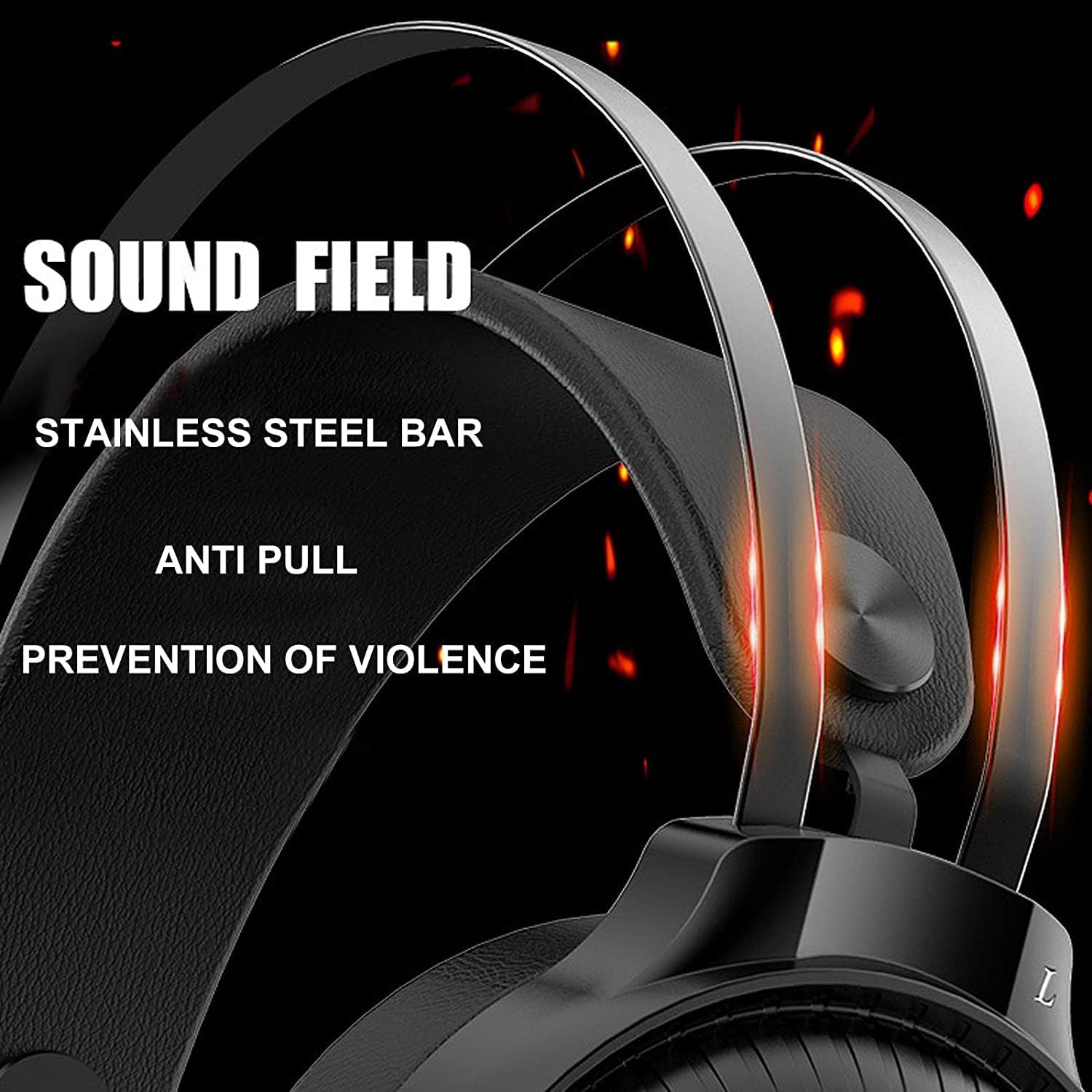
Image 7.1: Illustration of the 50mm horn for sound field and the durable stainless steel bar construction.
8. Гаранција и подршка
For information regarding warranty coverage and technical support, please refer to the retailer or the official Nubwo webместо где је производ купљен. Сачувајте доказ о куповини за потребе гаранције.
If you encounter issues not covered in this manual, please contact customer support for assistance.


