1. Важна безбедносна упутства
Please read all instructions carefully before using the Baseus A7 Handheld Vacuum. Keep this manual for future reference.
- Do not use the vacuum cleaner near water or in wet conditions.
- Не усисавајте запаљиве или гориве материјале, врућ пепео или оштре предмете.
- Држите косу, широку одећу, прсте и све делове тела даље од отвора и покретних делова.
- Use only the charging cable provided by the manufacturer.
- Do not operate the vacuum with a damaged cord or plug.
- Ensure the filter is properly installed before use.
- Овај уређај није намењен за употребу од стране особа (укључујући децу) са смањеним физичким, чулним или менталним способностима, или недостатком искуства и знања, осим ако им је дат надзор или упутства о употреби уређаја од стране особе одговорне за њихову безбедност.
- Децу треба надзирати како би се осигурало да се не играју са уређајем.
2. Садржај пакета
Проверите да ли су све ставке присутне у пакету:

Слика 2.1: Укључене компоненте
- Baseus A7 Handheld Vacuum Cleaner
- Flagship Flexible Extender Tube
- Silicone Brush / Precision Extensions (2-in-1 Crevice Tool)
- УСБ-Ц кабл за пуњење
- Storage Cloth Bag
- HEPA Filter (pre-installed or spare)
- Упутство за употребу
- Гарантни лист
3. Производ је готовview
The Baseus A7 is a portable, cordless handheld vacuum designed for efficient cleaning in various environments, including cars, carpets, and other small areas. It features two suction levels and a USB-C rechargeable battery.

Figure 3.1: Suction Power and Runtime
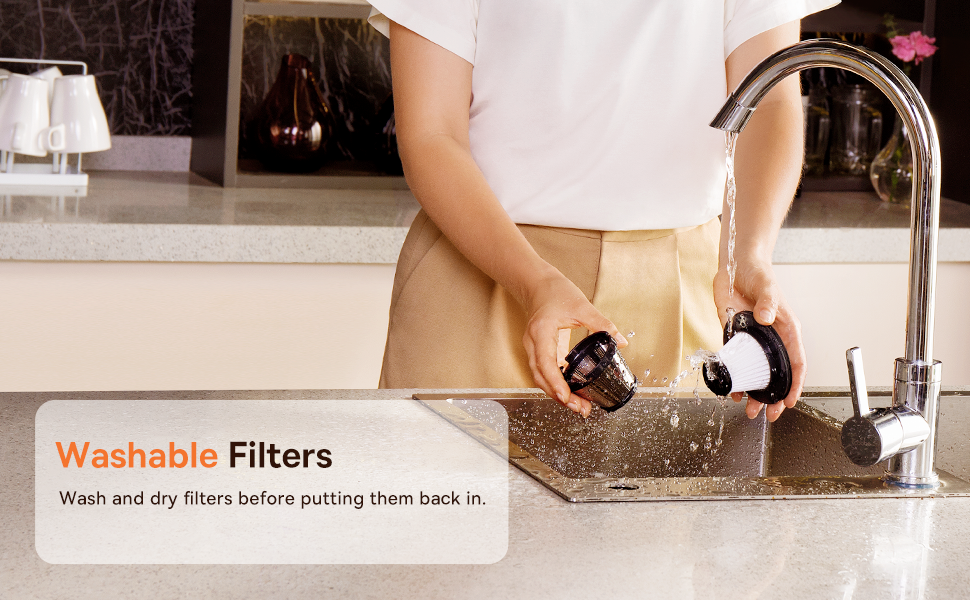
Figure 3.2: Powerful and Portable Design
Кључне карактеристике:
- Бежични и преносиви: Designed for easy handling and use in various locations.
- Два нивоа усисавања: Standard (4500PA) for general cleaning and High (8000PA) for tougher debris.
- УСБ-Ц пуњиви: Convenient charging with a modern USB-C port.
- ХЕПА филтрација: Скупља фину прашину и алергене.
- 500ml Dust Box: Large capacity for extended cleaning sessions.
4. Подешавање и пуњење
4.1 Почетна наплата
Before first use, fully charge the vacuum cleaner. The charging time is approximately 3 to 3.5 hours.
Слика 4.1: Пуњење преко USB-C порта
- Connect the provided USB-C charging cable to the charging port on the vacuum cleaner.
- Укључите други крај кабла у компатибилни УСБ адаптер за напајање (није укључен) или УСБ порт.
- The indicator light will show charging status (refer to the device for specific light patterns).
- Када се потпуно напуни, искључите усисивач из извора напајања.
4.2 Причвршћивање додатне опреме
Select the appropriate attachment for your cleaning task and firmly attach it to the vacuum's suction inlet.
- Flexible Extender Tube: For reaching deep or awkward spaces.
- 2-in-1 Crevice Tool (Silicone Brush/Precision Extensions): Use the narrow end for tight corners and crevices, or slide the brush attachment forward for delicate surfaces.
5. Упутство за употребу
5.1 Power On/Off and Suction Levels
- To turn on the vacuum, press the power button. It will start in Standard suction mode (4500PA).
- Press the power button again to switch to High suction mode (8000PA).
- Притисните дугме за напајање трећи пут да бисте искључили усисивач.
5.2 Примене чишћења
The Baseus A7 is versatile for various cleaning tasks:

Figure 5.1: Versatile Cleanups

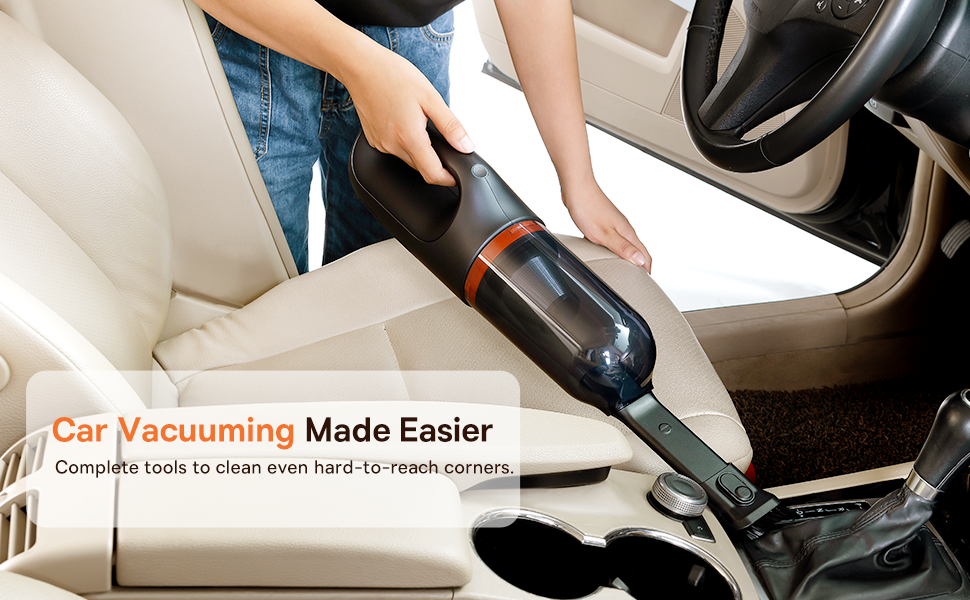
Figure 5.2: Car Vacuuming Made Easier
- Унутрашњост аутомобила: Use the crevice tool for tight spots between seats and the flexible tube for under seats.
- Household Surfaces: Effective for quick cleanups on tables, countertops, and furniture.
- Длака кућних љубимаца: Can be used for light pet hair removal on upholstery.
- Keyboards and Electronics: Use the brush attachment for delicate cleaning.
For optimal performance, ensure the dust box is not overfilled and the filter is clean.
6. Одржавање
6.1 Пражњење кутије за прашину
Empty the dust box regularly to maintain suction power and prevent blockages.
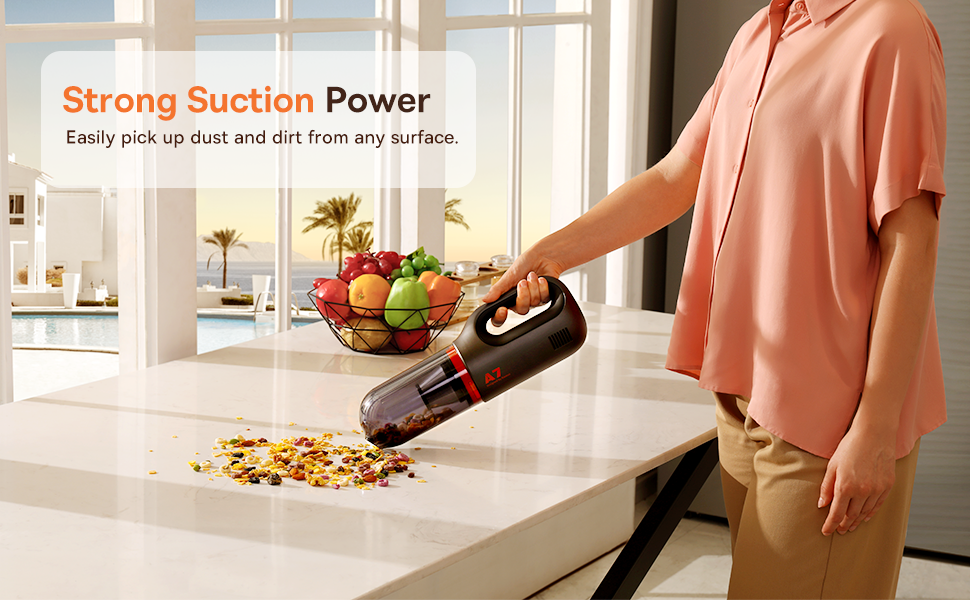
Figure 6.1: Easy to Empty Dust Box
- Уверите се да је усисивач искључен.
- Twist or unlatch the dust box from the main body of the vacuum (refer to device for specific mechanism).
- Carefully empty the collected debris into a trash receptacle.
- Reattach the dust box securely.
6.2 Чишћење филтера
The HEPA filter is washable and should be cleaned periodically to ensure efficient filtration and suction.

Figure 6.2: Washing the HEPA Filter
- Remove the dust box and then carefully remove the HEPA filter.
- Rinse the filter under cool, running water until clean. Do not use detergents.
- Оставите филтер да се потпуно осуши на ваздуху најмање 24 сата пре него што га поново уметнете у усисивач. Не користите усисивач са мокрим филтером.
- Ensure the filter is fully dry and properly seated before reassembling the vacuum.
КСНУМКС. Решавање проблема
If you encounter issues with your Baseus A7 vacuum, refer to the following common problems and solutions:
| Проблем | Могући узрок | Решење |
|---|---|---|
| No power / Not turning on | Батерија је празна. | Charge the vacuum fully (approx. 3-3.5 hours). |
| Слаба снага усисавања | Кутија за прашину је пуна. Филтер је зачепљен. Attachment is not properly sealed. | Испразните кутију за прашину. Clean and dry the HEPA filter. Ensure attachments are firmly connected. |
| Усисивач се неочекивано зауставља | Батерија је празна. Заштита од прегревања је активирана. | Напуните батерију. Turn off the vacuum and let it cool down for 30 minutes before resuming use. |
| Индикатор пуњења не ради | Проблем са каблом или адаптером за пуњење. Проблем са портом за пуњење. | Try a different USB-C cable and power adapter. Ensure the cable is fully inserted. If the issue persists, contact customer support. |
If the problem persists after trying these solutions, please contact Baseus customer support.
8. Спецификације
| Феатуре | Детаљ |
|---|---|
| Бранд | Басеус |
| Назив модела | A7 |
| Посебна карактеристика | HEPA, Portable |
| Тип филтера | Кертриџ (HEPA) |
| Бежични | Да |
| Капацитет | 500 милилитара |
| Ватtage | 120 вати |
| Време пуњења | 3 - 3.5 сати |
| Препоручена употреба | Car, Carpet, Household |
| Форм Фацтор | Хандхелд |
| Боја | Црно |
| Димензије производа | 4 cm D x 3 cm Š x 13 cm V |
| Тип батерије | Литијум-јонска (2 батерије укључене) |
| Ниво буке | 75 децибела |
| Ampераге | 1.4 Amps |
| Број брзина | 2 |
| Тежина артикла | 3.43 фунти |
| Извор напајања | Баттери Поверед |
9. Гаранција и подршка
The Baseus A7 Handheld Vacuum comes with a warranty to ensure your satisfaction.
- гаранција: Includes a 1-year warranty card and a 3-year guarantee. Please refer to the warranty card included in your package for specific terms and conditions.
- Корисничка подршка: For any questions, technical assistance, or warranty claims, please contact Baseus customer support through their official webсајт или контакт информације наведене на вашем гарантном листу.
10. Видео о производу
Watch the official product video for a visual guide on the Baseus A7 Handheld Vacuum's features and usage.
Video 10.1: Baseus A7 Handheld Vacuum Overview and Demonstration. This video showcases the vacuum's design, suction capabilities, and how to use its various attachments for different cleaning scenarios.


