Увод
Thank you for choosing the NACON Asymmetric Wireless Controller for PlayStation 4. This controller is officially licensed for PlayStation 4 and designed to provide an immersive gaming experience with its unique asymmetric stick layout and wireless connectivity. This manual will guide you through the setup, operation, maintenance, and troubleshooting of your new controller.
Шта је у кутији
Молимо вас да проверите садржај вашег пакета како бисте били сигурни да су сви предмети присутни:
- NACON Asymmetric Wireless Controller
- УСБ пријемник
- УСБ кабл за пуњење
- Кратки водич (није укључен у овај дигитални приручник)
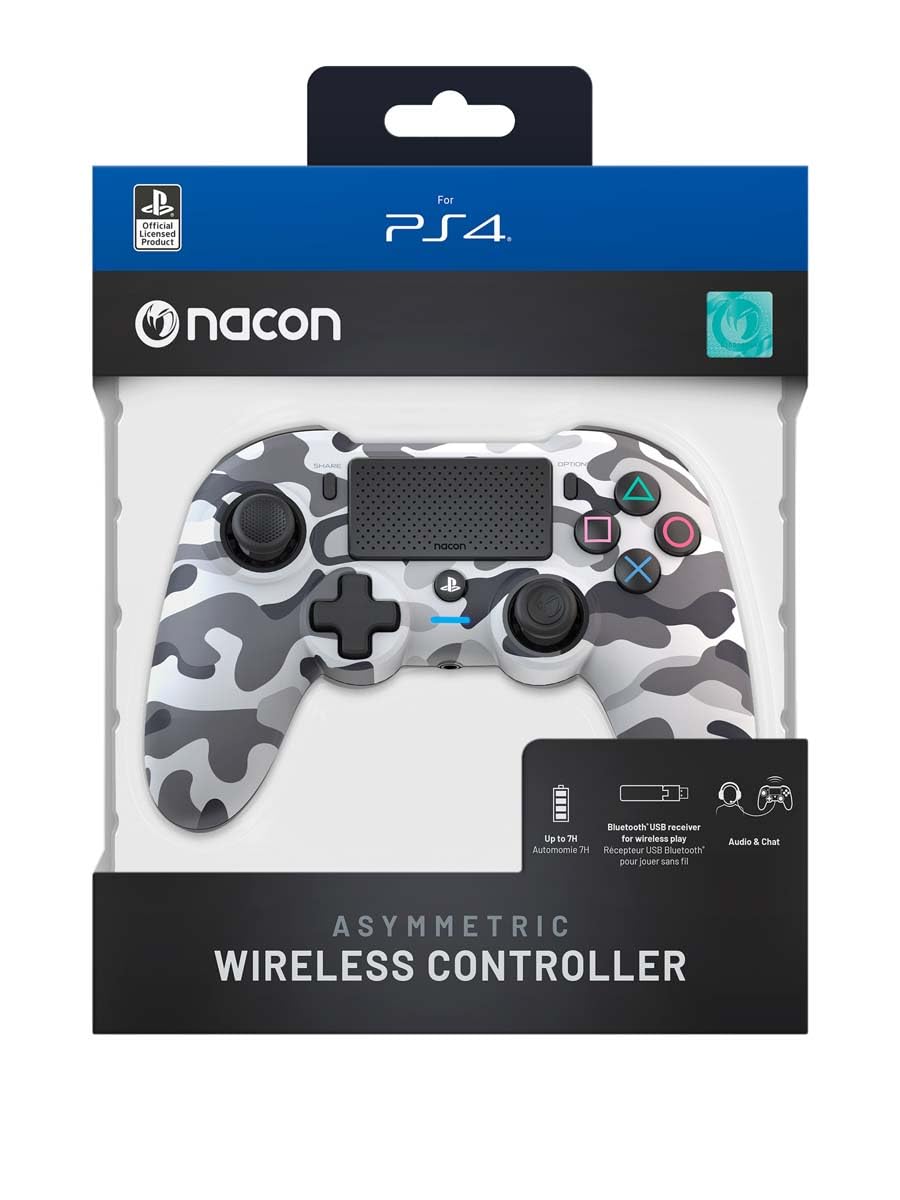
Image: The NACON Asymmetric Wireless Controller shown in its retail packaging, highlighting the product and its key features.
Сетуп
1. Пуњење контролера
Before first use, fully charge the controller. Connect the small end of the USB charging cable to the controller's charging port and the larger end to a USB port on your PlayStation 4 console or a compatible USB wall adapter. The LED indicator on the controller will show charging status and turn off when fully charged.
2. Connecting to PlayStation 4 (Wireless)
- Insert the USB Receiver into an available USB port on your PlayStation 4 console.
- Press the PlayStation button on the controller. The controller will automatically attempt to pair with the USB Receiver.
- Once successfully paired, the LED indicator on the controller will illuminate steadily, indicating a stable connection.
3. Connecting to PC (Wireless)
The controller can also be used with a PC. Insert the USB Receiver into an available USB port on your PC. The controller should be recognized automatically by Windows as a standard gamepad. Drivers may be installed automatically.

Слика: Фронт view of the NACON Asymmetric Wireless Controller, showcasing its button layout and asymmetric stick design.
Управљање контролером
Распоред и функције дугмади
The NACON Asymmetric Wireless Controller features a familiar PlayStation button layout with an ergonomic asymmetric stick configuration for enhanced comfort and precision.
- Леви аналогни штап: Користи се за кретање и навигацију.
- Десни аналогни штап: Used for camera control and aiming.
- Смерни тастер (D-Pad): За прецизан усмерни унос.
- Дугмад за акције (троугао, круг, крст, квадрат): Standard PlayStation action buttons.
- Л1/Р1 дугмад: Дугмад за рамена.
- L2/R2 окидачи: Аналогни окидачи за прецизан унос.
- Дугме ДЕЛИ: Access sharing features on PS4.
- Дугме ОПЦИЈЕ: Access in-game menus and options.
- Дугме за PlayStation: Power on/off the controller, access PS4 Home Menu.
- додирна табла: Interactive surface for specific game functions.
Индикатор батерије
The controller includes an LED indicator that provides information on battery status. Refer to the Quick Start Guide for specific LED patterns and their meanings (e.g., low battery, charging, fully charged).
Одржавање
Чишћење
Да бисте очистили контролер, користите меку, суву крпу. За тврдокорну прљавштину, благо обришитеampen the cloth with water. Do not use harsh chemicals, abrasive cleaners, or solvents, as these can damage the controller's finish and internal components.
Складиштење
Када се не користи, чувајте контролер на хладном и сувом месту, даље од директне сунчеве светлости и екстремних температура. Избегавајте стављање тешких предмета на контролер.
Баттери Царе
To prolong battery life, avoid fully discharging the controller frequently. If storing for an extended period, charge the battery to approximately 50% before storage and recharge every few months.
Решавање проблема
| Проблем | Могуће решење |
|---|---|
| Контролер се не повезује. |
|
| Контролер се не пуни. |
|
| Дугмад или палице не реагују. |
|
Ресетовање контролера
If the controller is unresponsive or behaving erratically, a soft reset may resolve the issue. Locate the small reset button (often a pinhole) on the back or underside of the controller. Use a thin, pointed object (like a paperclip) to press and hold the button for a few seconds. Then, re-pair the controller with your console.
Спецификације
- Број модела:
- 10946680
- Повезивање:
- Wireless (via USB Receiver)
- Компатибилност:
- ПлаиСтатион 4, ПЦ
- Dimensions (Controller):
- Приближно 6.89 к 2.76 к 8.27 инча (17.5 к 7 к 21 цм)
- Weight (Controller):
- Отприлике 14.1 унци (400 грама)
- Произвођач:
- НАЦОН
- Први доступан датум:
- 6. јул 2022
Гаранција и подршка
For warranty information, technical support, or further assistance with your NACON Asymmetric Wireless Controller, please visit the official NACON webсајт или директно контактирајте њихову корисничку подршку. Сачувајте доказ о куповини за потребе гаранције.
Званични НАКОН Webсајт: ввв.нацонгаминг.цом


