1. Увод
This manual provides comprehensive instructions for the proper setup, operation, maintenance, and troubleshooting of your U.S. Solid Digital Precision Lab Scale, Model USS-DBS00059. This electronic balance is designed for accurate weighing in various applications, offering a maximum capacity of 15KG with a readability of 0.1g. It features a durable stainless steel weighing pan, multiple measurement units, AC/DC power options, and essential functions such as counting and tare.
Please read this manual thoroughly before using the scale to ensure correct operation and to maximize its lifespan.
2. Мере предострожности
- Operate the scale on a stable, level, and vibration-free surface.
- Avoid placing the scale near strong electromagnetic fields, heat sources, or direct sunlight.
- Do not expose the scale to extreme temperatures or humidity.
- Use only the provided AC adapter or specified DC batteries.
- Keep the weighing pan and surrounding area clean and free from debris.
- Do not overload the scale beyond its maximum capacity of 15KG.
- Disconnect power before cleaning or if the scale will not be used for an extended period.
3. Производ је готовview
The U.S. Solid Digital Precision Lab Scale (USS-DBS00059) is equipped with features designed for reliable and precise measurements.
Кључне карактеристике:
- Капацитет: 15KG with 0.1g readability.
- Weighing Pan: 150x180 mm stainless steel for corrosion resistance.
- Приказ: Backlit LCD for clear readings.
- Снага: AC (100-240V) and DC (9V battery) operation.
- Јединице: 11 selectable measurement units (g, ct, oz, ozt, lb, GN, t, dwt, kg, dr, tlT, N, %).
- Функције: Weighing, parts counting, tare, unit conversion, manual calibration, and fault alerts.
- Изградња: Durable ABS housing with height-adjustable feet and a level bubble.
Компоненте:


4. Подешавање
4.1 Распакивање
Carefully remove all components from the packaging. Verify that all items listed in Figure 3.2 are present and undamaged. Retain the packaging for future transport or storage.
4.2 Постављање
Place the scale on a firm, level, and stable surface. Ensure the location is free from vibrations, drafts, direct sunlight, and rapid temperature changes, which can affect measurement accuracy.
4.3 Нивелисање скале
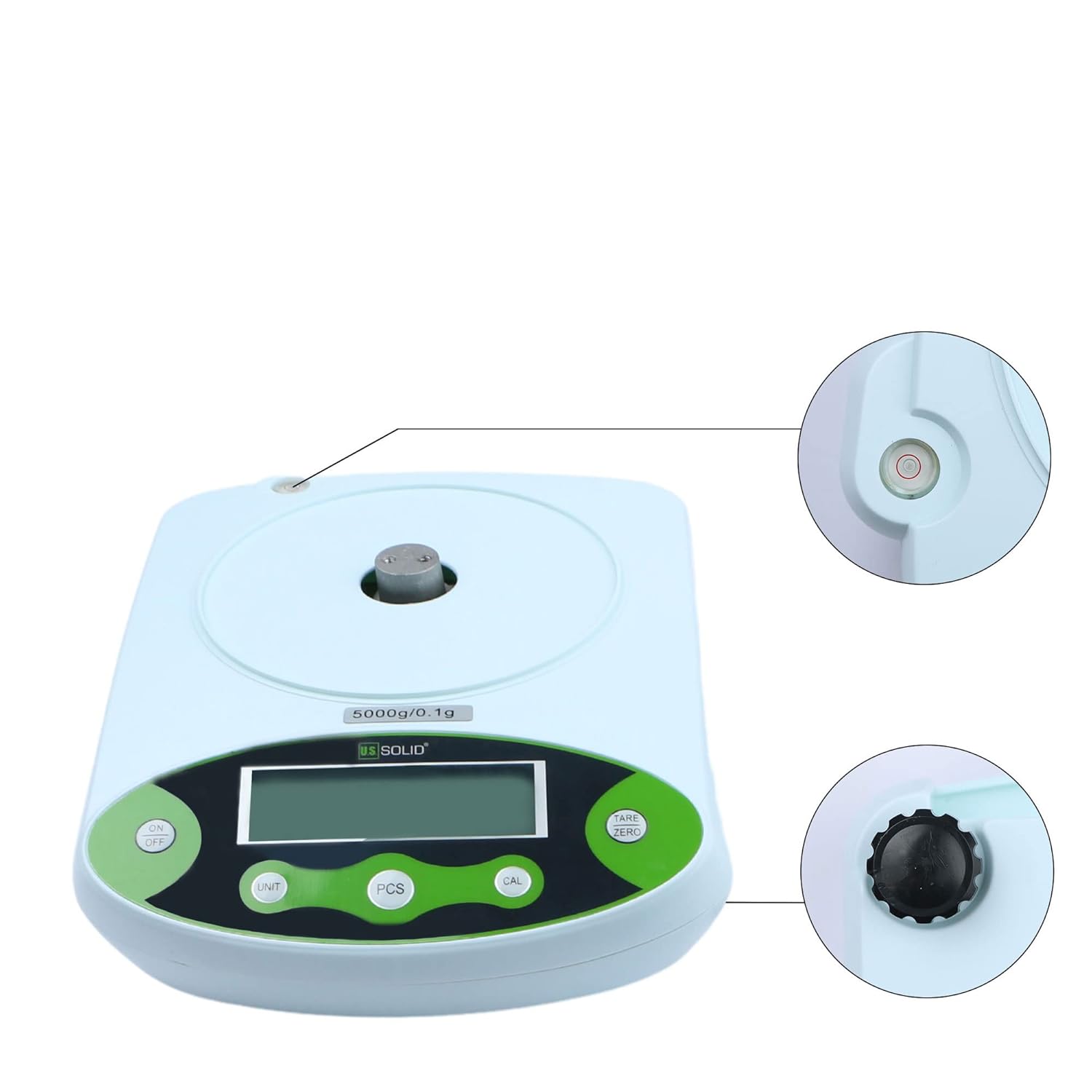
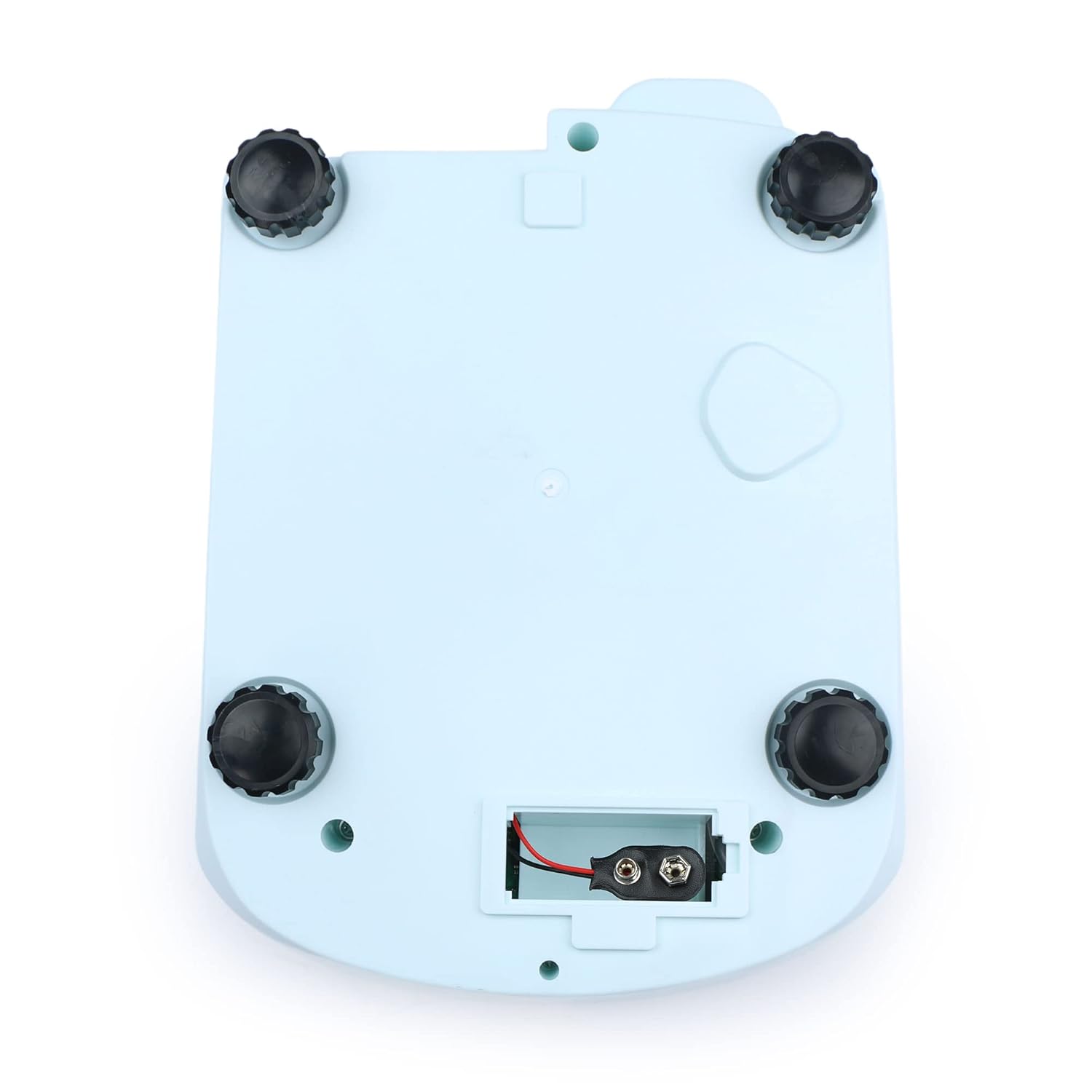
The scale must be perfectly level for accurate readings. Adjust the four height-adjustable feet located on the bottom of the scale until the bubble in the built-in level indicator is centered within the red circle.

4.4 Прикључак за напајање
- АЦ напајање: Connect the provided AC adapter to the power input port on the rear of the scale, then plug it into a suitable electrical outlet (100-240V).
- DC Power (Battery): For portable use, open the battery compartment on the bottom of the scale (Figure 4.3) and insert a 9V DC battery, ensuring correct polarity.
4.5 Initial Warm-up
After connecting power, allow the scale to warm up for at least 30 minutes before performing critical measurements. This stabilizes the internal components and ensures optimal accuracy.

5. Упутство за употребу
5.1 Контролна табла прекоview


5.2 Укључивање/искључивање
- Притисните тастер ОН/ОФФ дугме за укључивање скале.
- Притисните и држите ОН/ОФФ button to turn the scale off.
5.3 Основно мерење тежине
- Ensure the scale is level and powered on.
- Wait for the display to show "0.0" or "0.00" (depending on the unit).
- Пажљиво поставите предмет који треба мерити на средину мерне површине од нерђајућег челика.
- Очитајте стабилну тежину приказану на ЛЦД екрану.
5.4 Функција таре
The tare function allows you to subtract the weight of a container, so only the net weight of the contents is measured.
- Ставите празну посуду на посуду за мерење.
- Притисните тастер ТАРЕ/ЗЕРО button. The display will reset to "0.0" or "0.00".
- Додајте материјал који треба измерити у посуду. На екрану ће се приказати нето тежина материјала.
5.5 Конверзија јединица
The scale supports 11 different measurement units.
- Притисните тастер УНИТ button repeatedly to cycle through the available units: g, ct, oz, ozt, lb, GN, t, dwt, kg, dr, tlT, N, and %.
- The selected unit will be indicated on the LCD.

5.6 Parts Counting (PCS)
This function allows you to count a large number of identical items by weight.
- Place a known quantity of items (e.g., 10, 20, 50, 100) on the pan.
- Притисните тастер ПЦС button. The display will show a prompt for sample size (e.g., "P-10").
- Притисните тастер УНИТ дугме за одабир сample size that matches the number of items you placed on the pan.
- Притисните тастер ПЦС button again to confirm. The scale is now in counting mode.
- Add more items of the same type to the pan, and the display will show the total count.

5.7 Калибрација
Regular calibration ensures the accuracy of your scale. It is recommended to calibrate the scale after initial setup, if it has been moved, or if you suspect inaccurate readings. A calibration weight (not included) is required.
- Ensure the scale is powered on and the pan is empty.
- Притисните и држите ЦАЛ button until "CAL" appears on the display.
- The display will then show the required calibration weight (e.g., "15000g").
- Carefully place the specified calibration weight onto the center of the weighing pan.
- Wait for the display to show "PASS" or return to normal weighing mode, indicating successful calibration.
- Уклоните калибрациону тежину.
6. Одржавање
6.1 Чишћење
- Увек искључите напајање пре чишћења.
- Wipe the scale's housing with a soft, damp тканина. Немојте користити абразивна средства за чишћење или раствараче.
- The stainless steel weighing pan can be removed and cleaned with mild soap and water, then dried thoroughly before reattaching.
- Ensure no liquids enter the internal components of the scale.
6.2 Складиштење
When not in use for extended periods, store the scale in a dry, dust-free environment at room temperature. If using battery power, remove the battery to prevent leakage.
КСНУМКС. Решавање проблема
| Проблем | Могући узрок | Решење |
|---|---|---|
| Вага се не укључује | No power supply; AC adapter unplugged; Dead battery. | Check AC adapter connection; Replace 9V battery. |
| Нетачна очитавања | Scale not level; Drafts or vibrations; Needs calibration; Overloaded. | Adjust leveling feet; Move to a stable environment; Perform calibration; Do not exceed 15KG. |
| Display shows "OUE" or "EEEE" | Грешка преоптерећења. | Remove excess weight from the pan. |
| Display shows "UNST" | Unstable reading. | Ensure scale is on a stable surface, free from vibrations or air currents. |
| На дисплеју се приказује „LO“ | Ниска батерија. | Replace the 9V battery or use AC power. |
8. Спецификације

| Спецификација | Валуе |
|---|---|
| Број модела | УСС-ДБС00059 |
| Бранд | УС Солид |
| Капацитет | 15 Kilograms (15KG) |
| Readability / Accuracy | 0.1 грама |
| Weighing Pan Material | нерђајући челик |
| Weighing Pan Dimensions | 150 к 180 мм |
| Дисплаи Типе | ЛЦД са позадинским осветљењем |
| Повер Суппли | AC 100-240V; DC 9V Battery |
| Меасуремент Унитс | g, ct, oz, ozt, lb, GN, t, dwt, kg, dr, tlT, N, % |
| Функције | Weighing, Counting, Tare, Unit Conversion, Calibration |
| Тежина артикла | 4.33 фунти |
| Димензије пакета | 11.61 к 9.37 к 5.55 инча |
9. Гаранција и подршка
U.S. Solid products are manufactured to high-quality standards. For information regarding warranty coverage, please refer to the warranty card included with your product or visit the official U.S. Solid webсајту.
If you encounter any issues or require technical assistance, please contact U.S. Solid customer support. Contact details can typically be found on the product packaging, the official webсајту или путем ваше платформе за куповину.


