Увод
This manual provides comprehensive instructions for the Sena 5S Motorcycle Bluetooth Communication System, model 5S-10D. It covers installation, operation, maintenance, and troubleshooting to ensure optimal performance and user experience. Please read this manual thoroughly before using your device.
Безбедносне смернице
Avoid use in environments with potential RF interference. Handle the battery properly to prevent short-circuiting or overheating. Avoid exposure to extreme temperatures or humidity.
Производ је завршенview
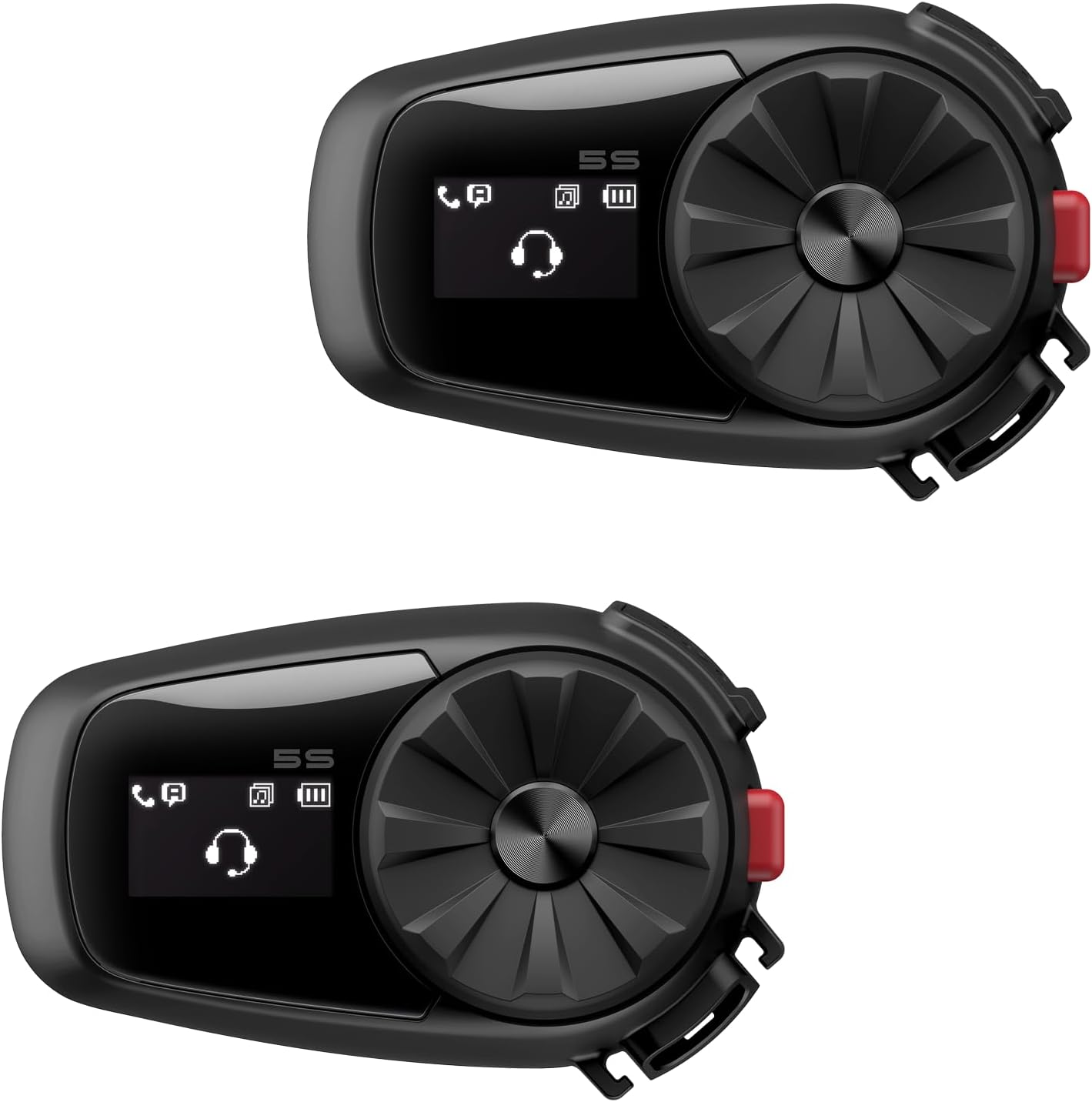
Image: Two Sena 5S communication units, displaying the jog dial and LCD screen.
Кључне карактеристике
- Повезивање паметног телефона: Pair the device with your smartphone for music playback, GPS navigation prompts, and hands-free phone calls.
- Two-Way Bluetooth Intercom: Establish communication with another Sena 5S user.
- High-Definition Speakers: Optimized for enhanced audio quality, including increased volume, bass, and clarity.
- Интегрисани ЛЦД екран: Displays essential information such as battery life, radio frequency, and volume levels.
- Једноставна инсталација: Укључује цлamp kit and boom microphone for straightforward setup.

Image: Sena 5S unit with icons illustrating its core features.
Садржај пакета
- 5S Headset Main Unit
- Clamp Јединица
- Glued Surface Mounting Plate
- Звучници
- Боом Мицропхоне
- Жични микрофон
- USB-C Power & Data Cable
- Микрофонски сунђер
- Причвршћивачи на куке и петље
- Држач микрофона
- Speaker Pads (thick)
- Аллен кључ
Инсталација и подешавање
1. Монтирање главне јединице
The Sena 5S unit can be mounted to your helmet using either the included clamp kit or the glued surface mounting plate. Ensure the unit is securely attached and does not obstruct your vision or helmet functionality. Position the unit on the left side of the helmet for easy access to controls.
2. Speaker and Microphone Installation
Position the HD speakers inside your helmet's ear pockets for optimal audio. Install the boom microphone (for open-face helmets) or wired microphone (for full-face helmets), ensuring it is close to your mouth for clear voice transmission. Use the provided hook and loop fasteners to secure components.

Image: Hands installing the Sena 5S unit onto a helmet.
3. Initial Pairing (Smartphone)
- Power on your Sena 5S unit.
- Access your smartphone's Bluetooth settings.
- On the Sena 5S, press and hold the Phone Button for 5 seconds until the LED flashes blue and red, indicating pairing mode.
- On your smartphone, select 'Sena 5S' from the list of available Bluetooth devices.
- Once paired, the LED on the 5S will flash blue.

Слика: Процес упаривања са паметним телефоном путем Bluetooth-а.
Упутство за употребу
Укључивање/искључивање
- Укључено: Притисните и држите Јог Диал и дугме за телефон 1 секунду.
- Искључивање: Додирните дугме за окретни точкић и телефон.
Подешавање јачине звука
Rotate the Jog Dial clockwise to increase volume and counter-clockwise to decrease volume.
Двосмерни интерфон
To initiate a two-way intercom conversation with a paired Sena 5S unit, tap the Jog Dial. To end the conversation, tap the Jog Dial again.

Image: Illustration of two-way intercom communication between riders.

Image: Group intercom communication between multiple riders.
Репродукција и дељење музике
Once paired with your smartphone, music playback can be controlled directly from the Sena 5S. Use the Jog Dial to skip tracks. Music can also be shared with a riding companion via intercom.
ГПС навигација
Receive turn-by-turn GPS navigation prompts from your paired smartphone directly through the helmet speakers.
Телефонски позиви
Answer incoming calls hands-free by tapping the Phone Button. To make a call, use your smartphone's voice assistant or dial directly from your phone.

Image: Icons illustrating audio multitasking capabilities: music, GPS, and phone calls.
Апликација за мотоцикле Сена
The Sena Motorcycles App allows for convenient configuration of device settings, management of intercom groups, and adjustment of audio equalizer profileс директно са вашег паметног телефона.

Image: Smartphone screen displaying the Sena Motorcycles App for device management.
Одржавање
Чишћење
Очистите јединицу меком, дamp cloth. Avoid using harsh chemicals or solvents, which can damage the device's finish or internal components.
Баттери Царе
To prolong battery life, avoid storing the device in extreme temperatures (hot or cold). Charge the battery fully before extended storage periods and recharge periodically if not in use for a long time.
Ажурирања фирмвера
Regularly check for and install firmware updates using the Sena Device Manager software. Updates can provide performance improvements, bug fixes, and new features.
Решавање проблема
Уобичајени проблеми и решења
- Нема напајања: Ensure the battery is charged. Connect the device to a power source using the USB-C cable. If the issue persists, perform a factory reset.
- Нема звука: Verify speaker connections to the main unit. Check volume levels on both the Sena 5S and your connected smartphone. Ensure the speakers are correctly positioned in your helmet.
- Проблеми упаривања: Ensure both devices (Sena 5S and smartphone/another 5S) are in pairing mode. Clear previous pairings from both devices and attempt to re-pair.
- Искључење интерфона: Ensure devices are within the specified intercom range (up to 700m / 0.4 miles). Re-initiate the intercom connection by tapping the Jog Dial.
- Voice Quality Issues: Ensure the microphone is positioned correctly and not obstructed. Check for firmware updates.
Спецификације
Техничке спецификације
| Феатуре | Детаљ |
|---|---|
| Димензије производа | 1.89 к 2.99 к 1.18 инча |
| Тежина артикла | 1.5 фунти |
| Број модела ставке | 5S-10D |
| Батерије | 2 литијум-полимерска батерија (укључена) |
| Бранд | Сена |
| Технологија повезивања | Блуетоотх |
| Извор напајања | Баттери Поверед |
| Материјал | АБС пластика |
Гаранција и подршка
Информације о гаранцији
This product is covered by a manufacturer's warranty. Please refer to the warranty card included in your package or visit the official Sena webсајт за детаљне услове и одредбе гаранције, укључујући период покрића и поступке за подношење рекламација.
Корисничка подршка
For technical assistance, troubleshooting, or service inquiries, please contact Sena customer support. Contact information can typically be found on the official Sena webсајт (ввв.сена.цом) or in the product documentation included with your device.


