1. Увод
The Axis Communications P3268-LVE is an advanced dome surveillance camera designed for high-quality indoor security monitoring. Featuring Forensic WDR, LIGHTFINDER 2.0, and OPTIMIZE technologies, it delivers clear images even in challenging light conditions. This camera is built for reliable performance and ease of integration into existing surveillance systems.

Слика 1: Страна view of the Axis P3268-LVE dome camera with its integrated sun shield.
2. Шта је у кутији
Пре него што наставите са инсталацијом, проверите да ли су све компоненте присутне:
- Axis Communications P3268-LVE Security Camera
- Упутство за инсталацију
- Монтажни хардвер
3. Техничке спецификације
Key technical details for the Axis P3268-LVE camera:
| Феатуре | Спецификација |
|---|---|
| Број модела | 02332-001 |
| Унутрашња/спољна употреба | Индоор |
| Технологија повезивања | Wired (Wi-Fi for certain functions) |
| Тип монтаже | Плафонски носач |
| Резолуција снимања видео записа | 8K |
| Видео Енцодинг | Х.264 или Х.265 |
| Лов Лигхт Тецхнологи | Night Color, LIGHTFINDER 2.0 |
| Посебна карактеристика | Forensic WDR, Low Light |
| Тип упозорења | Мотион Онли |
| Оцена међународне заштите | ИП67 |
| Извор напајања | 12 Volts (DC), 14.4 Watts |
| Димензије (Д к Ш к В) | 50 к 19.69 к 11.02 инча |
| Тежина артикла | 1.19 фунти |
| Тип флеш меморије | SD |
| Материјал | Метал |

Слика 2: Дно view of the Axis P3268-LVE camera, highlighting the brand logo and dome structure.
4. Подешавање и инсталација
Follow these general steps for setting up your Axis P3268-LVE camera. Refer to the detailed installation guide included in the box for specific instructions and safety warnings.
- Распакујте и прегледајте: Carefully remove the camera and all accessories from the packaging. Inspect for any signs of damage.
- Монтажа: Choose a suitable ceiling location for installation. Use the provided mounting template and hardware to securely attach the camera base. Ensure the mounting surface can support the camera's weight.
- Кабловске везе: Connect the network cable (Ethernet) to the camera's port. If using a separate power supply, connect the 12V DC power adapter. For Power over Ethernet (PoE), a separate power adapter is not required.
- Прво појачање: Once connected, power on the camera. The camera will perform a self-test.
- Мрежна конфигурација: Приступите камери web interface via a network browser. Use the Axis IP Utility or similar tool to discover the camera's IP address. Follow the on-screen prompts to set up a strong password and configure network settings.
- Подешавање слике: Adjust the camera's pan, tilt, and zoom (PTZ) as needed to achieve the desired field of view. Fine-tune image settings such as brightness, contrast, and WDR for optimal video quality.
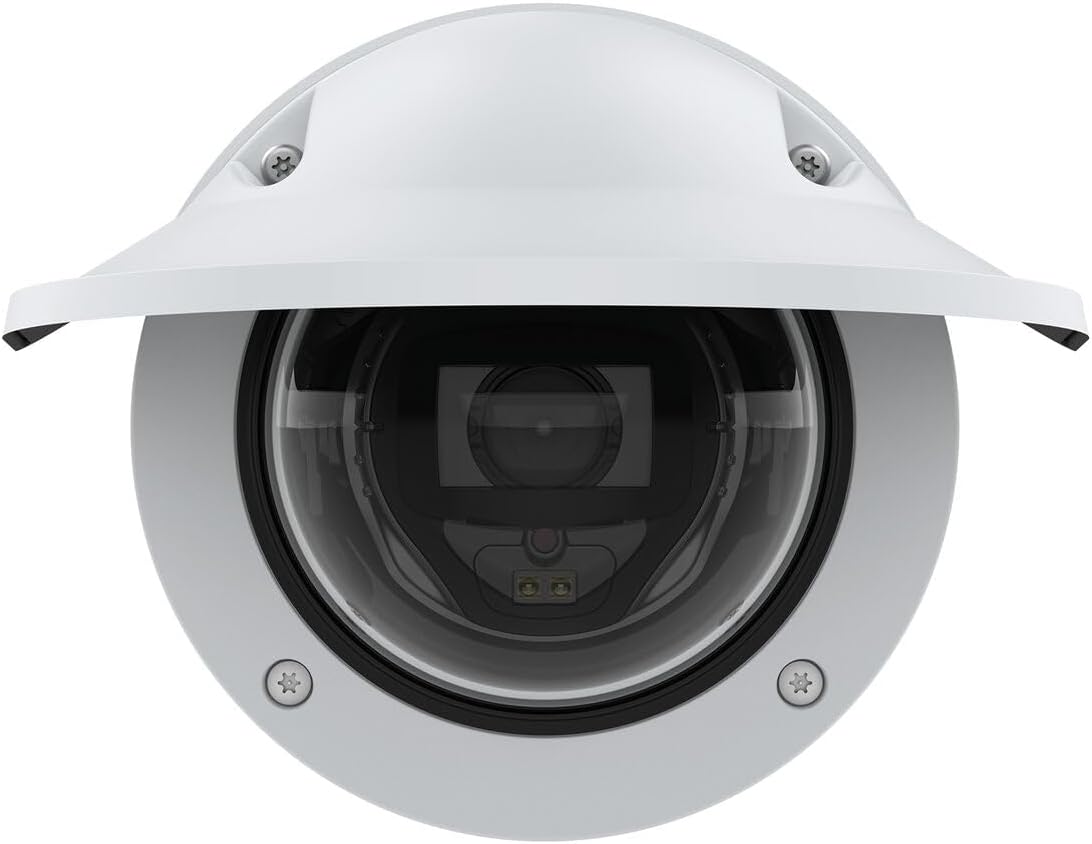
Слика 3: Предња страна view of the Axis P3268-LVE camera, showing the lens and sun shield.
5. Упутство за употребу
The Axis P3268-LVE camera is designed for continuous surveillance. Here are general operating principles:
- Уживо View: Access the camera's live video feed through its web interface or a compatible video management system (VMS).
- Снимање: Configure recording settings, including continuous recording, event-triggered recording (e.g., motion detection), and schedule-based recording. Recordings can be stored on an SD card (if installed) or a network-attached storage (NAS).
- Детекција покрета: Utilize the camera's motion detection capabilities to trigger alerts or recordings when movement is detected within specified areas of the frame.
- Даљински приступ: Set up remote access to view live feeds and recordings from anywhere using a secure connection and appropriate network configuration.
- Ажурирања фирмвера: Regularly check for and install firmware updates from the Axis Communications webсајт како би се осигурале оптималне перформансе, безбедност и приступ новим функцијама.

Слика 4: Друга страна view of the Axis P3268-LVE camera, showcasinг његов робустан дизајн.
6. Одржавање
Правилно одржавање осигурава дуготрајност и оптималне перформансе вашег фотоапарата:
- Чишћење: Gently clean the camera's dome and lens with a soft, lint-free cloth. For stubborn dirt, use a mild cleaning solution specifically designed for optical surfaces. Avoid abrasive materials or harsh chemicals.
- Фирмвер: Keep the camera's firmware updated to the latest version. This provides security enhancements, bug fixes, and new functionalities.
- Инспекција каблова: Periodically check all cables for wear, damage, or loose connections.
- Провера животне средине: Ensure the camera's operating environment remains within specified temperature and humidity ranges.
КСНУМКС. Решавање проблема
If you encounter issues with your Axis P3268-LVE camera, consider the following:
- Нема напајања: Verify that the power supply is connected correctly and that the power outlet is functional. If using PoE, ensure the network switch or injector is providing power.
- Нема видеа: Check network cable connections. Ensure the camera has a valid IP address and is accessible on the network. Restart the camera and the network device (router/switch).
- Лош квалитет слике: Clean the camera lens and dome. Adjust focus and image settings in the camera's web interface. Ensure sufficient lighting in the surveillance area.
- Проблеми са мрежном повезивањем: Confirm network cable integrity. Check router/switch settings. Ensure no IP address conflicts.
- Камера не реагује: Try power cycling the camera. If the issue persists, a factory reset might be necessary (refer to the full manual for reset procedures).
For more complex issues, consult the comprehensive support documentation available on the Axis Communications webсајт или контактирајте њихову техничку подршку.
8. Гаранција и подршка
Your Axis Communications P3268-LVE camera is covered by a manufacturer's warranty. For detailed information regarding warranty terms, duration, and conditions, please refer to the warranty card included with your product or visit the official Axis Communications webсајту.
For technical support, product documentation, software downloads, and frequently asked questions, please visit the Axis Communications support portal:
Always ensure you have your product model number (02332-001) and serial number ready when contacting support.


