1. Увод
The YYCALLING F101 Restaurant Pager System is a wireless calling solution designed to enhance efficiency and customer service in various environments such as restaurants, food trucks, and food courts. This system utilizes 315MHz radio-frequency technology to provide reliable communication between staff and customers, reducing wait times and improving operational flow. This manual provides detailed instructions for the setup, operation, and maintenance of your pager system.
2. Компоненте производа
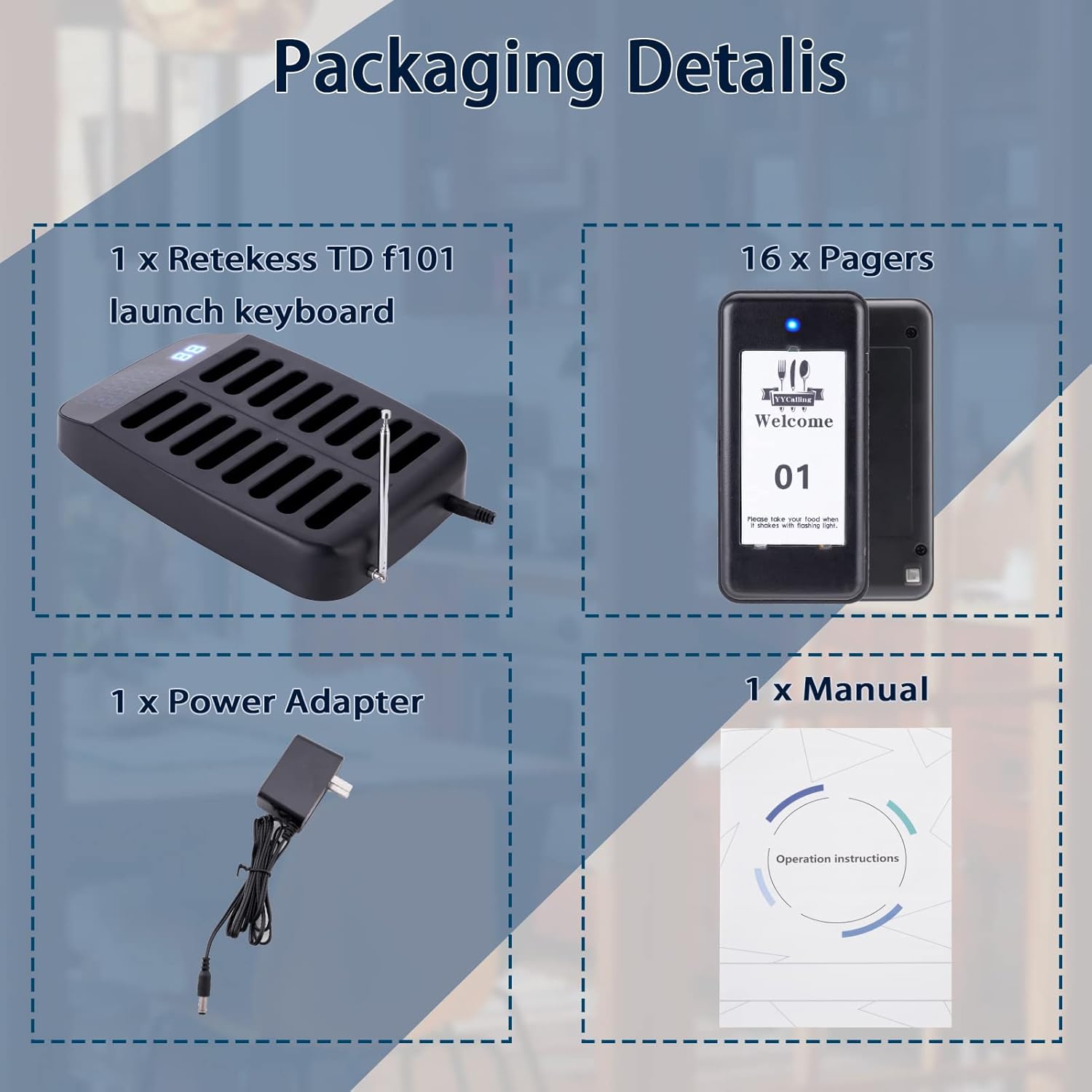
The YYCALLING F101 system typically includes the following components:
- Transmitter Keypad: The main unit used by staff to call pagers.
- Guest Pagers: Handheld devices distributed to customers, which alert them when their order is ready.
- Адаптер за напајање: For powering the transmitter keypad.
- Упутство за употребу: Овај документ.

3. Подешавање
Follow these steps to set up your YYCALLING F101 Restaurant Pager System:
- Прикључите напајање: Plug the power adapter into the transmitter keypad and then into a standard electrical outlet. All pagers in the charging slots will automatically power on.
- Charge Pagers: Ensure all guest pagers are placed in the charging slots of the transmitter keypad. The pagers will begin charging automatically. A full charge provides approximately 24 hours of continuous use.
- Set Pager ID (if necessary): Pagers are typically pre-programmed. If you need to set or re-program a pager ID:
- Remove the sticker on the back of the pager to reveal a small dot (programming button).
- Long press this dot until LED 2 and LED 3 on the pager illuminate.
- On the transmitter keypad, enter the desired ID number (e.g., '8').
- Press the 'CALL' button on the transmitter. The pager will beep, indicating successful programming.
- Press the cancel button on the pager to stop the beeping.
4. Операција
Operating the YYCALLING F101 system is straightforward:
- Calling a Pager:
- When an order is ready, locate the corresponding pager number on the transmitter keypad.
- Enter the pager's number using the keypad.
- Press the 'CALL' button. The assigned pager will activate with its set alert mode (vibration, flash, and/or buzzer).
- Canceling a Call:
- To stop a pager's alert, the customer can press the 'CANCEL' button on the pager itself.
- Alternatively, placing the pager back into any charging slot on the transmitter will also cancel the alert.
- Turning Pagers On/Off:
- Да бисте укључили: Connect the power supply to the transmitter. All pagers in the charging slots will automatically power on.
- Да искључите: Ensure all pagers are in their charging slots. On the transmitter keypad, enter '99' and then press the 'CALL' button. All pagers will turn off.
- Calling Modes: The system supports two primary alert modes:
- Vibration + Flash + Buzzer: Provides a comprehensive alert.
- Вибрација + блиц: A quieter alert option.
Refer to the programming section or contact support for instructions on how to switch between these modes.
5. Одржавање
Proper maintenance ensures the longevity and optimal performance of your pager system:
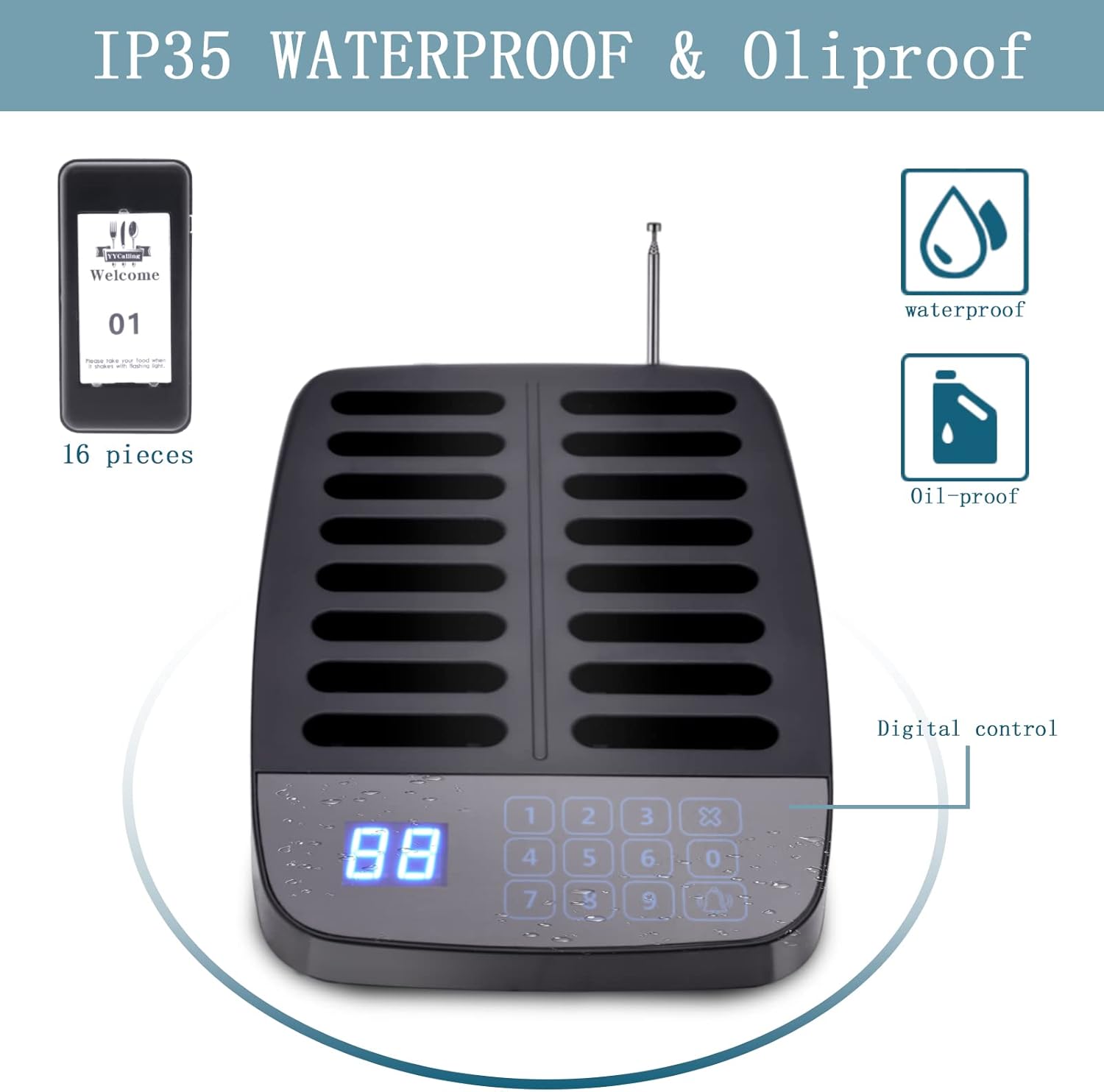
- Чишћење: The pagers feature a matte surface that resists oil and daily grime. They can be easily wiped clean with a damp тканина. Избегавајте употребу јаких хемикалија или абразивних средстава за чишћење.
- Одржавање батерије: The pagers are equipped with rechargeable Lithium Polymer batteries. Always place pagers back into the charging slots when not in use to ensure they are ready for operation. Avoid completely draining the batteries frequently.
- Water and Oil Resistance: The pagers are designed with IP55 waterproof and oil-proof ratings, making them suitable for fast-paced food service conditions. However, avoid submerging them in liquids.
КСНУМКС. Решавање проблема
If you encounter issues with your pager system, consider the following:
- Pager Not Responding:
- Ensure the pager is fully charged.
- Verify the pager ID is correctly programmed.
- Check if the pager is within the transmission range (984-1640 feet indoors, up to 3280 feet/1000 meters in open areas).
- сметње: Large metal structures or other radio-frequency devices may cause interference. Try repositioning the transmitter or pagers.
- Систем се не укључује: Ensure the power adapter is securely connected to both the transmitter and the power outlet.
For persistent issues, please refer to the contact information in the Warranty and Support section.
7. Спецификације
| Феатуре | Опис |
|---|---|
| Бранд | ИИЦАЛЛИНГ |
| Модел | F101 (16 Pagers, Black) |
| Фреквенција преноса | 315МХз |
| Индоор Ранге | 984-1640 стопа |
| Опен Ареа Ранге | До 3280 стопа / 1000 метара |
| Батерија за пејџер | Built-in 200mAh Lithium Polymer (16 included) |
| Време непрекидног коришћења | 24 сата (потпуно напуњен) |
| Слотови за пуњење | 16 |
| Calling Modes | Vibration + Flash + Buzzer; Vibration + Flash |
| Water/Oil Resistance | ИП55 |
8. Гаранција и подршка
For warranty information, technical support, or service inquiries, please contact YYCALLING directly through their official channels or the retailer where the product was purchased. Keep your purchase receipt as proof of purchase for any warranty claims.


