1. Производ је готовview
The XYAB Ultimate NGC Joystick Controller is designed to provide a responsive and comfortable gaming experience for Nintendo GameCube and Nintendo Wii consoles. This controller features a classic layout with sensitive optical joystick sensors and a durable 5-foot cable.
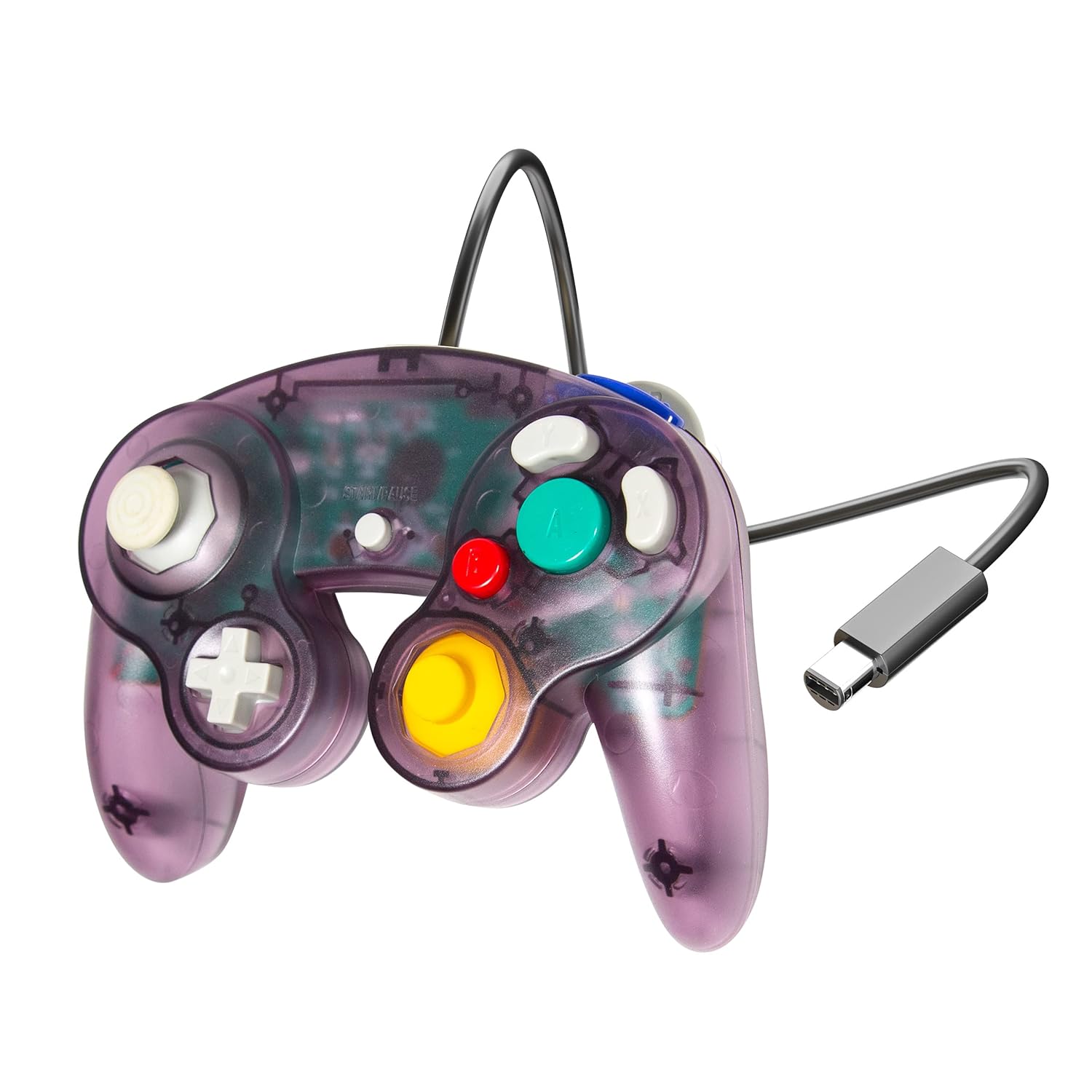
Image 1.1: XYAB Ultimate NGC Joystick Controller (Atomic Purple)
This image displays the XYAB Ultimate NGC Joystick Controller in its Atomic Purple translucent casinг, шоуцasing the main control stick, C-stick, D-pad, and action buttons (A, B, X, Y, Z, L, R, Start/Pause). The controller's wired connection with a standard GameCube connector is visible.
Кључне карактеристике:
- Одзивне контроле: Equipped with sensitive optical joystick sensors for precise input.
- Широка компатибилност: Compatible with Nintendo GameCube and Nintendo Wii consoles.
- Проширени кабл: Features a 5-foot cable for flexible gaming setups.
- Класични дизајн: Ergonomic design for comfortable use during extended play sessions.
2. Упутства за подешавање
Follow these steps to connect your XYAB Ultimate NGC Joystick Controller to your console.
Connecting to Nintendo GameCube:
- Locate an available controller port on the front of your Nintendo GameCube console.
- Align the GameCube connector of the XYAB controller with the port.
- Пажљиво гурните конектор у порт док не кликне чврсто на своје место.
- Power on your GameCube console. The controller is now ready for use.
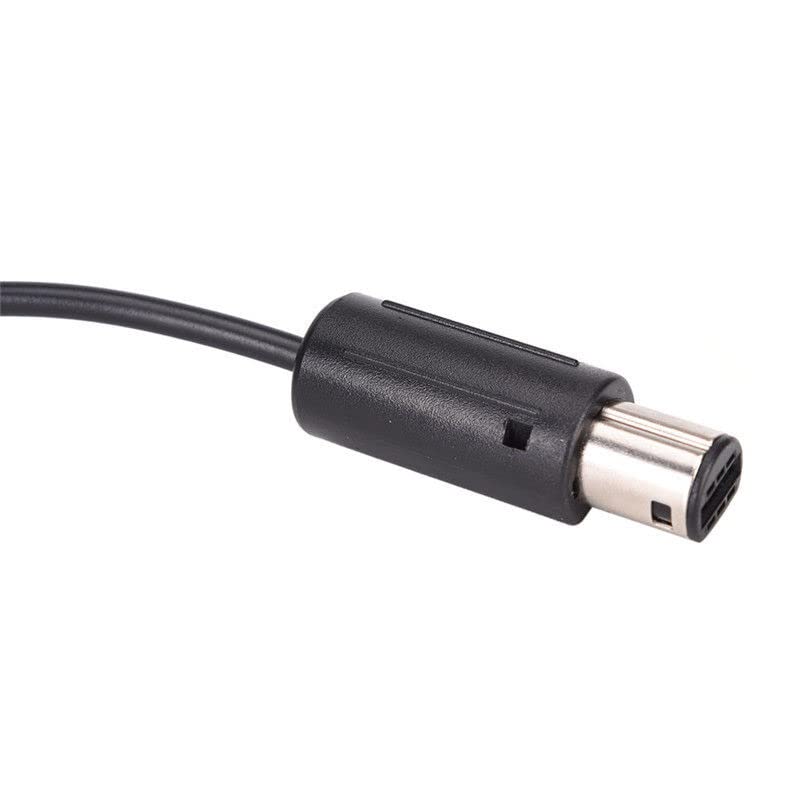
Image 2.1: GameCube Controller Connector
This image shows a close-up of the standard GameCube controller connector, which plugs directly into the console's controller port.
Connecting to Nintendo Wii:
- Open the GameCube controller port cover located on the top side of your Nintendo Wii console (when oriented horizontally).
- Locate an available controller port.
- Align the GameCube connector of the XYAB controller with the port.
- Пажљиво гурните конектор у порт док не кликне чврсто на своје место.
- Power on your Wii console. The controller is now ready for use with compatible GameCube titles or Virtual Console games that support GameCube controllers.
Using with Nintendo Wii U or Nintendo Switch:
To use this controller with a Nintendo Wii U or Nintendo Switch console, a separate GameCube Controller adapter (sold separately) is required. Refer to the adapter's instruction manual for specific setup procedures.
3. Упутство за употребу
The XYAB Ultimate NGC Joystick Controller features the standard button layout of a Nintendo GameCube controller.
Распоред контролера:
- Control Stick (Left Analog Stick): Used for primary movement and navigation.
- C-Stick (Right Analog Stick): Often used for camera control or specific in-game actions.
- D-Pad (смерни тастер): Used for menu navigation or specific directional inputs.
- Дугме (велико зелено): Primary action button, typically for confirmation or main attacks.
- B Button (Small Red): Secondary action button, often for canceling or secondary attacks.
- X Button (Gray): Auxiliary action button.
- Y Button (Gray): Auxiliary action button.
- Z Button (Purple, Top Right Shoulder): Often used for specific in-game functions.
- L Button (Left Shoulder): Analog trigger, often used for shielding or aiming.
- R Button (Right Shoulder): Analog trigger, often used for shielding or aiming.
- Start/Pause Button (Center): Користи се за паузирање игара или приступ менијима у игри.
Refer to your game's specific instruction manual for detailed button assignments and controls.
4. Одржавање и њега
Правилна нега ће продужити век трајања вашег контролера.
Чишћење:
- Disconnect the controller from the console before cleaning.
- Користите меку, суву крпу да обришете површину контролера.
- За тврдокорну прљавштину лагано дampИсперите крпу водом. Избегавајте употребу јаких хемикалија или абразивних средстава за чишћење.
- Do not allow liquids to enter the controller's internal components.
Складиштење:
- Чувајте контролер на хладном и сувом месту, даље од директне сунчеве светлости и екстремних температура.
- Avoid wrapping the cable too tightly around the controller to prevent damage to the wiring.
- Keep the controller away from dust and debris when not in use.
КСНУМКС. Решавање проблема
If you encounter issues with your controller, try the following solutions.
Контролор не реагује:
- Ensure the controller cable is securely plugged into the console's GameCube controller port.
- Try plugging the controller into a different GameCube controller port on the console.
- Restart your console and try again.
- Test the controller with a different game to rule out game-specific issues.
Buttons or Joysticks Not Working Correctly:
- Check for any visible obstructions or debris around the buttons or joysticks.
- Ensure the controller is clean (refer to the Maintenance section).
- If a joystick is exhibiting drift or incorrect input, it may indicate wear. Consider recalibrating if your console or game offers such an option, or contact support if the issue persists.
Проблеми са компатибилношћу:
- Confirm that the game you are playing supports GameCube controllers. Not all Wii games support GameCube controllers.
- For Wii U or Switch, ensure you are using a compatible GameCube Controller adapter and that it is correctly installed and configured.
6. Спецификације
| Феатуре | Детаљ |
|---|---|
| Модел | Ultimate NGC Joystick Controller |
| Бранд | XYAB |
| Компатибилност | Nintendo GameCube, Nintendo Wii (GameCube compatible titles) |
| Повезивање | Wired (GameCube connector) |
| Цабле Ленгтх | 5 стопе (приближно 1.5 метра) |
| Димензије производа | 7.5 к 2.5 к 8 инча (19.05 к 6.35 к 20.32 цм) |
| Тежина артикла | 8.5 унце (240.97 грама) |
| Боја | Atomic Purple |
7. Гаранција и подршка
Информације о гаранцији:
This product is covered by a limited warranty against manufacturing defects. Please retain your proof of purchase for warranty claims. Specific warranty terms and duration may vary by region and retailer. For detailed warranty information, please refer to the documentation provided at the time of purchase or contact customer support.
Корисничка подршка:
If you have any questions, require technical assistance, or need to report an issue with your XYAB Ultimate NGC Joystick Controller, please contact our customer support team. Contact information can typically be found on the product packaging or the official XYAB webсајту.


