
1. Увод
The Black Box Boxilla KVM Manager, model BXAMGR-R2-ULT, is a robust and TAA-compliant KVM management solution designed to streamline network operations. This device allows for efficient management and control of an unlimited number of devices within your KVM infrastructure, eliminating the need for multiple licenses. It ensures compliance with government and public sector standards, providing a secure and reliable platform for KVM management.
This manual provides comprehensive instructions for the setup, operation, maintenance, and troubleshooting of your Boxilla KVM Manager.
2. Безбедносне информације
Please read and understand all safety instructions before operating this device. Failure to follow these instructions may result in electric shock, fire, or damage to the product.
- Уверите се да је уређај повезан са уземљеном утичницом.
- Не излажите уређај води или прекомерној влази.
- Не отварајте уређај цasinг. Сва сервисирања препустите квалификованом особљу.
- Користите уређај у наведеним опсезима температуре и влажности.
- Disconnect power before cleaning or moving the device.
3. Садржај пакета
Проверите да ли су све ставке присутне у пакету:
- Black Box Boxilla KVM Manager (BXAMGR-R2-ULT)
- Повер Адаптер
- Водич за брзи почетак
- Монтажни хардвер (ако је применљиво)
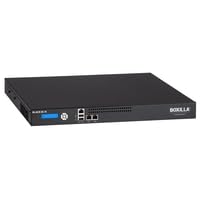
Image of the Black Box Boxilla KVM Manager, model BXAMGR-R2-ULT, showing its front panel and compact design.
4. Подешавање
Follow these steps for initial setup of your Boxilla KVM Manager:
- Распакујте уређај: Carefully remove the KVM manager and all accessories from its packaging.
- Пласман: Place the device on a stable, flat surface or mount it in a rack using the provided hardware. Ensure adequate ventilation around the unit.
- Повежите мрежне каблове: Connect the KVM manager to your network infrastructure using standard Ethernet cables. Refer to your network topology for specific port connections.
- Прикључите напајање: Plug the power adapter into the KVM manager's power input, then connect it to a grounded electrical outlet. The device will power on automatically.
- Почетна конфигурација: Приступите уређају web интерфејс преко а web browser using its default IP address (refer to the Quick Start Guide for default IP and login credentials). Follow the on-screen prompts to configure network settings, user accounts, and initial KVM device discovery.
5. Упутство за употребу
Once the Boxilla KVM Manager is set up, you can begin managing your KVM devices. The primary interface for operation is the web-based management console.
- Пријављивањем: Отвори а web browser and navigate to the IP address or hostname of your Boxilla KVM Manager. Enter your username and password.
- Откривање уређаја: Use the discovery tools within the interface to find and add KVM transmitters and receivers to your management system.
- Управљање корисницима: Create and manage user accounts, assigning appropriate access levels and permissions for KVM control.
- Session Management: Initiate, monitor, and terminate KVM sessions to connected devices.
- Надгледање система: Review system logs, device status, and network performance metrics through the dashboard.
- Ажурирања фирмвера: Regularly check for and apply firmware updates to ensure optimal performance and security.
6. Одржавање
Regular maintenance ensures the longevity and optimal performance of your Boxilla KVM Manager.
- Чишћење: Користите меку, суву крпу за чишћење спољашњости уређаја. Не користите течна средства за чишћење или аеросоле.
- вентилација: Ensure that ventilation openings are clear of dust and obstructions to prevent overheating.
- Фирмвер: Keep the device firmware updated to the latest version. Refer to the Black Box support website for updates and instructions.
- Конфигурација резервне копије: Periodically back up your device configuration settings to prevent data loss in case of an unforeseen issue.
КСНУМКС. Решавање проблема
This section addresses common issues you might encounter with the Boxilla KVM Manager.
| Проблем | Могући узрок | Решење |
|---|---|---|
| Уређај се не укључује. | No power supply, faulty power adapter, or power outlet issue. | Check power cable connection. Verify power outlet functionality. Try a different power adapter if available. |
| Није могуће приступити web интерфејс. | Incorrect IP address, network connectivity issue, or firewall blocking access. | Verify the device's IP address. Check network cable connections. Ensure your computer is on the same network segment. Temporarily disable firewall for testing. |
| KVM devices not discovered. | Network configuration issues, KVM devices not powered on, or incorrect discovery settings. | Ensure KVM transmitters/receivers are powered and connected. Verify network settings on Boxilla and KVM devices. Check discovery range settings in the web интерфејс. |
| Споре перформансе. | Network congestion, outdated firmware, or high CPU/memory usage. | Check network bandwidth. Update firmware to the latest version. Monitor system resources via the web интерфејс. |
8. Спецификације
Detailed specifications for the Black Box Boxilla KVM Manager BXAMGR-R2-ULT:
- Број модела: BXAMGR-R2-ULT
- ASIN: B0BCX8GNRR
- Димензије производа: 11 к 10 к 6 инча
- Произвођач: Black Box Network
- Прво доступно: 30. маја 2023. године
- Лиценца: Unlimited Device License
- Усклађеност: ТАА Цомплиант
9. Гаранција и подршка
For warranty information and technical support, please refer to the official Black Box Network webсајт или контактирајте њихову службу за кориснике. Сачувајте рачун за куповину за потребе гаранције.
Black Box Network Official Webсајт: ввв.блацкбок.цом