1. Увод
Thank you for choosing the Midea Fresh Dry 10 Dehumidifier. This manual provides essential information for the safe and efficient operation, maintenance, and troubleshooting of your appliance. Please read it thoroughly before use and retain it for future reference.

The Midea Fresh Dry 10 Dehumidifier offers multiple air improvement features, including air purification and effective dehumidification for spaces up to 16 square meters.
2. Безбедносне информације
Да бисте спречили повреде корисника или других и материјалну штету, морају се поштовати следећа упутства. Неправилан рад услед игнорисања упутстава може проузроковати штету или штету.
- Увек се уверите да је уређај постављен на стабилну, равну површину.
- Немојте користити јединицу са оштећеним каблом за напајање или утикачем.
- Држите уређај даље од извора топлоте и директне сунчеве светлости.
- Do not block the air inlet or outlet. Maintain at least 20 cm clearance from walls or other objects.
- Искључите уређај из струје пре чишћења или било каквог одржавања.
- Do not use the appliance in areas where flammable gases or liquids are stored.
- Овај уређај није намењен за употребу од стране особа (укључујући децу) са смањеним физичким, чулним или менталним способностима, или недостатком искуства и знања, осим ако им је дат надзор или упутства о употреби уређаја од стране особе одговорне за њихову безбедност.
3. Карактеристике производа
- Silent Dehumidification: Operates at a low noise level of 39 dB, with a daily dehumidification capacity of up to 10 liters, suitable for rooms up to 16 m².
- Вишеструки режими рада: Includes Set Mode, Smart Mode, Dry Mode, and Continuous Mode for versatile use.
- Смарт Цонтрол: Compatible with WLAN, Alexa, and Google Assistant for convenient remote operation via smartphone.
- Пречишћавање ваздуха: Features an integrated ion generator and a high-density HEPA filter for simultaneous dehumidification and air cleaning.
- Дизајн прилагођен кориснику: Equipped with universal wheels for easy movement, an ambient light indicator for quick humidity status, and a child lock to prevent accidental changes.
- Уштеда енергије: Includes a 24-hour timer and automatic shut-off function. Uses eco-friendly R290 refrigerant.
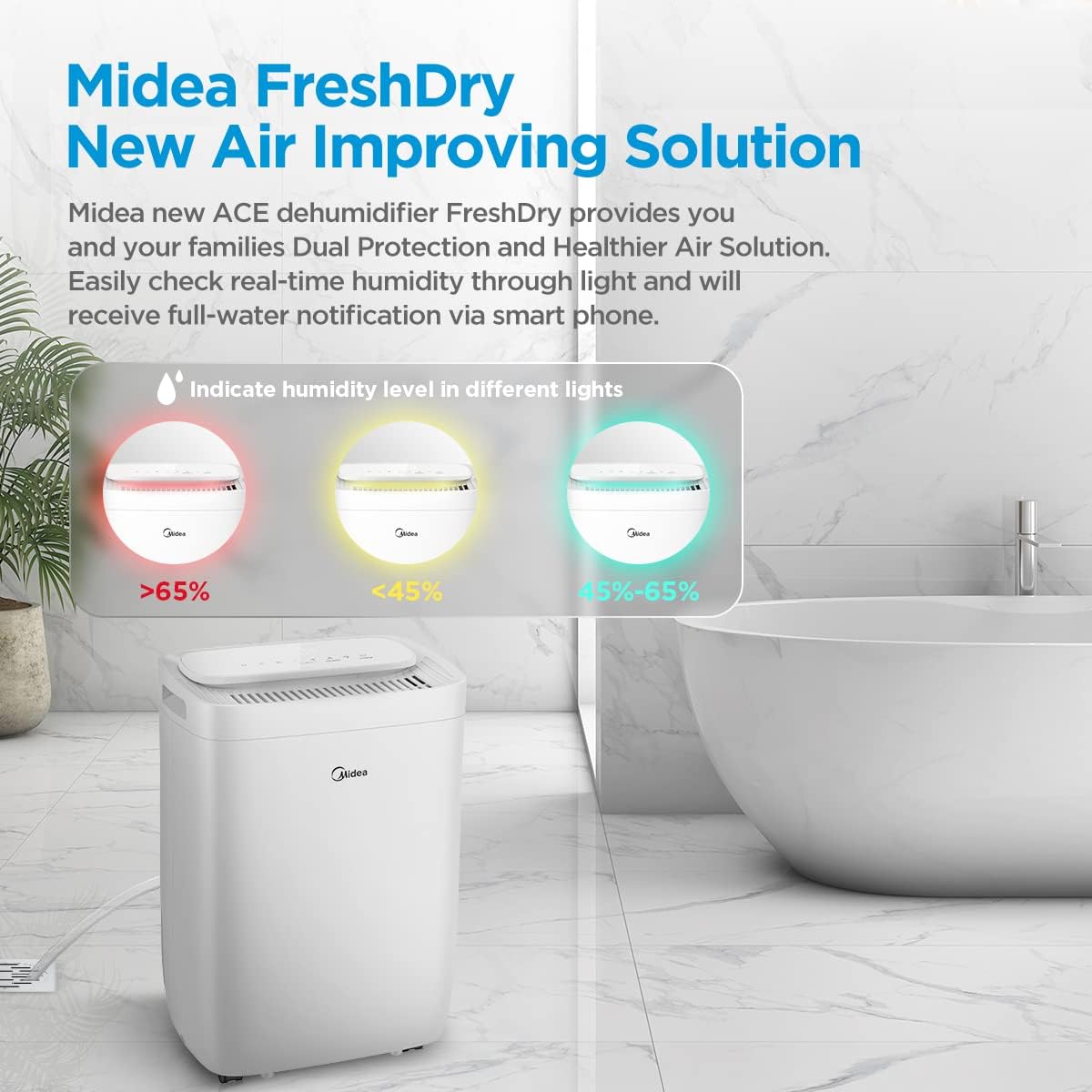
The ambient light indicates real-time humidity levels: Red (>65%), Yellow (<45%), and Green (45-65%).
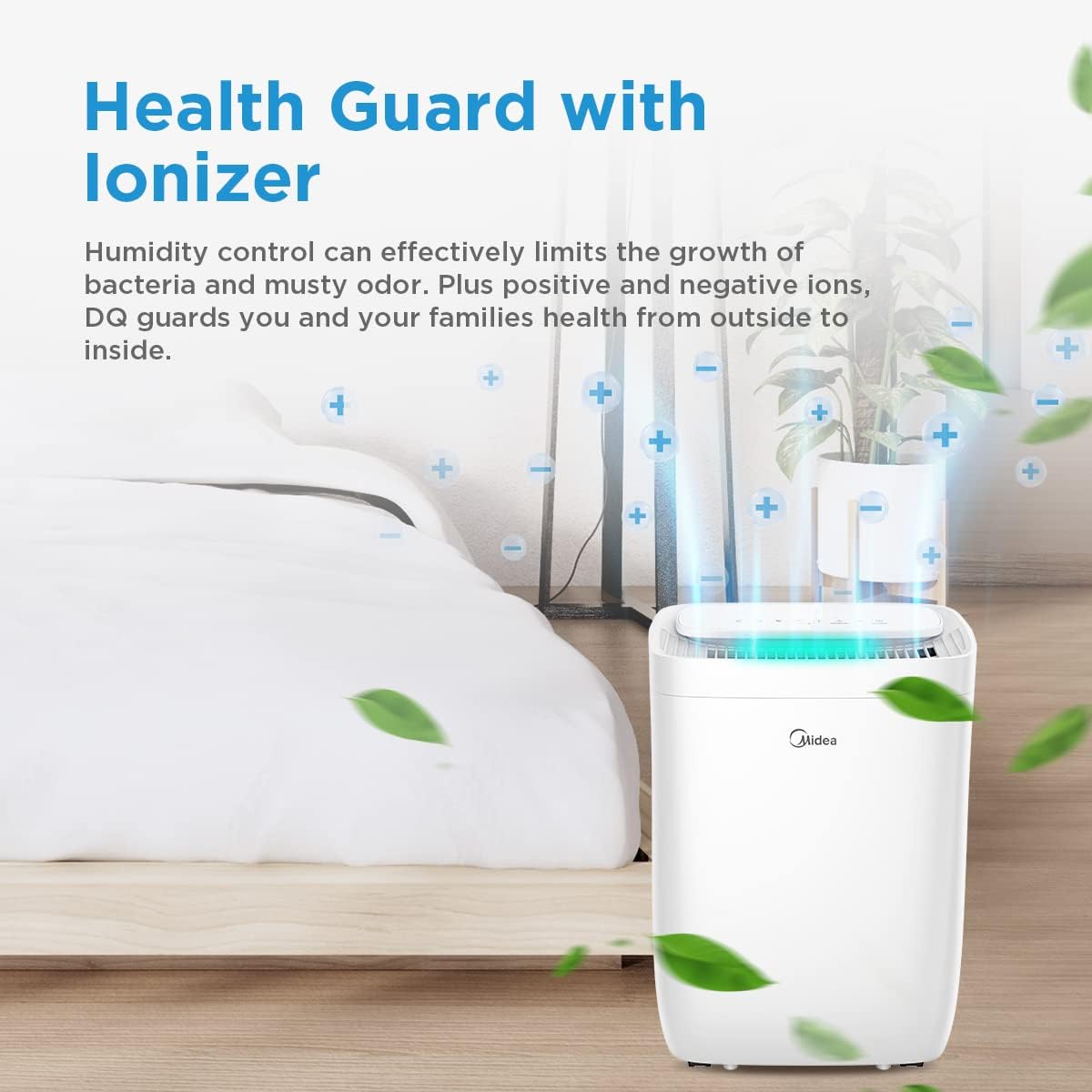
The built-in ionizer helps control humidity and reduce odors by releasing positive and negative ions.
4. Подешавање
- Распакивање: Пажљиво извадите одвлаживач ваздуха из амбалаже. Сачувајте материјал за паковање за будуће складиштење или транспорт.
- Пласман: Place the unit on a firm, level surface in the desired location. Ensure there is at least 20 cm of space around the unit for proper airflow. Avoid placing it near heat sources or in direct sunlight.
- Прикључак за напајање: Укључите кабл за напајање у уземљену електричну утичницу. Уверите се да је јачина звукаtagе одговара спецификацијама јединице.
- Континуирано одводњавање (опционо): For continuous operation without emptying the water tank, connect a drainage hose (not included) to the continuous drainage port at the back of the unit. Ensure the hose is sloped downwards to allow water to flow out by gravity.

The 360-degree wheels allow for easy movement of the dehumidifier to different rooms.
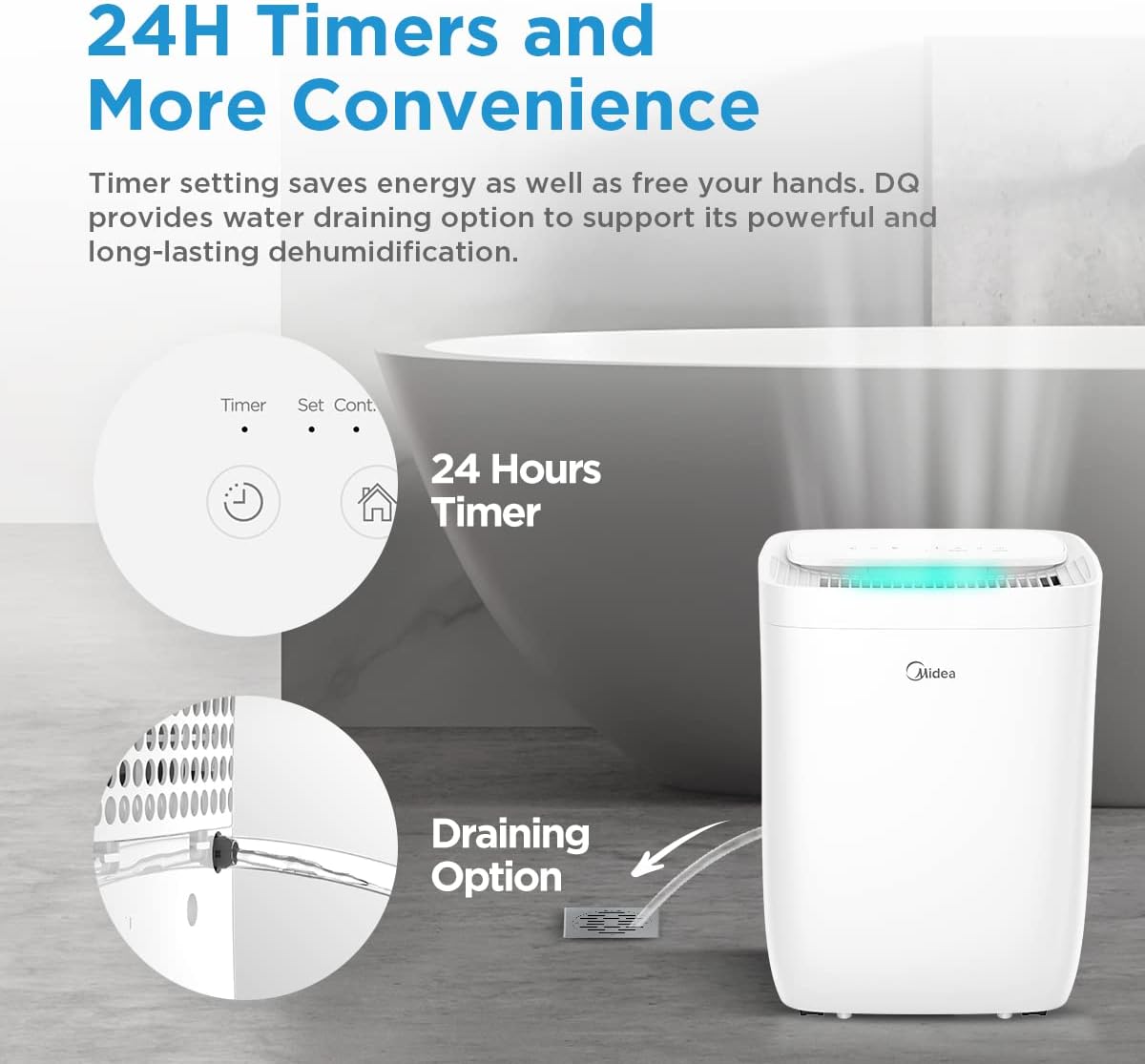
For continuous operation, connect a drainage hose to the designated port.
5. Упутство за употребу
5.1 Контролна табла прекоview

The control panel allows access to all functions of the dehumidifier.
- Дугме за напајање: Укључује или искључује јединицу.
- Дугме за режим: Cycles through available operating modes (Set, Smart, Dry, Continuous).
- Дугмад за подешавање влажности (+/-): Подешава жељени ниво влажности.
- Дугме тајмера: Подешава 24-часовни тајмер за одложени старт или заустављање.
- Дугме за брзину вентилатора: Подешава брзину вентилатора (ниска, средња, висока).
- Дугме за светло: Controls the ambient light indicator.
- Дугме за ресетовање филтера: Resets the filter indicator after cleaning/replacement.
- Дугме за повезивање: Initiates Wi-Fi pairing mode.
5.2 Основни рад
- Укључено: Притисните дугме за напајање да бисте укључили одвлаживач ваздуха.
- Изаберите режим: Press the Mode button to choose your desired operating mode.
- Подешавање влажности: In Set Mode, use the +/- buttons to set the target humidity level (e.g., 50%). The unit will operate until this level is reached.
- Подеси тајмер: Press the Timer button to set a delay for the unit to turn on or off (up to 24 hours).
5.3 Smart Control (Wi-Fi, Alexa, Google Assistant)
The Midea Fresh Dry 10 can be controlled remotely via the Midea application and integrated with smart home systems.
- Преузми апликацију: Преузмите апликацију Midea из продавнице апликација на вашем паметном телефону.
- Упаривање: Follow the in-app instructions to connect your dehumidifier to your home Wi-Fi network. This typically involves pressing the 'Connect' button on the unit for 3 seconds.
- Интеграција паметне куће: Once connected to the Midea app, you can link it to Amazon Alexa or Google Assistant by following the instructions in their respective apps.
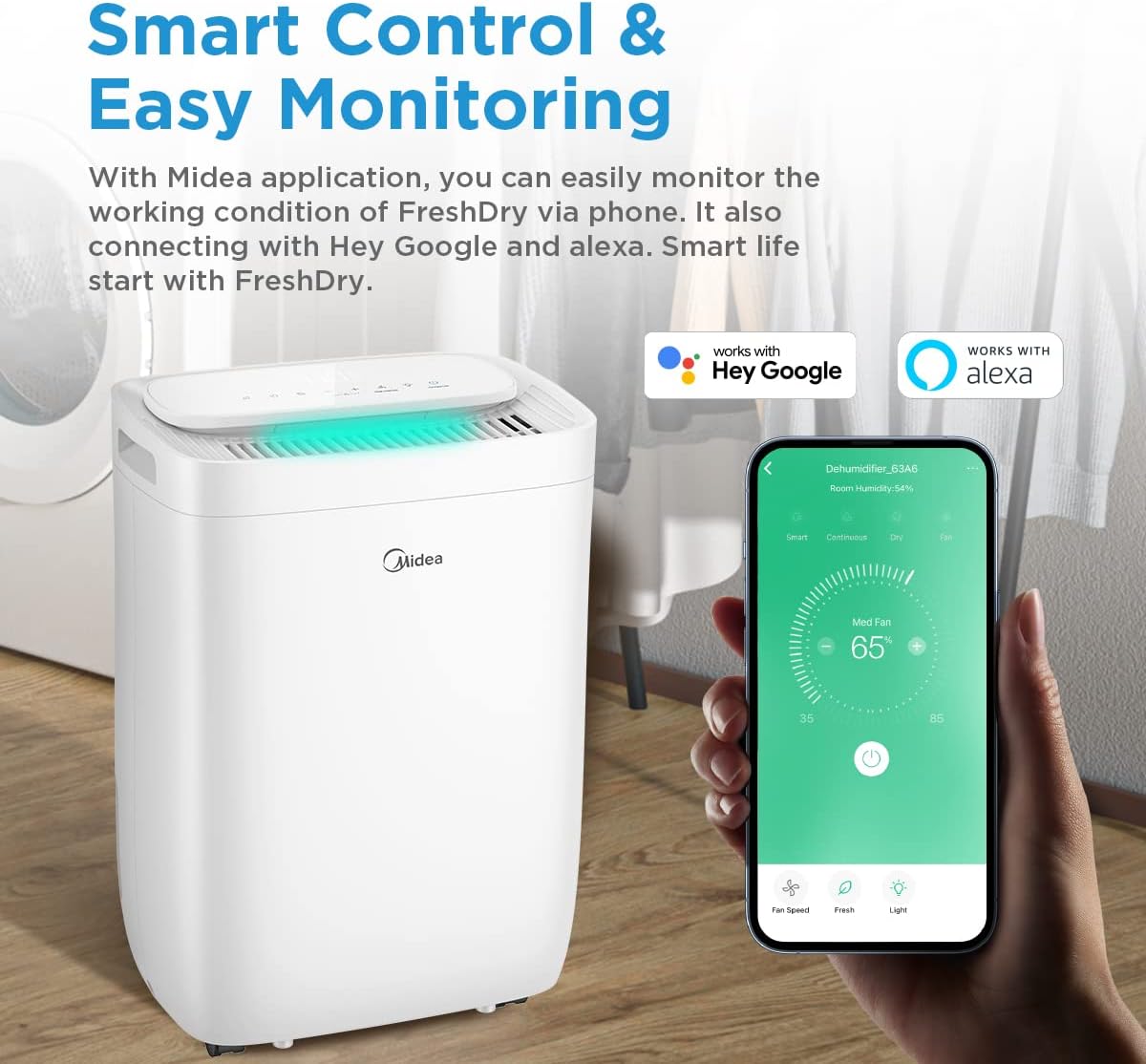
Control your dehumidifier remotely using the Midea app, compatible with Hey Google and Alexa.
6. Одржавање
Редовно одржавање осигурава оптималне перформансе и дуготрајност вашег одвлаживача ваздуха.
6.1 Пражњење резервоара за воду
- Када се резервоар за воду напуни, уређај ће се аутоматски искључити и индикаторска лампица ће се упалити.
- Пажљиво извуците резервоар за воду са задње стране уређаја.
- Испразните сакупљену воду.
- Slide the empty tank back into place until it clicks securely. The unit will resume operation.

The water tank is easily accessible from the rear of the unit for emptying.
6.2 Чишћење ваздушног филтера
The dehumidifier is equipped with a washable pre-filter and an H13 True HEPA filter.
- Искључивање: Искључите и искључите овлаживач.
- Уклони филтер: Locate the filter access panel (usually at the back or side) and remove the filter assembly.
- Clean Pre-Filter: The washable pre-filter can be cleaned with a vacuum cleaner or rinsed with warm water. Ensure it is completely dry before reinstallation.
- ХЕПА филтер: The H13 True HEPA filter is not washable and should be replaced periodically (e.g., every 6-12 months, depending on usage and air quality). Do not wash the HEPA filter.
- Поново инсталирај: Place the clean/new filters back into the unit and close the access panel.
- Ресетујте индикатор филтера: Press and hold the 'Reset Filter' button on the control panel for 3 seconds to clear the filter cleaning reminder.

The H13 True HEPA filter and washable pre-filter work together to capture 99.9% of air pollutants.
КСНУМКС. Решавање проблема
Пре него што контактирате корисничку подршку, погледајте следећи водич за решавање проблема.
| Проблем | Могући узрок | Решење |
|---|---|---|
| Јединица се не укључује | No power supply; Power cord not plugged in; Water tank full or incorrectly placed. | Check power connection; Empty and re-seat water tank correctly. |
| Без одвлаживања | Зачепљен ваздушни филтер; Прениска температура у просторији; Превисока влажност ваздуха. | Clean or replace air filter; Ensure room temperature is above 5°C; Lower the target humidity setting. |
| Јединица је бучна | Уређај није на равној површини; Зачепљен ваздушни филтер; Препрека у вентилатору. | Поставите на равну површину; Очистите ваздушни филтер; Проверите да ли има препрека и уклоните их. |
| Ви-Фи веза није успела | Нетачна лозинка за Wi-Fi; Рутер је предалеко; Апликација није ажурирана. | Verify Wi-Fi password; Move unit closer to router; Update Midea app. |
8. Спецификације
| Феатуре | Спецификација |
|---|---|
| Назив модела | FRESH DRY 10 |
| Капацитет одвлаживања | 10 литара/дан |
| Применљива област | 16 м² |
| Димензије (Д к Ш к В) | 22.4 к 33.4 к 44.1 цм |
| Тежина | 10 кг |
| Ниво буке | 39 децибела |
| Ватtage | 380 вати |
| Расхладно средство | R290 (еколошки прихватљиво) |
| Тип филтера | Washable Pre-filter, H13 True HEPA Filter |
| Повезивање | Wi-Fi, Alexa, Google Assistant |

Product dimensions for placement planning.
9. Гаранција и подршка
Midea products are manufactured to the highest quality standards. For warranty information, please refer to the warranty card included with your purchase or visit the official Midea website. For technical support or service inquiries, please contact Midea customer service through their official channels.
Please have your model number (FRESH DRY 10) and purchase date ready when contacting support.


