
1. Увод
This manual provides detailed instructions for the assembly, operation, and maintenance of your FLEXISPOT Q8 55" Bamboo Standing Desk. Please read this manual thoroughly before installation and use to ensure proper function and safety. Retain this manual for future reference.
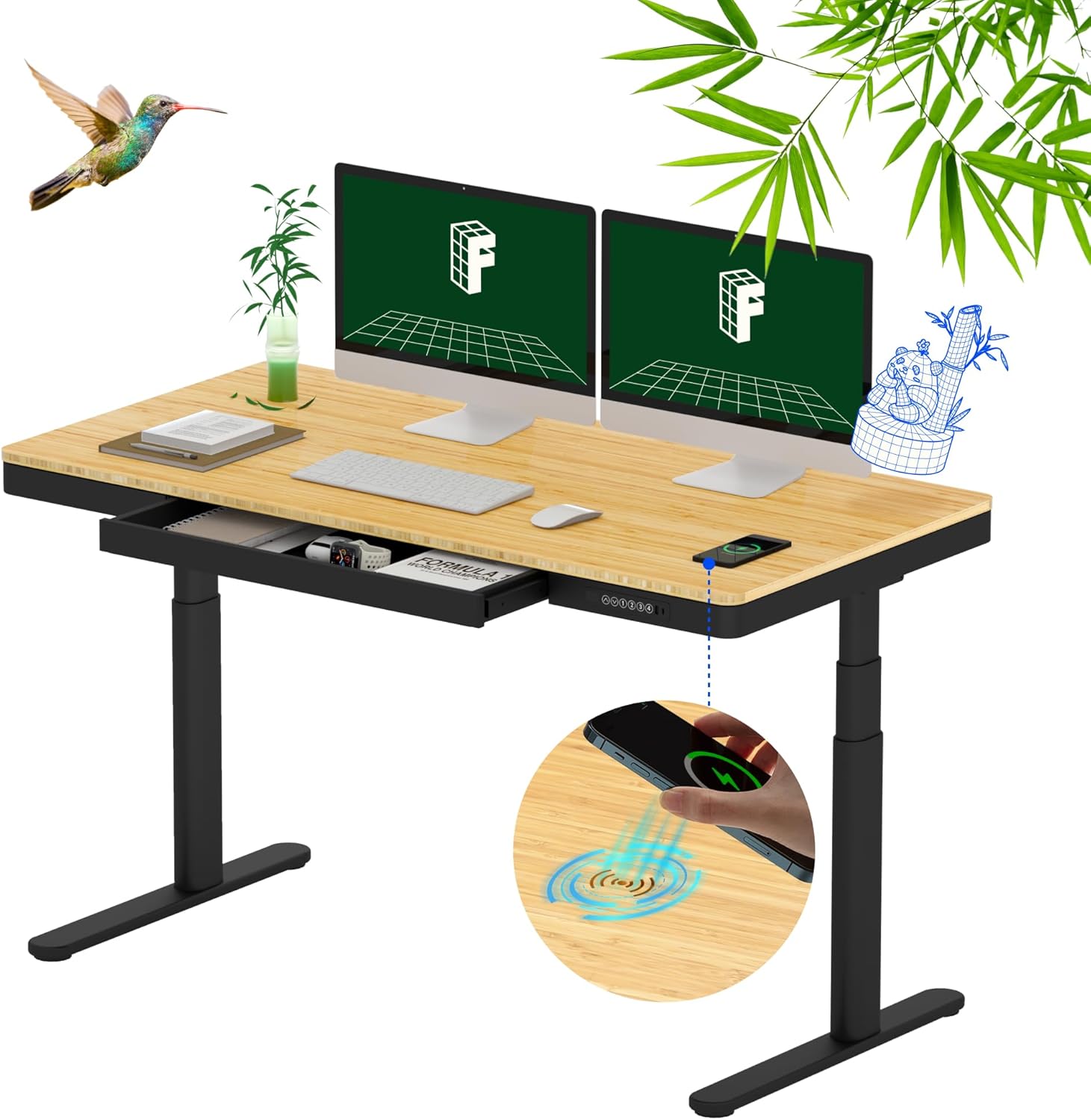
Figure 1.1: FLEXISPOT Q8 55" Bamboo Standing Desk in an office setting.
2. Безбедносне информације
Observe the following safety guidelines to prevent injury or damage to the desk:
- The desk has a maximum load capacity of 220 lbs (100 kg). Do not exceed this weight limit.
- The height adjustment range is 24.0 inches to 49.2 inches (with tabletop). Ensure no obstructions are present during height adjustments.
- The desktop is made of bamboo and includes a wireless charger. Avoid exposing the desk to excessive heat or direct sunlight.
- Уверите се да су све компоненте правилно састављене и затегнуте пре употребе.
- Држите децу и кућне љубимце даље од стола током рада.
- Не седите или стојте на столу.
- Искључите напајање пре чишћења или обављања одржавања.
3. Садржај пакета
Your FLEXISPOT Q8 desk is shipped in two separate packages. Verify all components are present before beginning assembly.
- Pre-assembled Bamboo Tabletop with integrated drawer and control panel
- Ноге за сто (2)
- Desk Feet (2)
- Носач за управљање кабловима
- Адаптер за напајање и кабл
- Опрема за монтажу (шрафови, алати)
- Упутство за употребу
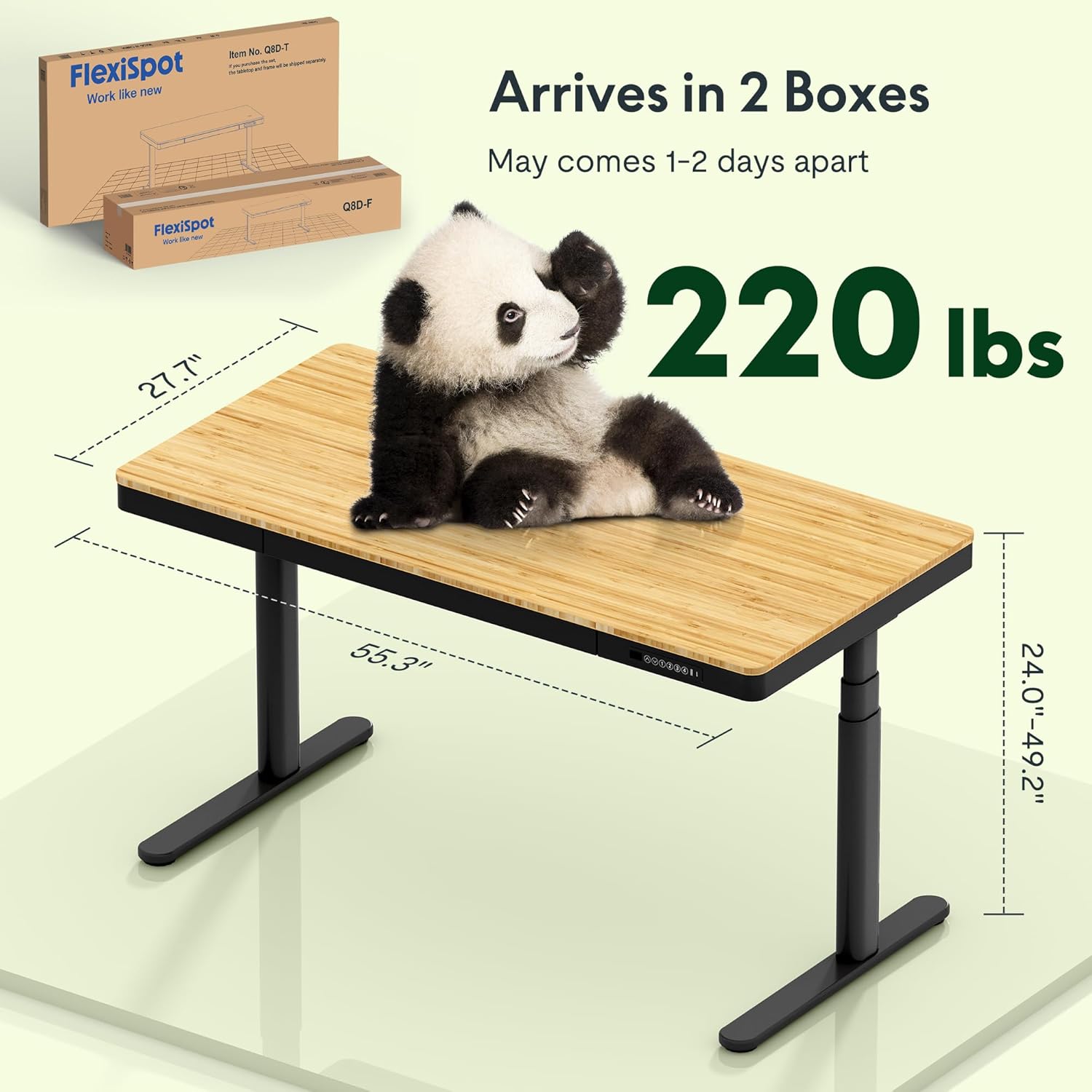
Figure 3.1: Desk dimensions and shipping information.
4. Подешавање и монтажа
The FLEXISPOT Q8 desk features a quick-install design, allowing for assembly in approximately 15 minutes. The tabletop and drawer come pre-assembled.
- Распакујте компоненте: Carefully remove all parts from the packaging. Place the pre-assembled tabletop upside down on a soft, clean surface to prevent scratches.
- Причврстите ноге: Securely attach the desk legs to the designated mounting points on the underside of the tabletop using the provided hardware.
- Причврстите стопала: Fasten the desk feet to the bottom of each leg.
- Install Cable Management: Attach the cable management tray to the underside of the desk as instructed.
- Прикључите напајање: Connect the power adapter to the desk and plug it into a power outlet.
- Flip Desk: With assistance, carefully flip the desk upright.
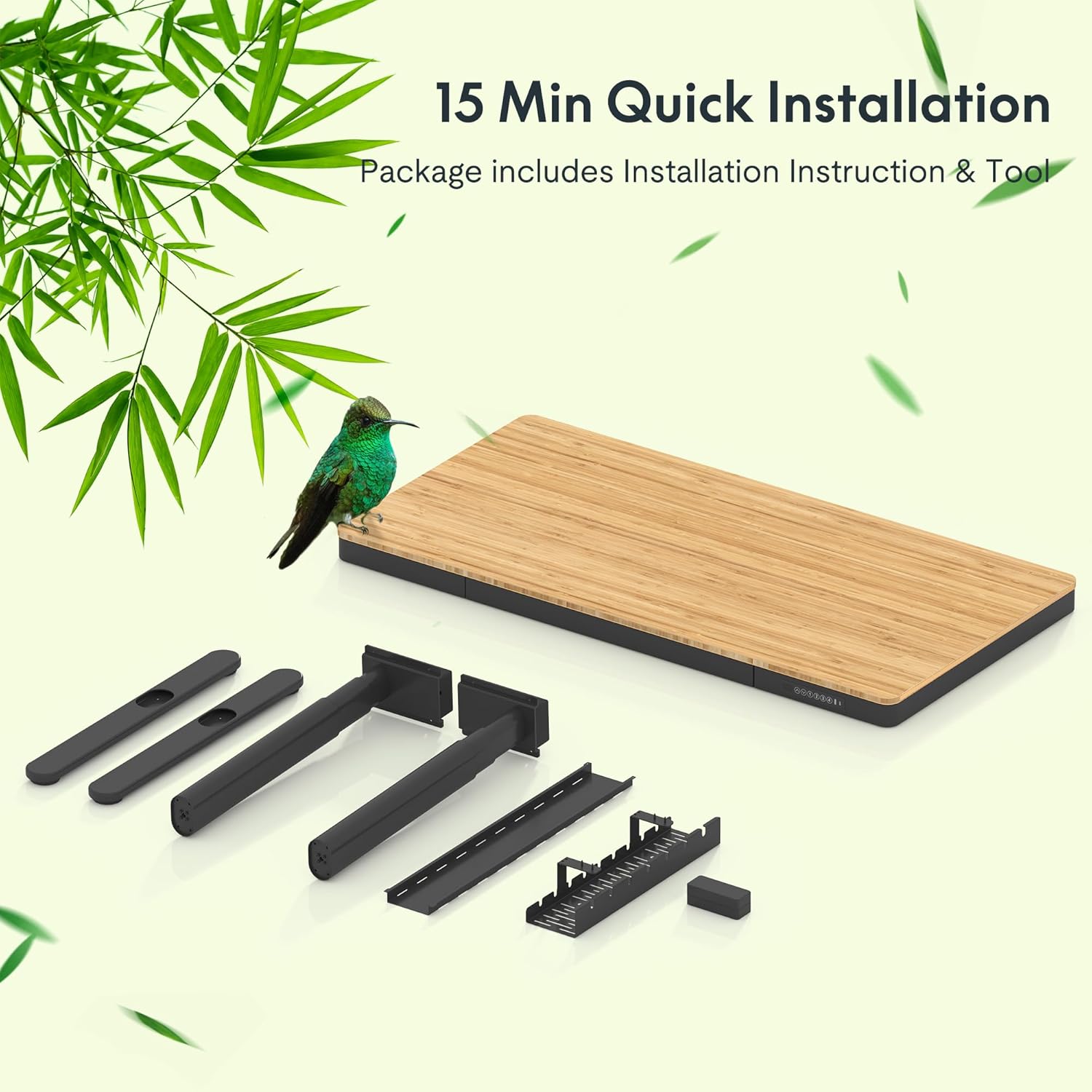
Figure 4.1: Components for quick installation, including the pre-assembled tabletop, legs, feet, and cable management.
5. Упутство за употребу
5.1 Подешавање висине
The desk features a dual-motor system for smooth and quiet height adjustments.
- Покрет горе/доле: Use the up and down arrow buttons on the control panel to adjust the desk height.
- Меморијска подешавања: The control panel allows you to save up to four preferred height settings. To set a memory position: adjust the desk to the desired height, then press the 'M' button followed by a number button (1, 2, 3, or 4). The desk will beep to confirm the setting. To recall a saved height, simply press the corresponding number button.
5.2 Integrated Charging Features
The desk includes multiple charging options for your devices.
- Жично пуњење: The control panel features a Type-A (18W) port and a Type-C (45W) port for charging smartphones, tablets, and laptops.
- Бежично пуњење: A 10W wireless charging pad is integrated into the tabletop. Place your compatible device directly on the designated wireless charging area on the desk surface.

Figure 5.1: Smart Control Panel with height adjustment and charging ports.

Figure 5.2: Built-in wireless charging area on the desk surface.
5.3 Integrated Drawer
The desk includes a spacious embedded drawer for storing desktop essentials.

Figure 5.3: Spacious desk drawer for storage.
6. Одржавање
Regular maintenance ensures the longevity and optimal performance of your desk.
- Чишћење: Wipe the bamboo surface with a soft, damp cloth. Avoid harsh chemicals or abrasive cleaners. For the metal frame, use a mild detergent solution.
- Управљање кабловима: Periodically check and organize cables within the management tray to prevent tangles and damage.
- Провера причвршћивача: Every few months, inspect all screws and fasteners to ensure they are tight. Re-tighten if necessary.
- Нега мотора: The dual motors are designed for durability. Avoid overloading the desk or forcing movement if an obstruction is present.

Figure 6.1: The bamboo desktop is durable and resistant to wear.
КСНУМКС. Решавање проблема
If you encounter issues with your FLEXISPOT Q8 desk, refer to the following common solutions:
| Проблем | Могући узрок | Решење |
|---|---|---|
| Радни сто се не помера | Кабл за напајање је искључен; Преоптерећење; Грешка мотора | Check power connections; Reduce weight on desk; Unplug and replug power after 30 seconds. |
| Неравномерно подешавање висине | Obstruction; Unbalanced load | Remove obstructions; Distribute weight evenly. |
| Бежично пуњење не ради | Device not compatible; Misalignment; Thick phone case | Ensure device supports Qi wireless charging; Realign device on charging pad; Remove phone case if too thick. |
| Wired USB charging not working | Cable issue; Device not compatible | Try a different USB cable; Ensure device is compatible with USB charging standards. |
If problems persist after attempting these solutions, please contact FLEXISPOT customer support.
8. Спецификације
| Феатуре | Спецификација |
|---|---|
| Број модела | FLEXISPOT Comhar Pro Desk Q8 |
| Материјал за радну површину | Бамбус |
| Материјал оквира | Метал |
| Димензије производа (Д x Ш x В) | 12.8"D x 28.3"W x 24"H (Base) |
| Таблетоп Сизе | 55 inches (Working Surface Diagonal Length) |
| Хеигхт Ранге | 24.0 инча - 49.2 инч |
| Тип мотора | Dual Motor, 3 Stages |
| Брзина подизања | 1.5 инча/секунди |
| Тежина Капацитет | 220 фунти (100 кг) |
| Цонтрол Панел | Digital display, Up/Down buttons, 4 Memory Presets |
| Wired Charging Ports | 1x Type-A (18W), 1x Type-C (45W) |
| Бежично пуњење | 10W Integrated |
| Фиока | Integrated Single Drawer |
| Обавезна монтажа | Yes (Quick Install) |
9. Гаранција и подршка
The FLEXISPOT Q8 55" Bamboo Standing Desk comes with a Limited Warranty. Please refer to the warranty documentation included with your product for specific terms and conditions.
9.1 Опциони планови заштите
Additional protection plans may be available for purchase to extend coverage beyond the standard warranty period. These plans typically offer:
- Двогодишњи план заштите
- Двогодишњи план заштите
For detailed information on protection plans or to purchase one, please consult your retailer or the FLEXISPOT official webсајту.
9.2 Корисничка подршка
For technical assistance, troubleshooting, or warranty claims, please contact FLEXISPOT customer support through their official webсајт или контакт информације које су наведене у паковању вашег производа.