Увод
This manual provides essential instructions for the proper use and maintenance of your Kawai Universal Mini HD Satellite Remote Control. This remote is designed for seamless compatibility with various Kawai satellite receiver models, including Kw 900, Kw 6820, Kn 650, Kw 2000, 6850, 6950, and 8400. Please read this manual thoroughly before operating the device to ensure optimal performance and longevity.
Производ је завршенview
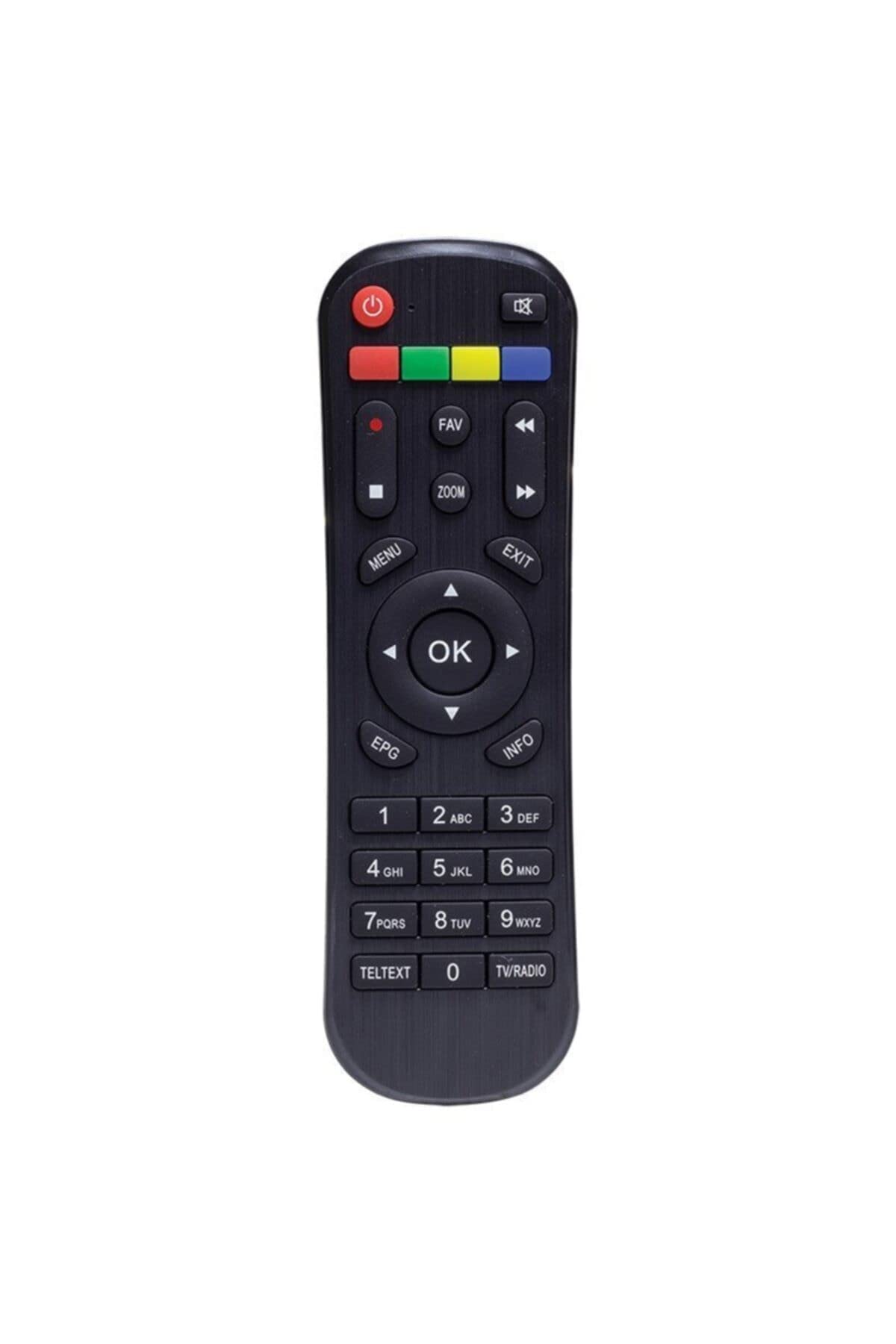
Слика 1: Фронт view of the Kawai Universal Mini HD Satellite Remote Control. This image displays the ergonomic design and button layout of the remote, highlighting its compact size and standard control functions.
The Kawai Universal Mini HD Satellite Remote Control is a compact and efficient device designed to provide full control over your compatible Kawai satellite receiver. Its intuitive button layout ensures ease of use for channel navigation, volume control, menu access, and other essential functions.
Сетуп
1. Инсталација батерије
- Пронађите одељак за батерије на полеђини даљинског управљача.
- Померите поклопац батерије надоле или у смеру који показује стрелица да бисте га отворили.
- Уметните две ААА батерије (нису укључене), водећи рачуна да позитивни (+) и негативни (-) терминали одговарају дијаграмима унутар одељка.
- Вратите поклопац батерије тако што ћете га вратити на место док не кликне чврсто.
2. Прва употреба
This remote control is pre-programmed for compatibility with the listed Kawai satellite receiver models. No additional pairing or setup is typically required. Simply point the remote at your satellite receiver and begin operation.
- Ensure there are no obstructions between the remote control and the satellite receiver.
- Confirm that the satellite receiver is powered on.
Упутство за употребу
Familiarize yourself with the primary functions of the remote control buttons:
- Дугме за укључивање (●): Turns the satellite receiver on or off.
- Канал горе/доле (ЦХ +/-): Мења телевизијски канал.
- Појачавање/утишавање (ВОЛ +/-): Подешава јачину звука.
- Искључи звук (МУТЕ): Утишава аудио излаз.
- Дугмад са бројевима (0-9): Directly input channel numbers.
- Мени (МЕНУ): Accesses the satellite receiver's main menu.
- Тастери за навигацију (▲ ▼ ◀ ▶): Крећите се кроз опције менија.
- OK/Enter (OK): Потврђује изборе у менијима.
- Exit/Back (ЕКСИТ): Излази из тренутног менија или враћа се на претходни екран.
- Инфо (ИНФО): Приказује информације о програму.
Specific button functions may vary slightly depending on your Kawai satellite receiver model. Refer to your receiver's manual for detailed information on advanced features.
Одржавање
Чишћење
За чишћење даљинског управљача користите меку, суву крпу. За тврдокорну прљавштину, лагано обришитеampen the cloth with water or a mild, non-abrasive cleaner. Avoid using harsh chemicals, solvents, or abrasive materials, as these can damage the remote's surface and internal components.
Замена батерије
Replace batteries when the remote control's response becomes sluggish or stops functioning. Always replace both batteries simultaneously with new ones of the same type (AAA). Do not mix old and new batteries, or different types of batteries, as this can lead to leakage or damage.
- Remove old batteries promptly to prevent leakage.
- Истрошене батерије одложите у складу са локалним прописима.
Решавање проблема
| Проблем | Могући узрок | Решење |
|---|---|---|
| Даљински управљач не ради. |
|
|
| Some buttons do not function. |
|
|
Спецификације
- Бренд: Kawai (Listed as Generic by seller)
- Произвођач: Генериц
- ASIN: B0BW4KLTDS
- Први доступан датум: 17. фебруара 2023. године
- Компатибилност: Kawai Kw 900, Kw 6820, Kn 650, Kw 2000, 6850, 6950, 8400 Mini HD Satellite Receivers
- Извор напајања: 2 к ААА батерије (нису укључене)
Гаранција и подршка
For warranty information and technical support, please refer to the documentation provided with your original Kawai satellite receiver or contact the retailer from whom you purchased this remote control. Keep your purchase receipt as proof of purchase.
For further assistance, you may also visit the official Kawai website or contact their customer service department if available in your region.


