1. Увод
Thank you for choosing the BYINTEK U70 Pro Portable 4K 3D DLP Projector. This manual provides essential information for the safe and efficient operation of your device. Please read it thoroughly before use and retain it for future reference.

Image 1.1: The BYINTEK U70 Pro Portable Projector and its remote control.
2. Безбедносне информације
- Не гледајте директно у сочиво пројектора када је укљученоamp је укључен.
- Обезбедите одговарајућу вентилацију како бисте спречили прегревање. Не блокирајте вентилационе отворе.
- Користите само испоручени адаптер за напајање.
- Држите уређај даље од воде, влаге и екстремних температура.
- Не покушавајте сами да растављате или поправљате пројектор. Обратите се квалификованом сервисеру.
- Чувати ван домашаја деце.
3. Садржај пакета
Проверите да ли су све ставке присутне у вашем пакету:
- 1 x BYINTEK U70 Pro Projector
- 1 к даљински управљач
- КСНУМКС к ХД кабл
- 1 x Упутство за употребу (овај документ)
- 1 к ДЦ 19В 3.42А адаптер за напајање
4. Производ је готовview
Упознајте се са компонентама и интерфејсима пројектора.
Слика 4.1: Предњи и задњи део views of the BYINTEK U70 Pro Projector, highlighting its various ports and controls.
Кључне компоненте:
- Објектив: Projection output.
- Тастатура: Manual control buttons on top.
- ИЦ пријемник: За сигнале даљинског управљања.
- DC 12V-in: Улазни порт за напајање.
- USB 3.0 / USB 2.0: For connecting USB storage devices, mouse, or keyboard.
- Прекидач: Да бисте укључили/искључили пројектор.
- Audio-out (3.5mm Jack): За екстерне звучнике или слушалице.
- HD-in (HDMI): За повезивање екстерних видео извора.
- Звучници од 5 W: Уграђени стерео звучници.
- Detachable Dust Filter: За лако чишћење и одржавање.
- Universal Bracket Hole (d=1/4inch, 6mm): For mounting on tripods or ceiling mounts.
5. Подешавање
5.1 Укључивање/искључивање
- Connect the DC 19V 3.42A Power Adapter to the projector's DC 12V-in port.
- Press the Power Switch to turn the projector on. The indicator light will illuminate.
- To power off, press the Power Switch again.
5.2 Постављање и пројекција
The BYINTEK U70 Pro supports a projection size of 30-300 inches with a projection distance of 1-8 meters. The optimal aspect ratio is 16:9, but 16:10 and 4:3 are also supported.
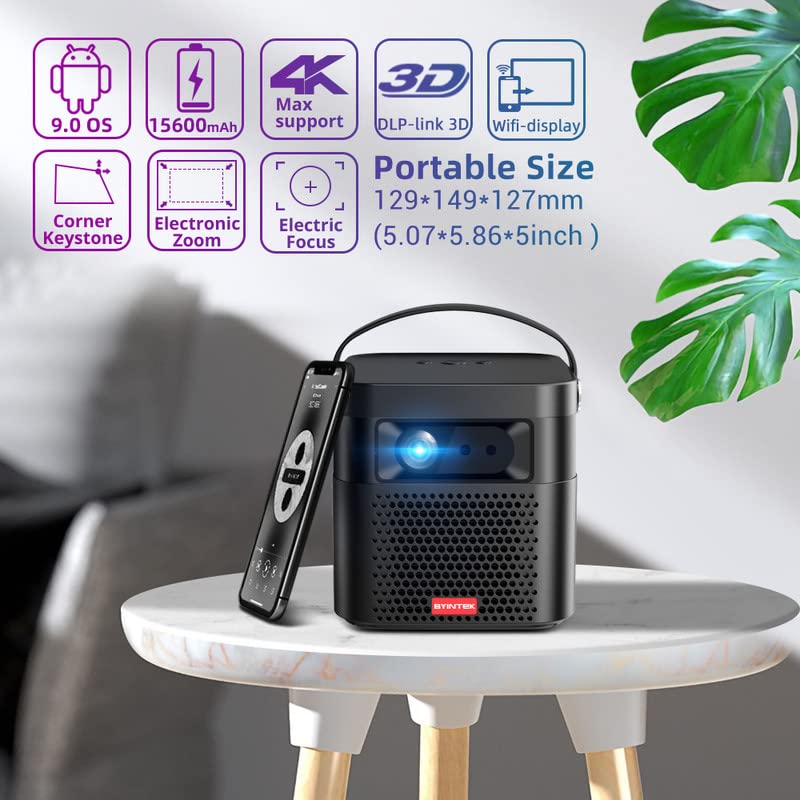
Image 5.1: The BYINTEK U70 Pro Projector highlighting its portable size and advanced features.
5.3 Фокус и корекција трапезоидног изобличења
- Карактеристике пројектора Ауто Фоцус for quick image clarity.
- For fine-tuning, use the Елецтриц Фоцус function via the remote control or on-device keypad.
- Auto Manual Vertical Keystone Correction is available to adjust image distortion when the projector is not perfectly perpendicular to the screen.
- Corner Keystone correction allows for individual corner adjustments.
5.4 Повезивање
The projector offers various connection options:
- ДВИ: Connect external devices like TV sticks, X-BOX, PS4, PCs, or laptops using the provided HD Cable.
- УСБ: Insert USB sticks or SSD hard drives for media playback. Supports USB 2.0 and USB 3.0.
- Ви-Фи: Connect to your wireless network for online content and wireless projection.
- Блуетоотх: For connecting external Bluetooth speakers or headphones (if supported by the Android OS).
6. Упутство за употребу
6.1 Android 9.0 Smart OS
The BYINTEK U70 Pro runs on Android 9.0, providing a smart interface with 32GB internal storage. Navigate the interface using the remote control or by connecting a USB mouse/keyboard.

Image 6.1: The Android 9.0 operating system interface, allowing access to various applications.
6.2 Бежична пројекција
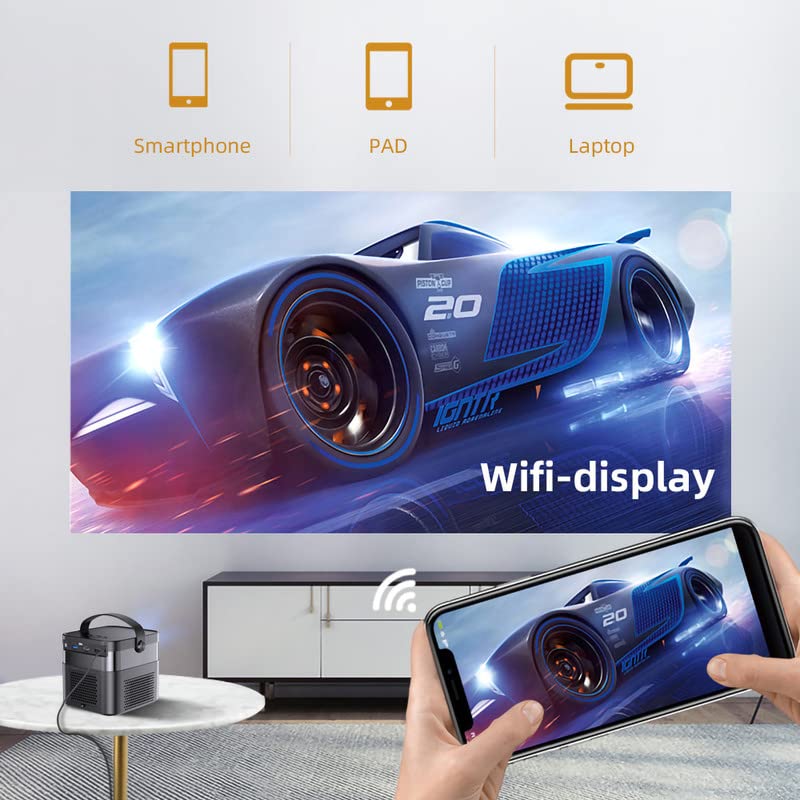
Wirelessly connect your Android or iOS devices for screen mirroring.

Image 6.2: Wireless display functionality, enabling screen mirroring from smartphones, tablets, and laptops.
- Ensure both the projector and your mobile device are connected to the same Wi-Fi network.
- Select the appropriate wireless projection app (e.g., Airplay, Miracast, DLNA, Eshare) on the projector's home screen.
- Follow the on-screen instructions to connect your smartphone, tablet, or laptop.
6.3 3Д функционалност
Пројектор подржава Real 3D content for an immersive viewинг искуство.
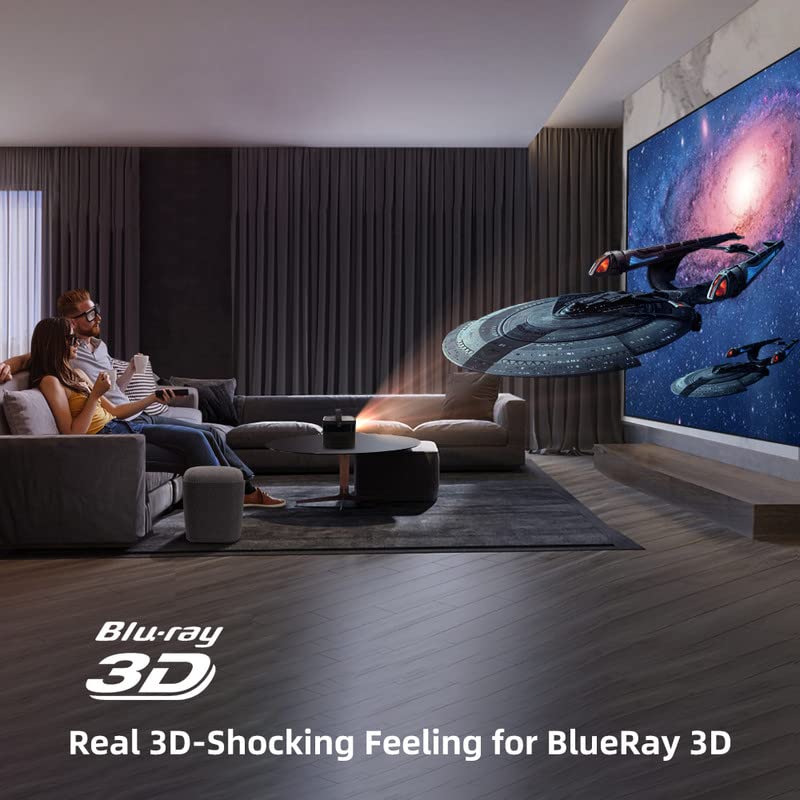
Image 6.3: The projector displaying 3D content for an immersive home theater experience.
- To enjoy 3D content, you will need compatible 3D glasses (sold separately).
- Play 3D-enabled media (e.g., Blu-ray 3D) through a connected device.
- Activate the 3D mode on the projector via the settings menu.
6.4 Аудио излаз
The projector has built-in 2 x 5W speakers. For enhanced audio, connect external speakers or headphones via the 3.5mm Audio Jack or Bluetooth.
7. Одржавање
7.1 Чишћење сочива
Користите меку крпу без влакана, посебно дизајнирану за оптичка сочива. Не користите абразивна средства за чишћење или прекомерну силу.
7.2 Cleaning the Dust Filter
The projector features a detachable dust filter. Regularly remove and clean it to maintain optimal performance and prevent overheating. Refer to Image 4.1 for the location of the detachable dust filter.
7.3 Одржавање батерије
The projector includes a rechargeable battery. To prolong battery life:
- Избегавајте често потпуно пражњење батерије.
- Store the projector in a cool, dry place if not used for extended periods.
- Charge the battery periodically if stored for a long time.
КСНУМКС. Решавање проблема
Ако наиђете на проблеме, погледајте следеће уобичајене проблеме и решења:
| Проблем | Могући узрок | Решење |
|---|---|---|
| Нема приказане слике | Power cable loose, input source incorrect, lens cap on | Check power connection, select correct input source, remove lens cap |
| Слика мутна | Focus not adjusted, keystone incorrect | Adjust focus using remote/keypad, correct keystone settings |
| Нема звука | Volume too low, external audio device not connected, source audio issue | Increase volume, check external audio connections, verify source audio output |
| Даљински управљач не ради | Batteries dead, IR receiver blocked | Replace batteries, ensure clear line of sight to IR receiver |
| Упозорење о прегревању | Blocked ventilation, dusty filter | Ensure clear ventilation, clean dust filter |
9. Спецификације
Detailed technical specifications for the BYINTEK U70 Pro Projector:
| Феатуре | Спецификација |
|---|---|
| Бранд | БИИНТЕК |
| Модел | BYINTEK-UFO-U70-PRO |
| Дисплаи Тецхнологи | DLP (LED) |
| Осветљеност слике | КСНУМКС АНСИ Луменс |
| Нативе Ресолутион | 1280 x 800 (supports 1080p Full HD Pixels, Max supports 4K signal input) |
| Однос контраста слике | 15000:1 |
| Аспецт Ратио | 16:9 (also 16:10, 4:3) |
| Величина пројекције | 30-300 инча |
| Удаљеност пројекције | 1-8 метара |
| Оперативни систем | Андроид 9.0 |
| Интерна меморија | 32ГБ |
| Посебне карактеристике | Built-In 3D, Auto Focus, Short Throw, Built-in Speakers, Rechargeable Battery, Wireless Projection |
| Хардверски интерфејс | HDMI, USB 2.0, USB 3.0 |
| Технологија повезивања | Ви-Фи |
| Аудио излаз | 3.5mm Audio Jack, Built-in 2 x 5W Speakers |
| Извор напајања | DC 19V 3.42A, Rechargeable Battery |
| Ватtage | 65 Ваттс |
| Димензије производа | 12.9 к 14.9 к 12.7 цм |
| Тежина артикла | 1.36 кг |
| Модел Иеар | 2023 |
10. Гаранција и подршка
10.1 Информације о гаранцији
The BYINTEK U70 Pro Projector comes with a 1 година гаранције од датума куповине. Молимо вас да сачувате доказ о куповини за потребе гаранције. Гаранција покрива производне недостатке у нормалним условима употребе.
10.2 Корисничка подршка
For technical assistance, warranty claims, or any other inquiries, please contact BYINTEK customer support:
- Број телефона: +91 8885241706
- Емаил: care@justshop24x7.com


