1. Увод
This manual provides detailed instructions for the Apera Instruments GroStar Series GS3 EC/ppm Pen Tester Kit (AI103G). This lab-grade conductivity meter is designed for accurate measurement of EC (Electrical Conductivity), 500ppm, and 700ppm, along with temperature, making it suitable for hydroponics and general water quality testing. The device features a replaceable titanium conductivity sensor and a user-friendly interface.
2. Производ је готовview
The GroStar Series GS3 EC/ppm Pen Tester is engineered for reliability and ease of use. Key features include:
- Measures conductivity (EC), 500ppm, 700ppm, and temperature.
- Replaceable titanium sensor for high accuracy in the 0 to 10 EC range.
- Backlit HD screen for clear readings.
- Grower-friendly calibration workflow with a calibration reminder function.

Figure 1: Apera Instruments GroStar Series GS3 EC/ppm Pen Tester.
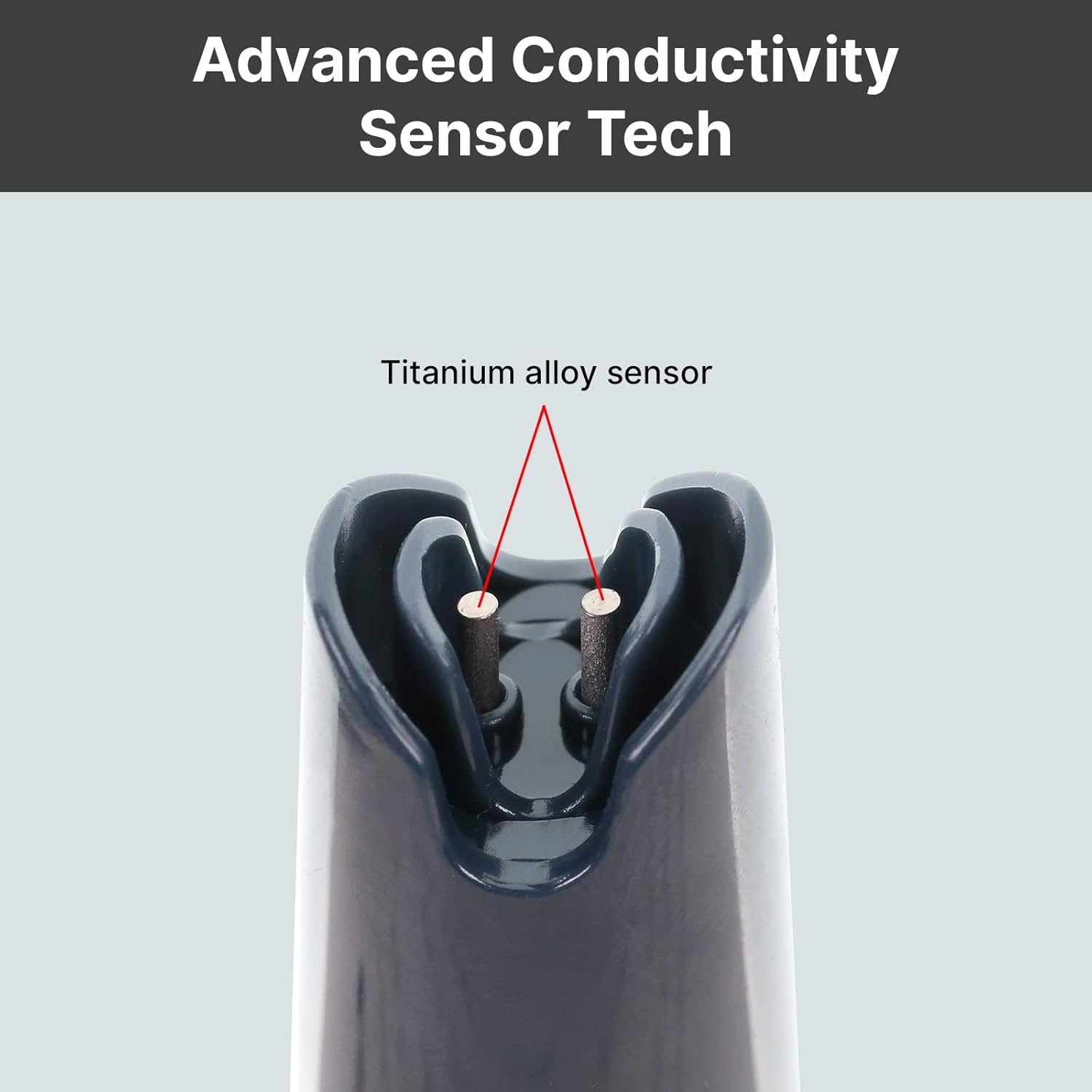
Слика 2: Крупни план view of the durable titanium alloy sensor for conductivity measurements.
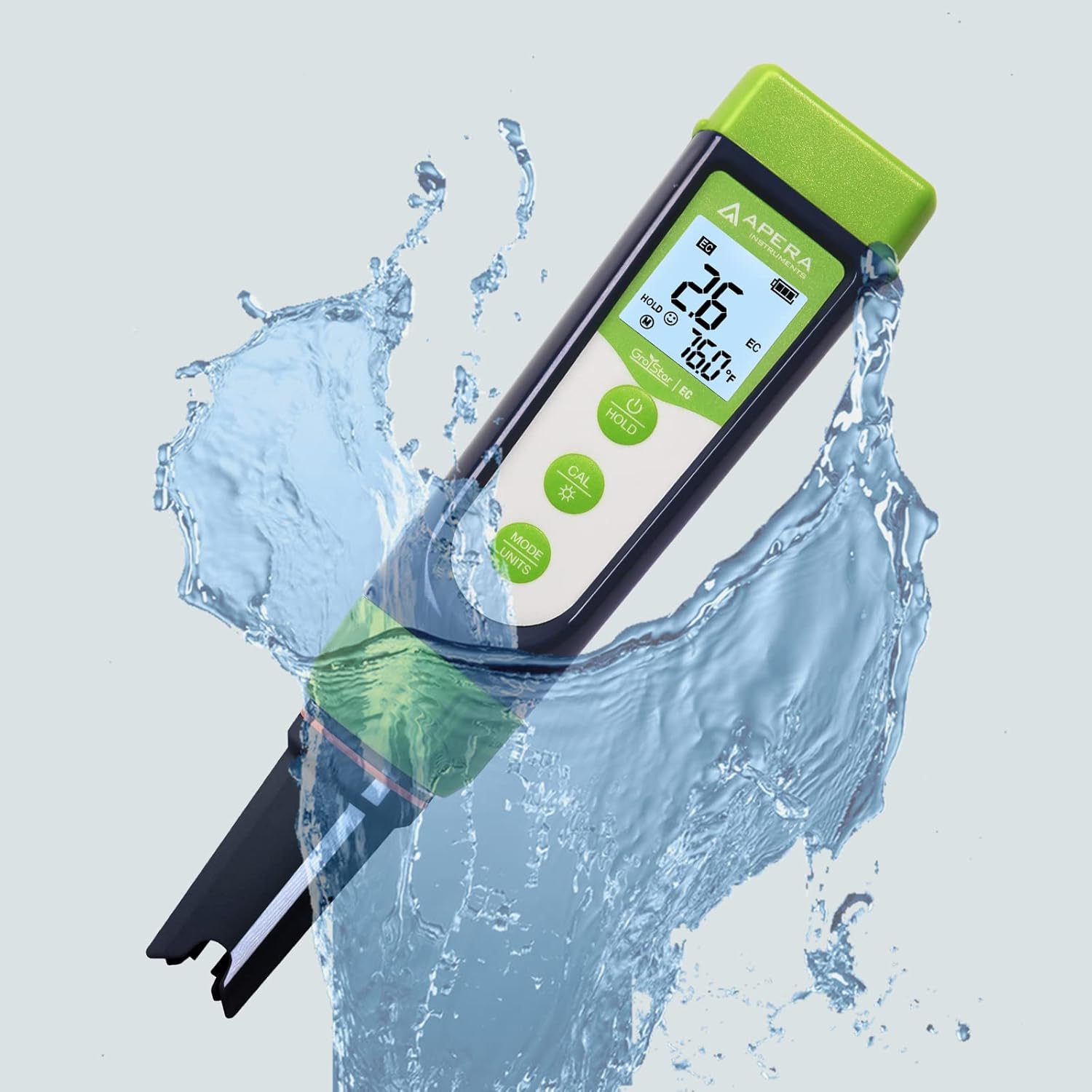
Figure 3: The GroStar GS3 Pen Tester demonstrating its water resistance during use.
3. Подешавање
Before first use, ensure all components are present and the device is ready for operation.
3.1 Шта је у кутији
- Apera Instruments GroStar Series GS3 EC/ppm Pen Tester (Gen II)
- 2.77 EC Calibration Solution
- Ланиард
- 4 AAA batteries (pre-installed or included separately)

Figure 4: The complete kit contents, including the tester, calibration solution, and lanyard.
3.2 Инсталација батерије
The device requires 4 AAA batteries. If not pre-installed, open the battery compartment located at the top of the tester, insert the batteries according to the polarity indicators, and securely close the compartment.
3.3 Почетна припрема
- Скините заштитни поклопац са сензора.
- Rinse the sensor with distilled or deionized water.
- Gently shake off excess water.
4. Упутство за употребу
4.1 Укључивање/искључивање
Притисните тастер ПОВЕР дугме за укључивање или искључивање тестера.
4.2 Мерење
- Ensure the tester is clean and calibrated.
- Уроните сензор у сampраствор, водећи рачуна да је сензор потпуно потопљен.
- Stir gently and wait for the reading to stabilize on the display.
- The display will show EC/ppm and temperature readings.
4.3 Switching Measurement Modes (EC/ppm)
Притисните тастер MODE/UNITS button to cycle through EC, 500ppm, and 700ppm measurement modes.

Figure 5: The tester's display cycling through different measurement units.
4.4 Функција чекања
Притисните тастер ХОЛД дугме да замрзнете тренутно очитавање на екрану. Притисните поново да бисте отпустили.
4.5 TruRead Display
The TruRead display provides MAX, AVG, and MIN readings, offering a comprehensive view of your measurements.

Figure 6: The TruRead display feature, showing maximum, average, and minimum recorded values.
5. Калибрација
Regular calibration ensures accurate measurements. The GS3 features a grower-friendly calibration workflow and a reminder function.
5.1 Процес калибрације
- Укључите тестер.
- Притисните тастер ЦАЛ дугме за улазак у режим калибрације.
- Immerse the sensor into the 2.77 EC calibration solution.
- The tester will automatically recognize the solution and calibrate. Wait for the stable reading and confirmation.
- Rinse the sensor with distilled water after calibration.

Figure 7: Visual representation of the tester's display in measurement, calibration, and error states.
5.2 Calibration Reminder
The tester will automatically remind you when recalibration is due, ensuring consistent accuracy.
6. Одржавање
6.1 Чишћење сензора
After each use, rinse the sensor thoroughly with distilled or deionized water to prevent residue buildup. Do not scrub the sensor vigorously.
6.2 Складиштење
Always replace the protective cap after use. For long-term storage, ensure the sensor is kept moist. Refer to the product packaging or Apera Instruments website for specific storage solution recommendations if applicable.
6.3 Замена сензора
The titanium EC sensor is replaceable. If the sensor performance degrades significantly or it becomes damaged, a new sensor can be purchased and easily installed by twisting off the old one and attaching the new one.
КСНУМКС. Решавање проблема
| Проблем | Могући узрок | Решење |
|---|---|---|
| Нетачна очитавања | Sensor is dirty or dry; Calibration is outdated or incorrect; Damaged sensor. | Clean the sensor; Recalibrate the tester; Replace the sensor if damaged. |
| Tester does not power on | Празне батерије; Неправилна инсталација батерија. | Замените батерије; Проверите поларитет батерија. |
| "CAL Er" error during calibration | Incorrect calibration solution; Contaminated solution; Sensor issue. | Ensure correct 2.77 EC solution is used; Use fresh calibration solution; Clean or replace sensor. |
8. Спецификације
- Број модела: AI103G
- Димензије производа: 7 к 1.5 к 1.3 инча
- Тежина: 4.69 унци
- Извор напајања: 4 ААА батерија (укључено)
- Тип сензора: Replaceable Titanium EC Probe
- Параметри мерења: EC, 500ppm, 700ppm, Temperature
- Први доступан датум: 28. септембра 2022. године
9. Гаранција и подршка
Apera Instruments products are backed by a manufacturer's warranty. For detailed warranty information, technical support, or to purchase replacement parts, please visit the official Apera Instruments webсајт или директно контактирајте њихову корисничку службу. Сачувајте рачун за куповину за потребе гаранције.
Произвођач: Апера Инструментс


