1. Увод
This manual provides essential instructions for the safe and efficient operation of your RONGTA SE4770 Rugged PDA Barcode Scanner. This device is a high-performance mobile handheld terminal designed for various applications including retail, warehouse management, logistics, and inventory control. It combines the functionality of an Android 11 smartphone with an integrated Zebra SE4770 barcode scanner, offering robust performance and durability.
Молимо вас да пажљиво прочитате ово упутство пре употребе уређаја и сачувате га за будуће потребе.
2. Производ је готовview
2.1 Компоненте уређаја
The RONGTA SE4770 features a rugged design with a 6-inch HD touch screen and an integrated barcode scanner. Key components include:
- Предњи дисплеј: 6-inch FHD+ 1080P HD screen for clear visual interaction.
- Задња плоча: Integrated Zebra SE4770 barcode scanner, camera, and battery compartment.
- Бочна дугмад: Power button, volume controls, and dedicated scan buttons.
- Портови: USB-C порт за пуњење и пренос података.

Слика 2.1: Предња и задња страна view of the RONGTA SE4770 PDA Barcode Scanner, showing the display and rear scanner module.
2.2 Кључне карактеристике
- Оперативни систем: Android 11 for a familiar and versatile user experience.
- процесор: Octa-core 2.0GHz CPU for high performance and stability.
- Меморија и складиштење: 4GB RAM + 64GB ROM, expandable via microSD card (not included).
- Приказ: 6-inch FHD+ (1080P) HD touch screen, visible in strong outdoor light, supports multi-touch with gloves or wet hands.
- Скенер бар кодова: Integrated Zebra SE4770 for fast and accurate scanning of 1D, 2D, and QR barcodes, even if blurred, dirty, or worn.
- Трајност: IP68 rated for water and dust resistance, and 1.5m drop resistance.
- батерија: 5000mAh large capacity battery with QC3.0 18W fast charging. Features a SuperCap power change solution for seamless battery swaps without shutdown.
- Повезивање: 2.4G/5G Dual-band Wi-Fi, 4G Full Network support, and Bluetooth 5.1.
- камера: 1600W+500W Pixel Camera (details on usage in Operating Instructions).
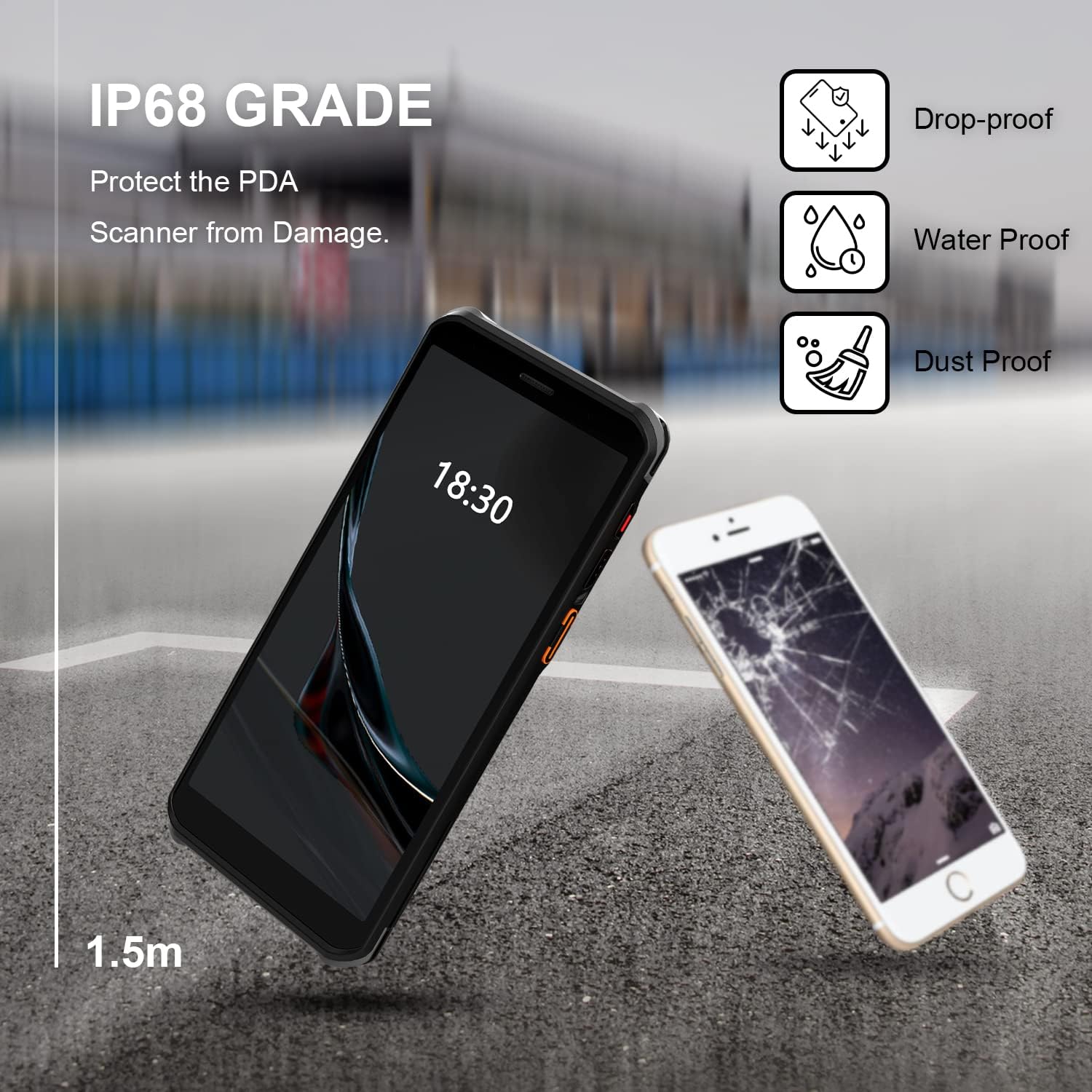
Figure 2.2: The RONGTA SE4770 PDA is designed with IP68 water and dust resistance and 1.5m drop protection, ensuring durability in demanding environments.

Figure 2.3: The device supports 2.4G/5G Dual-band WIFI and Bluetooth 5.1 for reliable wireless connectivity.
3. Подешавање
3.1 Распакивање и почетни преглед
Carefully remove all components from the packaging. Verify that all items are present and undamaged. The package should include the RONGTA SE4770 PDA, a USB-C cable, a power adapter, and a hand-strap belt.
3.2 Инсталација и пуњење батерије
- Пронађите одељак за батерију на задњој страни уређаја.
- If the battery is not pre-installed, insert the 5000mAh Lithium-Ion battery, ensuring correct orientation.
- Добро затворите одељак за батерије.
- Connect the USB-C cable to the device's charging port and the other end to the power adapter. Plug the adapter into a power outlet.
- Allow the device to charge fully before first use. The 18W fast charging feature will expedite this process.

Figure 3.1: The device charging, indicating battery status.
3.3 Укључивање/искључивање
- За укључивање: Press and hold the Power button on the side of the device until the RONGTA logo appears on the screen.
- За искључивање: Press and hold the Power button until the power options menu appears. Select 'Power Off'.
- Рестартовати: Притисните и држите дугме за напајање док се не појави мени са опцијама напајања. Изаберите „Рестарт“.
3.4 Почетно подешавање Андроида
Upon first power-on, follow the on-screen prompts to complete the initial Android 11 setup. This typically includes selecting your language, connecting to a Wi-Fi network, setting up a Google account (optional), and configuring security settings.
4. Упутство за употребу
4.1 Коришћење скенера бар кодова
The RONGTA SE4770 is equipped with a high-performance Zebra SE4770 scanner capable of reading various 1D, 2D, and QR barcodes.
- Open an application that requires barcode input (e.g., inventory management software, POS application).
- Point the scanner window, located on the top rear of the device, towards the barcode.
- Press one of the dedicated scan buttons on the side of the device. A red aiming beam will appear.
- Align the aiming beam with the center of the barcode. The device will emit a beep or vibrate upon successful scan, and the data will be entered into the active field of your application.

Figure 4.1: A user scanning a package barcode using the RONGTA SE4770 PDA.

Figure 4.2: The SE4770 Zebra scanner in use, demonstrating fast and accurate scanning in a warehouse environment.
4.2 Навигација кроз Андроид 11
The device operates on Android 11, providing a familiar interface. Use touch gestures to navigate:
- Додирните: Да бисте изабрали ставку или отворили апликацију.
- Превуците: To scroll through lists or switch between home screens.
- Зумирање штипкањем прстију: Да бисте увећали или умањили слике и web странице.
- Обавештења: Превуците прстом надоле од врха екрана да бисте приступили обавештењима и брзим подешавањима.
4.3 Повезивање
Уређај подржава разне опције повезивања:
- Ви-Фи: Go to Settings > Network & internet > Wi-Fi to connect to available wireless networks. Supports 2.4GHz and 5GHz bands.
- Блуетоотх: Go to Settings > Connected devices > Connection preferences > Bluetooth to pair with Bluetooth-enabled devices like headsets or printers.
- Мобилни подаци (4G): If equipped with a SIM card slot (check device specifications), insert a compatible SIM card to access mobile data.
4.4 Употреба камере
The device includes a camera for capturing images or videos. Open the Camera application from the home screen or app drawer. Tap the screen to focus and press the shutter button to take a photo or start/stop video recording.
5. Одржавање
5.1 Чишћење уређаја
Да бисте одржали оптималне перформансе и изглед:
- Wipe the screen and device body with a soft, lint-free cloth.
- За тврдокорне мрље, благо дampОбришите крпу водом или средством за чишћење екрана. Избегавајте јаке хемикалије или абразивне материјале.
- Ensure the scanner window is clean and free of dust or debris for accurate scanning.
5.2 Одржавање батерије
Proper battery care extends the lifespan of your device:
- Charge the battery regularly using the provided charger.
- Избегавајте често потпуно пражњење батерије.
- If storing the device for an extended period, charge the battery to approximately 50% and store in a cool, dry place.
- The SuperCap power change solution allows for hot-swapping batteries without device shutdown, ensuring continuous operation.
5.3 Ажурирања софтвера
Periodically check for software updates to ensure your device has the latest features and security patches. Go to Settings > System > System update.
КСНУМКС. Решавање проблема
This section addresses common issues you might encounter with your RONGTA SE4770 PDA.
| Проблем | Могући узрок | Решење |
|---|---|---|
| Уређај се не укључује | Low or depleted battery; device malfunction. | Пуните уређај најмање 30 минута. Ако се и даље не укључује, контактирајте подршку. |
| Скенер не чита баркодове | Dirty scanner window; incorrect aiming; unsupported barcode type; application issue. | Clean the scanner window. Ensure the aiming beam covers the entire barcode. Verify the barcode type is supported. Restart the scanning application or the device. |
| Проблеми са повезивањем преко Wi-Fi/Bluetooth-а | Out of range; incorrect password; interference. | Move closer to the Wi-Fi router or Bluetooth device. Re-enter the password. Restart Wi-Fi/Bluetooth on the device. |
| Уређај је спор или не реагује | Превише апликација покрећено; мало меморије; софтверски проблем. | Close unnecessary applications. Clear cache. Restart the device. Consider a factory reset if issues persist (backup data first). |
7. Спецификације
Detailed technical specifications for the RONGTA SE4770 PDA Barcode Scanner:
- Димензије производа: 3.03 к 0.51 к 6.41 инча
- Тежина артикла: 10.6 унци
- батерије: Потребна је 1 литијум-јонска батерија (укључена)
- Извор напајања: Баттери Поверед
- Произвођач: РОНГТА
- Компатибилни уређаји: Desktop, Laptop, Smartphone (for data transfer/management)
- Технологија повезивања: Bluetooth, Wi-Fi (2.4G/5G Dual-band), 4G
- Оперативни систем: Андроид 11
- процесор: Оцта-цоре 2.0ГХз
- Меморија: 4ГБ РАМ-а
- Складиштење: 64ГБ РОМ
- Величина екрана: 6 inches FHD+ (1080P) HD Touch Screen
- скенер: Zebra SE4770 (1D, 2D, QR)
- Трајност: IP68 Water and Dust Resistant, 1.5m Drop Protection
- Капацитет батерије: 5000мАх
- Пуњење: QC3.0 18W Fast Charge
8. Гаранција и подршка
For warranty information and technical support, please refer to the documentation included with your purchase or visit the official RONGTA website. If you encounter any issues not covered in this manual, please contact RONGTA customer service for assistance.


