1. Увод
This manual provides essential instructions for setting up, operating, and maintaining your Tibuta Android 13 Tablet. Please read this guide thoroughly to ensure proper use and to maximize your device's performance.
The Tibuta 10-inch tablet features the Android 13 operating system, an Octa-Core processor, 8GB RAM, 64GB internal storage (expandable up to 1TB), a 7000mAh battery, and a 1280x800 IPS display. It supports Wi-Fi 6, Bluetooth 5.2, and Widevine L1 for enhanced streaming.

Image 1.1: Tibuta Android 13 Tablet overview, highlighting its 8GB+64GB configuration, Android 13 OS, Wi-Fi 6, 7000mAh battery, and Widevine L1 support.
2. Изглед уређаја
Familiarize yourself with the physical components and ports of your tablet.

Слика 2.1: Предња и бочна страна view of the tablet with numbered components and dimensions.
Идентификација компоненте:
- Дугме за напајање: Used to turn the device on/off or wake/sleep the screen.
- Порт типа Ц: За пуњење таблета и пренос података.
- Дугмад за јачину звука: Подесите јачину звука.
- Утор за микро СД картицу: Уметните Micro SD картицу за проширену меморију.
- камера: Камера окренута позади.
- Дугме за ресетовање: A small pinhole button to force restart the device if unresponsive.
- Headphone Terminal: 3.5mm audio jack for headphones.
- говорници: Аудио излаз.

Слика 2.2: Детаљно view of the tablet's ports and buttons, including front and rear cameras, speakers, and the 3.5mm headphone jack.
3. Први кораци
3.1. Пуњење батерије
Before first use, fully charge the tablet's 7000mAh lithium polymer battery. Connect the provided Type-C cable to the tablet's Type-C port and the other end to the power adapter, then plug the adapter into a wall outlet. The charging indicator will show the charging status.

Image 3.1: Visual representation of the tablet's 7000mAh battery capacity and Type-C charging port.
3.2. Укључивање/искључивање
- За укључивање: Press and hold the Power Button until the Tibuta logo appears on the screen.
- За искључивање: Притисните и држите дугме за напајање док се не појави мени са опцијама напајања, а затим изаберите „Искључи“.
- За спавање/буђење: Кратко притисните дугме за напајање да бисте таблет пребацили у режим спавања или га пробудили.
3.3. Почетно подешавање
Upon first power-on, the tablet will guide you through an initial setup process. This includes selecting your language, connecting to a Wi-Fi network, and setting up your Google account. Follow the on-screen prompts to complete the setup.
4. Основне операције
4.1. Гестови на екрану осетљивом на додир
The tablet's 10.1-inch IPS touchscreen responds to various gestures:
- Додирните: Изаберите ставку или активирајте дугме.
- Додирните и држите: Приступите контекстуалним менијима или превуците ставке.
- Превуците: Navigate through screens or scroll lists.
- Зумирање штипкањем прстију: Увећајте или умањите слике и web странице.
4.2. Ви-Фи веза
Да бисте се повезали на Ви-Фи мрежу:
- Иди на Подешавања > Мрежа и интернет > Интернет.
- Укључите Ви-Фи.
- Изаберите жељену мрежу са листе и унесите лозинку ако се то од вас затражи.
The tablet supports 2.4G/5G dual-band Wi-Fi 6 for stable and fast connections.
4.3. Блуетоотх упаривање
Да бисте се упарили са Блуетоотх уређајем:
- Иди на Подешавања > Повезани уређаји > Поставке везе > Блуетоотх.
- Укључите Блуетоотх.
- Уверите се да је ваш Bluetooth уређај у режиму упаривања.
- Select the device from the 'Available devices' list and follow any on-screen prompts.
4.4. Употреба камере
The tablet is equipped with an 8MP rear camera and a 5MP front camera. Open the Camera application to capture photos and videos.

Слика 4.1: Примерamples of camera usage and the split-screen function for multitasking.
4.5. Управљање складиштем
The tablet comes with 64GB of internal storage. You can expand this by inserting a Micro SD card (up to 1TB) into the dedicated slot.
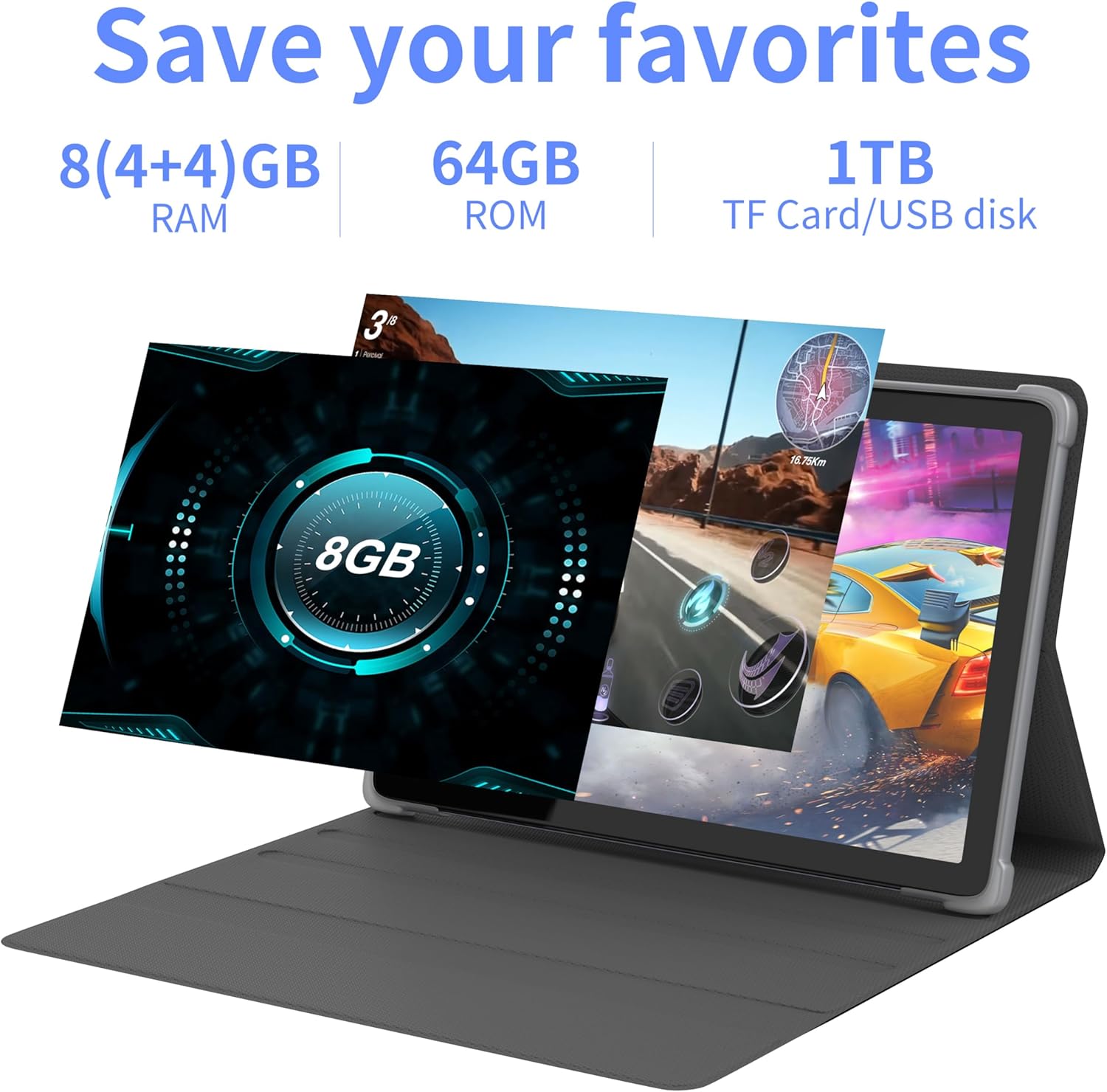
Слика 4.2: Готовоview of the tablet's memory and storage capabilities, including RAM, ROM, and expansion options.
4.6. Функција подељеног екрана
Android 13 allows for split-screen multitasking. To activate, open an app, then swipe up from the bottom of the screen to view recent apps. Touch and hold the app icon at the top of the app's card, then select 'Split screen'. Choose a second app to use simultaneously.
5. Карактеристике екрана
The tablet features a 10.1-inch IPS display with a resolution of 1280 x 800 pixels, providing clear visuals and wide viewинг углова.

Image 5.1: The tablet's 10.1-inch HD IPS display, showcasing its resolution and wide-angle viewинг способности.
5.1. Подршка за Widevine L1
The tablet supports Widevine L1, enabling high-definition streaming content from compatible services.
6. Одржавање
6.1. Чишћење уређаја
Користите меку крпу која не оставља влакна да бисте очистили екран и кућиште таблета. Избегавајте употребу јаких хемикалија или абразивних материјала.
6.2. Ажурирања софтвера
Редовно проверавајте и инсталирајте системска ажурирања како бисте осигурали оптималне перформансе и безбедност. Идите на Подешавања > Систем > Ажурирање система.
6.3. Storage Optimization
Да бисте одржали перформансе, периодично бришите непотребне files and applications. Go to Подешавања > Складиштење to manage your device's storage.
КСНУМКС. Решавање проблема
Овај одељак се бави уобичајеним проблемима на које можете наићи.
| Проблем | Решење |
|---|---|
| Таблет се не укључује. | Ensure the battery is charged. Connect the tablet to the charger for at least 30 minutes before attempting to power on again. |
| Tablet is unresponsive. | Use a thin pin or paperclip to press the Reset Button (refer to Device Layout section) to force a restart. |
| Повезивање на Ви-Фи није могуће. | Check if Wi-Fi is enabled in Settings. Ensure the Wi-Fi password is correct. Restart your router and the tablet. |
| Споре перформансе. | Затворите неискоришћене апликације. Обришите кеш и привремене files. Consider performing a factory reset if the issue persists (backup data first). |
8. Спецификације
Detailed technical specifications for the Tibuta Android 13 Tablet (Model: 8GB+64GB).
| Феатуре | Детаљ |
|---|---|
| Бранд | Тибута |
| Број модела | 8ГБ+64ГБ |
| Оперативни систем | Андроид 13 |
| Процесор | Octa-Core (Allwinner A523) |
| РАМ | 8 GB (4 GB + 4 GB виртуелно) |
| Интерна меморија | 64 ГБ |
| Екпандабле Стораге | Up to 1TB (Micro SD card) |
| Величина екрана | 10.1 инча |
| Резолуција екрана | 1280 x 800 Pixels (IPS) |
| Задња камера | 8 МП |
| Предња камера | 5 МП |
| Капацитет батерије | 7000 мАх литијум полимер |
| Просечно трајање батерије | Up to 8 hours (usage dependent) |
| Повезивање | Wi-Fi 6 (802.11ac, b, g, n), Bluetooth 5.2 |
| Димензије | 24.8 к 16.7 к 1.2 цм |
| Тежина | 539 г |
| Боја | Греи |
| Посебне карактеристике | Widevine L1, GMS Certified |
9. Подршка
For technical assistance or if you encounter any issues with your Tibuta tablet, please contact our customer service team. Refer to your purchase documentation or the retailer's webсајт за конкретне контакт податке.


