Увод
This manual provides essential information for setting up, operating, maintaining, and troubleshooting your Dell Latitude Rugged Extreme 7330 Laptop. Designed for demanding environments, this rugged laptop offers robust performance and durability. Please read this manual thoroughly to ensure proper use and to maximize the lifespan of your device.
Сетуп
1. Распакивање и први преглед
Carefully remove the laptop and all accessories from the packaging. Inspect the device for any signs of damage during transit. Retain the packaging for future transport or service needs.
2. Прикључак за напајање
Connect the AC adapter to the power port on your laptop and then plug it into a wall outlet. The laptop is designed to operate on AC power and charge the battery simultaneously. Ensure the power indicator light illuminates.
3. Прво покретање и подешавање оперативног система
Press the power button to turn on the laptop. The device comes pre-installed with Windows 11 Pro. Follow the on-screen prompts to complete the initial setup, including language selection, network connection, and user account creation.
4. Бежично повезивање
- Ви-Фи: During the initial setup or via Windows settings, select your preferred Wi-Fi network and enter the password to connect to the internet.
- Блуетоотх: To connect Bluetooth devices, navigate to Windows Settings > Bluetooth & devices, and follow the instructions to pair your accessories.
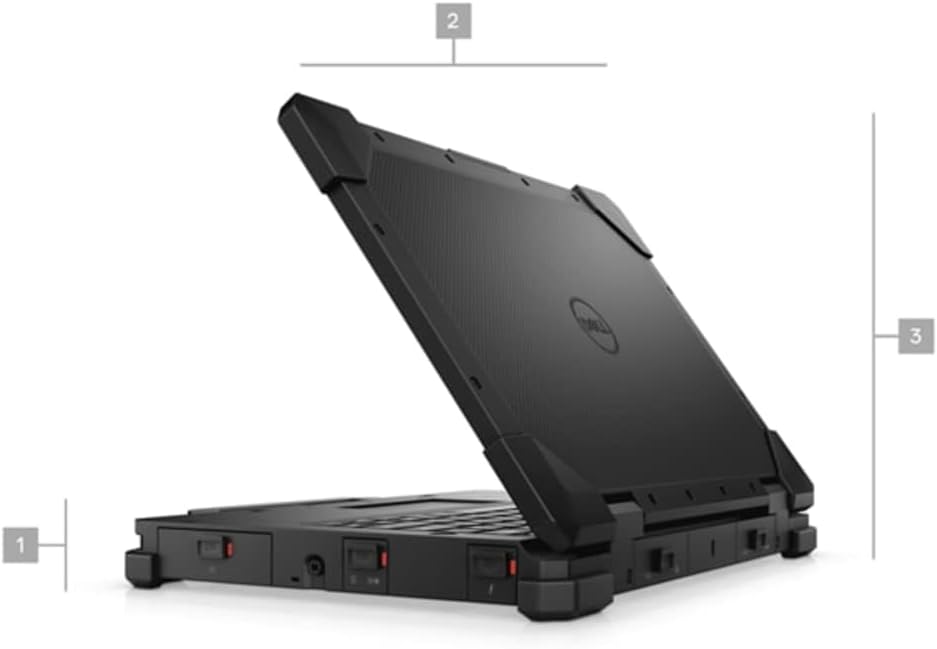
Слика 1: Страна view of the Dell Latitude Rugged Extreme 7330 Laptop, illustrating its robust design and approximate dimensions.
Оперативни
1. Основне контроле
- тастатура: The backlit QWERTY keyboard allows for comfortable typing in various lighting conditions.
- Тоуцхпад: Use the integrated touchpad for cursor control and multi-touch gestures.
- Екран на додир: The 13.3-inch Full HD (1920x1080) capacitive touch screen supports direct interaction with the display.
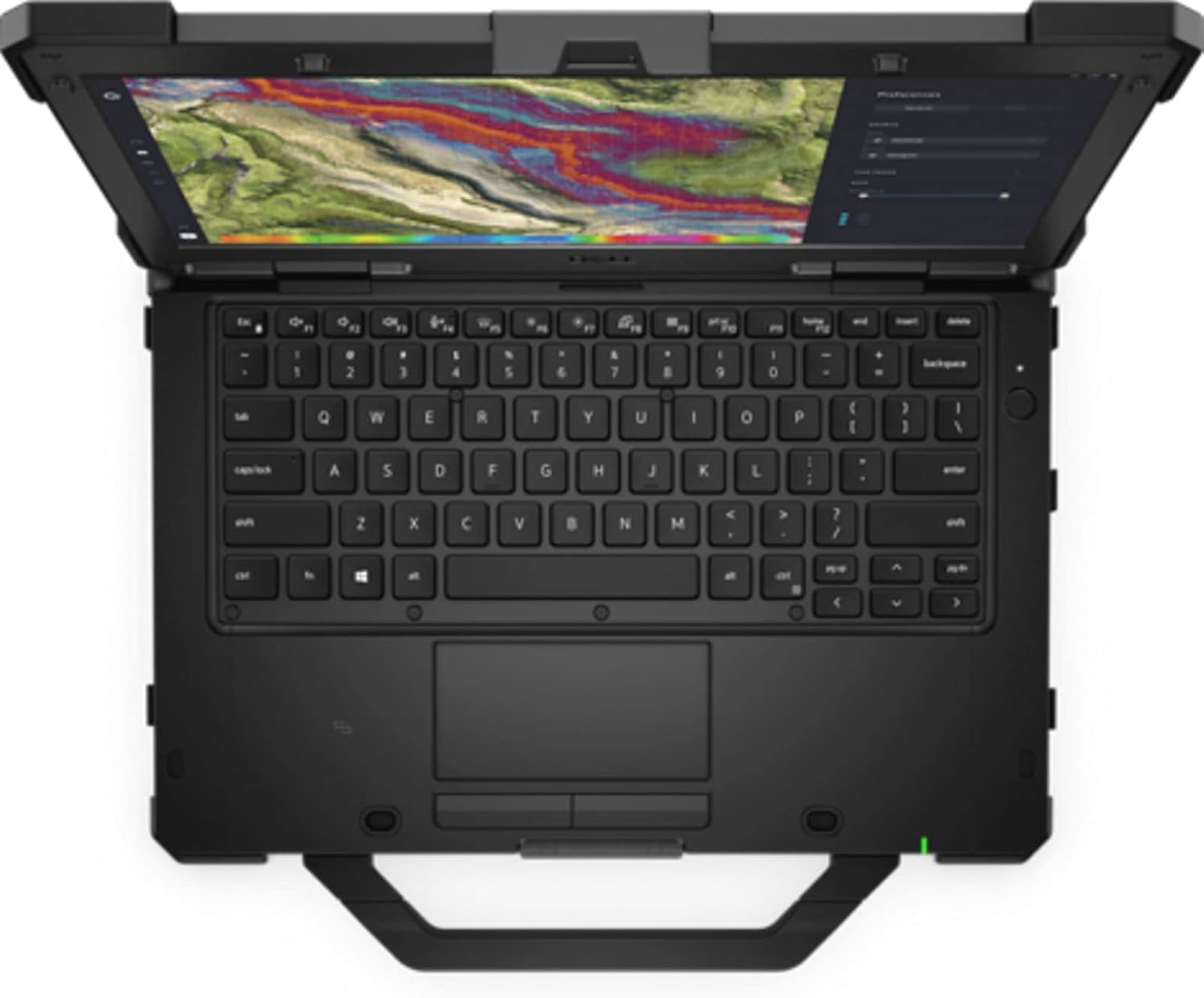
Слика 2: Одозго надоле view of the Dell Latitude Rugged Extreme 7330 Laptop, highlighting the keyboard and touchpad layout.
2. Портови и конектори
The Latitude Rugged Extreme 7330 is equipped with various ports for connectivity and expansion. Refer to the image below for port locations.
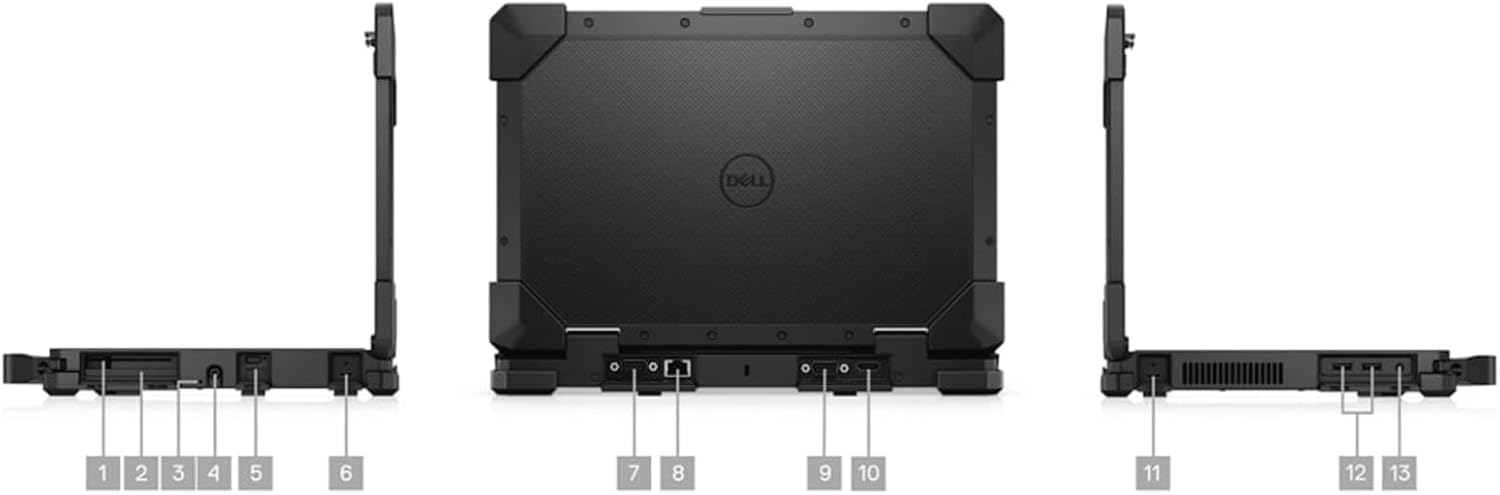
Слика 3: Вишеструко views of the Dell Latitude Rugged Extreme 7330 Laptop, detailing the locations of its various ports and connectors.
- УСБ портови: Multiple USB ports (Total 3) are available for connecting peripherals such as external drives, keyboards, and mice.
- ХДМИ излаз: Повежите се са екстерним екранима или пројекторима помоћу HDMI порта.
- Етхернет порт: За жичане мрежне везе.
- Аудио прикључак: За слушалице или екстерне звучнике.
- Читач паметних картица: For secure authentication (if equipped).
3. Operating System Features
Your laptop runs Windows 11 Pro, offering advanced features for security, management, and productivity. Explore the Start Menu, Taskbar, and Settings app to customize your experience. Features like BitLocker device encryption are included for enhanced data security.
4. Webцам
The integrated front-facing webcam allows for video conferencing and capturing images. Access it through applications like Camera or video communication software.
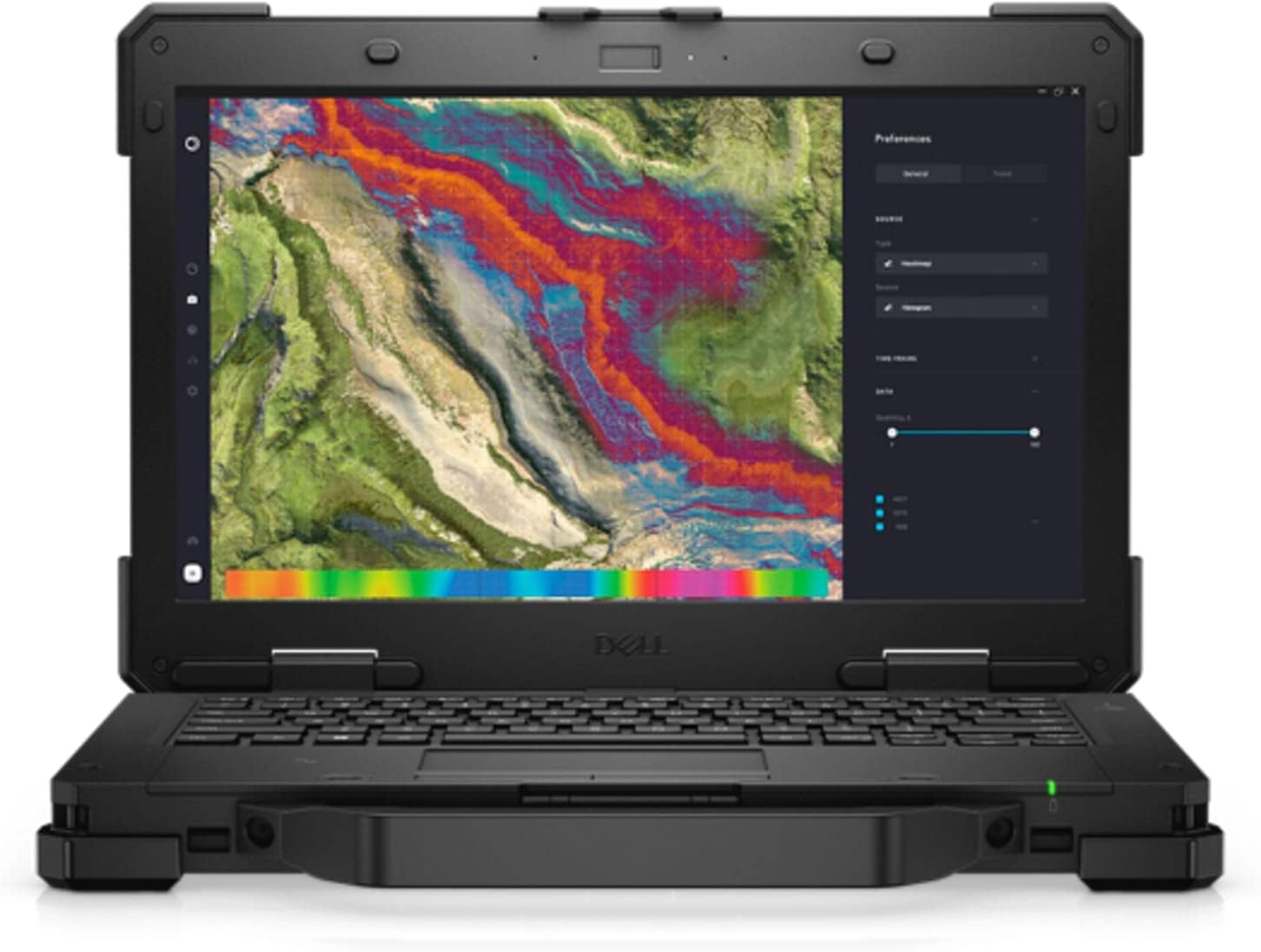
Слика 4: Предња страна view of the Dell Latitude Rugged Extreme 7330 Laptop with the screen open, displaying a detailed map interface.
Одржавање
1. Чишћење лаптопа
- Екран: Лагано користите меку крпу која не оставља длачице дampводом или средством за чишћење екрана. Избегавајте јаке хемикалије.
- Тастатура и кућиште: Wipe surfaces with a soft cloth. For stubborn dirt, a slightly damp Може се користити крпа са благим сапуном, водећи рачуна да течност не уђе у отворе.
- Портови: Држите отворе чистим од прашине и остатака. Пажљиво користите компримовани ваздух ако је потребно.
2. Брига о батерији
- Пуњење: Charge the battery fully before first use. For optimal battery life, avoid frequently discharging the battery completely.
- Складиштење: If storing the laptop for an extended period, ensure the battery is charged to approximately 50% to prevent deep discharge.
3. Ажурирања софтвера
Regularly update your Windows operating system and Dell drivers to ensure optimal performance, security, and compatibility. Windows updates can be managed through the Settings app.
Решавање проблема
This section addresses common issues you might encounter with your Dell Latitude Rugged Extreme 7330 Laptop.
1. Проблеми са напајањем
- Лаптоп се не укључује: Ensure the AC adapter is securely connected to both the laptop and a working power outlet. Check the power indicator light. If using battery, ensure it is charged.
- Батерија се не пуни: Проверите да ли АЦ адаптер исправно функционише. Покушајте са другом утичницом.
2. Проблеми са приказом
- Нема слике на екрану: Уверите се да је лаптоп укључен. Ако је спољни монитор повезан, покушајте да га искључите или притисните тастер за пребацивање екрана (често Fn + F8 или слично) да бисте променили излазе екрана.
- Екран осетљив на додир не реагује: Поново покрените лаптоп. Уверите се да су драјвери за екран ажурирани.
3. Проблеми са повезивањем
- Ви-Фи се не повезује: Check if Wi-Fi is enabled in Windows settings. Restart your router and the laptop. Verify the Wi-Fi password.
- Блутут уређај се не упарује: Ensure the Bluetooth device is in pairing mode and within range. Check Bluetooth settings on the laptop.
4. Општи савети
For many issues, a simple restart of the laptop can resolve temporary glitches. If problems persist, consult the Dell support webсајту или контактирајте техничку подршку.
Спецификације
Below are the key technical specifications for the Dell Latitude Rugged Extreme 7330 Laptop:
| Феатуре | Спецификација |
|---|---|
| Бранд | Делл |
| Назив модела | Latitude Rugged Extreme 7330 |
| Величина екрана | 13.3 инча |
| Резолуција | 1920x1080 (FHD) |
| Дисплаи Типе | LCD, Touch Screen |
| ЦПУ модел | Intel Core i5-1145G7 (11. генерација) |
| Брзина процесора | 2.6 GHz (up to 4.4 GHz with Turbo Boost) |
| РАМ меморија | 16 GB DDR4 @ 3200 MHz |
| Величина чврстог диска | SSD од 256 GB (PCIe NVMe M.2) |
| Оперативни систем | Виндовс 11 Про |
| графичка картица | Интегрисана Интел Грапхицс |
| Повезивање | Ви-Фи, Блуетоотх, УСБ |
| Портс | 3x USB, HDMI |
| Webцам | Yes (Front) |
| Тастатура | Backlit QWERTY |
| Тип батерије | Lithium Ion (4 cells) |
| Модел Иеар | 2022 |
Гаранција и подршка
1. Гаранција на производ
Your Dell Latitude Rugged Extreme 7330 Laptop comes with a limited warranty. The terms and conditions of this warranty are provided with your purchase documentation. Please retain your proof of purchase for warranty claims.
2. Техничка подршка
For further assistance, technical support, or detailed warranty information, please visit the official Dell support website. You can find drivers, manuals, and troubleshooting guides specific to your model.
- Делл подршка Webсајт: ввв.делл.цом/суппорт


