Увод
The TIDRADIO TD-H8 is a high-power 10-watt dual-band ham radio designed for reliable communication. It features wireless programming capabilities via a smartphone application, a large 1.77-inch color screen, and a 2500mAh Type-C rechargeable battery. This manual provides detailed instructions for the proper setup, operation, and maintenance of your TD-H8 radio.
Кључне карактеристике производа
- 10 Watt Output Power: Provides extended communication range compared to lower-wattage radios. Features Low (2-3W), Mid (5-7W), and High (9-12W) power modes.
- Бежично програмирање: Program the radio directly from your smartphone using the Odmaster app, eliminating the need for a PC or programming cable.
- 2500mAh Type-C Battery: High-capacity rechargeable Li-ion battery offering up to 12 hours of continuous use and 60 hours of standby time. Supports USB-C direct charging.
- 1.77-инчни екран у боји: Large display for clear visibility of frequencies, channel numbers, and other radio information.
- Рад у двопојасном опсегу: Supports 144-174mHz and 420-470MHZ frequencies.
- Version Switching & Updatable Firmware: Supports switching between different firmware versions and allows for future software updates.
- Више функција: Includes NOAA Scan, Frequency Hopping, Dual Watch, VOX, CTCSS/DCS Codes, Scanning, Monitor, Remote/Site Alarm, and DTMF.
Садржај пакета
Након отварања пакета, молимо вас да проверите да ли су укључене све следеће ставке:
- 2 × TIDRADIO TD-H8 10W Ham Radio units
- 2 × Desktop charging cradles
- 2 × USB-C chargers with cables
- 1 × Оригинална антена
- 1 × Упутство за употребу (овај документ)
Водич за подешавање
1. Инсталација батерије и почетно пуњење
Before first use, ensure the battery is fully charged. Attach the 2500mAh Li-ion battery pack to the back of the radio, ensuring it clicks securely into place. Use the provided USB-C cable and charger, or the desktop charging cradle, to charge the radio. The charging indicator will show the charging status.
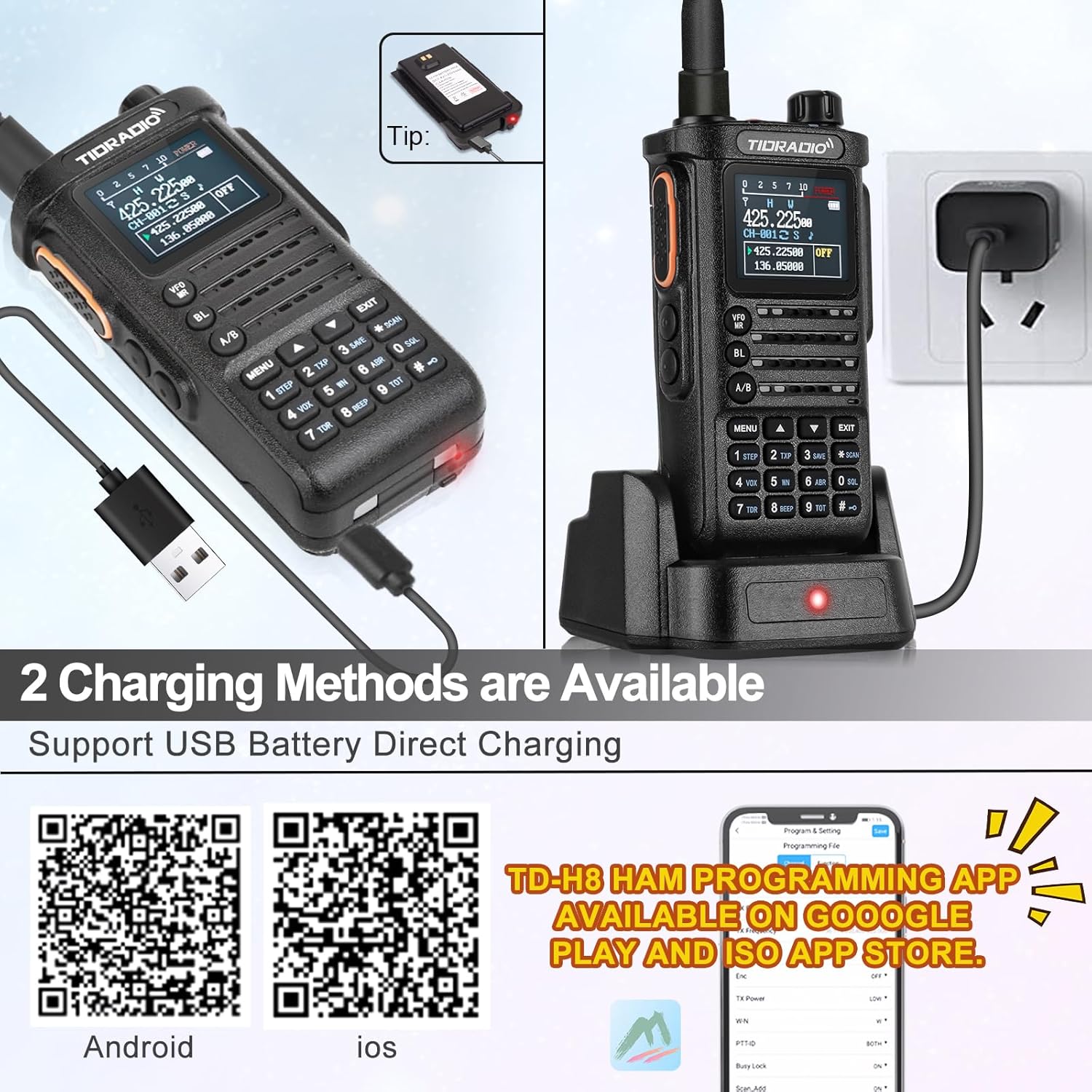
Image: TIDRADIO TD-H8 radio showing the 2500mAh battery and USB-C charging port. The radio is connected to a USB-C cable for direct charging.

Image: Comparison showing the 2500mAh battery pack for the TD-H8, highlighting its larger capacity compared to standard 1800mAh batteries.
2. Прикључак антене
Пажљиво заврните приложену антену на конектор антене на врху радија док не буде чврсто затегнута прстима. Немојте превише затезати.
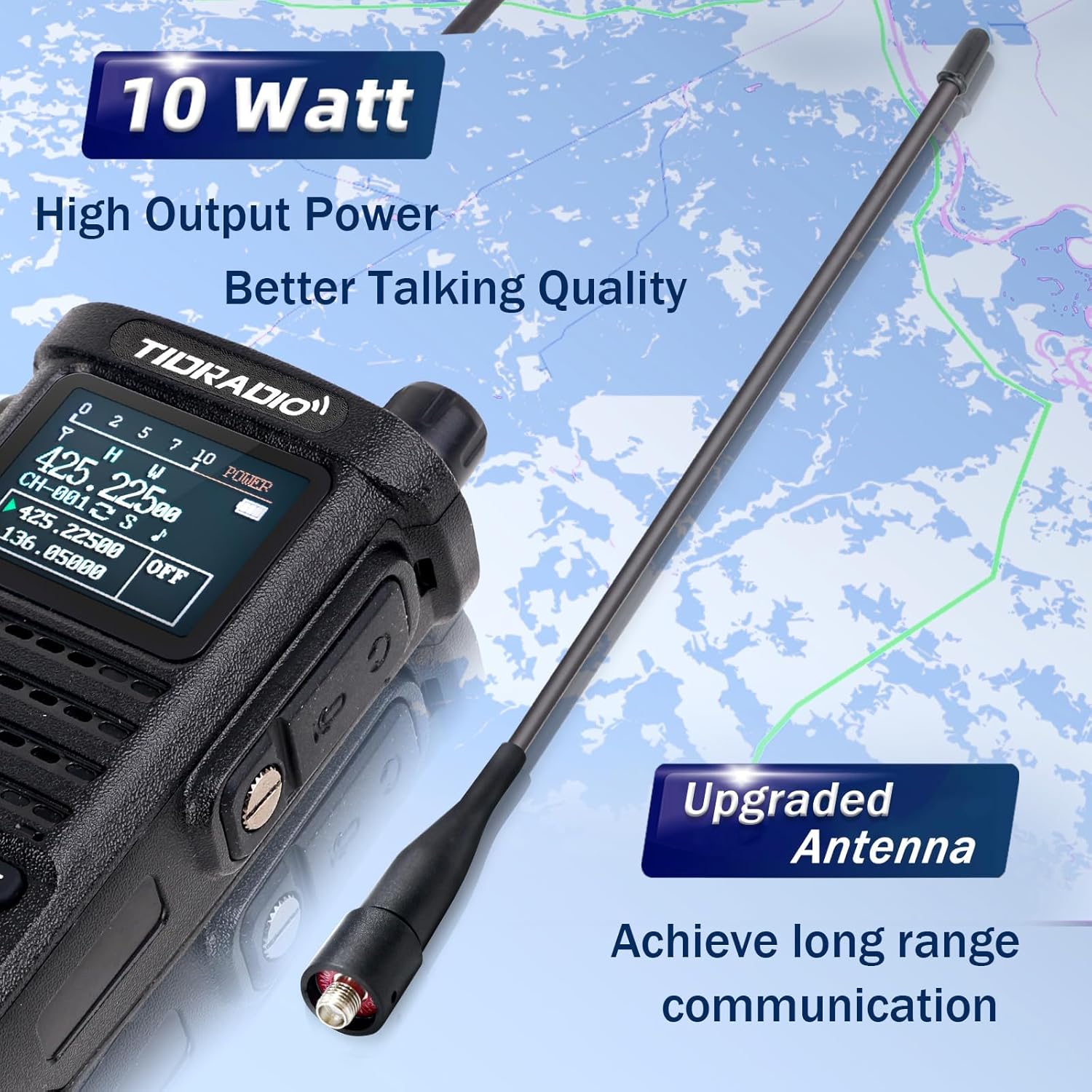
Image: Close-up of the TIDRADIO TD-H8 radio with its upgraded antenna, emphasizing its high output power and long-range communication capability.
3. Укључивање/искључивање
To power on the radio, rotate the top knob (on/off/volume) clockwise. To power off, rotate it counter-clockwise until it clicks.
Упутство за употребу
Основна операција
- Контрола јачине звука: Adjust the top knob clockwise to increase volume and counter-clockwise to decrease.
- Дугме за разговор (PTT): Press and hold the PTT button on the side of the radio to transmit. Release to receive.
- Избор канала/фреквенције: Use the up/down arrow keys or the numeric keypad to select channels or input frequencies. The VFO/MR button switches between Frequency Mode (VFO) and Channel Mode (MR).
- А/Б кључ: Switches between the upper (A) and lower (B) display frequencies for dual watch operation.
- Дугме менија: Accesses the radio's menu for various settings.
- Дугме за излаз: Exits menu settings or current operation.
Напредне функције
- NOAA метеоролошки радио: The TD-H8 supports NOAA weather scans to keep you informed of weather alerts.
- Двоструки сат: Пратите две различите фреквенције истовремено.
- VOX (Гласовна централа): Омогућава пренос без употребе руку када се детектује глас.
- Скенирање: Scan through channels or frequencies to find active transmissions.
- ЦТЦСС/ДЦС кодови: Use these codes for selective signaling and to filter out unwanted communications.

Слика: Детаљна view of the TD-H8's color LCD screen, highlighting the display of frequency, channel number, channel name, and the Dual Watch function.

Image: The TD-H8 radio screen showing the NOAA Weather Radio feature, indicating its capability to receive weather alerts.
Programming the TD-H8
Wireless Programming via Odmaster App
The TD-H8 supports wireless programming directly from your smartphone using the Odmaster app. This eliminates the need for a PC or programming cable.
- Download the Odmaster app from your smartphone's app store:
- Enable Bluetooth on your smartphone and the TD-H8 radio (press the BL key).
- Open the Odmaster app, connect to your TD-H8 radio via Bluetooth, and follow the in-app instructions to program channels, frequencies, and other settings.
- The app allows for channel editing, nearby repeater search and import, and saving/sharing radio configurations.
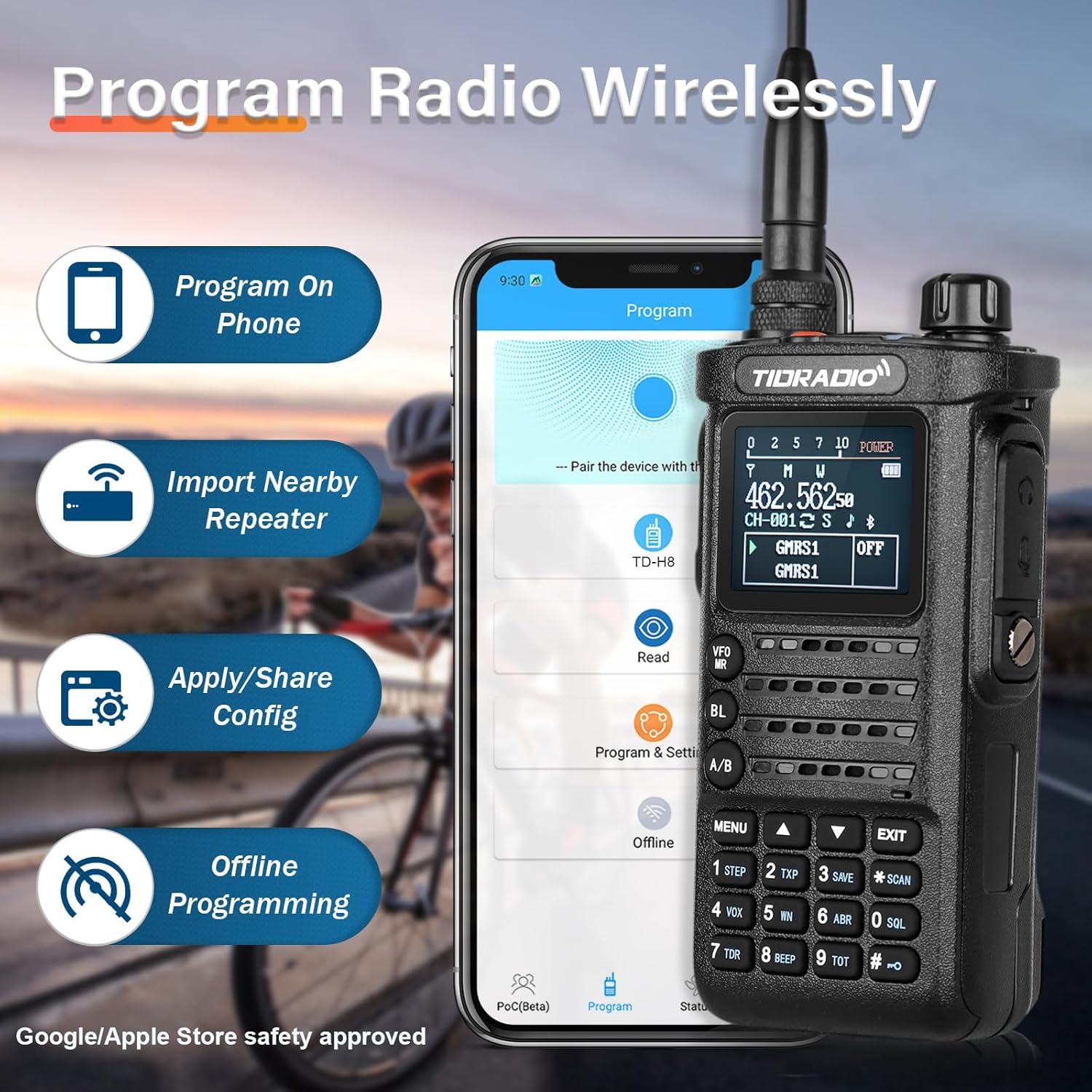
Image: The TIDRADIO TD-H8 radio shown alongside a smartphone displaying the Odmaster app interface, illustrating the wireless programming feature.

Image: Screenshot of the Odmaster app demonstrating the "Repeater List" feature, which allows users to search for and import nearby repeater information.
ПЦ програмирање
The TD-H8 can also be programmed using PC software such as Chirp and CPS (Customer Programming Software).
Firmware Version Switching
If you encounter issues connecting to the TD-H8 during the programming process, especially with different model versions (e.g., 2nd vs. 3rd generation), you may need to switch the radio's firmware version.
To switch versions: Притисните тастер ПТТ тастер + "*" button + power on the device simultaneously. Then, select the required version from the options displayed on the screen.
The TD-H8 also supports updatable firmware, allowing for future software enhancements.
Одржавање
- Чишћење: Користите меку, дamp крпу за чишћење спољашњости радија. Не користите јаке хемикалије или раствараче.
- Одржавање батерије: Да бисте продужили век трајања батерије, избегавајте често потпуно пражњење батерије. Чувајте радио и батерију на хладном и сувом месту када се не користе дуже време.
- Брига о антени: Уверите се да је антена чврсто причвршћена, али не и превише затегнута. Избегавајте савијање или оптерећење антене.
- Отпорност на воду: The TD-H8 is water-resistant, but it is not waterproof. Avoid submerging the radio in water.
Решавање проблема
| Проблем | Могући узрок | Решење |
|---|---|---|
| Радио се не укључује. | Батерија није напуњена или није правилно инсталирана. | Ensure the battery is fully charged and correctly attached. |
| Cannot connect to radio for wireless programming. | Bluetooth is off; incorrect firmware version selected; app issue. | Ensure Bluetooth is enabled on both devices. Try switching the radio's firmware version (PTT + "*" + Power On). Restart the app. |
| Poor transmission or reception range. | Antenna not properly attached; low power setting; environmental interference. | Check antenna connection. Ensure radio is set to High Power mode. Move to an area with fewer obstructions. |
| Екран је замагљен или нечитљив. | Backlight setting; low battery. | Adjust backlight settings in the menu. Charge the battery. |
If problems persist, please contact TIDRADIO customer support for assistance.
Спецификације
| Феатуре | Детаљ |
|---|---|
| Број модела | ТД-Х8 |
| ФЦЦ ИД | 2AWL3-TDH8 |
| Фреквенцијски опсег | 144-174mHz, 420-470MHZ |
| Излазна снага | 10 Watt (High), 5-7 Watt (Mid), 2-3 Watt (Low) |
| Капацитет батерије | 2500mAh литијум-јонска батерија (7.4 волти) |
| Дисплаи Типе | 1.77" LCD екран у боји |
| Број канала | 199 |
| Максимални домет говора | 10000 Meters (approx. 6.2 miles, dependent on conditions) |
| Ниво отпорности на воду | Отпоран на воду |
| Тежина артикла | 2.27 фунти (приближно 1.03 кг) |
| Димензије пакета | 10 к 8.7 к 2.44 инча |
Производ је завршенview Видео
Видео: Званичник прекоview of the TIDRADIO TD-H8 10W Ham Radio, showcasing its wireless programming module, 10-watt power output, 2500mAh battery, and large color screen display. This video provides a visual guide to the radio's main features and benefits.
Гаранција и подршка
For any issues related to programming, operation, or general inquiries, please contact TIDRADIO customer support. Refer to the contact information provided with your purchase or visit the official TIDRADIO webсајт за ресурсе подршке.
The manufacturer provides ongoing support, including free app updates and feature upgrades for the Odmaster application.


