1. Увод
Хвала вам на куповиниasing the ZEBRONICS Juke BAR 9102 PRO 240W Dolby Soundbar. This manual provides essential information for the proper setup, operation, and maintenance of your soundbar system. Please read this manual thoroughly before use to ensure optimal performance and safety.
2. Безбедносна упутства
- Извор напајања: Користите само наведени адаптер за напајање. Уверите се да је јачина звукаtage is compatible with your local power supply.
- вентилација: Не блокирајте вентилационе отворе. Оставите довољно простора око уређаја за правилан проток ваздуха.
- Вода и влага: Do not expose the soundbar or subwoofer to water, rain, or moisture. Avoid placing objects filled with liquids, such as vases, on or near the unit.
- Извори топлоте: Држите уређај даље од извора топлоте као што су радијатори, грејни уређаји, шпорети или други уређаји који производе топлоту.
- Чишћење: Искључите напајање пре чишћења. Користите меку, суву крпу. Не користите течна средства за чишћење или аеросолна средства за чишћење.
- Сервисирање: Не покушавајте сами да сервисирате овај производ. Све сервисирање препустите квалификованом сервисном особљу.
- Пласман: Place the soundbar on a stable, flat surface or mount it securely on a wall as instructed.
3. Садржај пакета
Проверите да ли су све ставке наведене у наставку укључене у ваш пакет:
- Soundbar - 1 Unit
- Subwoofer - 1 Unit
- Remote Control - 1 Unit
- QR Code User Manual - 1 Unit (Digital access)
- Wall Mount Bracket and Fasteners
4. Производ је готовview
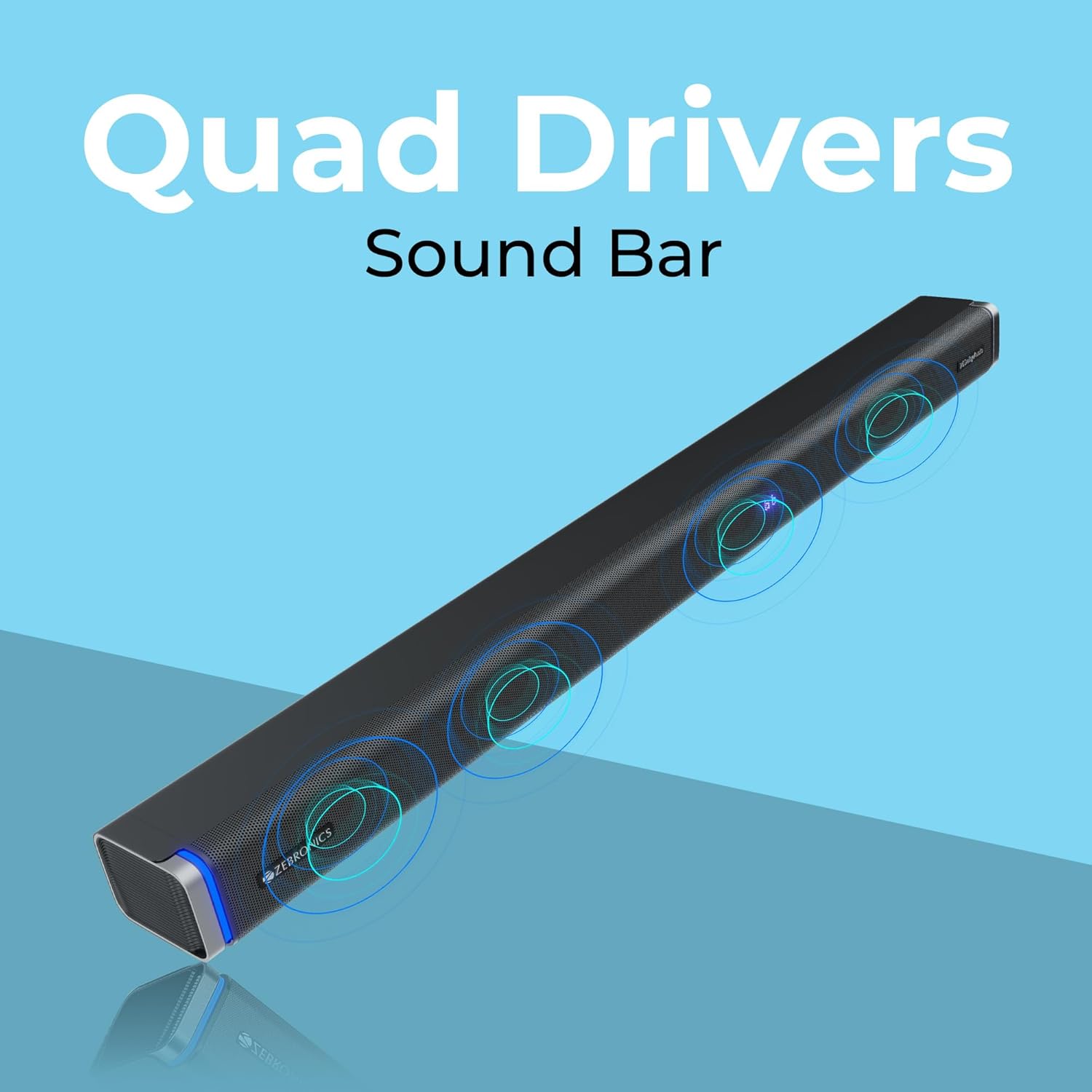
The ZEBRONICS Juke BAR 9102 PRO is a 240W output Dolby soundbar system designed to enhance your audio experience. It features a soundbar with quad drivers and a powerful 6.5-inch wired subwoofer.



5. Подешавање
5.1 Почетно смештање
- Place the soundbar centrally below your television.
- Position the subwoofer on the floor near the soundbar for optimal bass response.
5.2 Прикључак за напајање
- Connect the power cable to the soundbar's power input.
- Повежите кабл за напајање сабвуфера са улазом за напајање.
- Plug both power cables into a suitable wall outlet.
5.3 Повезивање сабвуфера
The subwoofer connects to the soundbar via a wired connection. Ensure the subwoofer cable is securely connected to both units.
6. Упутство за употребу
6.1 Укључивање/искључивање
Press the power button on the soundbar or the remote control to turn the unit on or off. The LED display will indicate the power status.
6.2 Контрола јачине звука
Користите дугмад за појачавање (+) и смањење јачине звука (-) на саундбару или даљинском управљачу да бисте подесили ниво звука.
6.3 Избор режима
Press the 'Mode' button on the soundbar or remote control to cycle through available input modes (Bluetooth, HDMI ARC, Optical, AUX, USB). The LED display will show the current mode (e.g., 'BT' for Bluetooth, 'ARC' for HDMI ARC).
6.4 Режими еквилајзера (EQ)
The soundbar features 3D EQ alternatives. Use the EQ button on the remote to switch between modes. The LED display will show 'E1', 'E2', 'E3' for different sound profiles, and '3D' for the virtual 5.1 effect. Common EQ modes include:
- ЕКСНУМКС: Музички режим
- ЕКСНУМКС: Режим филма
- ЕКСНУМКС: News/Voice mode
- КСНУМКСД: Virtual Surround Sound mode
6.5 РГБ ЛЕД светла
The soundbar includes RGB LED lights. These can be controlled and changed using the remote control to suit your preference.
7. Опције повезивања
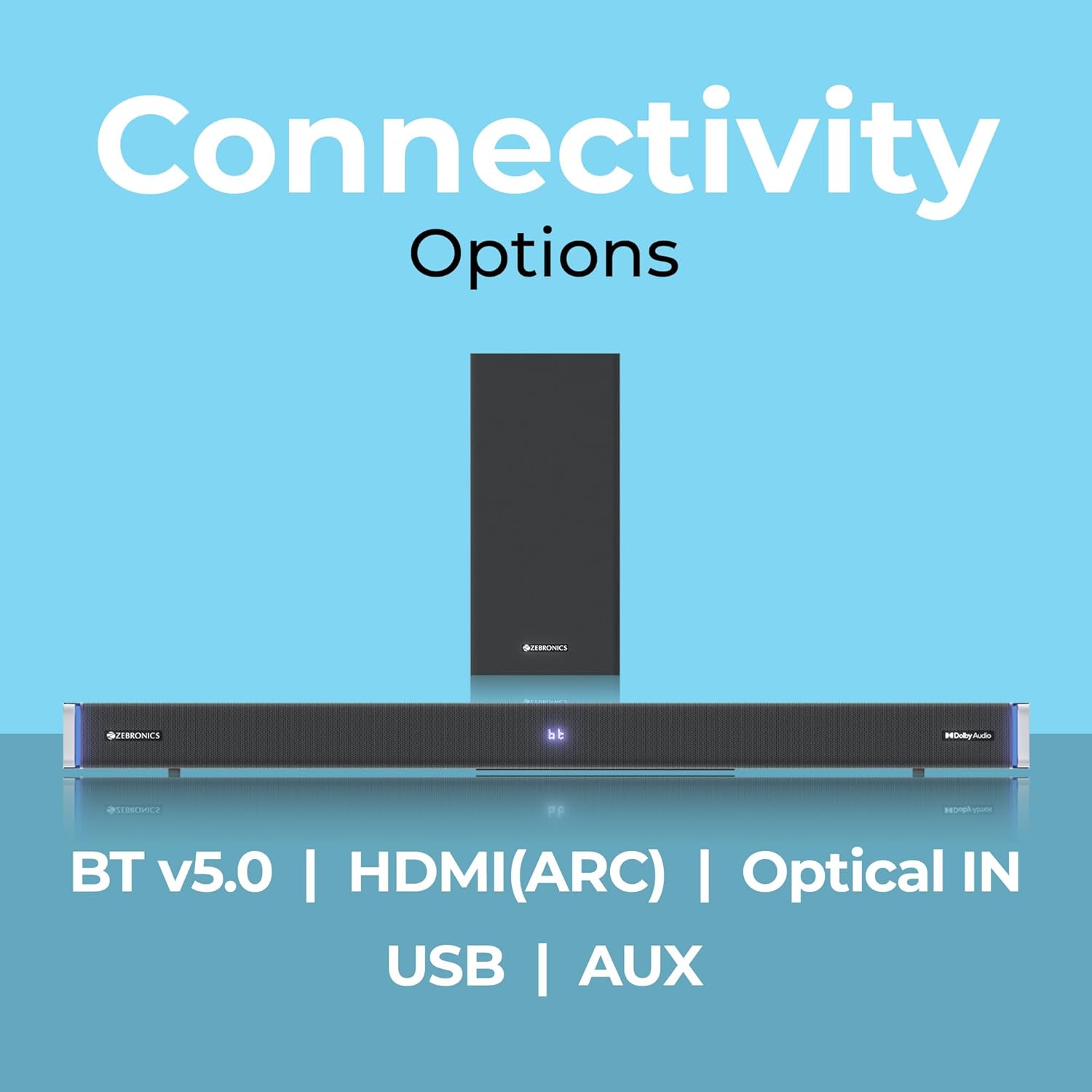
The ZEBRONICS Juke BAR 9102 PRO offers multiple connectivity options for versatile use.
7.1 Блуетоотх в5.0
- Press the 'Mode' button until 'BT' appears on the LED display.
- On your mobile device or computer, search for Bluetooth devices and select 'ZEB-JUKE BAR 9102 PRO'.
- Once paired, audio will stream wirelessly to the soundbar.
7.2 ХДМИ (АРЦ)
- Connect an HDMI cable (ARC compatible) from the HDMI ARC port on your television to the HDMI ARC port on the soundbar.
- Select 'ARC' mode on the soundbar.
- Ensure your TV's audio output is set to HDMI ARC.
7.3 Optical IN
- Connect an optical cable from your audio source (e.g., TV, DVD player) to the 'Optical IN' port on the soundbar.
- Select 'OPT' mode on the soundbar.
7.4 3.5 мм АУКС кабл
- Connect a 3.5mm AUX cable from your audio source to the 'AUX' port on the soundbar.
- Select 'AUX' mode on the soundbar.
7.5 Репродукција са УСБ-а
- Insert a USB pen drive (up to 32GB, supporting MP3 audio format) into the USB port on the soundbar.
- Select 'USB' mode on the soundbar. The soundbar will automatically begin playing compatible audio files.
8. Монтажа на зид
The soundbar can be wall-mounted to save space. A wall mount bracket and fasteners are included in the package.
- Determine the desired mounting location on the wall, ensuring it is structurally sound and can support the weight of the soundbar.
- Mark the positions for drilling holes using the wall mount bracket as a template.
- Избушите пробне рупе и по потреби уметните одговарајуће зидне анкере.
- Secure the wall mount bracket to the wall using the provided fasteners.
- Carefully attach the soundbar to the mounted bracket. Ensure it is securely fastened before releasing.
Напомена: Professional installation is recommended for wall mounting to prevent damage or injury.
9. Одржавање
9.1 Чишћење
Wipe the surfaces of the soundbar and subwoofer with a soft, dry, lint-free cloth. Do not use abrasive cleaners, waxes, or solvents as they may damage the finish.
9.2 Складиштење
If storing the unit for an extended period, disconnect it from the power supply and store it in a cool, dry place, away from direct sunlight and extreme temperatures.
КСНУМКС. Решавање проблема
| Проблем | Могући узрок | Решење |
|---|---|---|
| Нема струје | Кабл за напајање није повезан; Утичница није активна | Ensure power cables are securely connected and the outlet is functional. |
| Нема звука | Incorrect input mode; Volume too low; Cables not connected properly | Select the correct input mode. Increase volume. Check all audio cables for secure connection. |
| Проблеми са Блуетоотх упаривањем | Звучна трака није у режиму упаривања; Уређај је предалеко; Сметње | Ensure soundbar is in 'BT' mode. Move device closer. Restart both devices. |
| Даљински управљач не ради | Батерије су празне; Препрека између даљинског управљача и саундбара | Replace remote control batteries. Remove any obstructions. |
| Изобличен звук | Volume too high; Poor audio source quality; Incorrect EQ setting | Reduce volume. Try a different audio source. Adjust EQ settings. |
11. Спецификације
| Феатуре | Детаљ |
|---|---|
| Назив модела | ЗЕБ-ЈУКЕ БАР 9102 ПРО |
| Излазна снага | 240 вати (РМС) |
| Пречник сабвуфера | 6.5 инча |
| Величина аудио драјвера | 5.5 cm (Quad Drivers) |
| Повезивање | Bluetooth v5.0, HDMI (ARC), Optical IN, 3.5mm AUX, USB |
| Конфигурација сурроунд звука | Виртуелно 5.1 |
| Фреквенцијски одзив | 20 Hz - 20 kHz |
| Однос сигнала и шума | 65 дБ |
| Импеданса | 15 Охмс |
| Контролни метод | Ремоте Цонтрол |
| Димензије производа (саундбар) | Approx. 98.5W x 17.3D x 40.2H Centimeters |
| Тежина артикла | 5.8 кг |
| Извор напајања | Цордед Елецтриц |
| Посебне карактеристике | Dolby Audio, LED Display, RGB LED Lights, Wall Mountable |
12. Гаранција и подршка
12.1 Информације о гаранцији
This ZEBRONICS product comes with a 1 година гаранције from the date of purchase. The warranty covers manufacturing defects under normal use. Please retain your purchase receipt for warranty claims.
12.2 Корисничка подршка
For technical assistance, troubleshooting, or warranty inquiries, please contact ZEBRONICS customer support. Refer to the official ZEBRONICS website or the QR Code User Manual for contact details.


