1. Безбедносне информације
Увек носите кацигу током вожње.
Operating an electric kickscooter carries inherent risks, including but not limited to loss of control, collisions, and falls. To minimize these risks, it is crucial to read and follow all instructions and warnings in this manual. Ensure you understand how to operate the kickscooter safely before your first ride.
- Увек носите одговарајућу заштитну опрему, укључујући кацигу, штитнике за колена и лактове.
- Do not ride in wet conditions, on slippery surfaces, or in poor visibility.
- Adhere to local laws and regulations regarding electric kickscooter use.
- Одржавајте безбедну брзину и растојање од других возила и пешака.
- Avoid sudden maneuvers, sharp turns, and excessive speeds.
- Do not allow children under the recommended age or individuals exceeding the weight limit to operate the kickscooter.
- Regularly inspect the kickscooter for any damage or loose parts before each ride.
2. Производ је готовview
The Segway Ninebot F2 Pro Electric KickScooter is designed for urban commuting, offering a balance of performance, safety, and convenience. It features a robust design with advanced functionalities.
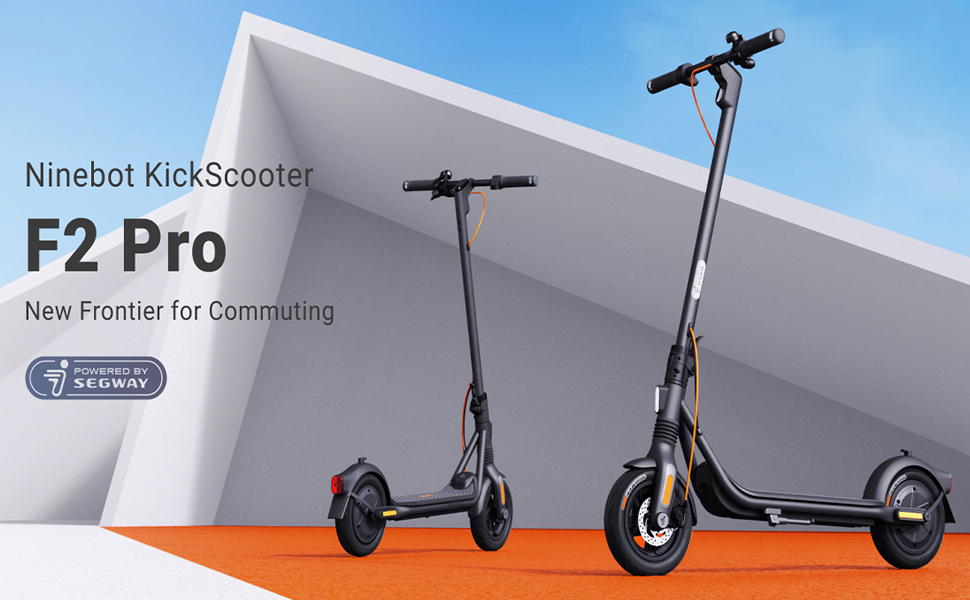
Image: The Segway Ninebot F2 Pro Electric KickScooter, showcasing its design for urban commuting.
Кључне карактеристике:
- Максимална брзина: 32 км/х (20 мпх)
- Макс. Домет: До 55 км (34 миље)
- Излаз мотора: 800W maximum power
- гуме: 10-inch self-sealing tubeless tires
- суспензија: Front spring suspension for a smoother ride
- Кочиони систем: Dual braking system (front disc brake + rear E-ABS)
- Сигурносне карактеристике: Integrated turn signals, Traction Control System (TCS), high-decibel electric horn, built-in LED headlight.
- Повезивање: Bluetooth connection, Apple Find My compatibility.
- Преносивост: Portable folding design.

Слика: Фронт view of the Segway Ninebot F2 Pro Electric KickScooter.

Слика: Са стране view of the Segway Ninebot F2 Pro Electric KickScooter.

Слика: Позади view of the Segway Ninebot F2 Pro Electric KickScooter.
3. Подешавање
3.1 Расклапање KickScooter-а
- Place the kickscooter on a flat surface.
- Lift the stem until it locks into the upright position. Ensure the locking mechanism is securely engaged.
- Расклопите постоље за подупирање скутера.

Image: Dimensions of the Segway Ninebot F2 Pro KickScooter in both folded and unfolded states.
3.2 Почетно пуњење
Before first use, fully charge the kickscooter's battery. Connect the charger to the charging port and then to a power outlet. The charging indicator on the charger will change color (e.g., red to green) when fully charged.
- Време пуњења је око 8 сата за потпуно пуњење.
- Only use the official charger provided with the kickscooter.

Слика: Интерна view of the battery cells within the kickscooter deck, illustrating the 34-mile max range and 8-hour fast charging capability.
3.3 Connecting to the Smart App
Download the official Segway-Ninebot app from your smartphone's app store. Follow the in-app instructions to connect your F2 Pro KickScooter via Bluetooth. The app allows for firmware updates, riding status monitoring, and scooter locking/unlocking.

Image: Screenshot of the Segway-Ninebot smart app, demonstrating features like Bluetooth connection, lock/unlock, riding status, cruise mode, and firmware updates.
4. Упутство за употребу
4.1 Укључивање/искључивање
- Укључено: Press the power button located on the display panel.
- Искључивање: Притисните и држите дугме за напајање неколико секунди.
4.2 Riding the KickScooter
- Чврсто ставите једну ногу на палубу.
- Push off with your other foot to gain initial momentum.
- Once moving, gently press the throttle lever to engage the motor.
- Ставите другу ногу на палубу.
- To slow down, release the throttle. To brake, use the brake lever on the handlebar.

Image: Detail of the front wheel, highlighting the disc brake and front suspension system.

Image: Diagram showing the front spring suspension, designed for smooth riding over bumps.
4.3 Using Turn Signals and Horn
- Показивачи правца: Use the switch on the handlebar to activate the integrated turn signals for indicating turns.
- рог: Притисните дугме за сирену на управљачу да бисте упозорили друге.

Image: Close-up of the handlebar, showing the activated turn signal for improved visibility.
4.4 Folding for Transport
To fold the kickscooter for storage or transport:
- Ensure the kickscooter is powered off.
- Locate the folding mechanism at the base of the stem.
- Follow the specific instructions in the quick start guide to release the latch and fold the stem down until it clicks into place.

Image: A person carrying the folded Segway Ninebot F2 Pro KickScooter, demonstrating its portability.
5. Одржавање
Regular maintenance ensures the longevity and safe operation of your Segway Ninebot F2 Pro KickScooter.
5.1 Генерално чишћење
Wipe the kickscooter with a soft, damp cloth. Do not use alcohol, gasoline, kerosene, or other corrosive chemical solvents to clean the scooter. Do not wash the scooter with a high-pressure water jet.
5.2 Нега гума
The F2 Pro features 10-inch self-sealing tubeless tires, which reduce the risk of punctures. However, it is important to regularly check tire pressure and inflate to the recommended PSI for optimal performance and safety.

Image: Diagram showing the self-sealing layer within the tire, designed to prevent punctures.
5.3 Одржавање батерије
- Avoid fully discharging the battery. Charge it regularly, even if not in use for extended periods.
- Store the kickscooter in a cool, dry place, away from direct sunlight and extreme temperatures.
- Не покушавајте да раставите или модификујете комплет батерија.
5.4 Провера кочионог система
Periodically check the functionality of both the front disc brake and the rear E-ABS brake. Ensure the brake levers operate smoothly and the braking power is effective. If you notice any issues, consult a qualified technician.

Image: Illustration detailing the dual braking system, which includes a front disc brake and a rear E-ABS for effective stopping power.
КСНУМКС. Решавање проблема
This section addresses common issues you might encounter with your F2 Pro KickScooter.
6.1 KickScooter Not Powering On
- Проверите ниво батерије: Ensure the battery is sufficiently charged. Connect the charger and attempt to power on after a short charge.
- Дугме за напајање: Confirm the power button is being pressed correctly and held for the required duration.
6.2 Проблеми са повезивањем апликације
- Блуетоотх: Ensure Bluetooth is enabled on your smartphone and the kickscooter is within range.
- Поновно покретање апликације: Close and reopen the Segway-Ninebot app.
- Ажурирање фирмвера: If possible, check for and install any pending firmware updates via the app on a successful connection.
6.3 Reduced Performance or Range
- Притисак у гумама: Incorrect tire pressure can significantly impact range and performance. Check and adjust to recommended levels.
- Услови вожње: Steep inclines, heavy loads, and aggressive riding (e.g., frequent acceleration/braking) will reduce range.
- Здравље батерије: Over time, battery capacity may decrease. Ensure proper battery maintenance.
7. Спецификације
| Феатуре | Спецификација |
|---|---|
| Назив модела | Ф2 Про |
| Број модела ставке | 051203У |
| Бранд | Сегваи |
| Мак Спеед | 32 км/х (20 мпх) |
| Мак домет | До 55 км (34 миље) |
| Излаз мотора | 900В (врх) |
| Хилл Граде | до 22% |
| Величина гуме | 10 Inches (Self-Sealing Tubeless) |
| Браке Типе | Front Disc Brake, Rear E-ABS |
| Суспензија | Front Spring Suspension |
| Тип батерије | Литијум-јонска батерија (потребне 1, укључене) |
| Време пуњења | Прибл. 8 сата |
| Димензије производа (отклопљено) | 56.9 к 125.22 к 115.82 цм |
| Тежина артикла | 18.5 кг (приближно 39 фунте) |
| Максимални капацитет тежине | 265 фунти |
| Аге Ранге | Адулт |
| Материјал | Aluminum (Frame: Alloy Steel) |
| Отпорност на воду | IPX5 Resistant |
| Укључене компоненте | пуњач |

Image: Infographic detailing key specifications and features such as range, speed, power, climbing slope, TCS, dual braking, front suspension, electric horn, self-sealing tires, and Apple Find My compatibility.
8. Гаранција и подршка
Specific warranty details and support contact information are typically provided with the product packaging or available on the manufacturer's official website. Please refer to the documentation included with your purchase or visit the official Segway website for the most up-to-date information regarding warranty coverage and customer support.
9. Видео снимци производа
У доступним подацима за уграђивање у овај приручник нису дати званични видео снимци производа од продавца.


