Увод
Thank you for choosing the AVMTON Wireless Gaming Mouse. This manual provides detailed instructions on how to set up, operate, and maintain your new mouse, ensuring optimal performance and an enhanced gaming and work experience. Designed for comfort and precision, this ergonomic wireless mouse features adjustable DPI, customizable buttons, and vibrant RGB lighting.
Производ је завршенview
The AVMTON Wireless Gaming Mouse is engineered for both gaming and office use, offering a comfortable ergonomic design and responsive control. It features a honeycomb hollow design with RGB backlighting, providing both aesthetic appeal and lightweight performance.
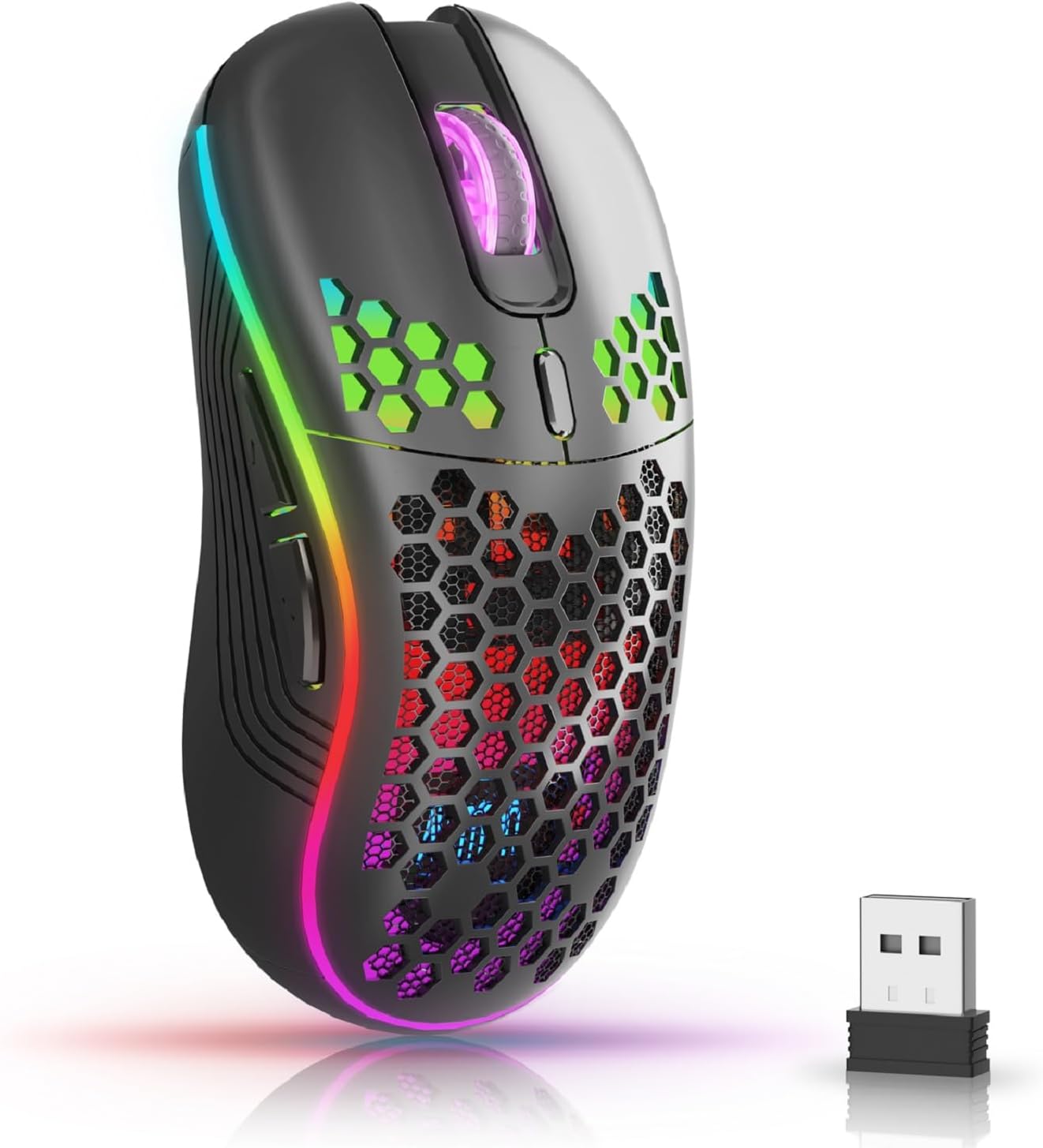
The AVMTON Wireless Gaming Mouse in black, featuring RGB lighting and a honeycomb design, shown alongside its compact USB receiver.

Illustration of the mouse's connectivity modes, including Type-C charging, 2.4G wireless receiver, and a 10m sensing range, suitable for home, gaming, and office environments.
Кључне карактеристике:
- Ергономски дизајн: Shaped to fit the hand comfortably, reducing strain during extended use.
- Подесиви ДПИ: Easily switch between 800/1200/1600/2400/4800 DPI settings for precise control.
- 6 програмабилних дугмади: Includes forward/backward, left/right click, scroll wheel, and DPI adjustment button.
- Пуњива батерија: Built-in lithium battery with USB-C charging, offering 15-20 days of use on a single charge.
- Дизајн тихог клика: Идеално за тиха окружења попут библиотека или канцеларија.
- Широка компатибилност: Supports Windows 2000/ME/XP/7/8/10/Vista/98, Mac OS, Linux, and compatible with laptops, PCs, desktops, and Macbooks.
- Издржљива конструкција: Tested for over 5 million clicks, ensuring long-lasting performance.
Водич за подешавање
Follow these steps to set up your AVMTON Wireless Gaming Mouse:
- Напуните миша: Before first use, fully charge the mouse using the provided USB-C charging cable. Connect the cable to the mouse's Type-C port and a USB power source (e.g., computer USB port, USB wall adapter). The charging indicator will show the charging status.
- Пронађите УСБ пријемник: The compact USB 2.4G wireless receiver is typically stored in a compartment on the underside of the mouse for safe keeping during transport.
- Повежите пријемник: Insert the USB receiver into an available USB port on your computer (laptop, PC, desktop, Macbook).
- Укључено: Turn on the mouse using the power switch located on the underside of the mouse.
- Аутоматско повезивање: The mouse should automatically connect to your computer. No additional drivers are usually required for basic functionality.
Упутство за употребу
Understanding the functions of your mouse buttons and settings will enhance your experience.
Функције дугмета:
- Леви клик: Стандардна функција примарног клика.
- Десни клик: Стандардна функција секундарног клика.
- Точак за померање: Померајте се горе или доле кроз документе и web странице. Такође се може притиснути за функцију клика средњим тастером миша.
- Дугме за подешавање DPI-ја: Located near the scroll wheel. Press this button to cycle through available DPI settings (800/1200/1600/2400/4800). Each press changes the cursor speed and sensitivity.
- Дугме за напред: Typically located on the side of the mouse. Used for navigating forward in web претраживачи или file истраживачи.
- Дугме за назад: Typically located on the side of the mouse. Used for navigating backward in web претраживачи или file истраживачи.
RGB контрола позадинског осветљења:
The mouse features dynamic RGB backlighting. If you prefer to turn off the backlight, refer to the specific instructions provided with your mouse or check the manufacturer's website for software utilities, if available. Some models allow toggling RGB with a combination of buttons (e.g., DPI button + another button).
Одржавање
Proper maintenance ensures the longevity and performance of your mouse.
- Пуњење: Recharge the mouse when the battery indicator shows low power. A full charge provides approximately 15-20 days of use. It is recommended to fully charge the mouse before extensive use.
- Чишћење: Користите меку, суву крпу за чишћење површине миша. За тврдокорну прљавштину, благо дamp Може се користити крпа, али водите рачуна да влага не уђе у унутрашње компоненте. Избегавајте јаке хемикалије или абразивне материјале.
- Складиштење: When not in use for extended periods, turn off the mouse to conserve battery life. Store it in a cool, dry place.
Решавање проблема
If you encounter issues with your AVMTON Wireless Gaming Mouse, try the following solutions:
- Миш не реагује:
- Уверите се да је миш укључен.
- Check if the USB receiver is securely plugged into a working USB port on your computer.
- Recharge the mouse. A low battery can cause unresponsiveness.
- Покушајте да прикључите УСБ пријемник у други УСБ порт.
- Поново покрените рачунар.
- Кашњење или повремена веза:
- Ensure the mouse is within the 10-meter sensing range of the USB receiver.
- Remove any large metallic objects or other wireless devices that might be causing interference between the mouse and the receiver.
- Try moving the USB receiver to a port closer to the mouse.
- DPI Adjustment Not Working:
- Ensure you are pressing the dedicated DPI adjustment button.
- If the issue persists, try restarting the mouse and your computer.
- РГБ светла не раде:
- Check if the RGB backlight has been intentionally turned off (refer to "RGB Backlight Control" in Operating Instructions).
- Уверите се да миш има довољно напуњену батерију.
If these steps do not resolve the issue, please contact AVMTON customer support for further assistance.
Спецификације
| Феатуре | Детаљ |
|---|---|
| Бранд | АВМТОН |
| Број модела | AV-DDMB-1 |
| Боја | Црно |
| Технологија повезивања | 2.4G бежични (USB пријемник) |
| ДПИ подешавања | 800 / 1200 / 1600 / 2400 / 4800 |
| Број дугмади | 6 |
| Оријентација руке | Тачно |
| Трајање батерије | Approx. 15-20 days (on a single charge) |
| Порт за пуњење | УСБ Типе-Ц |
| Компатибилни оперативни системи | Windows 2000/ME/XP/7/8/10/Vista/98, Mac OS, Linux |
| Компатибилни уређаји | Лични рачунар, лаптоп |
| Посебне карактеристике | Portable, Ergonomic, Rechargeable, RGB Backlight, Silent Click |
Гаранција и подршка
AVMTON offers a 12-month worry-free after-sales service for this product. If you encounter any problems with your wireless mouse, please do not hesitate to contact us. Our customer support team is ready to assist you.
For support, please visit the official AVMTON webсајту или контактирајте свог продавца.


