Увод
This manual provides essential information for setting up, operating, maintaining, and troubleshooting your HP 17.3-inch Laptop. Designed for everyday productivity and entertainment, this laptop features a 13th Gen Intel Core i5 processor, Intel Iris Xe Graphics, 32GB DDR4 RAM, and a 512GB NVMe M.2 SSD, running on Windows 11 Home. Please read this guide thoroughly to ensure optimal performance and longevity of your device.

This image displays the HP 17.3-inch laptop from an angled view, highlighting its dimensions: 17.3 inches (diagonal screen), 0.78 inches (height), 10.15 inches (depth), and 15.78 inches (width). It also indicates a weight of 4.60 lbs and a battery life of up to 6 hours and 45 minutes of mixed usage.
Шта је у кутији
Проверите да ли су све ставке присутне у пакету:
- HP 17 лаптоп
- Паметни адаптер за наизменичну струју од 45 В
- Сетуп постер

This image illustrates the contents included with the HP 17 Laptop: the HP 17 Laptop itself, a 45 W Smart AC power adapter, and a setup poster.
Сетуп
1. Прво укључивање
- Connect the 45 W Smart AC power adapter to the laptop's power port and then to a power outlet.
- Отворите поклопац лаптопа и притисните дугме за напајање, које се обично налази на тастатури.
- Follow the on-screen instructions to complete the initial Windows 11 Home setup, including language selection, region, and user account creation.
2. Повезивање на Ви-Фи
- During the Windows setup, you will be prompted to connect to a Wi-Fi network. Select your network from the list.
- Enter the Wi-Fi password if required and click 'Connect'.
- If you skip this step, you can connect later via the Windows Settings: Go to Почни > Подешавања > Мрежа и интернет > Ви-Фи.
Оперативни
Основна навигација
- тастатура: Use the full-size keyboard for typing and input.
- Тоуцхпад: The large click pad supports multi-touch gestures for navigation, scrolling, and zooming.
Карактеристике перформанси
- процесор: The 13th Gen Intel Core i5-1335U processor provides efficient performance for daily tasks and multitasking.
- Графика: Integrated Intel Iris Xe Graphics enhance visual experiences for streaming and light creative work.
- Повезивање: Built-in Wi-Fi 6 ensures fast and reliable wireless internet access.

The HP 17 Laptop is shown with its screen displaying several open applications, including a video conference, a spreadsheet, and a chat window, demonstrating its multitasking capabilities powered by the Intel Core i5 processor and Intel Iris Xe Graphics.
Употреба батерије
- The laptop offers up to 6 hours and 45 minutes of mixed usage on a single charge.
- HP Fast Charge technology allows for quick recharging of the battery.
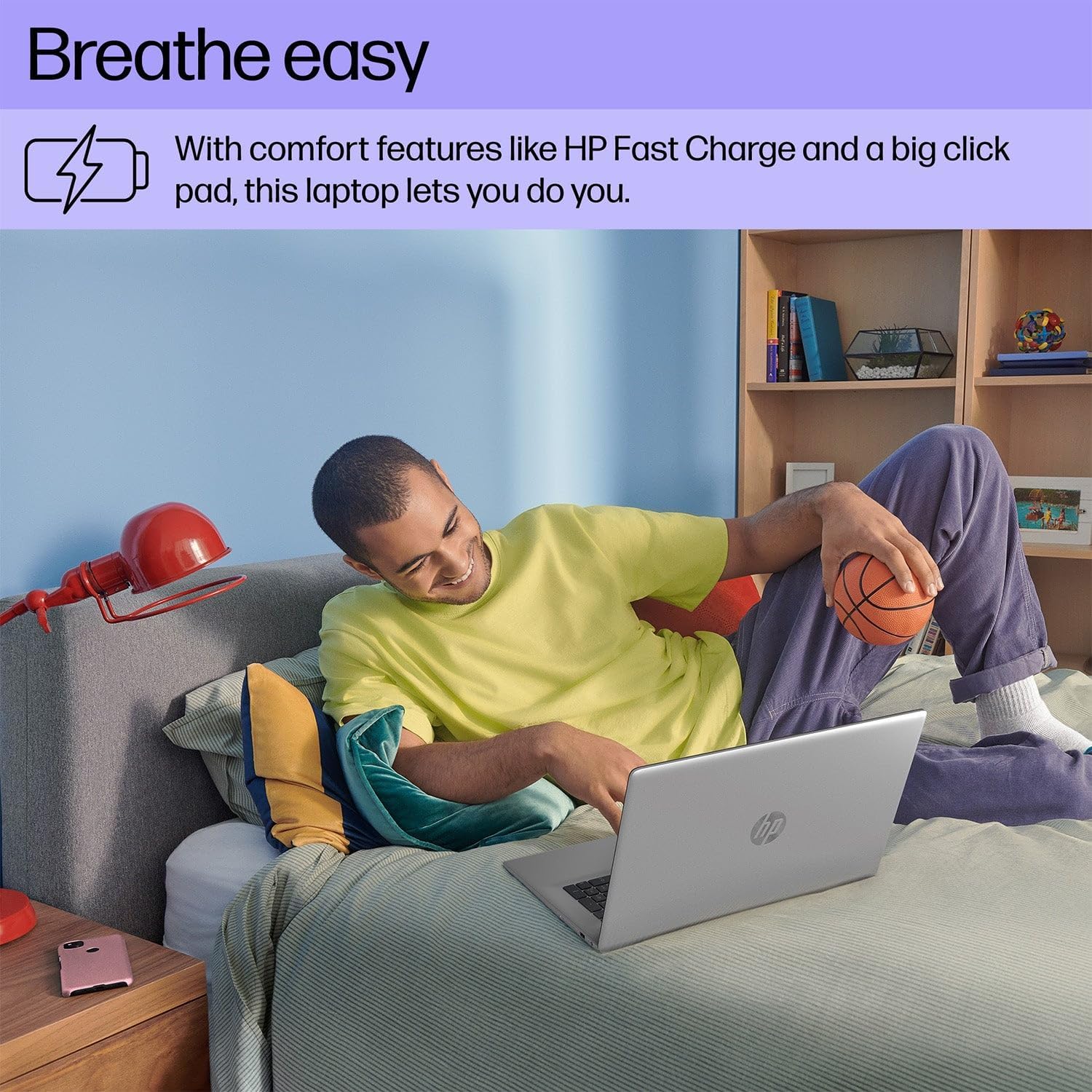
A person is shown comfortably using the HP 17 Laptop while relaxing on a bed, highlighting the laptop's design for comfortable use, including features like HP Fast Charge and a large click pad.
Одржавање
Чишћење
- Користите меку крпу која не оставља длачицеampводом или средством за чишћење екрана да бисте очистили екран.
- За тастатуру и кућиште користите меку, суву крпу. Избегавајте јаке хемикалије.
Баттери Царе
- Avoid extreme temperatures when storing or operating the laptop.
- За оптимално здравље батерије, избегавајте стално потпуно пражњење батерије или њено дуже држање на 100% напуњености.
Ажурирања софтвера
- Редовно проверавајте и инсталирајте ажурирања за Windows како бисте осигурали стабилност и безбедност система. Идите на Почни > Подешавања > Виндовс Упдате.
- Keep HP drivers and software updated using the HP Support Assistant application.

This image focuses on the HP 17 Laptop's screen, which displays a vibrant forest scene. The image also highlights the laptop's environmental certifications, including EPEAT Silver and ENERGY STAR ratings, indicating its construction with ocean-bound plastic and recycled materials.
Решавање проблема
Но Повер
- Уверите се да је АЦ адаптер безбедно повезан и са лаптопом и са исправном утичницом.
- Покушајте са другом утичницом.
- Ако је батерија потпуно испражњена, оставите је да се пуни неколико минута пре него што покушате да је укључите.
Проблеми са приказом
- If the screen is blank, ensure the laptop is powered on.
- Adjust screen brightness using the function keys (e.g., F2/F3 or similar icons).
- Поново покрените лаптоп.
Проблеми са повезивањем (Wi-Fi/Bluetooth)
- Ensure Wi-Fi or Bluetooth is enabled in Windows Settings.
- Поново покрените рутер/модем због проблема са Wi-Fi мрежом.
- Заборавите и поново се повежите на Ви-Фи мрежу.
- Update network drivers via HP Support Assistant or Device Manager.

A user is depicted working on the HP 17 Laptop at an outdoor table, showcasing the laptop's portability and suitability for various environments.
Спецификације
| Феатуре | Детаљ |
|---|---|
| Бранд | HP |
| Број модела | 17 |
| Величина екрана | 17.3 инча |
| Резолуција екрана | 1920 к 1080 пиксела (1080п) |
| Оперативни систем | Виндовс 11 Хоме |
| Процесор | 13. генерација Intel Core i5-1335U (до 4.6 GHz) |
| РАМ | 32 ГБ ДДР4 СДРАМ |
| Складиштење | 512 ГБ НВМе М.2 ССД |
| Грапхицс Процессор | Интел Ирис Ксе графика |
| Технологија повезивања | Bluetooth, USB, Wi-Fi 6 |
| Цацхе Сизе | 12 МБ |
| Форм Фацтор | Лаптоп |
| Тип екрана | Non-Touchscreen |
Гаранција и подршка
Информације о гаранцији
Your HP 17.3-inch Laptop comes with a standard manufacturer's warranty. The duration and terms of the warranty may vary by region. Please refer to the warranty card included with your product or visit the official HP website for detailed warranty information specific to your location.
Техничка подршка
За техничку помоћ, преузимање драјвера или додатну подршку, посетите званичну HP подршку website or contact HP customer service. Have your product's serial number ready when seeking support.
ХП подршка Webсајт: суппорт.хп.цом