Увод
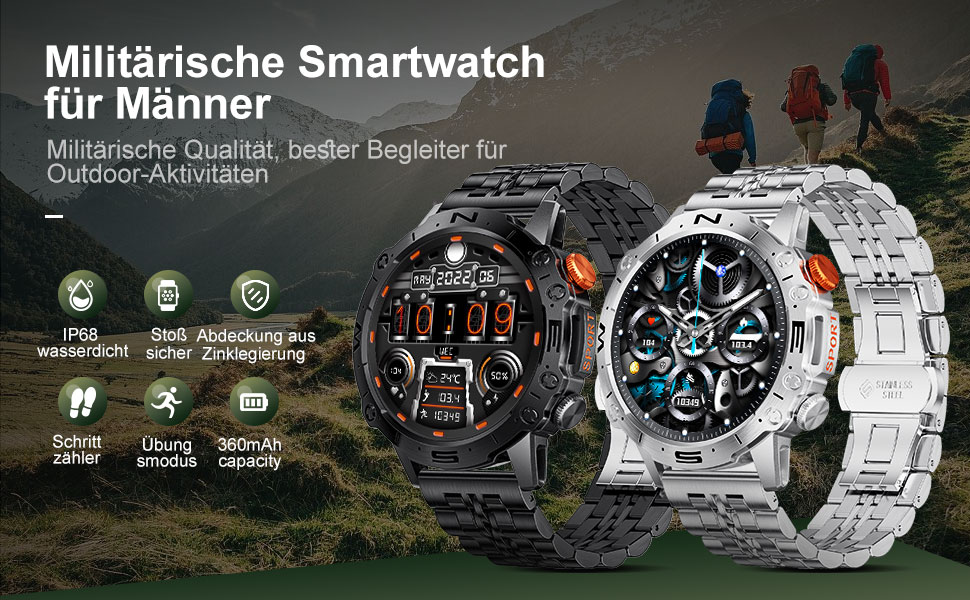
This manual provides detailed instructions for the setup, operation, and maintenance of your LIGE ST19-A Smartwatch. Designed for durability and functionality, this smartwatch features a 1.43-inch AMOLED touchscreen, Bluetooth calling, comprehensive health monitoring, and multiple sports modes. Please read this manual carefully to ensure proper use and to maximize your device's potential.
1. Подешавање
1.1 Пуњење паметног сата
Before first use, fully charge your LIGE ST19-A Smartwatch. Use the provided magnetic charging cable.
- Connect the magnetic end of the charging cable to the charging contacts on the back of the smartwatch.
- Повежите USB крај кабла са стандардним USB адаптером за напајање (препоручује се 5V/1A) или USB портом рачунара.
- Екран сата ће приказивати статус пуњења. Потпуно пуњење обично траје 2-3 сата.
- Once fully charged, the watch offers approximately 3-7 days of working time and up to 30 days of standby time.
1.2 Инсталација апликације и упаривање уређаја
To unlock the full functionality of your smartwatch, you need to install the companion application on your smartphone and pair the devices.
- Омогући Блуетоотх: On your smartphone, go to settings and ensure Bluetooth is turned on.
- Преузмите апликацију: Scan the QR code provided in the watch's packaging or search for "FitCloudPro" in your smartphone's app store (Google Play Store for Android, Apple App Store for iOS). Alternatively, you can visit овај линк for download options.
- Инсталирај и отвори: Install the "FitCloudPro" app and open it.
- Додај уређај: In the app, navigate to the "Device" or "Add Device" section. The app will search for available devices. Select "ST19-A" from the list to initiate pairing.
- Потврдите упаривање: Follow the on-screen prompts on both your phone and smartwatch to confirm the pairing request.
- Омогући обавештења: Grant the necessary permissions for the app to display notifications from your phone on the smartwatch.
- Блуетоотх функција позива: After successful connection, you can enable or disable the call function on the watch. If the connection is successful, you can add/answer calls and play music.

2. Упутство за употребу
2.1 Основна навигација
- екран осетљив на додир: Превуците прстом лево, десно, горе или доле да бисте се кретали кроз меније и функције. Додирните да бисте изабрали.
- Бочна дугмад: The smartwatch features physical buttons for quick access to functions or to return to the home screen. Refer to the watch's interface for specific button assignments.
2.2 Блуетоотх позивање
Када се упарите са паметним телефоном, можете упућивати и примати позиве директно са свог паметног сата.
- Упућивање позива: Access the dialer on your watch or select a contact from your synced phonebook.
- Примање позива: When a call comes in, the watch will display the caller ID. You can answer or decline the call directly from your wrist.
- The watch includes a microphone and speaker for hands-free communication.

2.3 Паметна обавештења
Receive instant notifications for incoming calls, text messages, and alerts from various social media applications directly on your wrist.
- Ensure notification permissions are granted in the "FitCloudPro" app for desired applications.
- Supported apps include Line, Messenger, Facebook, Twitter, Kakao Talk, Skype, and WhatsApp.

2.4 Праћење здравља
The smartwatch provides 24-hour real-time monitoring of various health metrics.
- Мониторинг срчане фреквенције: Континуирано прати ваш откуцај срца током целог дана.
- Мерење крвног притиска: Пружа очитавања крвног притиска.
- Праћење кисеоника у крви (СпО2): Мери ниво засићености крви кисеоником.
- Праћење сна: Анализира ваше обрасце спавања, укључујући дубок сан, лаган сан и време буђења.
- Педометар: Counts your daily steps, distance, and estimated calorie burn.
- Тренинг дисања: Вођене вежбе дисања које помажу у управљању стресом.
Note: Health data provided by this device is for reference only and should not be used for medical diagnosis or treatment. Consult a medical professional for health concerns.

2.5 спортских режима
The smartwatch supports over 100 sports modes to track your workout data accurately.
- Select your desired sport mode from the watch's menu to begin tracking.
- The watch records data such as duration, distance, calories burned, and heart rate during your activity.
- Examples of supported activities include walking, running, cycling, swimming, and various gym exercises.

2.6 Додатне функције
- Приказ времена: Get real-time weather updates directly on your watch face.
- Контрола музике: Control music playback on your smartphone (play, pause, skip tracks) from your wrist.
- Увек на екрану (AOD): The 1.43-inch AMOLED screen supports an Always On Display feature, providing continuous time visibility.
- АИ гласовни асистент: Interact with your smartwatch using voice commands for various tasks.


3. Одржавање
- Чишћење: Редовно бришите екран сата и каиш меком, сувом крпом. Ако је потребно, користите благоamp крпом, а затим добро осушите. Избегавајте јаке хемикалије или абразивне материјале.
- Отпорност на воду: The LIGE ST19-A Smartwatch is IP68 rated, meaning it is resistant to dust and can withstand immersion in water up to 1.5 meters for 30 minutes. It is suitable for daily use, hand washing, and rain exposure. However, it is not recommended for hot showers, saunas, or diving, as steam and hot water can compromise the seals.
- Одржавање батерије: Да бисте продужили век трајања батерије, избегавајте често потпуно пражњење сата. Пуните га када је ниво батерије низак. Чувајте сат на хладном и сувом месту када га не користите дуже време.
- Избегавајте екстремне температуре: Не излажите сат екстремно високим или ниским температурама, јер то може оштетити батерију и унутрашње компоненте.
КСНУМКС. Решавање проблема
| Проблем | Могуће решење |
|---|---|
| Сат се не укључује | Уверите се да је сат потпуно напуњен. Повежите га са пуњачем најмање 30 минута. |
| Не може се упарити са паметним телефоном |
|
| Нема примљених обавештења |
|
| Нетачни здравствени подаци |
|
| Кратко трајање батерије |
|
5. Спецификације
| Феатуре | Детаљ |
|---|---|
| Назив модела | СТ19-А |
| Бранд | ЛИГЕ |
| Величина екрана | 1.43 инча |
| Дисплаи Типе | АМОЛЕД екран осетљив на додир |
| Технологија повезивања | Блуетоотх |
| Капацитет батерије | 360 mAh (литијум-јонска) |
| Типично време коришћења | 3-7 дана |
| Време приправности | Приближно 30 дана |
| Отпорност на воду | IP68 (Dustproof, Water resistant up to 1.5m for 30 min) |
| Посебне карактеристике | Voice Call, Music Player, Heart Rate Monitor, Activity Tracker, Blood Pressure Monitor, Blood Oxygen Monitor, Sleep Monitor, GPS (integrated) |
| Компатибилност | Андроид, иОС |
| Тежина | 290 г |
6. Гаранција и подршка
LIGE prioritizes customer satisfaction. Your LIGE ST19-A Smartwatch comes with the following support:
- Повраћај новца у року од 30 дана: If any issues arise during use, you are eligible for a refund within 30 days of purchase.
- 2-Year Repair Service: A 2-year repair service is provided after the sale for manufacturing defects.
- For any problems or inquiries, please contact LIGE customer support. Your satisfaction is important to us.