Увод
This manual provides essential information for setting up, operating, maintaining, and troubleshooting your Motorola Moto G84 5G smartphone. Please read this guide thoroughly to ensure proper use and to maximize your device's capabilities.
Сетуп
1. Распакивање и први преглед
Пажљиво извадите све предмете из паковања. Кутија треба да садржи:
- Моторола Мото Г84 5Г паметни телефон
- УСБ кабл
- Навлака за телефон
- Алат за избацивање СИМ картице
Пре него што наставите, проверите уређај да ли има физичких оштећења.
2. Инсталација СИМ картице
The Moto G84 5G supports Dual SIM functionality using Nano SIM cards.
- Пронађите лежиште за СИМ картицу са стране уређаја.
- Insert the SIM eject tool into the small hole on the SIM tray. Press firmly until the tray pops out.
- Поставите своје Nano SIM картице у предвиђене слотове на лежишту, водећи рачуна да златни контакти буду окренути надоле.
- Пажљиво вратите лежиште СИМ картице у телефон док не кликне на своје место.

Слика 1: Страна view of the Motorola Moto G84 5G, illustrating the location of the SIM card tray for installation.
3. Прво укључивање
Press and hold the Power button located on the side of the device until the Motorola logo appears. Follow the on-screen prompts to complete the initial setup, including language selection, Wi-Fi connection, and Google account setup.

Слика 2: Страна view of the Motorola Moto G84 5G, highlighting the power and volume buttons for device control.
4. Пуњење уређаја
Before first use, it is recommended to fully charge your device. The Moto G84 5G features a 5000 mAh battery and supports 30W TurboPower charging.
- Повежите USB кабл са USB-C портом на дну телефона.
- Connect the other end of the USB cable to a compatible power adapter (sold separately) and plug it into a power outlet.
- Индикатор пуњења ће се појавити на екрану.
Упутство за употребу
1. Дисплеј
The Moto G84 5G features a 6.55-inch pOLED FHD+ display with a 120 Hz refresh rate, offering vibrant colors and smooth scrolling.
- Навигација на екрану осетљивом на додир: Интеракција са уређајем помоћу додирних покрета као што су додир, превлачење, зумирање штипкањем.
- Подешавање осветљености: Подесите осветљеност екрана из панела Брза подешавања или Подешавања екрана.
- Брзина освежавања: The 120 Hz refresh rate provides a fluid visual experience. This can be adjusted in display settings to optimize battery life.
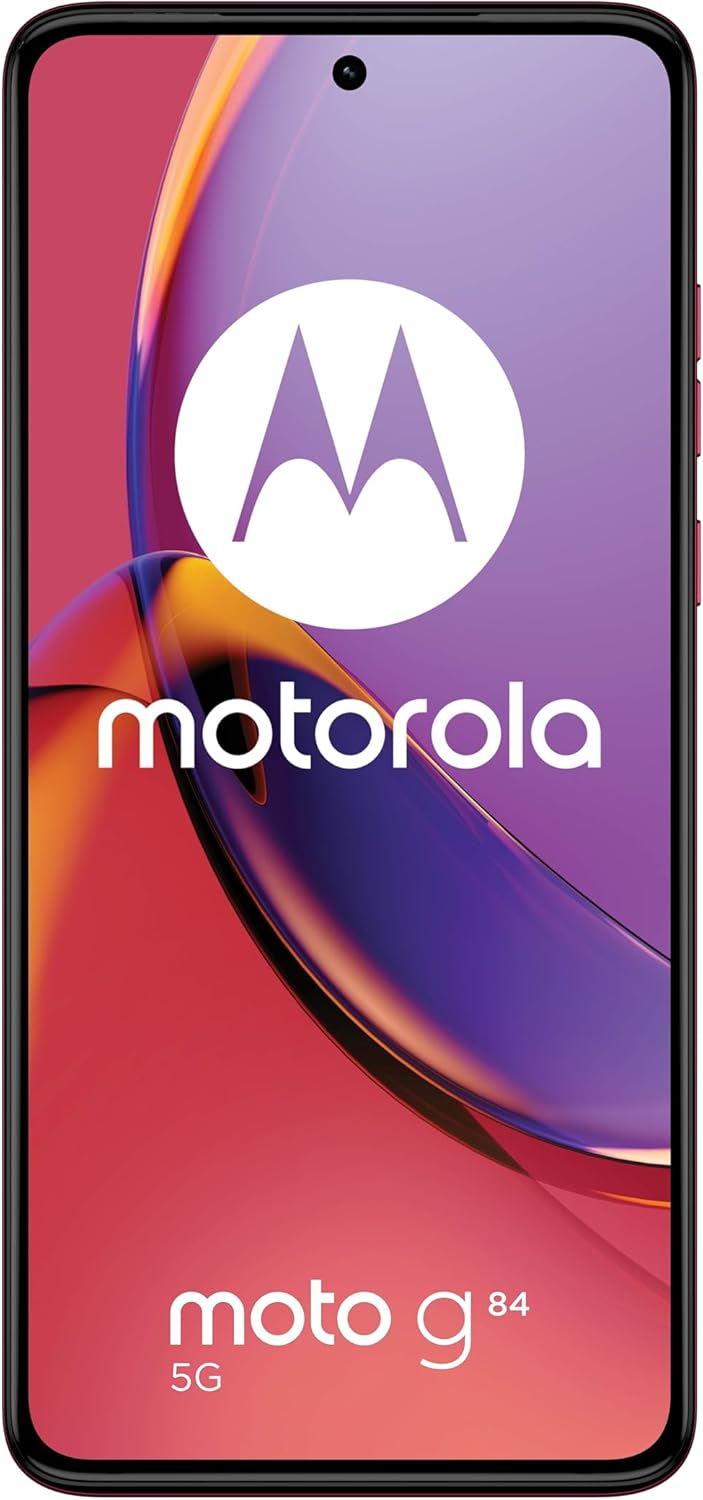
Слика 3: Предња страна view Моторола Мото Г84 5Г, приказанasing its vibrant pOLED display.
2. Камера
The device is equipped with a 50 MP Ultra Pixel main camera with Optical Image Stabilization (OIS) and an 8 MP ultra-wide/macro lens on the rear, and a front-facing camera for selfies.
- Фотографисање: Отворите апликацију Камера, кадрирајте снимак и додирните дугме затварача.
- Видео снимак: Switch to video mode in the Camera app. The device supports 4K video recording at 30 fps.
- Режими камере: Explore various modes such as Portrait, Night Vision, Panorama, and Pro mode for advanced controls.

Слика 4: Задња страна view of the Motorola Moto G84 5G, highlighting the 50MP Ultra Pixel camera system.
3. Аудио
Experience immersive audio with Dolby Atmos, Motorola Spatial Audio, and Hi-Res Audio support through stereo speakers.
- Контрола јачине звука: Use the volume buttons on the side of the device or the on-screen volume slider.
- Аудио подешавања: Прилагодите звучни професионалацfiles and Dolby Atmos settings in the Sound & Vibration menu.
4. Повезивање
The Moto G84 5G offers comprehensive connectivity options.
- 5G мрежа: Connect to 5G networks for faster data speeds (requires 5G service plan).
- Ви-Фи: Connect to wireless networks via Wi-Fi settings.
- Блуетоотх: Упарите се са Bluetooth уређајима као што су слушалице или звучници.
- НФЦ: Користите Near Field Communication за бесконтактна плаћања и брзо упаривање са компатибилним уређајима.
5. Biometric Features
The device supports biometric identification for enhanced security.
- Сензор отиска прста: Региструјте своје отиске прстију у подешавањима безбедности за брзо и безбедно откључавање.
- Откључавање лицем: Подесите препознавање лица за практично откључавање.
6. Софтвер
The Moto G84 5G runs on Android 13, offering a clean user interface and access to a wide range of applications via the Google Play Store.
- Ажурирања система: Редовно проверавајте и инсталирајте системска ажурирања како бисте осигурали оптималне перформансе и безбедност.
- Управљање апликацијом: Install, uninstall, and manage applications through the Settings menu or Google Play Store.
Одржавање
1. Чишћење уређаја
To keep your phone clean, gently wipe the screen and body with a soft, lint-free cloth. Avoid using harsh chemicals or abrasive materials.
2. Отпорност на воду
The Moto G84 5G has an IP52 rating, meaning it is resistant to dust and splashing water. It is not waterproof. Avoid submerging the device in water or exposing it to high-pressure water jets.
Решавање проблема
Уобичајени проблеми и решења
- Уређај се не укључује: Ensure the battery is charged. Connect the phone to a charger and wait a few minutes before attempting to power it on again.
- Проблеми са пуњењем: Check the USB cable and charger for damage. Try a different cable or power outlet. Ensure the charging port is clean and free of debris.
- Слаб мрежни сигнал: Move to an area with better network coverage. Check if your SIM card is properly inserted. Restart the device.
- Апликације се руше или замрзавају: Затворите и поново отворите апликацију. Обришите кеш меморију и податке апликације у Подешавањима > Апликације. Ако проблем и даље постоји, деинсталирајте и поново инсталирајте апликацију.
- Екран не реагује: Извршите присилно поновно покретање држећи дугме за напајање приближно 10-15 секунди.
Спецификације
| Феатуре | Спецификација |
|---|---|
| Назив модела | Мото Г84 5Г |
| Оперативни систем | Андроид 13 |
| Процесор | Snapdragon 695 (up to 2.2 GHz) |
| РАМ | 12 ГБ |
| Интерна меморија | 256 ГБ |
| Дисплаи | 6.55-inch pOLED FHD+ (1080x2400), 120 Hz |
| Задња камера | 50 MP Ultra Pixel (OIS) + 8 MP Ultra-wide/Macro |
| Предња камера | 1 |
| Капацитет батерије | 5000 мАх |
| Пуњење | 30W TurboPower |
| Повезивање | 5G, Wi-Fi, Bluetooth, NFC |
| Тип СИМ картице | Дуал Нано СИМ |
| Отпорност на воду | ИП52 (отпоран на прскање) |
| Димензије | 16 к 7.4 к 0.8 цм |
| Тежина | 160 грама |
| Укључено у кутију | USB Cable, Phone Case, SIM Eject Tool |
Гаранција и подршка
Информације о гаранцији
Your Motorola Moto G84 5G comes with a 2-year manufacturer's warranty. Please retain your proof of purchase for warranty claims. The warranty covers manufacturing defects but typically excludes damage caused by misuse, accidents, or unauthorized repairs.
Корисничка подршка
For further assistance, technical support, or warranty service, please visit the official Motorola support website or contact their customer service. Refer to the documentation included with your device for specific contact details in your region.
Важне информације о безбедности
Always follow basic safety precautions when using your phone to reduce the risk of fire, electric shock, and injury. Do not disassemble the device. Use only approved accessories. Avoid extreme temperatures. Dispose of the device and battery responsibly according to local regulations.


