Увод
Thank you for choosing Kinganda Bluetooth Headphones. This user manual provides detailed instructions on how to set up, operate, and maintain your new headphones. Please read this manual thoroughly before use to ensure optimal performance and longevity of your device.
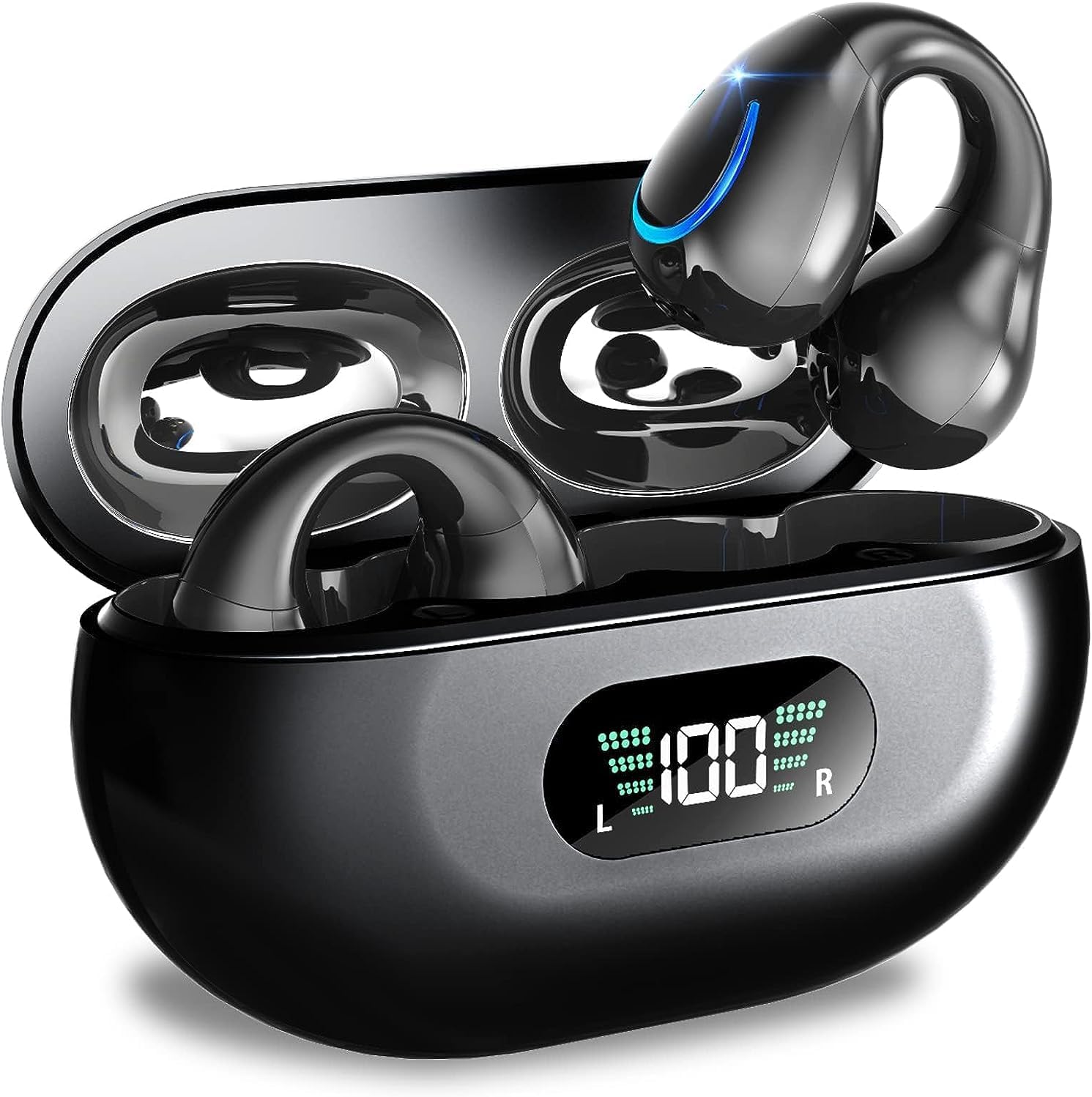
Image: Kinganda Bluetooth Headphones (Model Q71) in their charging case, showcasinг елегантан дизајн и ЛЕД дисплеј.
Шта је у кутији
Молимо вас да проверите садржај пакета како бисте били сигурни да су сви предмети присутни:
- Wireless Headphones (Left and Right)
- Футрола за бежично пуњење
- УСБ-Ц кабл за пуњење
- Упутство за употребу

Image: An illustration showing the Kinganda headphones, charging case, USB-C cable, and user manual, representing the package contents.
Безбедносне информације
To ensure safe operation and prevent damage to your headphones, please observe the following safety guidelines:
- Do not swim underwater or take hot baths with the headphones. Exposure to high temperatures or prolonged submersion can cause damage to the internal components.
- Keep the headphones and charging case away from extreme temperatures, direct sunlight, and high humidity.
- Избегавајте испуштање или излагање уређаја јаким ударима.
- Do not attempt to disassemble, repair, or modify the headphones yourself. Contact qualified service personnel for any repairs.
- Чувати ван домашаја деце и кућних љубимаца.
Производ је завршенview и карактеристике
The Kinganda Q71 headphones are designed for comfort and high-quality audio, featuring advanced technology for an enhanced listening experience.
Кључне карактеристике:
- Напредна Блуетоотх 5.3 технологија: Ensures a stable, low-latency connection with lower power consumption and faster transmission.
- Comfortable Open Ear Clip Design: Ergonomically designed to fit the contours of the ear, providing a secure and comfortable fit without entering the ear canal. This design allows you to remain aware of your surroundings.
- 36 сати играња: Enjoy up to 6 hours of continuous playback on a single charge, with an additional 30 hours provided by the compact magnetic charging case.
- ЛЕД дигитални дисплеј: The charging case features an LED screen that clearly shows the remaining power of both the headphones and the charging case.
- ИПКС7 водоотпорна оцена: Designed to withstand sweat and light rain, making them suitable for various activities.
- Драјвери од 10 мм: Deliver deep bass and stereo sound for a rich audio experience.
- Built-in ENC Mic: Enhanced Noise Cancellation microphone for clear calls.
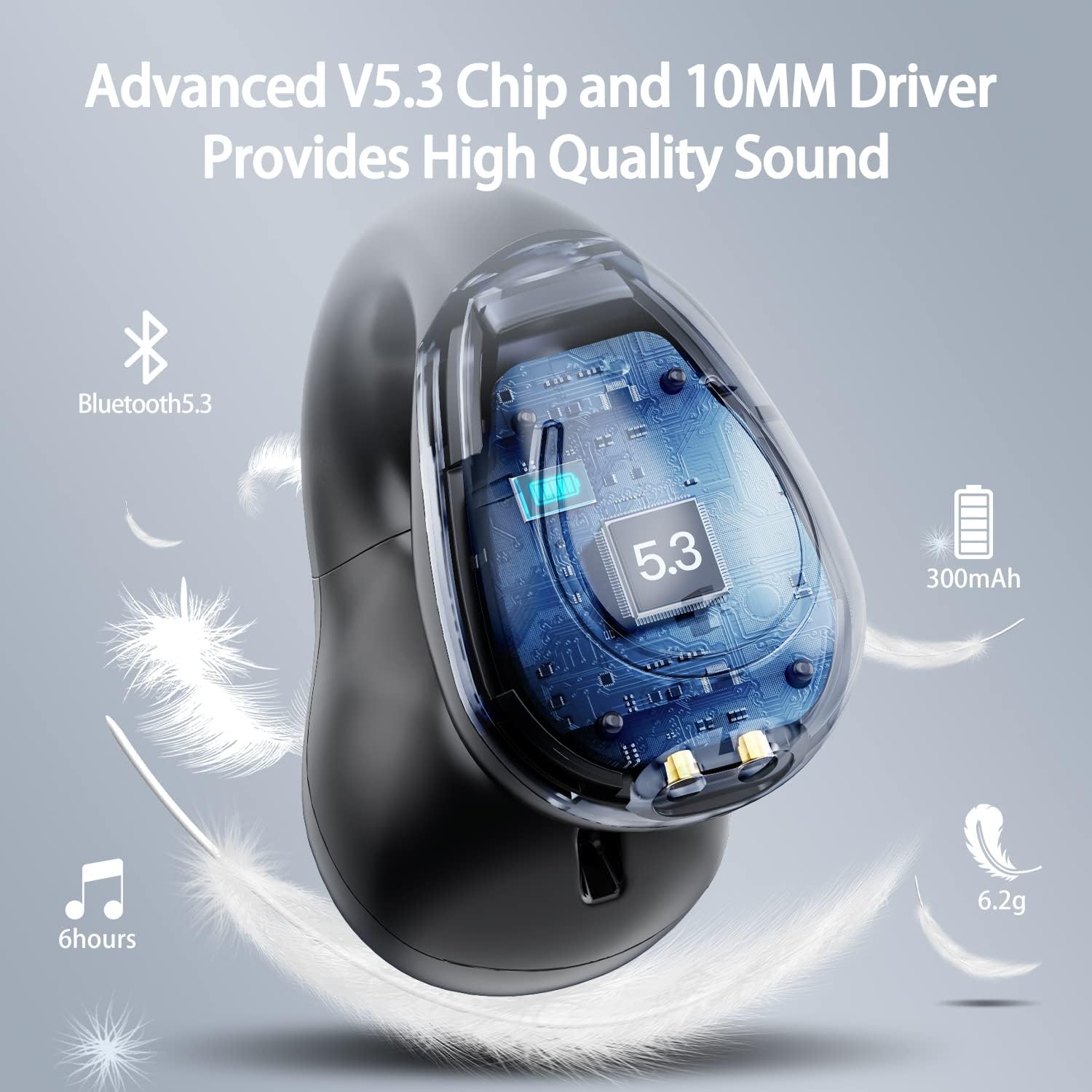
Слика: Пресек view of the Kinganda earbud, highlighting the advanced V5.3 chip and 10mm driver for high-quality sound.

Image: A person wearing the Kinganda Q71 headphones, demonstrating the comfortable and secure open-ear clip design.
Сетуп
Pairing Your Headphones:
- Напуните слушалице: Before first use, ensure both the headphones and the charging case are fully charged. Place the earbuds into the charging case and connect the USB-C cable to a power source. The LED display on the case will indicate charging status.
- Укључено: Отворите кућиште за пуњење. Слушалице ће се аутоматски укључити и ући у режим упаривања.
- Активирајте Блуетоотх: On your device (smartphone, tablet, laptop, etc.), go to the Bluetooth settings and turn on Bluetooth.
- Изаберите уређај: In the list of available Bluetooth devices, look for "YYK-Q71" and select it to connect.
- Потврда: Once connected, you will hear an audio prompt from the headphones, and the device will show "YYK-Q71" as connected.
The headphones are widely compatible with iOS, Android, and Windows devices.

Image: An illustration demonstrating the simple one-step pairing process and wide compatibility of the Kinganda Q71 headphones with various devices.
Упутство за употребу
Пуњење слушалица и футроле:
- Пуњење слушалица: Place the earbuds back into the charging case. They will automatically begin charging. The LED display on the case will show the charging status of each earbud.
- Пуњење кућишта: Connect the provided USB-C cable to the charging port on the case and the other end to a USB power adapter (not included). The LED display will show the battery percentagе случаја.
- A full charge of the earbuds provides approximately 6 hours of playtime. The charging case provides an additional 30 hours of battery life, allowing for multiple recharges on the go.
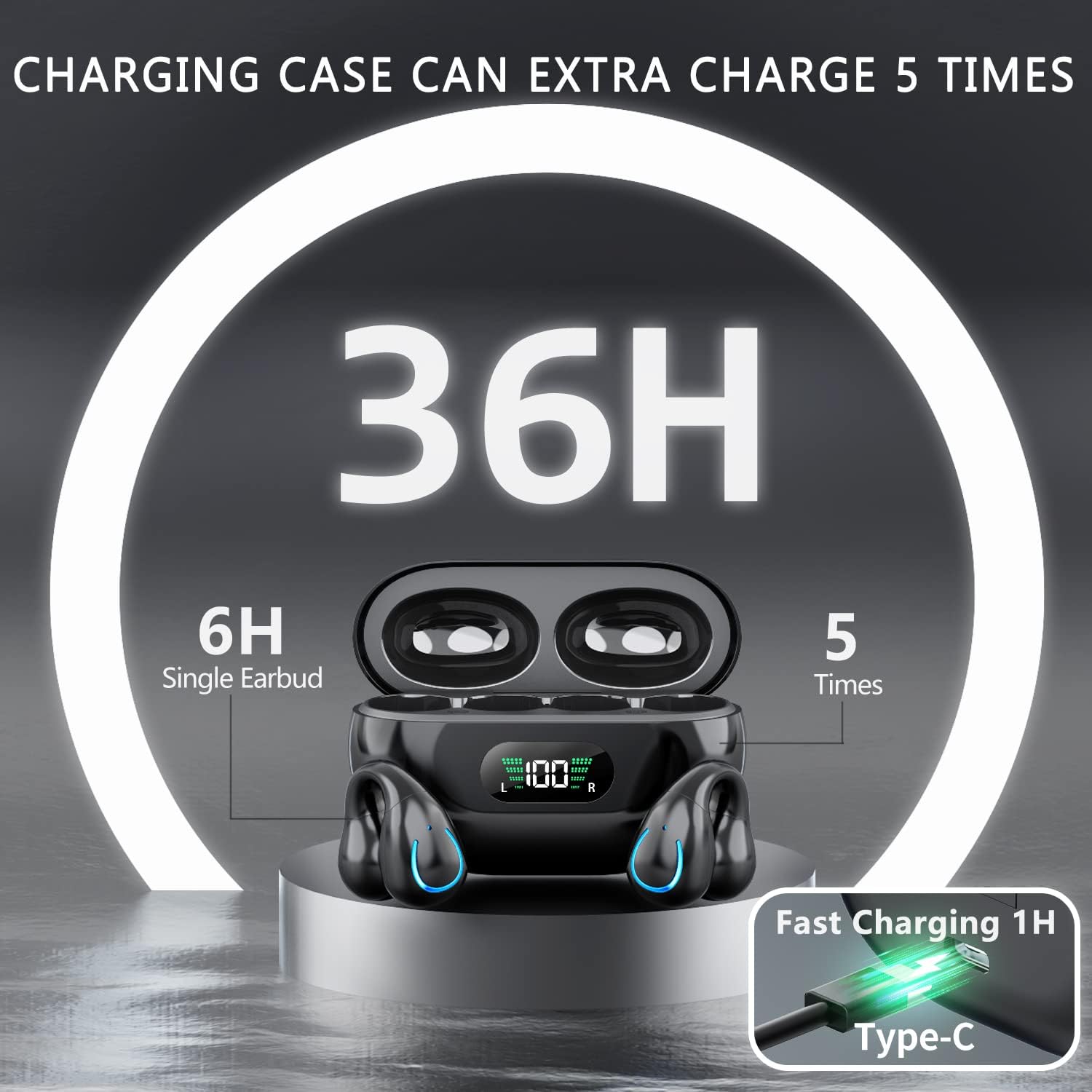
Image: The Kinganda charging case displaying "36H" total playtime, indicating 6 hours from a single earbud charge and 5 additional charges from the case.
Контроле на додир:
The Kinganda Q71 headphones feature physical buttons for precise control, preventing accidental touches.
| Акција | Контрола |
|---|---|
| Укључивање/искључивање | Automatically On/Off when taken out/put into case. |
| Одговори/Заврши позив | Click 1 time (either earbud) |
| Одбаци позив | Press and hold (either earbud) |
| Пусти/паузирај музику | Click 1 time (either earbud) |
| Нект Трацк | Click Right earbud 2 times |
| Превиоус Трацк | Click Left earbud 2 times |
| Активирајте гласовни помоћник (Сири, Гоогле помоћник) | Click 3 times (either earbud) |

Image: Diagram illustrating the one-button physical controls for the Kinganda headphones, including call management, music playback, and voice assistant activation.
Одржавање
Proper maintenance will extend the life of your Kinganda headphones:
- Чишћење: Користите меку, суву крпу која не оставља влакна да бисте очистили слушалице и кућиште за пуњење. Не користите јаке хемикалије, раствараче за чишћење или јаке детерџенте.
- Складиштење: Када се не користе, чувајте слушалице у њиховој футроли за пуњење како бисте их заштитили од прашине и оштећења. Чувајте на хладном и сувом месту.
- Отпорност на воду: While the headphones are IPX7 waterproof (resistant to sweat and light rain), they are not designed for swimming or submersion in water. Avoid exposure to hot water or steam.
- Одржавање батерије: To preserve battery life, charge the headphones regularly, even if not used for extended periods. Avoid fully draining the battery frequently.
Решавање проблема
Ако наиђете на било какве проблеме са слушалицама, погледајте следеће уобичајене проблеме и решења:
Слушалице се не упарују:
- Уверите се да су обе слушалице потпуно напуњене.
- Уверите се да је Блуетоотх омогућен на вашем уређају.
- Place the earbuds back into the charging case, close the lid, wait a few seconds, then open the lid again to re-enter pairing mode.
- Forget "YYK-Q71" from your device's Bluetooth list and try pairing again.
- Ensure the headphones are within the effective Bluetooth range (typically 10 meters/33 feet) of your device.
Само једна слушалица ради:
- Place both earbuds back into the charging case and ensure they are charging correctly.
- Take both earbuds out simultaneously. They should automatically connect to each other.
- If the issue persists, try resetting the headphones (refer to the manufacturer's website or contact support for specific reset instructions if not detailed here).
Лош квалитет звука или прекиди везе:
- Ensure there are no obstructions between your device and the headphones.
- Приближите се уређају да бисте смањили сметње.
- Проверите да ли су слушалице чисте и без прљавштине.
- Покушајте да репродукујете звук из другог извора или апликације.
Слушалице се не пуне:
- Уверите се да је USB-C кабл за пуњење безбедно повезан и са кућиштем и са извором напајања.
- Покушајте да користите други УСБ-Ц кабл или адаптер за напајање.
- Очистите контакте за пуњење на слушалицама и унутар кућишта за пуњење сувим памучним штапићем.
Спецификације
| Феатуре | Детаљ |
|---|---|
| Број модела | Q71 (YYK-Q71) |
| Бранд | Кинганда |
| Технологија повезивања | Бежично (Bluetooth 5.3) |
| Постављање уха | Отворено ухо |
| Форм Фацтор | Цлип Он |
| Контрола буке | Sound Isolation (via ENC Mic) |
| Димензије производа | 3 x 3 x 3 cm; 6.2 g (per earbud) |
| Батерије | 2 литијум-полимерска батерија (укључена) |
| Укључене компоненте | Wireless Headphones, User Manual, USB-C Charging Cable, Wireless Charging Case |
| Боја | Црно |
| Произвођач | Кинганда |
Гаранција и подршка
Kinganda products are manufactured to the highest quality standards. For any warranty claims or technical support, please contact your original retailer or the manufacturer directly. Please retain your proof of purchase for warranty service.
For further assistance, please refer to the contact information provided with your purchase or visit the official Kinganda webсајту.


