
1. Увод
This manual provides essential information for the safe and efficient use of your FLEXISPOT 42-inch Sit-to-Stand Desk Riser. This height-adjustable computer workstation is designed to promote a healthy balance between sitting and standing throughout your workday. Please read these instructions thoroughly before assembly and operation.
2. Безбедносне информације
- Уверите се да су све компоненте добро причвршћене пре употребе.
- Do not exceed the maximum weight capacity of 33 lbs for the desktop and 4.4 lbs for the keyboard tray.
- Keep hands and fingers clear of moving parts during height adjustment to prevent injury.
- Place the desk riser on a stable, level surface.
- Distribute weight evenly on the desktop to maintain stability.
- Држите децу и кућне љубимце даље од уређаја током рада.
3. Садржај пакета
Проверите да ли су сви делови присутни пре почетка монтаже. Ако неки делови недостају или су оштећени, контактирајте корисничку подршку.
- Main Desk Riser Unit
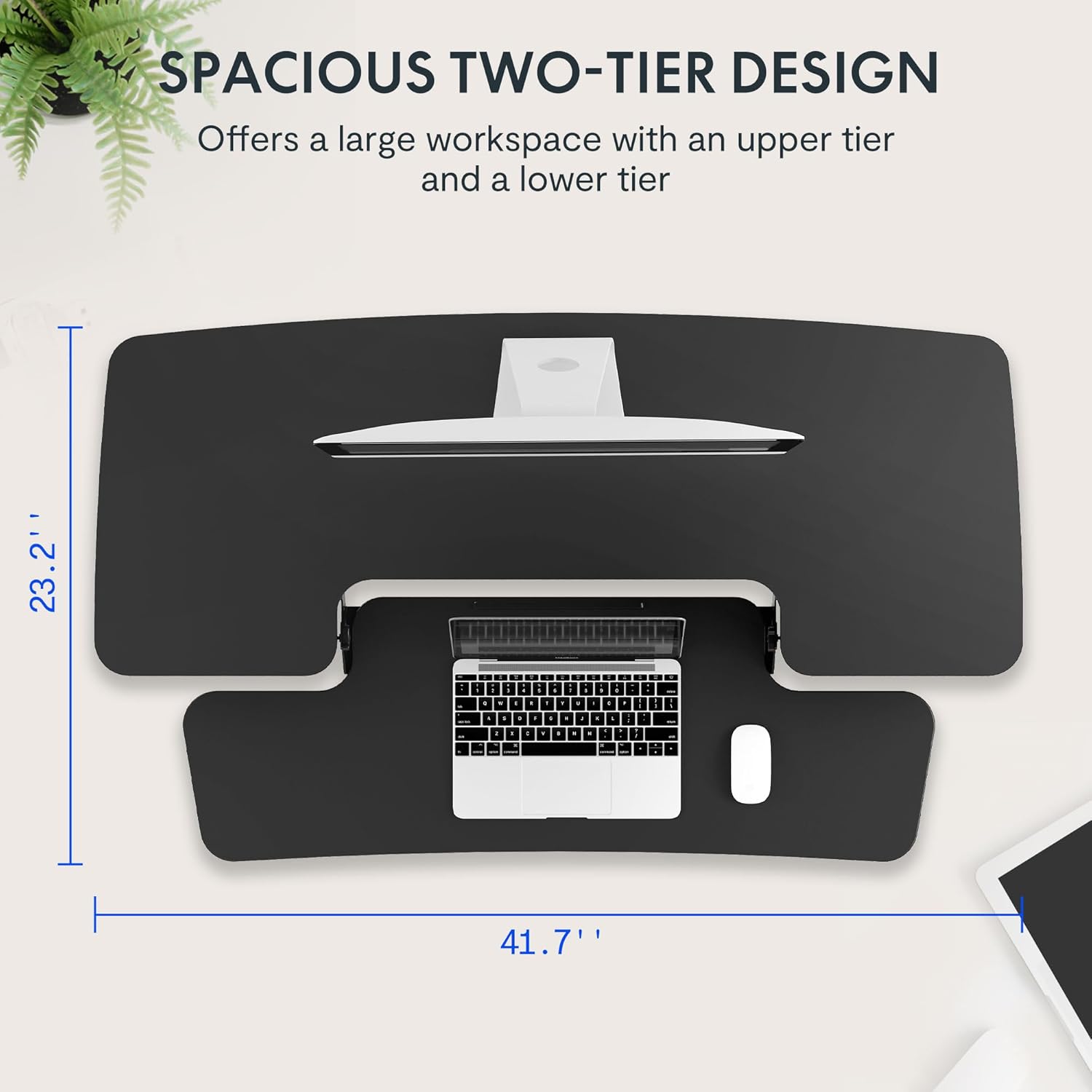
- Removable Keyboard Tray
- Assembly Hardware (screws for keyboard tray)
- Упутство за употребу
4. Упутства за подешавање
The FLEXISPOT Sit-to-Stand Desk Riser is designed for quick and straightforward assembly. Two people are recommended for easier setup.
- Распакујте јединицу: Пажљиво уклоните све компоненте из паковања.
- Position the Main Unit: Place the main desk riser unit on your existing desk or workstation. Ensure it is centered and stable.
- Attach the Keyboard Tray: Align the removable keyboard tray with the designated slots on the underside of the main unit. Slide the tray into place until it clicks securely. Use a Phillips screwdriver (not included) to fasten any provided screws for additional stability.
- Организујте каблове: Utilize the included cable management loops to organize your monitor, keyboard, and mouse cables. Ensure cables have enough slack to accommodate the full range of height adjustment.


5. Упутство за употребу
The desk riser features a spring-assisted lifting mechanism for smooth and effortless height adjustments.
- Подешавање висине: To raise or lower the desk, locate the lever on the right side of the main unit. Squeeze the lever firmly.
- Raising the Desk: While squeezing the lever, gently lift the desktop to your desired standing height. The spring-assisted mechanism will help elevate the unit. Release the lever to lock the desk in place.
- Lowering the Desk: While squeezing the lever, gently push down on the desktop to lower it to your desired sitting height. Release the lever to lock the desk in place.
- Вертикално кретање: The desk riser moves straight up and down within its own footprint, requiring no additional spatial accommodations. The height can be adjusted between 4.7 inches (minimum) and 19.7 inches (maximum).


6. Одржавање
Regular maintenance ensures the longevity and optimal performance of your desk riser.
- Чишћење: Обришите површине меком, дamp тканина. Избегавајте абразивна средства за чишћење или јаке хемикалије које могу оштетити завршни слој.
- инспекција: Периодично проверавајте све завртње и спојеве како бисте били сигурни да су чврсто затегнути. Затегните ако је потребно.
- Покретних делова: The lifting mechanism is designed to be maintenance-free. Do not attempt to lubricate or disassemble it.
КСНУМКС. Решавање проблема
If you encounter any issues with your desk riser, refer to the following common solutions:
- Desk is difficult to adjust: Ensure no objects are obstructing the lifting mechanism. Verify that the weight on the desktop does not exceed the maximum capacity.
- Desk feels unstable: Check that the unit is placed on a flat, stable surface. Ensure all components, especially the keyboard tray, are securely attached. Redistribute weight evenly on the desktop.
- Keyboard tray is loose: Re-check the connection points of the keyboard tray and ensure any fastening screws are tightened.
If problems persist, please contact FLEXISPOT customer support for assistance.
8. Спецификације
| Феатуре | Спецификација |
|---|---|
| Бранд | ФЛЕКСИСПОТ |
| Модел | B0CDWSPYKQ |
| Димензије производа (Д x Ш x В) | 24"Д к 42"Ш к 19.7"В |
| Боја | Црно |
| Врх Врста материјала | Енгинееред Воод |
| Тежина артикла | 52 фунти |
| Минимална висина | 4.7 инча |
| Максимална висина | 19.7 инча |
| Капацитет оптерећења радне површине | 33 лбс |
| Keyboard Tray Load Capacity | 4.4 лбс |
| Рекуиред Ассембли | Yes (Keyboard Tray) |
| Препоручени број људи за скупштину | 2 |

9. Гаранција и подршка
Your FLEXISPOT Sit-to-Stand Desk Riser comes with a limited warranty. For specific details regarding warranty coverage, please refer to the warranty documentation included with your purchase or visit the official FLEXISPOT webсајту.
For technical support, troubleshooting assistance, or warranty claims, please contact FLEXISPOT customer service. You can typically find contact information on the manufacturer's webсајту или путем ваше платформе за куповину.
Подршка на мрежи: Посетите FLEXISPOT Store on Amazon за информације о производу и ресурсе за подршку.