1. Први кораци
1.1 Садржај пакета
Пре него што почнете, уверите се да су сви предмети присутни у вашем пакету:
- 2 x QCY T13X Earbuds
- 1 к кућиште за пуњење
- 3 x Pairs of Eartips (Small, Medium - pre-installed, Large)
- КСНУМКС к УСБ-Ц кабл за пуњење
- 1 к Упутство за употребу
1.2 Почетно пуњење
The earbuds must be fully charged before first use. Place both earbuds into the charging case. Connect the USB-C cable to the charging case and a power source. A full charge takes approximately 120 minutes. If the earbuds are not used for more than two weeks, charge them regularly to maintain battery health.
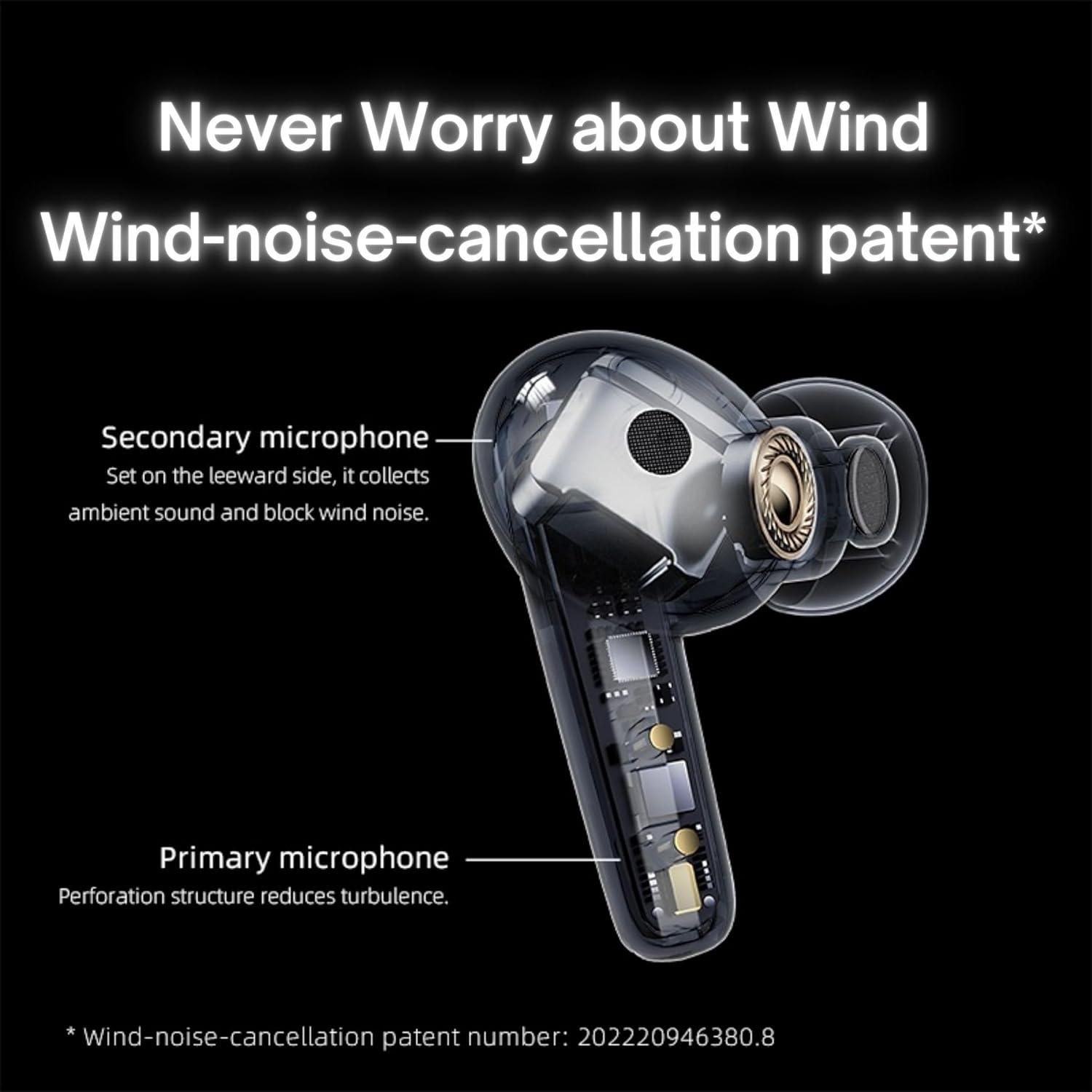
Image: QCY T13X Earbuds in their charging case, connected with a USB-C cable for charging. The image illustrates the charging process and the compact design of the case and earbuds.
1.3 Eartip Selection
For optimal sound quality and comfort, choose the eartips that best fit your ears. The package includes small, medium, and large sizes. The medium size is pre-installed. A proper seal is crucial for bass response and noise isolation.
1.4 Упаривање са вашим уређајем
- Уверите се да су слушалице напуњене и стављене у кутијицу за пуњење.
- Отворите поклопац кућишта за пуњење. Слушалице ће аутоматски ући у режим упаривања.
- На паметном телефону или уређају који подржава Bluetooth идите на подешавања Bluetooth-а.
- Тражи available devices and select "QCY T13X" from the list.
- Када се повежете, чућете тон потврде.

Image: QCY T13X Earbuds and their charging case, highlighting the Bluetooth 5.3 connectivity. This image demonstrates the wireless technology used for pairing.
2. Употреба слушалица
2.1 Укључивање/искључивање
- Укључено: Open the charging case, and the earbuds will automatically power on. Alternatively, press and hold the touch panel on both earbuds for 1-2 seconds.
- Искључивање: Place the earbuds back into the charging case and close the lid. They will automatically power off and begin charging. Alternatively, disconnect them from your device, and they will power off after a few minutes of inactivity.
2.2 Контроле за репродукцију музике
The QCY T13X earbuds feature touch controls for easy management of your audio:
- Пусти/паузирај: Double-tap the touch panel on either earbud.
- Следећа нумера: Трипут додирните десну слушалицу.
- Претходни запис: Трипут додирните леву слушалицу.

Image: A person wearing a QCY T13X earbud, demonstrating the discreet design and the area for touch controls. This image helps visualize how the earbuds are worn and interacted with.
2.3 Управљање позивима
- Одговори/заврши позив: Double-tap the touch panel on either earbud.
- Одбиј позив: Притисните и држите додирну таблу на било којој слушалици 1.5 секунде.
2.4 Контрола јачине звука
Volume control is managed through the QCY application on your smartphone. Download the QCY app to customize settings and adjust volume levels directly.
2.5 QCY Application
For enhanced features and customization, download the official QCY app from your device's app store. The app allows you to:
- Подесите јачину звука.
- Прилагодите контроле додиром.
- Select from various EQ presets (e.g., Pure Vocals, Boosted Original, Soft and Immersive).
- Ажурирајте фирмвер.
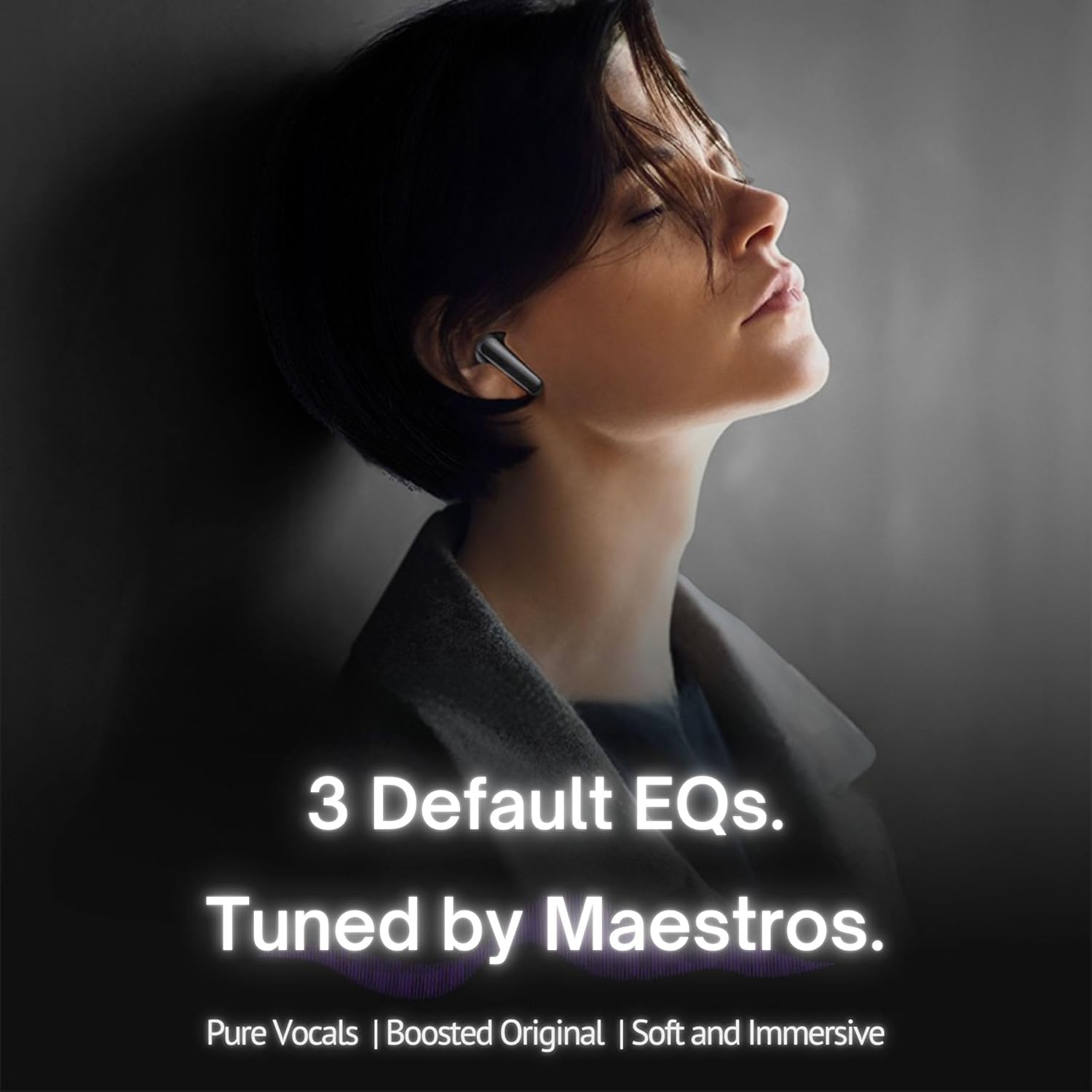
Image: QCY T13X Earbuds with a graphic indicating three default EQ settings: Pure Vocals, Boosted Original, and Soft and Immersive. This highlights the sound customization options available through the app.
2.6 Повезивање више уређаја
The QCY T13X supports seamless switching between multiple paired devices. Once paired with several devices, the earbuds can intelligently connect to the active audio source.

Image: QCY T13X Earbuds shown connected to both a smartphone and a tablet, illustrating the multi-device connectivity feature. This image demonstrates the flexibility of using the earbuds with different devices.
3. Одржавање и њега
3.1 Пуњење слушалица и футроле
The charging case has a capacity of 350 mAh, with each earbud having a 45 mAh battery. A single charge provides up to 8 hours of playback, and the charging case extends total playback time to up to 30 hours. The earbuds support fast charging. Ensure regular charging if not used for extended periods.
3.2 Чишћење
Regularly clean your earbuds and charging case to ensure optimal performance and hygiene. Use a soft, dry, lint-free cloth. For eartips, remove them and gently wipe with a damp крпом, а затим добро осушите пре поновног причвршћивања.
3.3 Складиштење
Store your QCY T13X earbuds in their charging case when not in use. Avoid exposing them to extreme temperatures, such as below 10 degrees Celsius (50°F) or above 60 degrees Celsius (140°F), to prevent battery damage and ensure longevity.
КСНУМКС. Решавање проблема
4.1 Ресетовање на фабричка подешавања
If you experience persistent connection or functionality issues, a factory reset may resolve them:
- Delete the previous connection record for "QCY T13X" from your phone's Bluetooth settings.
- Ставите обе слушалице у кутијицу за пуњење и уверите се да се пуне.
- Притисните и држите дугме на кућишту за пуњење 10 секунде.
- The red and blue LED indicators will flash alternately 3 times, indicating a successful reset.
4.2 Проблеми са повезивањем
- Уверите се да је Блуетоотх омогућен на вашем уређају.
- Make sure the earbuds are charged and within the 10-meter Bluetooth range.
- Покушајте да поново покренете уређај и слушалице.
- Извршите фабричко ресетовање као што је горе описано.
4.3 Проблеми са звуком
- Check the volume levels on both your device and through the QCY app.
- Ensure the eartips provide a proper seal in your ear.
- Очистите све остатке са звучника слушалица.
- If only one earbud is working, try placing both back in the case, closing the lid, and then reopening to re-establish the connection between them.
5. Спецификације
| Феатуре | Спецификација |
|---|---|
| Назив модела | T13X (BH23QT26A) |
| Дривер Сизе | 7.2 мм динамички управљачки програм |
| Микрофони | 4 (ENC Noise Reduction, Mic Amplification, Echo Cancellation) |
| Блуетоотх верзија | 5.3 |
| Блуетоотх домет | До 10 метара |
| Подржани протоколи | ХФП / АКСНУМКСДП / АВРЦП |
| Аудио кодеци | ААЦ, СБЦ |
| Капацитет батерије за слушалице | 45 мАх (сваки) |
| Капацитет батерије кућишта за пуњење | 350 мАх |
| Укупно време репродукције | До 30 сати (са футролом за пуњење) |
| Single Use Playback Time | До 8 сати |
| Време пуњења (футрола) | Прибл. 120 минута |
| Отпорност на воду | ИПКС5 |
| Тежина (ушице) | 6.34г |
| Total Weight (Case + Earbuds) | 48.15г |
| Контролни метод | Додирните |
| Контрола буке | Отказивање активне буке (АНЦ) |
| Фреквенцијски одзив | 20000 КХз |
| Осетљивост | 105 дБ |
| Импеданса | 100 Охмс |

Image: An exploded diagram of a QCY T13X earbud, illustrating the internal 7.2mm dynamic driver. This image provides insight into the audio technology within the earbud.

Image: A detailed diagram of a QCY T13X earbud, highlighting the placement of its multiple microphones for Environmental Noise Cancellation (ENC) and wind noise reduction. This image explains the technology behind clear calls.
6. Гаранција и подршка
6.1 Гаранција произвођача
The QCY T13X Bluetooth Earbuds come with a Двогодишња гаранција произвођачаМолимо вас да сачувате доказ о куповини за евентуалне рекламације у вези са гаранцијом. Гаранција покрива недостатке у материјалу и изради при нормалној употреби.
6.2 Корисничка подршка
For further assistance, technical support, or warranty inquiries, please visit the official QCY website or contact their customer service. You can also refer to the QCY app for additional resources and FAQs.


