1. Увод
The DETONGER P2 is a portable Bluetooth thermal label printer designed for various labeling needs in small businesses, retail, offices, and homes. This device utilizes inkless thermal technology, providing clear and cost-effective label printing. It supports connection via Bluetooth for smartphones and tablets, and USB for PC, offering versatile editing and printing capabilities through dedicated applications.

Слика 1: Предња страна view of the DETONGER P2 Portable Bluetooth Thermal Machine.
2. Први кораци
2.1 Садржај пакета
Проверите да ли су све ставке присутне у вашем пакету:
- DETONGER P2 Machine
- 1 Roll of 1.57'' x 1.18'' Labels (200 pcs)
- Тип-Ц УСБ кабл
- Упутство за употребу (овај документ)
2.2 Пуњење уређаја
Before first use, ensure the P2 machine is fully charged. Connect the provided Type-C USB cable to the printer and a suitable power source (e.g., USB wall adapter, computer USB port). The charging indicator light will show the charging status.
2.3 App Installation (Mobile Devices)
For smartphone and tablet connectivity, install the "WePrint" апликација:
- Open the App Store (for iOS devices) or Google Play Store (for Android devices).
- Тражи "WePrint".
- Преузмите и инсталирајте апликацију.

Figure 2: WePrint App download instructions for mobile devices.
2.4 Software Installation (PC)
For PC connectivity (Windows 10/11 and above), download the "WeiDa" software and P2 Series Label Printer Windows Driver:
- Visit the official DETONGER webсајту.
- Locate and download the "WeiDa" софтвера.
- Download the P2 Series Label Printer Windows Driver.
- Install both the software and the driver on your PC.
2.5 Учитавање етикета
The P2 printer uses thermal labels. To load a new roll:
- Open the label compartment cover on the printer.
- Insert the label roll, ensuring the labels feed correctly through the printing mechanism.
- Добро затворите поклопац.
The included labels are waterproof, oil-proof, tear-proof, and wear-resistant. For optimal longevity, avoid exposing thermal paper to bright light, as this can cause fading.
3. Операција
3.1 Повезивање са мобилним уређајима (Bluetooth)
- Ensure your P2 printer is powered on.
- Омогућите Блуетоотх на паметном телефону или таблету.
- Отворите "WePrint" апликација.
- Within the app, search for and select your P2 printer to establish a Bluetooth connection.
3.2 Connecting to PC (USB)
- Ensure your P2 printer is powered on.
- Connect the P2 printer to your PC using the provided Type-C USB cable.
- Покрените "WeiDa" software on your PC. The software should detect the connected printer.
3.3 Designing and Printing Labels
The WePrint app and WeiDa software offer extensive tools for label design:
- Text and Numbers: Create custom text, numbers, and symbols.
- Graphics and Logos: Import or design graphics and logos.
- Barcodes and QR Codes: Generate various types of barcodes and QR codes.
- Интелигентно препознавање: Utilize voice and picture recognition features for quick label creation.
After designing your label, select the correct label size within the application to prevent printing errors, then initiate the print command.
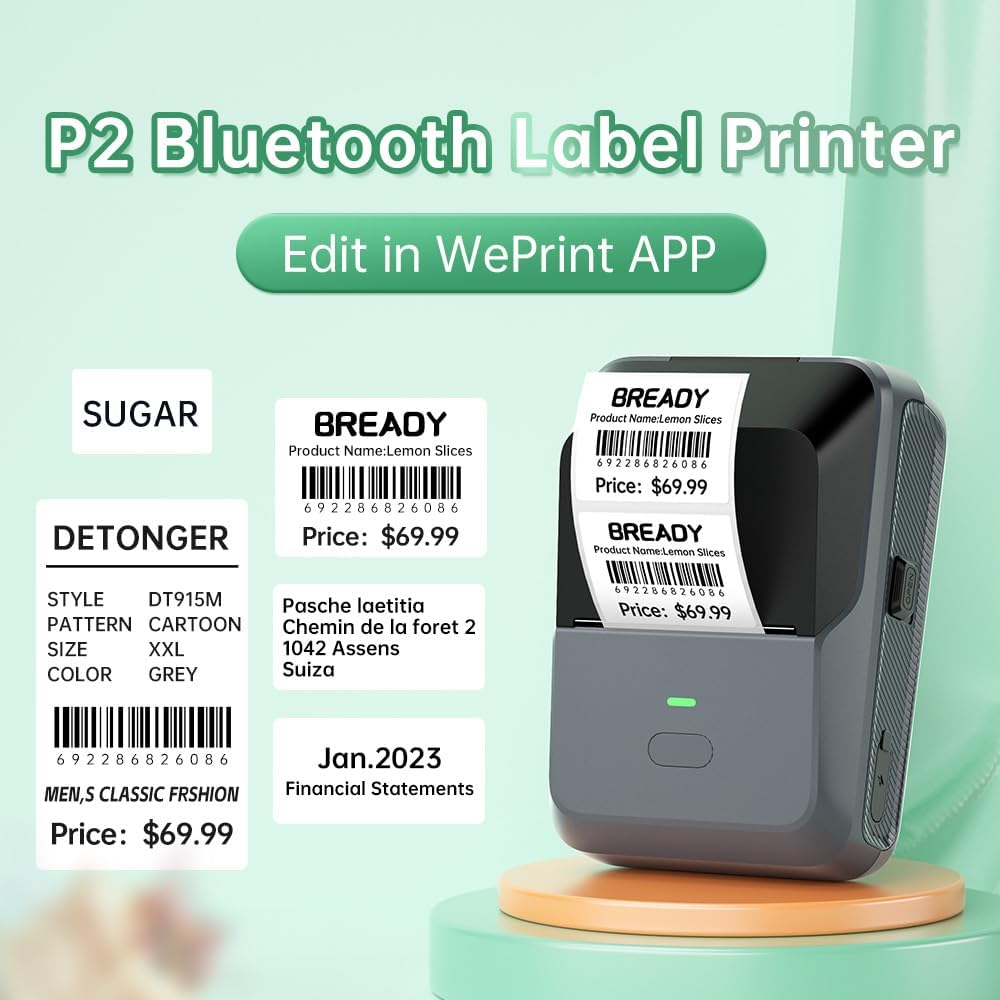
Слика 3: Прample labels created and printed using the WePrint App.
3.4 Label Applications
The DETONGER P2 is suitable for creating a wide range of labels, including:
- Price labels for retail and supermarkets.
- Expiration date labels for food products.
- Cable labels for organization.
- Name labels for personal or office use.
- Brand logos and stickers for small businesses.
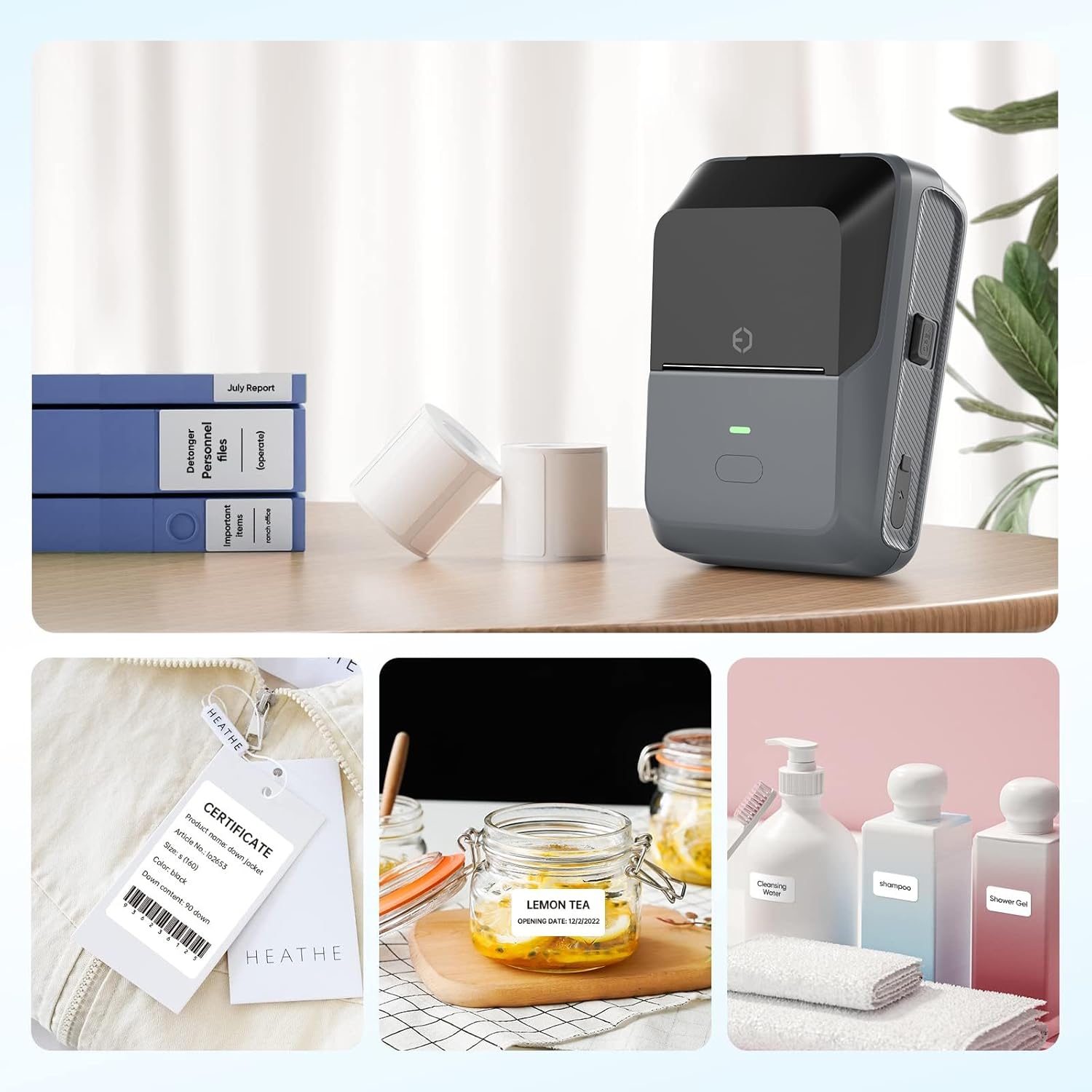
Figure 4: The P2 printer in use, demonstrating various label applications.

Figure 5: Commercial price tag examples for various products.

Слика 6: Прamples of transparent label options.

Слика 7: Прamples of colored label options.
4. Одржавање
4.1 Општа нега
To ensure the longevity and optimal performance of your DETONGER P2 printer:
- Keep the device clean and free from dust. Use a soft, dry cloth for cleaning the exterior.
- Avoid exposing the printer to extreme temperatures or direct sunlight.
- Немојте користити абразивна средства за чишћење или раствараче.
4.2 Складиштење етикета
Thermal labels are sensitive to light and heat. Store unused label rolls in a cool, dry place away from direct sunlight to prevent premature fading.
КСНУМКС. Решавање проблема
5.1 Уобичајена питања и решења
- Printer not connecting via Bluetooth:
Ensure Bluetooth is enabled on your mobile device and the P2 printer is powered on. Connect through the "WePrint" app, not directly through your device's Bluetooth settings, to avoid incompatibility issues. - Лош квалитет штампе или празне етикете:
Check if the label roll is loaded correctly and that the thermal paper is facing the print head. Ensure the printer has sufficient battery charge. - Labels not printing correctly (e.g., cut off, misaligned):
Verify that you have selected the correct label size within the "WePrint" or "WeiDa" application before printing. - PC not detecting printer:
Ensure the USB cable is securely connected and that the "WeiDa" software and P2 Series Label Printer Windows Driver are correctly installed on your PC.
6. Спецификације
| Феатуре | Детаљ |
|---|---|
| Бранд | ДЕТОНГЕР |
| Модел | P2 |
| Технологија повезивања | Блуетоотх, УСБ |
| Технологија штампе | Тхермал |
| Излаз штампача | Моноцхроме |
| Max Monochrome Printing Speed | 70 ппм |
| Максимална величина медија | 1.77 x 2.16 inch (45mm x 55mm) |
| Принт Медиа | Етикете |
| Резолуција скенера | 203 ДПИ |
| Компатибилни уређаји | Laptop Computer, PC, Smartphones |
| Оперативни системи | Андроид, Виндовс, иОС |
| Капацитет батерије | 1800 мАх (литијум јонски) |
| Тежина артикла | 310.5 грама |
| Димензије производа | 6.2 к 8.59 к 12.78 цм |
| Дисплаи Типе | ОЛЕД |
7. Гаранција и подршка
7.1 Free Replacement Service
DETONGER offers a free replacement service for your P2 Label Printer for up to 12 months if the machine fails to start or is too faulty to fix. This service covers manufacturing defects and significant operational failures.
7.2 Служба за кориснике
You can enjoy lifetime prime customer service and technical support. For any inquiries, technical assistance, or to create a cloud account for managing and sharing labels, please contact DETONGER customer service through their official webсајт или контакт информације које су наведене у паковању вашег производа.


