1. Увод
Thank you for choosing the Baseus E13 TWS Bowie Headphones. This manual provides essential information for setting up, operating, and maintaining your new wireless earbuds. Please read it carefully before use to ensure optimal performance and longevity of your device.
2. Садржај пакета
Проверите да ли су све ставке присутне у вашем пакету:
- Baseus E13 TWS Bowie Headphones (Left and Right Earbuds)
- Футрола за пуњење
- УСБ кабл за пуњење
- Јастучићи за уши (разних величина)
- Кориснички приручник (овај документ)

Image: The Baseus E13 TWS Bowie Headphones, including the earbuds, charging case, and the included USB charging cable.
3. Производ је готовview
The Baseus E13 TWS Bowie Headphones feature a compact design with a charging case for portability and extended battery life.

Image: The Baseus E13 TWS Bowie Headphones, showing both earbuds resting in their open charging case.
4. Подешавање
4.1 Пуњење слушалица и футроле
- Почетна наплата: Пре прве употребе, потпуно напуните слушалице и кућиште за пуњење.
- Пуњење кућишта: Connect the provided USB charging cable to the charging port on the case and a compatible USB power source. The indicator light on the case will show charging status.
- Пуњење слушалица: Place the earbuds into the charging case. Ensure they are correctly seated; the indicator lights on the earbuds will confirm charging.
Потпуно пуњење обезбеђује до 30 сати укупног времена репродукције са кућиштем за пуњење.
4.2 Блуетоотх упаривање
- Укључено: Отворите кућиште за пуњење. Слушалице ће се аутоматски укључити и ући у режим упаривања.
- Активирајте Блуетоотх: На свом уређају (паметном телефону, таблету итд.) омогућите Блутут.
- Изаберите уређај: Тражи "Baseus E13" in the list of available Bluetooth devices and select it to connect.
- Потврда: Гласовна упозорење ће потврдити успешно упаривање.
Слушалице ће се аутоматски поново повезати са последњим упареним уређајем када се изваде из футроле, ако је Блутут омогућен на уређају.
4.3 Контрола апликација
Enhance your experience by downloading the official Baseus app. The app allows for customizable controls, EQ settings, and other features.
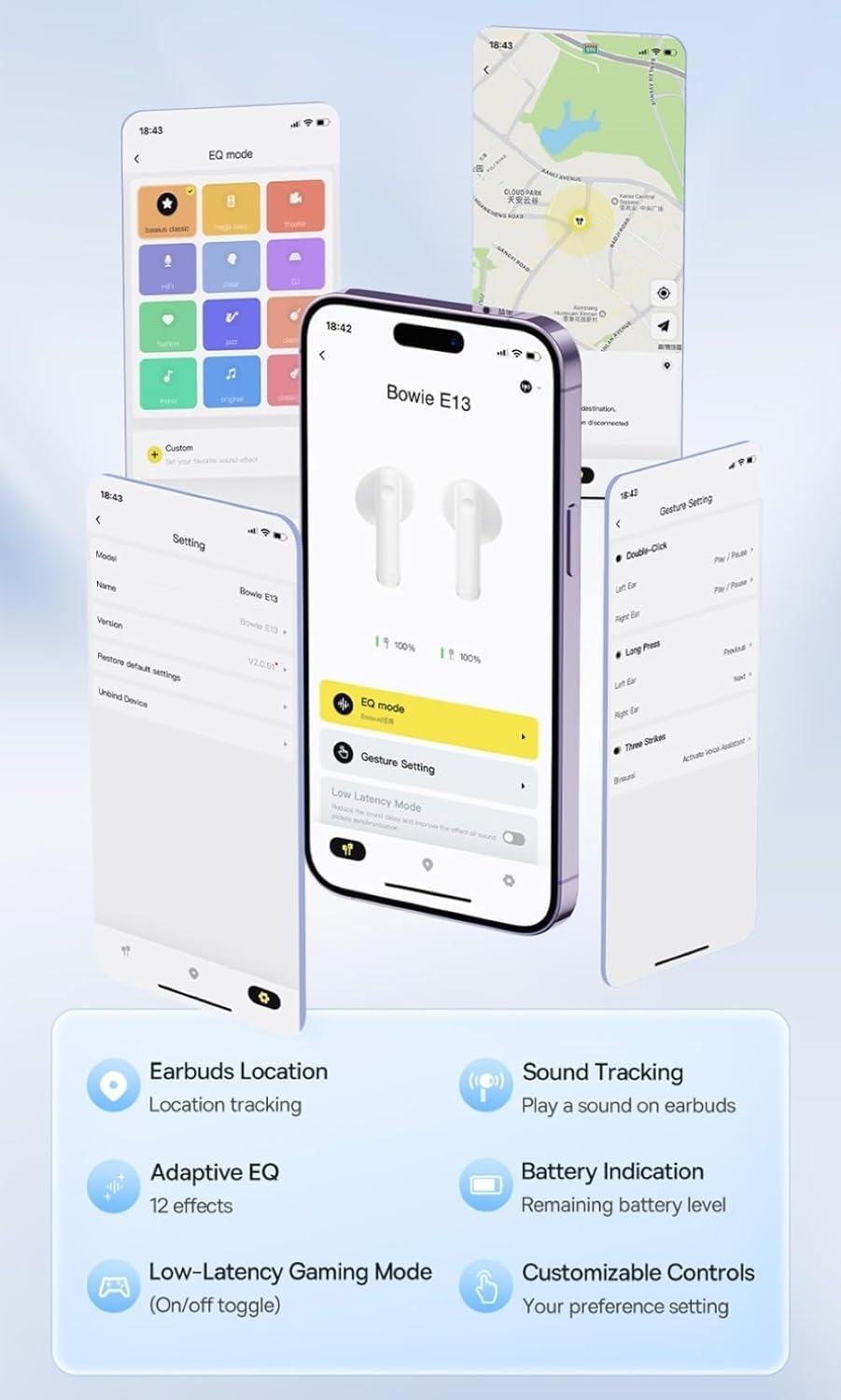
Image: Multiple smartphone screens displaying the Baseus app interface, highlighting features such as EQ mode, gesture settings, low-latency gaming mode, earbud location tracking, sound tracking, adaptive EQ with 12 effects, battery indication, and customizable controls.
5. Операција
5.1 Основне контроле
The Baseus E13 TWS Bowie Headphones feature touch controls for easy management of audio and calls. Specific gestures can be customized via the Baseus app.
- Пусти/паузирај: Један додир на обе слушалице.
- Следећа нумера: Двапут додирните десну слушалицу.
- Претходни запис: Двапут додирните леву слушалицу.
- Одговори/заврши позив: Један додир на обе слушалице.
- Одбиј позив: Дуго притисните било коју слушалицу.
- Активирање гласовног помоћника: Трипут додирните било коју слушалицу.
5.2 Low-Latency Gaming Mode
For an optimized gaming experience, activate the 0.06s ultra-low latency gaming mode through the Baseus app. This reduces audio delay, providing faster response times.
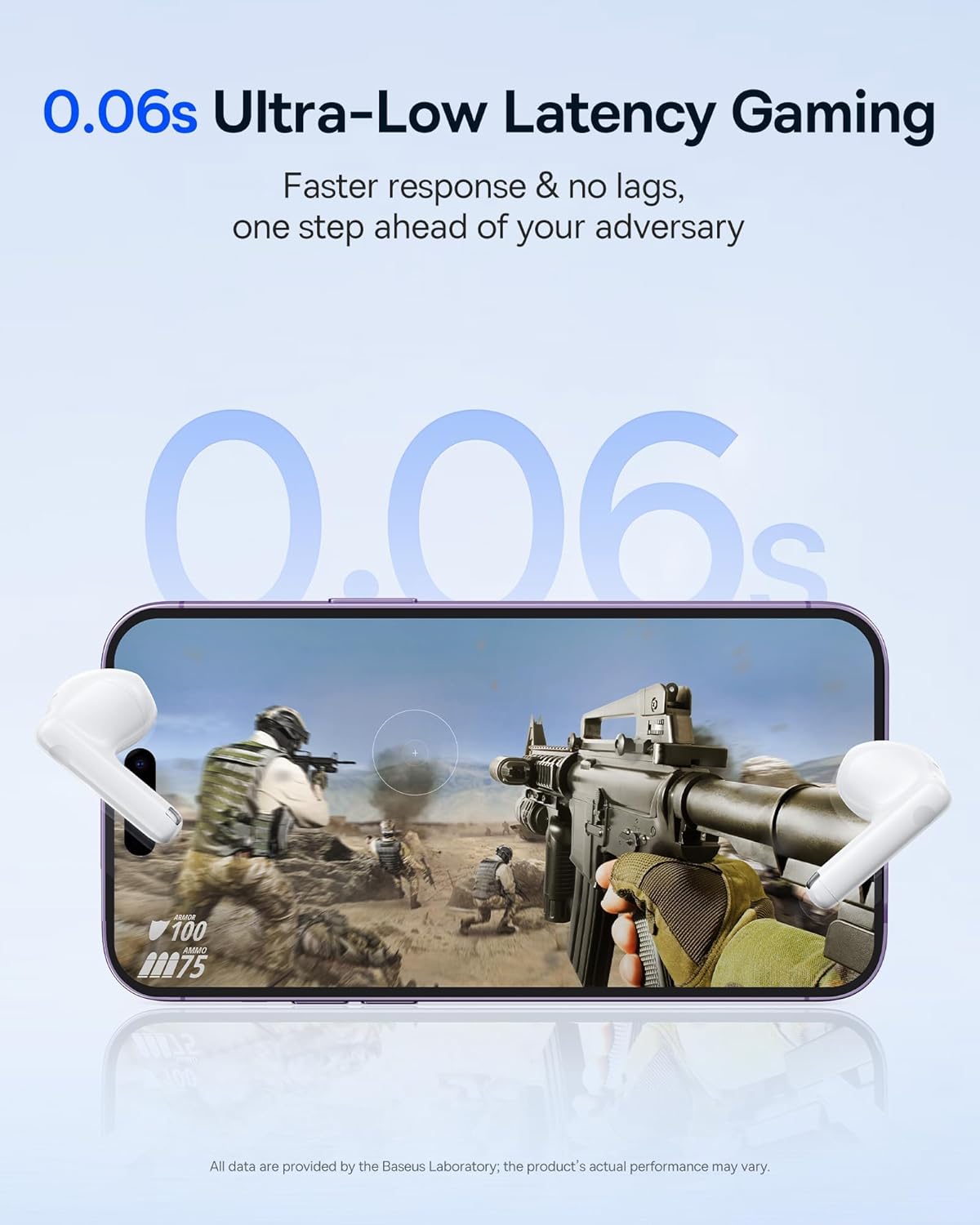
Image: The Baseus E13 TWS Bowie Headphones positioned near a smartphone screen displaying a fast-paced first-person shooter game, emphasizing the 0.06s ultra-low latency feature for gaming.
5.3 Аудио репродукција
Enjoy up to 30 hours of continuous audio playback with the assistance of the charging case. Each earbud provides several hours of playback on a single charge, with the case offering multiple recharges.

Image: The Baseus E13 TWS Bowie Headphones and their charging case, overlaid with a graphic prominently displaying '30H', signifying the total audio playback time achievable with the case.
5.4 Квалитет звука
The earbuds are equipped with a large 12mm diaphragm, designed to restore each note with remarkable depth and accuracy, providing a powerful low-frequency audio experience.

Image: A detailed cutaway diagram of a Baseus E13 TWS earbud, focusing on the internal structure of the large 12mm diaphragm and its contribution to sound quality.
5.5 Повезивање
Utilizing Bluetooth 5.3 technology, the headphones offer a faster and more stable wireless connection, ensuring smooth audio transmission and enhanced sound quality.

Слика: Провидни view of a Baseus E13 TWS earbud, revealing its internal circuitry and specifically highlighting the integrated Bluetooth 5.3 chip for advanced wireless connectivity.
6. Ношење слушалица
The earbuds are designed with a mini stem and a lightweight profile, featuring a 45° wearing angle for a comfortable and secure fit.

Image: A woman wearing a Baseus E13 TWS earbud, illustrating the ergonomic design with a mini stem and lightweight construction for a comfortable user experience.
7. Одржавање
- Чишћење: Редовно чистите слушалице и кућиште за пуњење меком, сувом крпом која не оставља влакна. Не користите јаке хемикалије или абразивне материјале.
- Отпорност на воду: The earbuds are water resistant. Avoid submerging them in water or exposing them to excessive moisture. Dry thoroughly if they come into contact with liquids.
- Складиштење: Када се не користе, чувајте слушалице у њиховој футроли за пуњење како бисте их заштитили и одржали напуњеним. Чувајте их на хладном и сувом месту, даље од екстремних температура.
- Одржавање батерије: Да бисте продужили век трајања батерије, избегавајте често потпуно пражњење слушалица и футроле. Редовно их пуните, чак и ако их не користите стално.
КСНУМКС. Решавање проблема
If you encounter issues with your Baseus E13 TWS Bowie Headphones, refer to the following common solutions:
- Нема звука:
- Уверите се да су слушалице напуњене.
- Проверите Блутут везу са вашим уређајем.
- Adjust volume on both earbuds and connected device.
- Слушалице се не упарују:
- Вратите слушалице у футролу, затворите их, а затим их поново отворите да бисте поново ушли у режим упаривања.
- Forget "Baseus E13" from your device's Bluetooth list and attempt to pair again.
- Ensure earbuds are within range of your device.
- Проблеми са наплатом:
- Verify the charging cable is securely connected to both the case and power source.
- Покушајте са другим УСБ портом или адаптером за напајање.
- Ensure charging contacts on earbuds and in case are clean and free of debris.
- Једна слушалица не ради:
- Уверите се да су обе слушалице напуњене.
- Try resetting the earbuds (refer to app or Baseus support for specific instructions).
9. Спецификације
| Бранд | Басеус |
| Назив модела | E13 TWS |
| Технологија повезивања | Бежично (Bluetooth 5.3) |
| Постављање уха | Ин Еар |
| Форм Фацтор | Труе Вирелесс |
| Импеданса | 32 Охм |
| Тип контроле | Touch controls, App |
| Материјал | Пластика |
| Тежина артикла | 0.07 килограма |
| Ниво отпорности на воду | Отпоран на воду |
| Максимална радна удаљеност | 10 метара |
| Просечан век трајања батерије | До 30 сати (са футролом за пуњење) |
| Посебне карактеристике | 0.06s ultra-low latency, Faster and more stable 5.3 wireless chip, Lightweight and Mini Design, Powerful low frequency controller |
10. Гаранција и подршка
Baseus products are designed for reliability and performance. For warranty information, please refer to the warranty card included with your purchase or visit the official Baseus website. For technical support or further assistance, please contact Baseus customer service or visit the Басеус продавница на Амазону.


