1. Увод
The WOLFANG Seeker One is a high-performance action camera designed to capture your adventures in stunning 4K 60FPS Ultra HD. Featuring a robust, waterproof design, dual color screens, and advanced image stabilization, it is suitable for various outdoor activities. This manual provides essential information for setting up, operating, and maintaining your camera.

Слика 1.1: The WOLFANG Seeker One Action Camera, showcasing its front lens and the vibrant front display screen.
2. Садржај пакета
Проверите да ли су све ставке присутне у вашем пакету:
- WOLFANG Seeker One Action Camera
- Rechargeable Lithium-ion Battery (1200mAh)
- УСБ-Ц кабл за пуњење
- Various Mounting Accessories (e.g., helmet mounts, adhesive mounts, bicycle mount)
- Упутство за употребу

Слика 2.1: Ан оверview of the WOLFANG Seeker One camera and its comprehensive set of included mounting accessories.
3. Подешавање
3.1. Инсталација и пуњење батерије
- Пронађите одељак за батерију на фотоапарату.
- Insert the 1200mAh Lithium-ion battery, ensuring correct polarity.
- Добро затворите одељак за батерије.
- Connect the camera to a USB power source using the provided USB-C cable to charge. The charging indicator will illuminate.
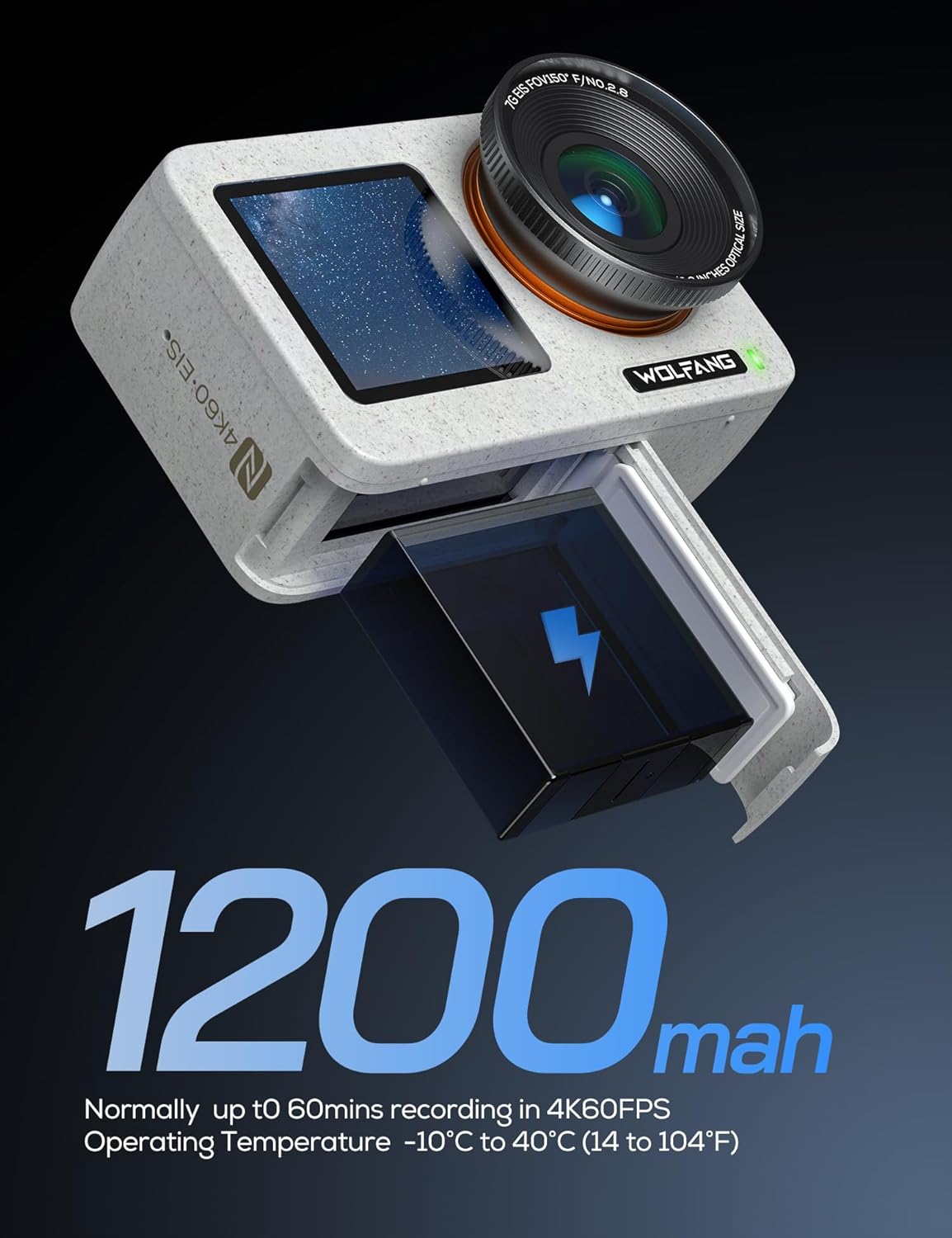
Слика 3.1: The WOLFANG Seeker One camera with its 1200mAh battery, illustrating the battery insertion process.
3.2. Уметање микро СД картице
A Micro SD card (not included) is required for recording. Ensure the card is Class 10 or higher and formatted before first use.
- Open the Micro SD card slot cover.
- Уметните Micro SD картицу са контактима окренутим у исправном смеру док не кликне на своје место.
- Затворите поклопац.
3.3. Укључивање/искључивање
- To power on: Press and hold the Power/Mode button.
- To power off: Press and hold the Power/Mode button again.
4. Руковање камером
4.1. Двоструки екран
The Seeker One features a 2.45-inch rear IPS touchscreen and a 1.4-inch front screen. The front screen is ideal for vlogging and selfies, while the rear screen provides a larger view for framing and menu navigation.
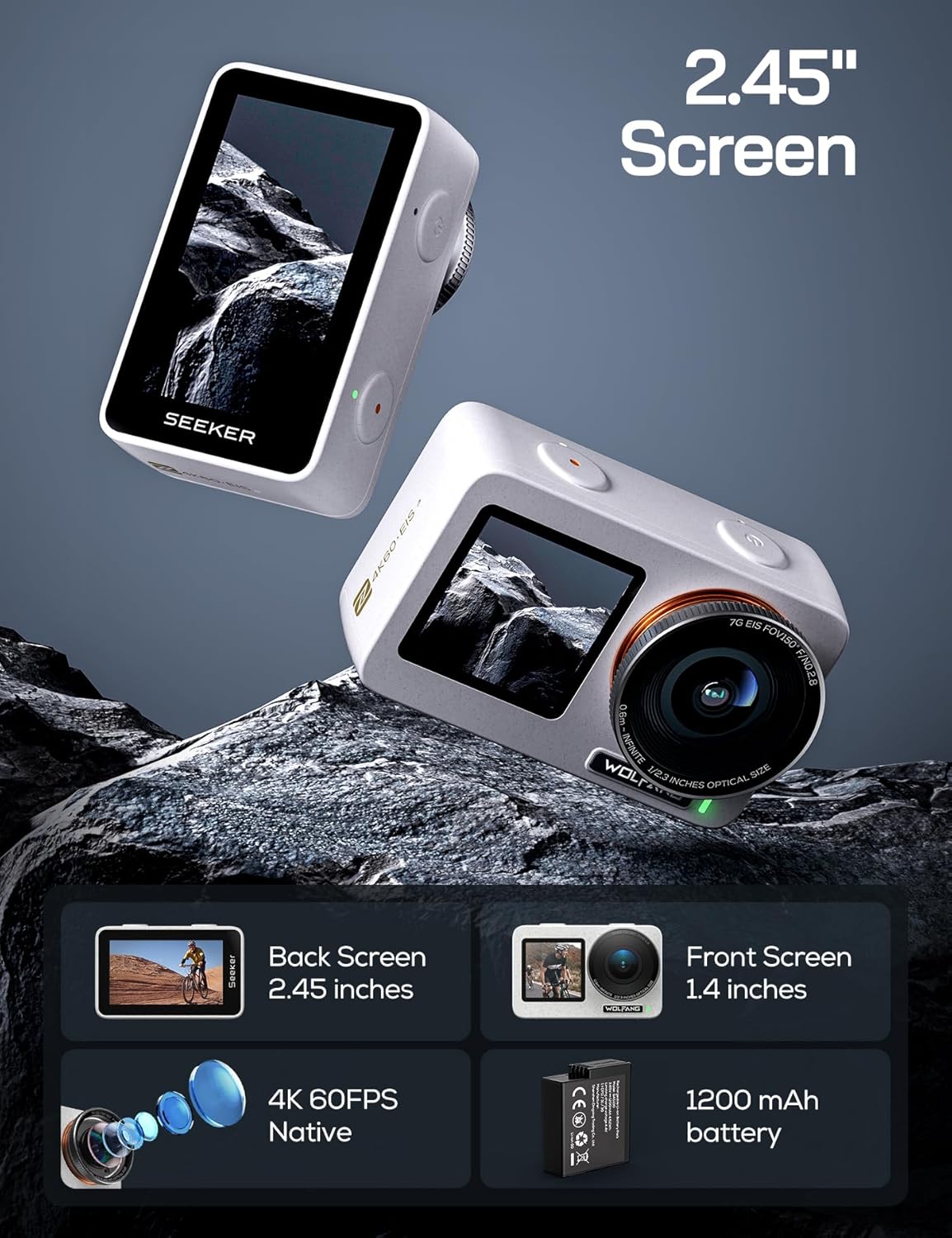
Слика 4.1: The WOLFANG Seeker One camera, illustrating its dual screen functionality, 4K 60FPS video capability, and 1200mAh battery.
4.2. Видео снимање
The camera supports native 4K video recording at 60 frames per second (4K/60FPS) with an Ambarella H22 chip, ensuring high-quality footage at 100 Mbps. It also features 4K HDR video mode for enhanced dynamic range.
- Select video mode using the Power/Mode button or touchscreen.
- Притисните дугме затварача да бисте започели снимање.
- Поново притисните дугме Схуттер да зауставите снимање.

Слика 4.2: Детаљно view of the WOLFANG Seeker One's lens, highlighting its capability for native 4K 60FPS video recording.
4.3. Снимање фотографија
Capture high-resolution still images with an effective resolution of 8 Megapixels.
- Select photo mode.
- Притисните дугме за снимање да бисте снимили фотографију.
4.4. Image Stabilization (Go APE Stabilization)
The camera incorporates "Go APE Stabilization" technology to reduce motion blur and noise, providing smoother footage even in dynamic environments.
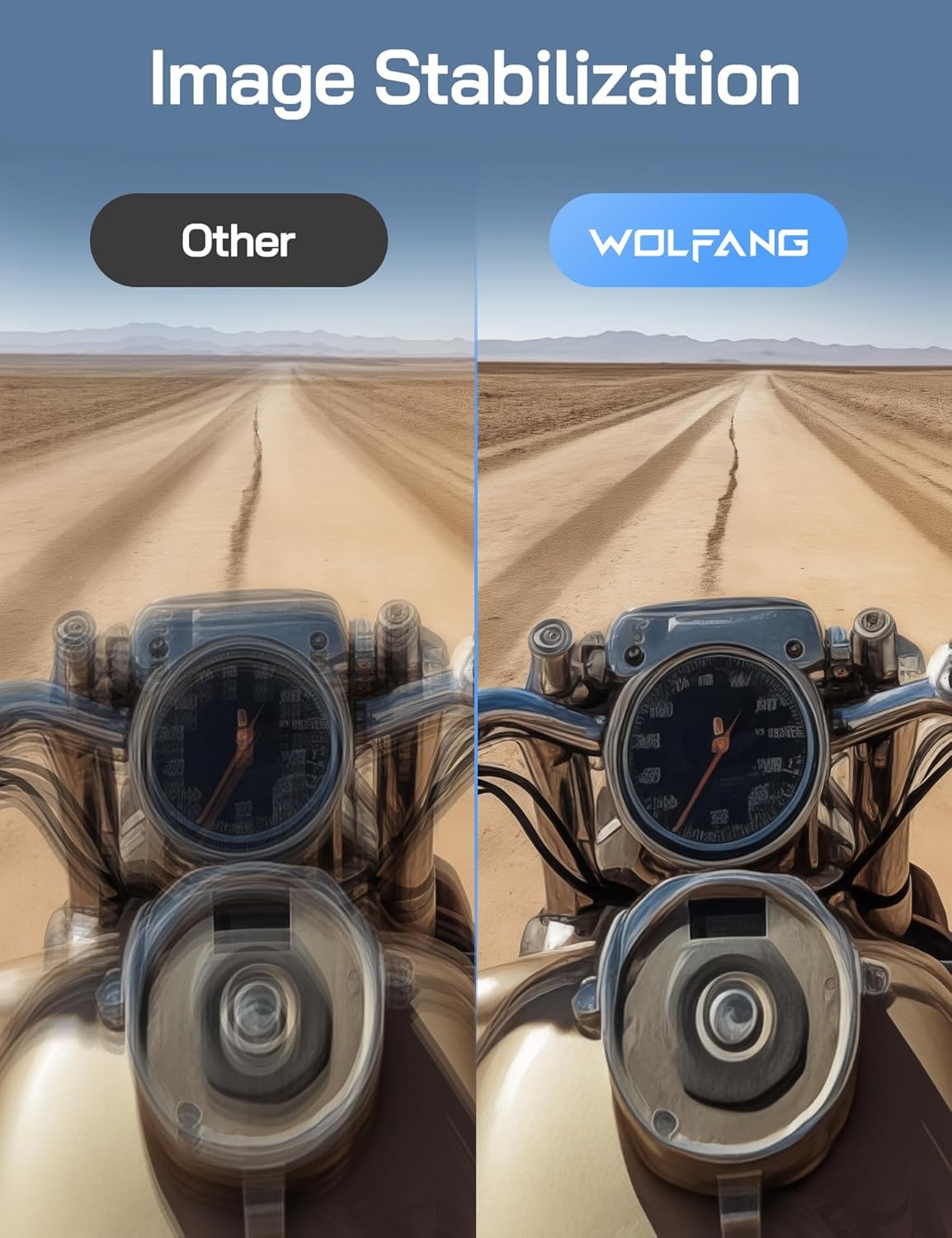
Слика 4.3: A visual comparison demonstrating the effectiveness of WOLFANG's Go APE Image Stabilization technology in reducing blur and noise in video recordings.
4.5. Waterproof Capability
The Seeker One is designed to be waterproof up to 16 feet (approximately 5 meters) without an additional housing. For deeper underwater use, a separate protective frame is required (not included).
4.6. Connectivity and Go APE App
The camera supports Wi-Fi and NFC connectivity. Download the Go APE App to your smartphone or tablet to control the camera remotely, access creative modes, utilize AI auto-editing features, and share your content instantly.
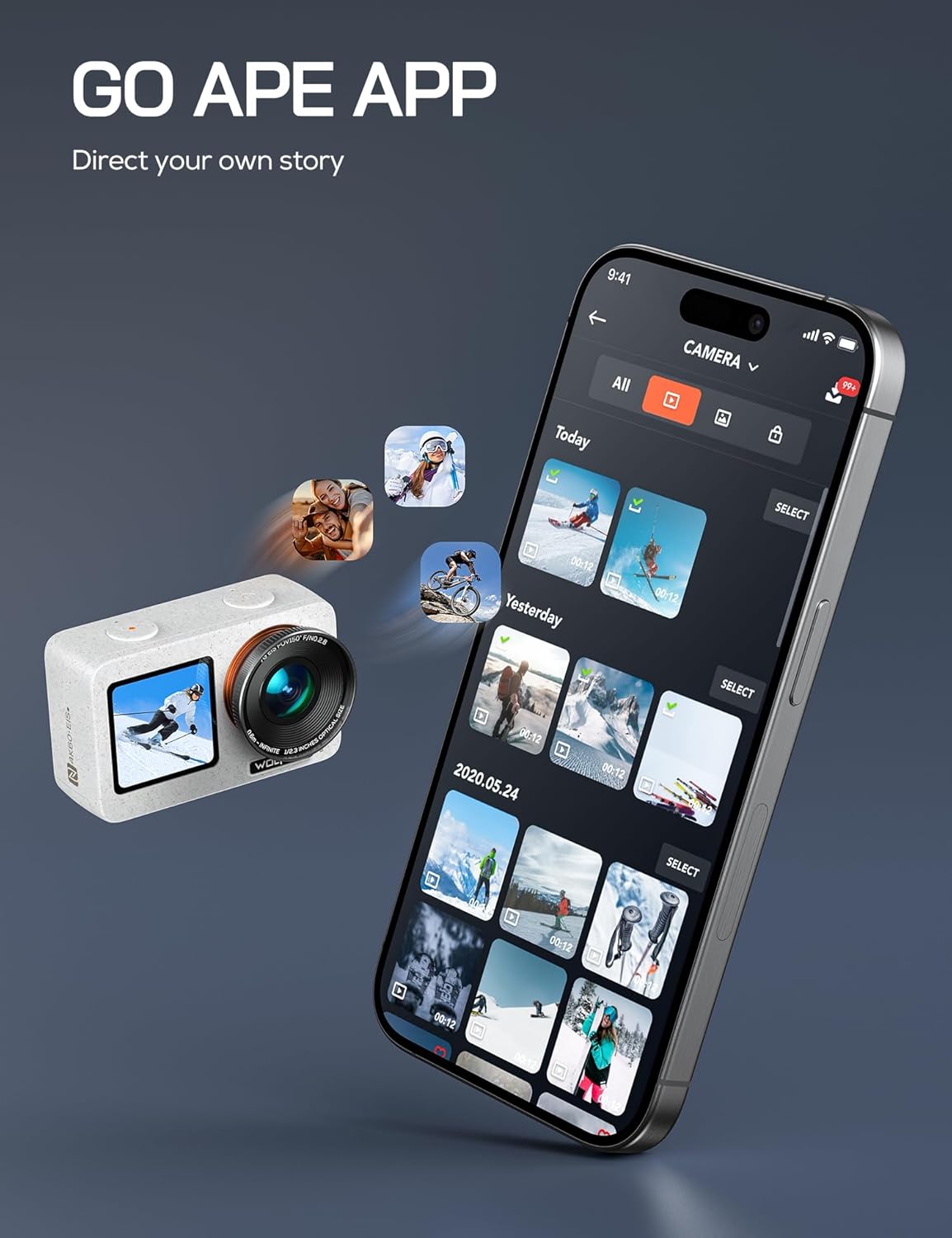
Слика 4.4: The WOLFANG Seeker One camera interacting with the Go APE mobile application, showing content management and sharing features.
4.7. Посебне карактеристике
- Круг: Снимајте секвенце слика током времена да бисте креирали динамичне убрзане видео записе.
- WebФункционалност камере: Connect the camera to your computer for use as a webцам.
- Пренос уживо: Utilize the camera for live streaming capabilities.
5. Одржавање
5.1. Чишћење камере
- Користите меку крпу која не оставља влакна да бисте очистили кућиште камере и екране.
- За сочиво користите специјализовану крпу и раствор за чишћење сочива. Избегавајте абразивне материјале.
- Ensure all ports and covers are clean and free of debris, especially before using in wet conditions.
5.2. Брига о батерији
- Чувајте батерије на хладном и сувом месту када нису у употреби.
- Избегавајте често потпуно пражњење батерије како бисте продужили њен век трајања.
- Не излажите батерије екстремним температурама.
5.3. Складиштење
When storing the camera for extended periods, remove the battery and store the camera in a protective case to prevent dust and damage.
КСНУМКС. Решавање проблема
6.1. Камера се не укључује
- Уверите се да је батерија потпуно напуњена.
- Проверите да ли је батерија правилно уметнута.
- Try a different battery if available.
6.2. Проблеми са снимањем
- Verify that a Micro SD card is inserted and has sufficient free space.
- Ensure the Micro SD card is formatted correctly (FAT32 for cards up to 32GB, exFAT for cards over 32GB).
- Check the card's speed rating; a Class 10 or UHS-I (U1 or U3) card is recommended for 4K recording.
6.3. Connectivity Problems (Wi-Fi/NFC)
- Ensure Wi-Fi/NFC is enabled on both the camera and your mobile device.
- Поново покрените оба уређаја.
- Make sure your mobile device is within range of the camera's Wi-Fi signal.
6.4. Проблеми са квалитетом слике
- Очистите сочиво камере.
- Обезбедите одговарајуће услове осветљења.
- Check camera settings for resolution, frame rate, and stabilization.
7. Спецификације
| Феатуре | Спецификација |
|---|---|
| Бранд | ВОЛФАНГ |
| Модел | СЕЕКЕР ОНЕ |
| Боја | ВХИТЕ |
| Видео Ресолутион | 4K (60FPS) |
| Ефективна резолуција мировања | 8 мегапиксела |
| Стабилизација слике | Go APE Stabilization (True) |
| Екрани | Dual (Rear IPS Touchscreen 2.45", Front 1.4") |
| Водоотпорни ниво | До 16 стопе (5 метара) |
| Повезивање | Wi-Fi, NFC |
| Подржано складиште | Micro SD (Class 10 or higher) |
| Тип батерије | Литијум-јонска (1200 mAh) |
| Дигитални зум | 6x |
| Отвор бленде | ф/2 |
| Формат видео снимања | МП4 |
| Подржани аудио формат | ААЦ |
| Тежина артикла | 980 грама |
| Гаранција произвођача | 1 година |
8. Гаранција и подршка
8.1. Гаранција произвођача
The WOLFANG Seeker One Action Camera comes with a 1-годишња гаранција произвођача од датума куповине. Ова гаранција покрива недостатке у материјалу и изради при нормалној употреби. Молимо вас да сачувате доказ о куповини за потребе подношења захтева за гаранцију.
8.2. Корисничка подршка
For technical assistance, troubleshooting, or warranty inquiries, please contact WOLFANG customer support. You can also find additional resources, firmware updates, and community support through the Go APE App or official WOLFANG online channels.


