1. Увод
The WHATOOK 2-in-1 Computer Vacuum Cleaner and Compressed Air Duster Blower is a versatile and powerful tool designed for efficient cleaning of electronic devices, car interiors, and various household items. Featuring a high-speed motor, adjustable airflow modes, and a rechargeable battery, this device offers both blowing and suction capabilities to effectively remove dust, debris, and dirt from hard-to-reach areas. Its portable and cordless design, coupled with multiple nozzles and brushes, makes it an ideal solution for comprehensive cleaning tasks.

Figure 1.1: The WHATOOK 2-in-1 Computer Vacuum Cleaner and Air Duster, showcasing the main unit, various nozzles, cleaning brushes, and USB-C charging cable.
2. Безбедносне информације
Пажљиво прочитајте сва безбедносна упутства пре употребе уређаја. Непоштовање ових упутстава може довести до струјног удара, пожара или озбиљних повреда.
- Keep the device away from water and other liquids. Do not operate with wet hands.
- Do not block the air intake or outlet during operation to prevent overheating.
- Use only the provided Type-C charging cable and a compatible power adapter (not included) for charging.
- Не растављајте, не поправљајте и не модификујте уређај сами. За помоћ контактирајте корисничку подршку.
- Држати ван домашаја деце и кућних љубимаца. Овај уређај није играчка.
- Avoid pointing the air duster directly at eyes, ears, or other sensitive body parts.
- Do not use the device in environments with flammable gases or liquids.
- Чувајте уређај на хладном и сувом месту када се не користи.
3. Садржај пакета
Проверите да ли су све ставке присутне у пакету:
- WHATOOK 2-in-1 Computer Vacuum Cleaner / Air Duster Unit
- УСБ кабл за пуњење типа Ц
- 8 x Interchangeable Nozzles (various shapes and sizes for blowing and vacuuming)
- 3 x Cleaning Brushes (for different cleaning needs)
- Торба за складиштење
- Кориснички приручник (овај документ)

Figure 3.1: Visual representation of the items included in the product package, including the main unit, various attachments, charging cable, and storage bag.
4. Подешавање
4.1 Пуњење уређаја
Before first use, fully charge the device. Connect the provided USB Type-C charging cable to the charging port on the device and plug the other end into a compatible USB power source (e.g., wall adapter, computer USB port, power bank). The LED indicator will show charging status and turn off when fully charged.
- Време пуњења: Приближно 3 сата за потпуно пуњење.
- Runtime: Up to 50 minutes depending on the speed setting.

Figure 4.1: The device connected to a power source via its USB Type-C charging cable, illustrating convenient and fast charging capabilities.
4.2 Причвршћивање млазница
Select the appropriate nozzle for your cleaning task. The device supports both blowing and vacuuming functions, each requiring specific nozzle attachments.
- For Blowing Mode: Firmly push the desired blowing nozzle onto the front air outlet of the device until it clicks into place.
- За режим вакуума: Attach the vacuum collection cup to the rear of the device, then firmly push the desired vacuum nozzle onto the opening of the collection cup.

Figure 4.2: Step-by-step guide on how to properly install nozzles for both the blowing and vacuuming functions of the device.
5. Упутство за употребу
5.1 Powering On/Off and Adjusting Speed
The device features three adjustable airflow modes for versatile cleaning.
- За укључивање/искључивање: Дуго притисните дугме за напајање 3 секунде.
- Да бисте подесили брзину: Када је укључено, кратко притисните дугме за напајање да бисте прелазили кроз три подешавања брзине:
- Брзина 1 (мала брзина): 60,000 RPM / 6,000 PA (approx. 55 minutes runtime)
- Gear 2 (Medium Speed): 80,000 RPM / 8,000 PA (approx. 35 minutes runtime)
- Брзина 3 (велика брзина): 100,000 RPM / 10,000 PA (approx. 20 minutes runtime)

Figure 5.1: Illustration of the three-speed control system, detailing the motor speed, pressure, and approximate runtime for each gear.
5.2 Using Blowing Mode (Air Duster)
Attach a blowing nozzle. Point the nozzle towards the area to be cleaned and activate the device. Use the appropriate speed setting for the task. The integrated LED light illuminates the cleaning area for better visibility.
- Ideal for keyboards, computer components, camera lenses, and other delicate electronics.
- Effective for removing dust from air conditioner filters and hard-to-reach crevices.
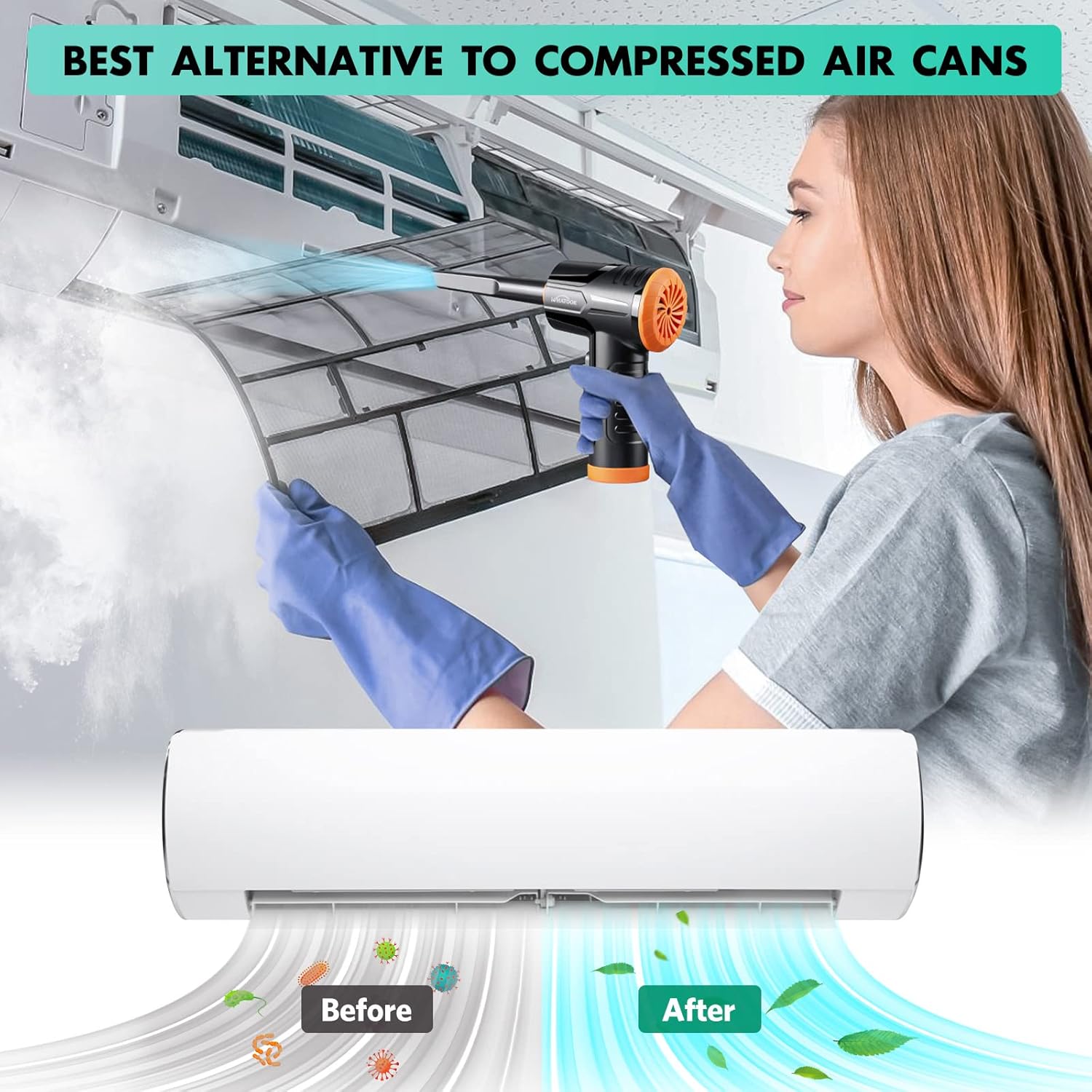
Figure 5.2: The air duster being used to clean a dusty air conditioner filter, demonstrating its effectiveness as an alternative to canned air.
5.3 Using Vacuum Mode (Mini Hoover)
Attach the vacuum collection cup and a vacuum nozzle. Activate the device and move the nozzle over the surface to suction up dust and small debris.
- Suitable for cleaning car interiors, desk surfaces, sofa crevices, and pet hair.
- The vacuum mode is designed for light debris and dust, not heavy-duty vacuuming.

Figure 5.3: The device shown in both its dust blowing mode (top) and vacuuming mode (bottom), illustrating its dual functionality for comprehensive cleaning.

Слика 5.4: Прamples of the device's versatility, showing its application for cleaning various surfaces and objects around the home and in a car.
6. Одржавање
6.1 Чишћење филтера
Regularly clean the filter in the vacuum collection cup to maintain optimal suction performance. A clogged filter can reduce efficiency.
- Remove the vacuum collection cup from the device.
- Twist and pull out the filter assembly from the collection cup.
- Clean the filter by rinsing it under running water. Ensure all dust and debris are removed.
- Allow the filter to air dry completely before reassembling. Do not use the device with a wet filter.
- Reinsert the dry filter assembly into the collection cup and attach it back to the device.
Figure 6.1: Detailed steps for maintaining the device's vacuum filter, ensuring prolonged performance and hygiene.
6.2 Генерално чишћење
Wipe the exterior of the device with a soft, dry cloth. Do not use harsh chemicals or abrasive cleaners.
КСНУМКС. Решавање проблема
| Проблем | Могући узрок | Решење |
|---|---|---|
| Уређај се не укључује. | Батерија је празна. | Напуните уређај у потпуности помоћу приложеног USB-C кабла. |
| Weak airflow or suction. | Filter is clogged with dust/debris. Батерија је празна. Nozzle is not properly attached. | Clean the filter as described in Section 6.1. Напуните уређај. Уверите се да је млазница добро причвршћена. |
| Уређај производи необичан звук. | Normal operating noise (70 dB). Obstruction in air path. | This is within normal operating parameters. Check for any foreign objects in the air intake or outlet and remove them. |
| Батерија се брзо празни. | Using high-speed mode frequently. Пропадање батерије током времена. | High-speed mode consumes more power. Use lower speeds when sufficient. Contact customer support if runtime significantly decreases. |
8. Спецификације
| Бранд | Шта видиш |
| Назив модела | LH220251-M1 |
| Мотор Спеед | До 100,000 РПМ |
| Снага усисавања | До 10,000 кПа |
| Капацитет батерије | 7600mAh (approximate) |
| Рунтиме | Up to 50 minutes (varies by speed setting) |
| Цхаргинг Типе | УСБ Типе-Ц |
| Ниво буке | 70 дБ |
| Број брзина | 3 |
| Тежина артикла | 1.5 фунти |
| Димензије пакета | 8.39 к 5.59 к 2.72 инча |
9. Гаранција и подршка
WHATOOK is committed to providing quality products and excellent customer service.
- гаранција: Овај производ долази са гаранцијом од 24 месеци од датума куповине.
- Корисничка подршка: For any inquiries, technical assistance, or warranty claims, please contact WHATOOK customer support. We offer 12-hour response times, 7*24 hour stand-by support, and lifetime after-sales support.
- Молимо погледајте документацију о куповини за конкретне контакт податке.


