Увод
This manual provides essential information for setting up, operating, maintaining, and troubleshooting your LG gram 14-inch 2-in-1 Lightweight Laptop. Please read this manual thoroughly before using your device to ensure proper and safe operation.
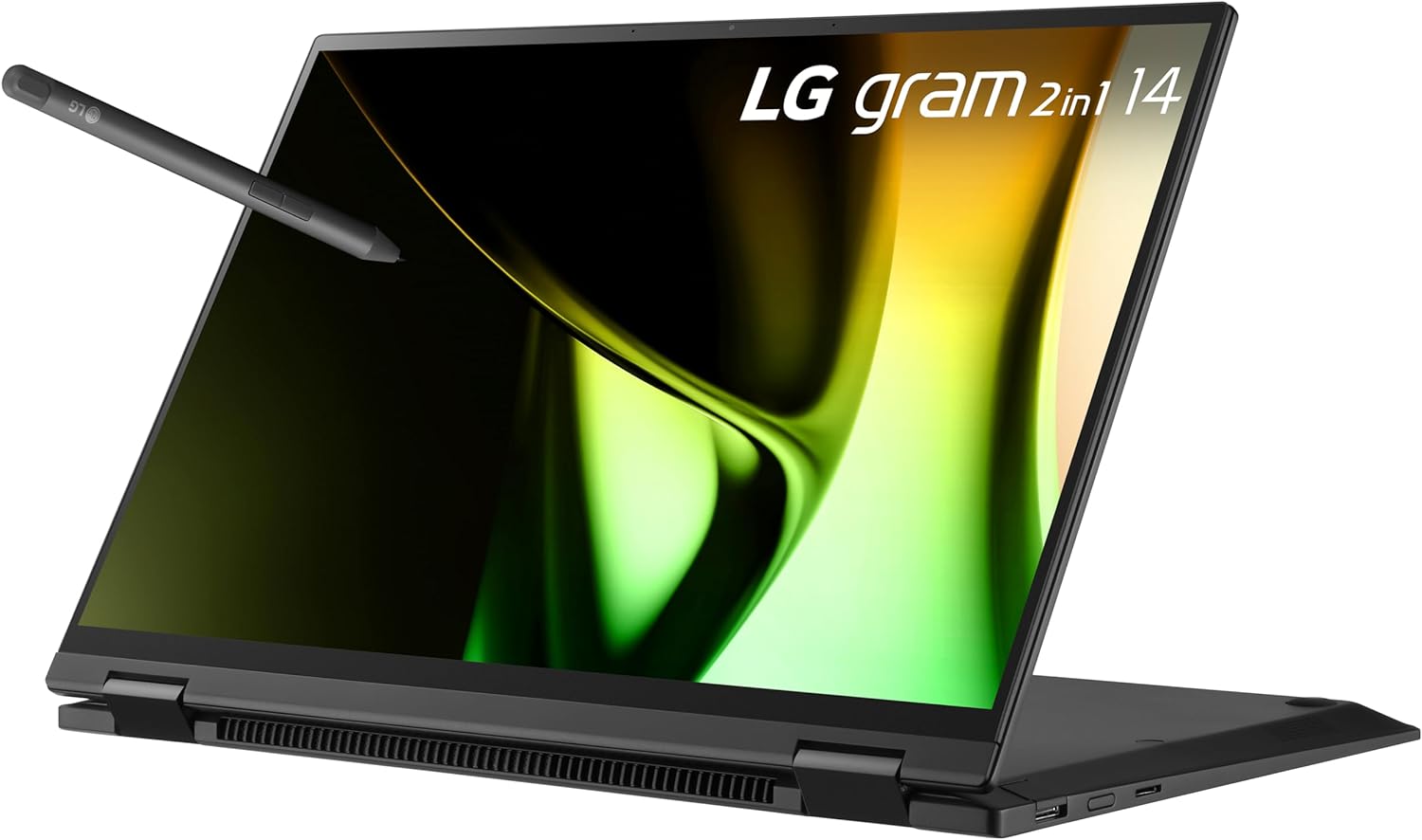
Image: LG gram 14-inch 2-in-1 laptop with stylus pen, showcasinг његов свестрани дизајн.
The LG gram 14-inch 2-in-1 laptop is designed for portability and versatility, featuring an Intel Evo Edition with an Intel Core Ultra 5 processor, 16GB RAM, and a 512GB SSD. It operates on Windows 11 Home and includes a responsive IPS touchscreen with a Wacom AES 2.0 stylus for enhanced interaction.
1. Подешавање
1.1 Распакивање и почетни преглед
Пажљиво извадите све компоненте из паковања. Проверите да ли су све ставке наведене у наставку присутне и да нису оштећене.
Укључене компоненте:
- LG gram 14-inch 2-in-1 Laptop
- Stylus Pen (Wacom AES 2.0)
- Повер Адаптер
1.2 Укључивање и почетна конфигурација
- Connect the power adapter to the laptop's charging port and a power outlet.
- Open the laptop lid. The device may power on automatically, or you may need to press the power button.
- Пратите упутства на екрану да бисте завршили подешавање система Windows 11 Home, укључујући избор језика, мрежну везу и креирање корисничког налога.
1.3 Повезивање периферних уређаја
Your LG gram laptop features various ports for connecting external devices:
- Тандерболт 4 (USB тип C): Two ports for high-speed data transfer, video output, and charging.
- УСБ 3.2: One port for connecting standard USB devices.
- Утор за микро СД картицу: За проширење складишног простора или пренос fileс са меморијских картица.

Слика: Са стране view of the LG gram laptop highlighting the USB 4 Type-C (Thunderbolt 4), Micro SD Card Slot, and USB 3.2 ports.
1.4 Подешавање стилуса
The included LG Stylus Pen (Wacom AES 2.0) offers precise input for drawing and writing. No specific setup is typically required beyond ensuring the pen has power (if applicable) and is within range of the screen.
2. Упутство за употребу
2.1 2-у-1 режими
Your LG gram laptop can be used in multiple configurations:
- Режим лаптопа: Standard laptop configuration for typing and general use.
- Режим шатора: Fold the screen back to stand the laptop like a tent, ideal for presentations or media viewинг.
- Режим стајања: Position the keyboard face down with the screen angled upwards, suitable for touch-based interactions.
- Режим таблета: Fold the screen completely back against the keyboard for a full tablet experience.

Image: The LG gram laptop shown in its various 2-in-1 configurations, including laptop, tent, stand, and tablet modes.
2.2 Употреба екрана осетљивог на додир и оловке
The 14-inch IPS touchscreen supports multi-touch gestures and precise input with the LG Stylus Pen. The pen utilizes Wacom AES 2.0 technology with 4,096 levels of pressure sensitivity for natural writing and drawing.
2.3 Windows 11 Features
The laptop comes pre-installed with Windows 11 Home, offering features designed for productivity and creativity. Utilize Copilot for AI-powered assistance, snap layouts for multitasking, and the redesigned Start menu for quick access to applications.
Video: This video demonstrates key features of Windows 11, including Copilot for summarizing documents and organizing plans, and the ability to switch to dark mode for a more comfortable viewинг искуство.
2.4 LG gram Link App
Апликација LG gram Link омогућава беспрекорну интеграцију са до 10 уређаја на Андроид и иОС платформама. Ово омогућава једноставно file дељење, колаборативни екран viewing, and real-time communication between your LG gram and other devices. Installation of the LG gram Link app is required and can be downloaded from LG.com support.

Image: The LG gram Link app interface demonstrating how to share content and connect devices across different operating systems.
2.5 Управљање батеријом
The LG gram is equipped with a 72Wh battery. To maximize battery life:
- Подесите осветљеност екрана на удобан ниво.
- Затворите неискоришћене апликације.
- Користите режиме уштеде енергије у подешавањима система Windows.
- Избегавајте екстремне температуре.

Image: Illustration showing the LG gram laptop's long-lasting battery, enabling extended use for work and entertainment.
3. Одржавање
3.1 Чишћење лаптопа
- Екран: Користите меку крпу без влакана, посебно дизајнирану за електронику. DampЛагано га исперите водом или средством за чишћење екрана. Избегавајте јаке хемикалије.
- Кућиште и тастатура: Користите меку, суву крпу. За тврдокорну прљавштину, благоamp Може се користити тканина, водећи рачуна да влага не уђе у отворе или портове.
- Портови: Користите компримовани ваздух да нежно очистите прашину из отвора.
3.2 Ажурирања софтвера
Редовно ажурирајте оперативни систем Windows и управљачке програме уређаја како бисте осигурали оптималне перформансе, безбедност и компатибилност. Windows Update-у се може приступити преко менија Подешавања.
3.3 Одржавање батерије
To prolong the lifespan of your laptop battery:
- Избегавајте често потпуно пражњење батерије.
- Чувајте лаптоп на хладном и сувом месту ако га не користите дуже време.
- Do not expose the laptop to extreme heat or cold.
3.4 Трајност
The LG gram laptop has passed seven MIL-STD-810H tests for durability, including resistance to vibration, high/low temperatures, and more. While robust, it is not indestructible. Avoid dropping the device or exposing it to excessive force or liquids.

Image: A woman holding the LG gram laptop, emphasizing its MIL-STD-810H military-grade durability against various environmental stresses.
КСНУМКС. Решавање проблема
Овај одељак се бави уобичајеним проблемима са којима се можете сусрести са вашим LG грам лаптопом.
4.1 Општа питања
- Лаптоп се не укључује: Уверите се да је адаптер за напајање безбедно повезан и да је батерија довољно напуњена. Покушајте са другом утичницом.
- Laptop not waking from sleep: Press the power button briefly. If unresponsive, perform a hard reset by holding the power button for several seconds until the device shuts down, then restart.
- Нема приказа: Повежите екстерни монитор да бисте проверили да ли је проблем са екраном лаптопа. Поново покрените лаптоп.
- Споре перформансе: Close unnecessary applications, check for background processes, ensure sufficient free storage space, and run system updates.
- Проблеми са Wi-Fi или Bluetooth повезивањем: Check if Wi-Fi/Bluetooth is enabled in Windows settings. Restart the laptop and your router/modem. Update wireless drivers.
4.2 Stylus Pen Issues
- Оловка не реагује: Ensure the pen is charged (if applicable). Check for any physical obstructions on the screen. Restart the laptop.
- Inaccurate input: Calibrate the touchscreen and pen settings in Windows.
For persistent issues not resolved by these steps, refer to the Support section for further assistance.
5. Спецификације
| Феатуре | Спецификација |
|---|---|
| Бранд | LG |
| Назив модела | 14Т90С-Г.ААБ4У1 |
| Величина екрана | 14 инча |
| Нативе Ресолутион | 1920 к 1200 пиксела (ВУКСГА) |
| Дисплаи Типе | IPS LCD Touchscreen |
| ЦПУ модел | Интел Цоре Ултра 5 125Х |
| Брзина процесора | До 4.5 ГХз |
| Величина инсталиране РАМ меморије | 16 GB LPDDR5 (6400 MHz) |
| Величина чврстог диска | 512 GB SSD (Solid State) |
| Оперативни систем | Виндовс 11 Хоме |
| Грапхицс Цопроцессор | Intel HD Graphics 520 (интегрисана) |
| Посебна карактеристика | Pen (Wacom AES 2.0 Stylus) |
| Технологија повезивања | USB, 802.11ax (Wi-Fi 6), Bluetooth |
| Укупно УСБ портова | 3 (2x Thunderbolt 4, 1x USB 3.2) |
| Садржај енергије батерије | 72 Watt Hours (Lithium Ion) |
| Тежина артикла | 2.8 фунти |
| Димензије артикла (Д к Ш к дебљина) | 12.36 cm x 8.64 cm x 0.66 cm |
| Webcam Capability | Да |
| Опис тастатуре | Chiclet, QWERTY Layout |
Video: This video highlights the performance capabilities of the LG gram laptop, powered by the Intel Core Ultra processor, showcasing its ability to handle creative tasks and AI-accelerated graphics with a long-lasting battery.
6. Информације о гаранцији
Your LG gram 14-inch 2-in-1 Laptop is covered by a 1 година гаранције на делове и рад from the date of purchase. This warranty covers manufacturing defects and workmanship under normal use. It does not cover damage caused by misuse, accidents, unauthorized modifications, or external factors.
Please retain your proof of purchase for warranty claims. For detailed terms and conditions, refer to the warranty card included with your product or visit the official LG webсајту.
7. Подршка
If you require further assistance, have questions, or encounter issues not covered in this manual, please contact LG Customer Support.
7.1 Ресурси на мрежи
- Visit the official LG Support website for drivers, software downloads, FAQs, and additional troubleshooting guides.
- Check for updated versions of the LG gram Link app on LG's support page.
7.2 Контакт информације
Refer to the contact information provided in your product packaging or on the official LG website for phone numbers, chat support, or service center locations in your region.