Увод
Thank you for choosing the AZDOME M550 Pro 3 Channel Dash Cam. This manual provides detailed instructions for the installation, operation, and maintenance of your device. Please read this manual carefully before using the product to ensure proper functionality and safety. Keep this manual for future reference.
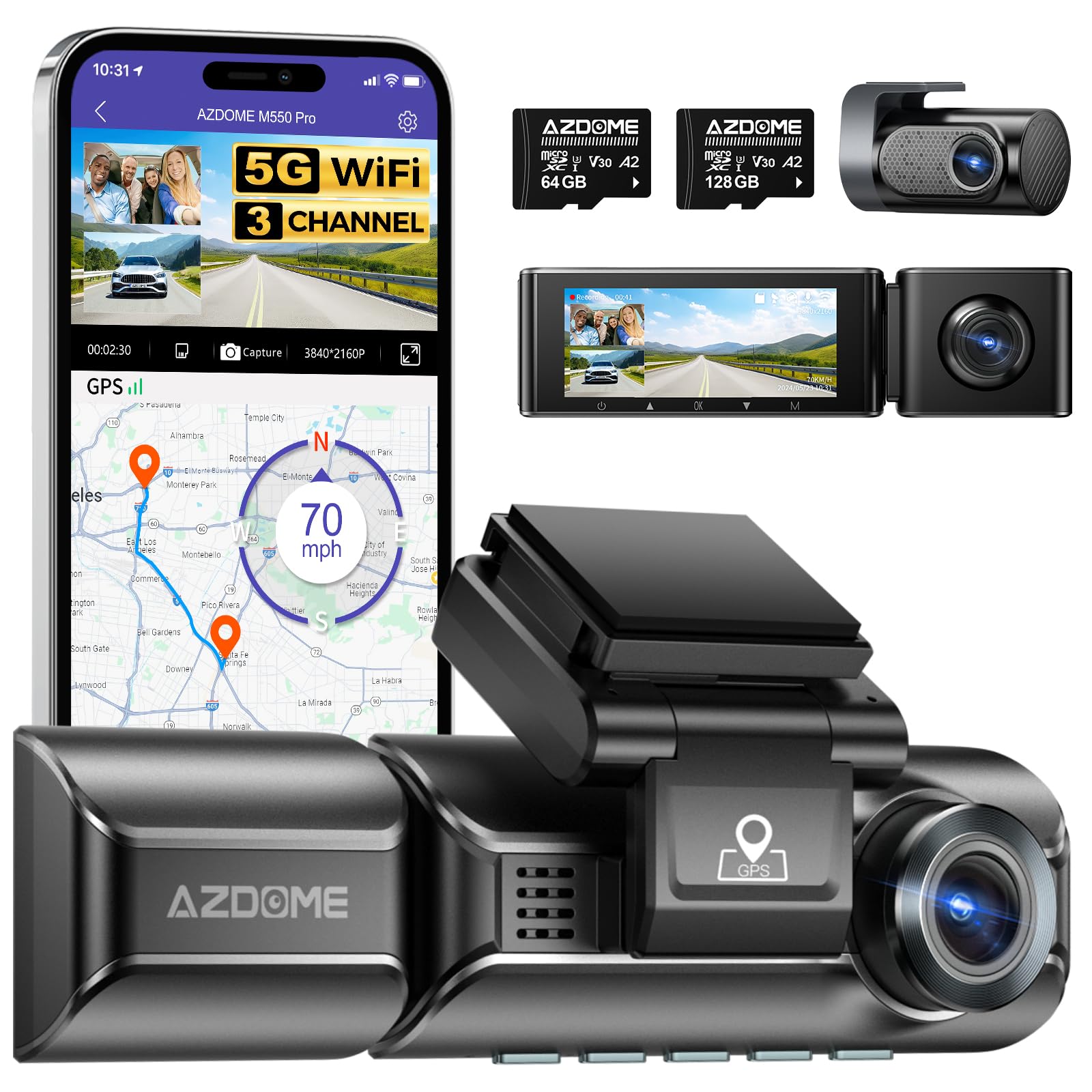
Image: The AZDOME M550 Pro dash cam, showing the main unit, interior camera, rear camera, and a smartphone displaying the companion app interface with GPS and video playback.
Садржај пакета
Молимо вас да проверите садржај пакета након распакивања. Ако неке ставке недостају или су оштећене, контактирајте корисничку подршку.
- AZDOME M550 Pro камера за аутомобил (главна јединица)
- Унутрашња камера
- Задња камера
- AZDOME 128GB TF Card (Memory Card)
- Кабл за напајање (пуњач за аутомобил)
- Носач
- Упутство за употребу

Image: A close-up of the AZDOME 128GB MicroSD TF Card, included with the dash cam.
Производ је завршенview
The AZDOME M550 Pro is a 3-channel dash cam system designed to record video from the front, interior, and rear of your vehicle. It features a 3.19-inch IPS screen, built-in 5.8G WiFi, GPS, and various parking monitoring modes.
Main Unit (Front Camera)
- Front Lens: Records the road ahead in up to 4K resolution.
- Display Screen: 3.19-inch IPS screen for live view и репродукцију.
- Control Buttons: For menu navigation and settings.
- GPS Module: Integrated for location and speed data.
- MicroSD Card Slot: For memory card insertion.
Унутрашња камера
- Records the vehicle's interior in 1080P.
- Equipped with 6 IR LEDs for enhanced night vision inside the cabin.
- Removable (Type-C Port) for flexible installation.
Задња камера
- Records the rear view of the vehicle in 1080P.
- Connects to the main unit via a dedicated cable.
Сетуп
1. Уметање МицроСД картице
- Уверите се да је камера у аутомобилу искључена.
- Locate the MicroSD card slot on the main unit.
- Insert the 128GB TF card with the gold contacts facing the back of the dash cam until it clicks into place.
- Да бисте је уклонили, нежно гурните картицу унутра док не искочи.
2. Монтажа камере
- Очистите подручје ветробранског стакла где намеравате да монтирате камеру за аутомобил.
- Причврстите носач за монтажу на камеру на инструмент табли.
- Secure the dash cam with the bracket to the windshield, ensuring a clear view of the road. Adjust the lens angle as needed.
3. Повезивање напајања
- Прикључите пуњач за аутомобил на улазни прикључак за напајање камере у аутомобилу.
- Укључите други крај ауто пуњача у утичницу за упаљач у вашем возилу.
- Route the power cable neatly along the windshield and dashboard to avoid obstructing your view.
4. Installing the Interior and Rear Cameras
- Connect the interior camera to its dedicated port on the main unit. Mount it to capture the cabin view.
- Connect the rear camera to its dedicated port on the main unit. Mount it on the rear windshield, ensuring a clear view. Route the cable discreetly.
5. Прво укључивање и подешавања
- Када се једном укључи, камера у аутомобилу ће се аутоматски укључити и почети са снимањем.
- Access the menu to set the correct date and time.
- It is recommended to format the MicroSD card within the dash cam's settings before first use and periodically thereafter to ensure optimal performance.
Упутство за употребу
1. 3 Channel Recording
The M550 Pro supports simultaneous recording from three cameras: front, interior, and rear. You can configure recording resolutions:
- Само предњи део: 4K (3840x2160P)
- Напред и позади: 4К + 1080П
- Front and Interior: 2K (2560x1440P) + 1080P
- Front, Interior, and Rear: 2K + 1080P + 1080P
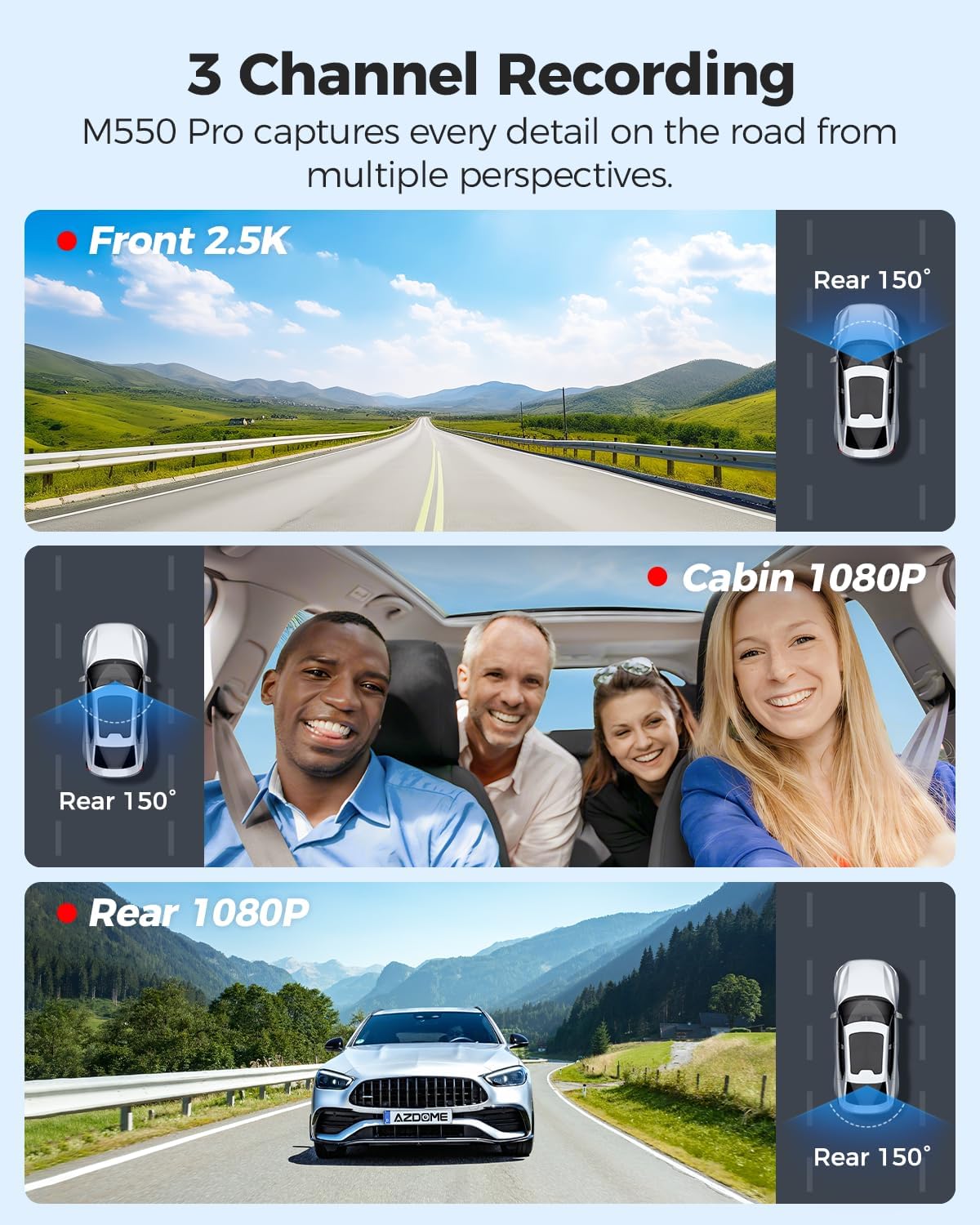
Image: Visual representation of the 3-channel recording capability, showing views from the front (2.5K), cabin (1080P), and rear (1080P) cameras.
2. Лооп Рецординг
Камера у аутомобилу снима видео у континуираним петљама. Када се меморијска картица напуни, најстарији откључани fileсе аутоматски преписују новим снимцима. Ово обезбеђује континуирано снимање без ручне интервенције.
3. Г-сензор (детекција судара)
The built-in G-sensor detects sudden impacts or collisions. When triggered, it automatically locks the current video segment, preventing it from being overwritten by loop recording. The sensitivity of the G-sensor can be adjusted in the settings.
4. 24-часовни надзор паркинга
The M550 Pro offers two modes for 24-hour parking monitoring. A 3-lead hardwire kit (not included, ASINЗа ову функцију је потребан B096G6FKZP).
- Режим паркирања за детекцију судара: The G-sensor detects impacts and automatically records and locks video segments.
- Тиме-Лапсе Паркинг режим: The dash cam records continuously at a low frame rate (e.g., 1 FPS) for 24 hours, compressing long periods into short videos.

Image: Illustration of the 24-hour parking mode, detailing collision detection and time-lapse recording options, with a car parked under a protective shield icon.
5. Built-in 5.8G WiFi and App Usage
The dash cam features built-in 5.8G WiFi for faster data transfer. Download the AZDOME app on your smartphone to connect to the dash cam.
- Преузмите апликацију AZDOME са Google Play продавнице или Apple App Store-а.
- Enable WiFi on your dash cam and smartphone.
- Повежите свој паметни телефон са WiFi мрежом камере за аутомобил (SSID и лозинка се приказују на екрану камере).
- Користите апликацију за уживо view, video playback, downloading recorded files, and adjusting settings. 5.8GHz WiFi allows for downloading 800MB video within 10 seconds.
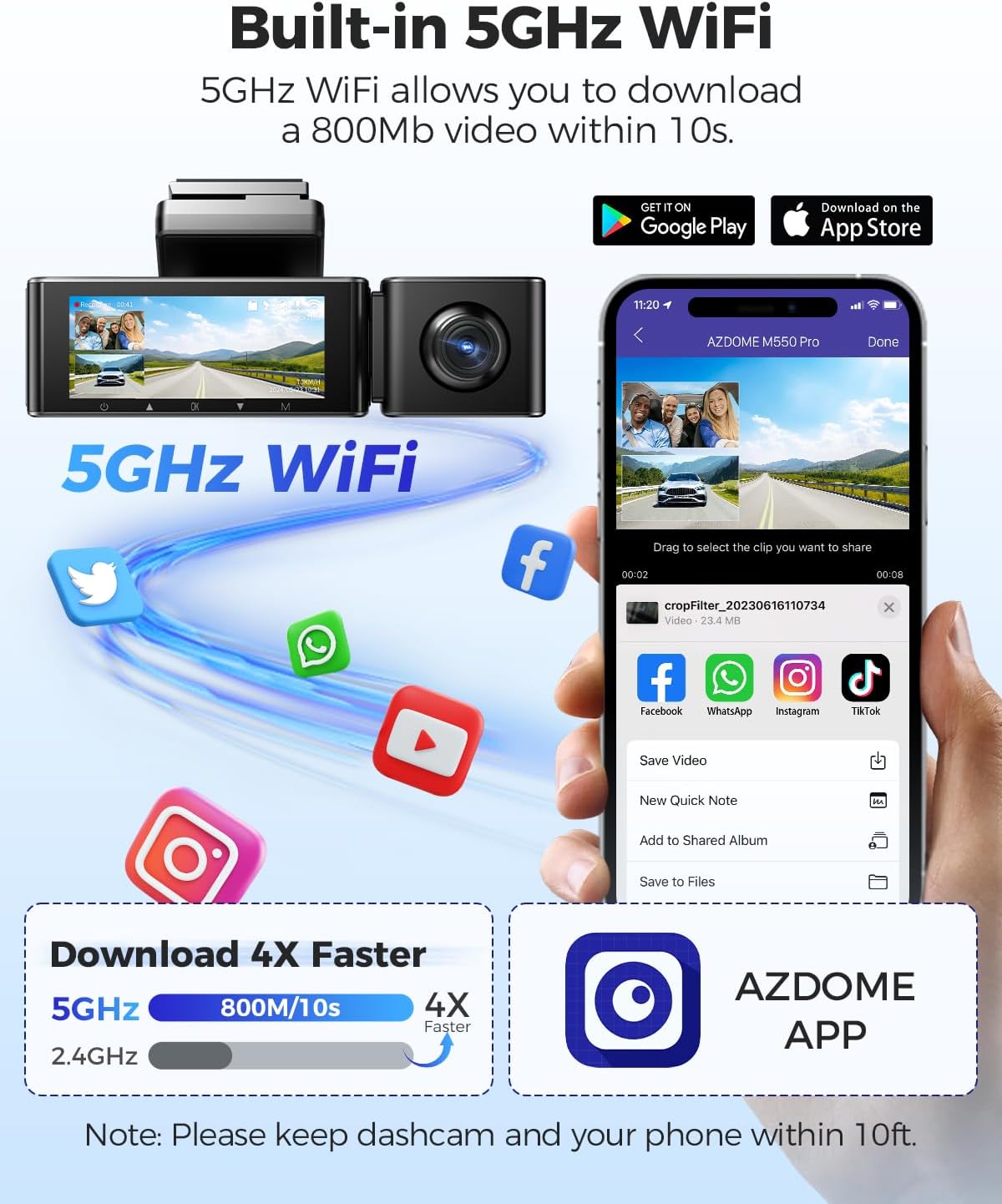
Image: Diagram showing the dash cam connecting to a smartphone via 5GHz WiFi, highlighting faster download speeds for videos through the AZDOME app.
6. Built-in GPS Functionality
The integrated GPS module records your driving route, speed, latitude, and longitude data. This information can be viewed using the AZDOME GPS Player software on a computer.
- Download the AZDOME GPS Player software from the official AZDOME webсајту.
- Пребаците снимљени видео fileс на ваш рачунар.
- Отворите видео files with the AZDOME GPS Player to view synchronized video, map, and driving data.

Image: A laptop screen displaying the AZDOME GPS Player, showing video playback alongside a map with the driving route, speed, and location details.
7. Ноћни вид
The interior camera is equipped with 6 IR LEDs and a Starvis Sensor to provide clear recordings in low-light conditions inside the vehicle. The front camera also features a 6-glass lens and F=1.8 aperture for improved low-light performance.
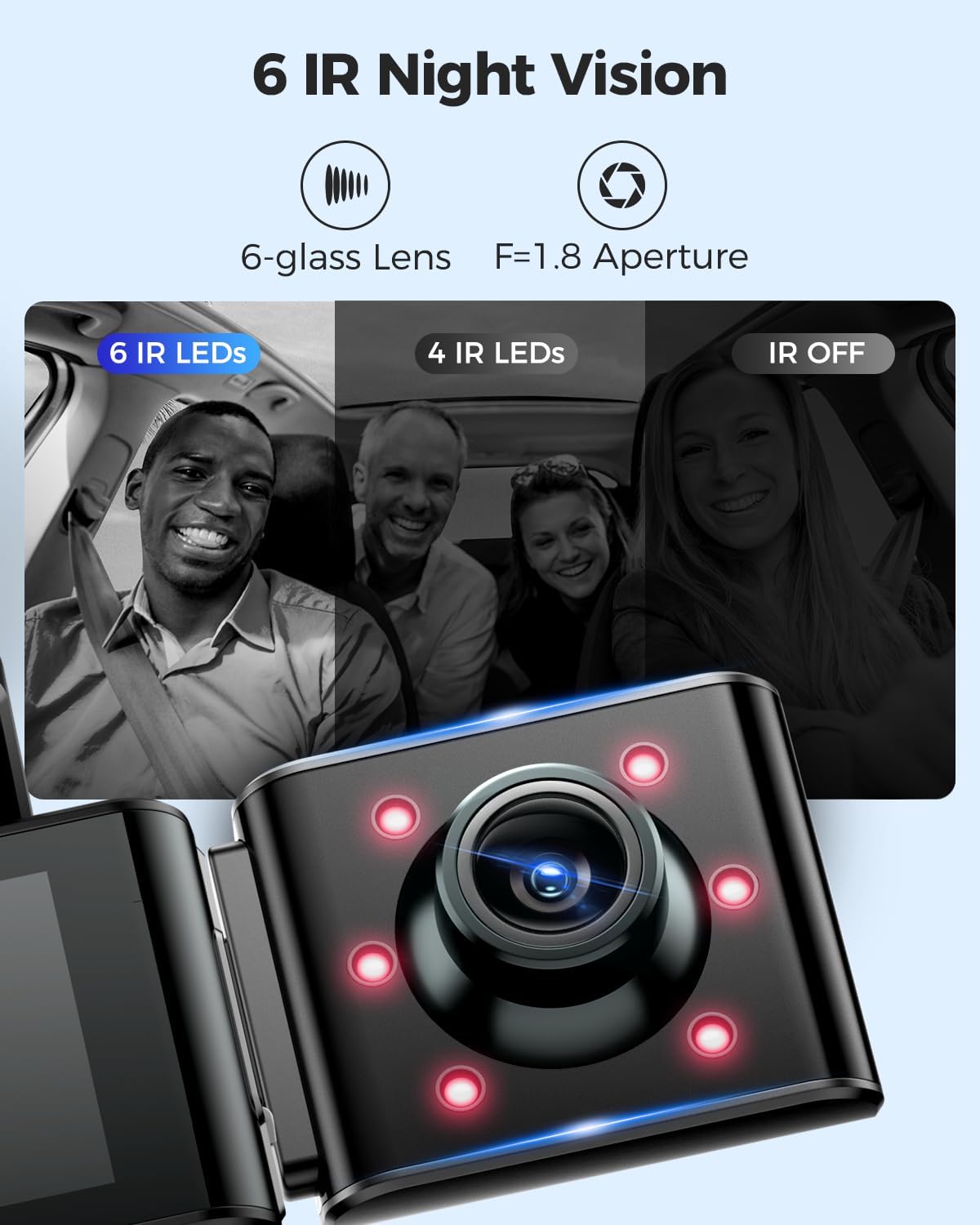
Image: A visual comparison demonstrating the effectiveness of 6 IR LEDs for night vision in the interior camera, showing clearer images compared to 4 IR LEDs or IR off.
Одржавање
1. Нега меморијске картице
- Regularly format the MicroSD card (at least once a month) through the dash cam's settings to prevent data corruption and ensure optimal recording performance.
- Use high-quality, high-endurance MicroSD cards (Class 10 or U3 recommended) for reliable operation.
- Avoid removing or inserting the MicroSD card while the dash cam is powered on to prevent damage to the card or device.
2. Чишћење уређаја
- Use a soft, dry cloth to clean the dash cam's body and screen.
- For camera lenses, use a lens cleaning cloth and specialized lens cleaning solution to avoid scratches and ensure clear video quality.
- Не користите абразивна средства за чишћење или раствараче, јер могу оштетити уређај.
Решавање проблема
- Камера у аутомобилу се не укључује: Check the power connection. Ensure the car charger is properly plugged into both the dash cam and the vehicle's power outlet. Test the power outlet with another device.
- Dash Cam stops recording: Ensure the MicroSD card is inserted correctly and has sufficient free space. Format the card. If the issue persists, try a different MicroSD card.
- Видео files are corrupted or unplayable: Format the MicroSD card. Ensure the card is a high-quality, high-endurance type.
- Проблеми са WiFi везом: Ensure the dash cam's WiFi is enabled. Keep your smartphone within 10 feet of the dash cam for optimal connection. Restart both the dash cam and your phone.
- ГПС не ради: Уверите се да камера за аутомобил има јасан view of the sky. GPS signal acquisition may take a few minutes, especially after initial setup or in areas with poor signal.
- Монитор за паркирање не ради: Ensure the 3-lead hardwire kit is correctly installed and connected. Check parking monitor settings in the menu.
Спецификације
Below are the key specifications for the AZDOME M550 Pro Dash Cam:
| Феатуре | Спецификација |
|---|---|
| Модел | М550 Про |
| Величина екрана | 3.19-инчни IPS екран |
| Видео резолуција (макс.) | Front: 4K (3840x2160P) |
| 3-Channel Resolution | 2K(F)+1080P(I)+1080P(R) |
| Технологија повезивања | КСНУМКСГ Ви-Фи |
| Посебна карактеристика | Parking Monitor (Collision Detection, Time-lapse) |
| Уграђен ГПС | Да |
| Унутрашња камера | Removable (Type-C Port), 6 IR LEDs, Starvis Sensor |
| Поље View | 170 степени (напред) |
| Контролни метод | Апп |
| Тип флеш меморије | ТФ (МикроСД) |
| Укључене компоненте | Меморијска картица (128 ГБ) |

Image: A detailed comparison table highlighting features and specifications of the M550 Pro against other AZDOME models, including display size, video resolution, WiFi, and parking modes.
Гаранција и подршка
Информације о гаранцији
AZDOME products typically come with a standard manufacturer's warranty. Please refer to the warranty card included in your package or visit the official AZDOME webсајт за конкретне услове гаранције. Сачувајте доказ о куповини за потребе подношења захтева за гаранцију.
Корисничка подршка
For technical assistance, troubleshooting, or any questions regarding your AZDOME M550 Pro Dash Cam, please contact AZDOME customer support. Contact information can usually be found on the official AZDOME webсајту или на гарантном листу.