
1. Увод
This user manual provides detailed instructions for the assembly, operation, and maintenance of your FLEXISPOT Lite Electric Standing Desk. Please read this manual thoroughly before installation and use to ensure proper function and safety. Keep this manual for future reference.
2. Важне информације о безбедности
Непоштовање ових безбедносних упутстава може довести до повреда или оштећења производа.
- The desk has a maximum load capacity of 70 кг (154 лбс)Не прекорачујте ову тежинску границу.
- Монтажу мора обавити одрасла особа.
- Уверите се да су сви завртњи и вијци добро затегнути пре употребе.
- Keep children and pets away from the desk during operation to prevent injury from moving parts.
- Do not place hands or other objects near the lifting mechanism while the desk is in motion.
- Искључите напајање пре чишћења или било каквог одржавања.
- Користите само адаптер за напајање који се испоручује са столом.
- Avoid spilling liquids on the control panel or motor components.
3. Производ је готовview и карактеристике
The FLEXISPOT Lite Electric Standing Desk is designed to promote a healthy work environment by allowing seamless transitions between sitting and standing positions. It features a robust motor, memory presets, and an anti-collision system.

Figure 3.1: FLEXISPOT Lite Electric Standing Desk setup with accessories.
Кључне карактеристике:
- Ергономски дизајн: Facilitates alternating between sitting and standing to reduce physical strain.
- Quiet and Durable Motor: Operates at less than 50 dB, ensuring a quiet workspace.
- Electric Height Adjustment with Memory: Easily adjust height with a control panel and save up to four preferred height settings.
- Робусна конструкција: Steel frame with a T-foot design provides stability and supports up to 70 kg.
- Пространа радна површина: 140x60 cm maple tabletop with rounded corners and integrated wire holes.
- Anti-Collision Rebound Function: Аутоматски се зауставља и враћа уназад ако се током кретања открије препрека.
- Интегрисана додатна опрема: Includes two hooks and a cup holder for convenience.
4. Подешавање и монтажа
This section outlines the general steps for assembling your FLEXISPOT Lite Electric Standing Desk. Refer to the separate assembly guide included in your package for detailed, step-by-step instructions and diagrams.
4.1 Распакивање
- Пажљиво отворите амбалажу и извадите све компоненте.
- Place all parts on a clean, flat, and soft surface (e.g., a carpet) to prevent scratches.
- Verify that all parts listed in the assembly guide are present.
4.2 Идентификација компоненте
Familiarize yourself with the main components:
- Desktop sections
- Leg columns (lifting columns)
- Подршка за стопала
- Контролна кутија
- Контролна табла
- Адаптер за напајање и кабл
- Hardware (screws, bolts, tools)
- Accessories (hooks, cup holder)
4.3 Кораци монтаже (опште)
- Причврстите стубове за подизање на оквир радне површине.
- Secure the foot supports to the bottom of the lifting columns.
- Mount the control box and control panel to the underside of the desktop.
- Connect all cables from the motors to the control box, and then connect the power adapter.
- Attach the desktop sections together (if applicable) and secure them to the frame.
- Install the cup holder and hooks as desired.
Note: Refer to the detailed assembly manual for specific screw types, torque requirements, and visual aids for each step.
5. Operating Your Desk
This section explains how to use the control panel to adjust your desk height and utilize its features.

Figure 5.1: Smart Control Panel.
5.1 Функције контролне табле
- ЛЕД дисплеј: Shows the current desk height in centimeters.
- Дугмад горе/доле (▲ / ▼): Press and hold to continuously adjust the desk height upwards or downwards. Release the button to stop at the desired height.
- Sit/Stand Button (i): This button may function as a quick switch between a default sitting and standing height, or as a general indicator. Refer to your specific control panel model for exact functionality.
- Memory Preset Buttons (1, 2, 3, 4): Ова дугмад вам омогућавају да сачувате и позовете до четири жељена подешавања висине.
5.2 Подешавање пресета меморије
- Подесите сто на жељену висину помоћу дугмади горе/доле.
- Press the 'M' or 'Set' button (if available, otherwise proceed to step 3). The display may flash.
- Immediately press one of the number buttons (1, 2, 3, or 4) to save the current height to that preset. The display will show 'S-' followed by the number, confirming the setting.
5.3 Recalling Memory Presets
Simply press the desired number button (1, 2, 3, or 4). The desk will automatically move to the saved height.
5.4 Anti-Collision Rebound Function
The desk is equipped with an anti-collision system. If the desk encounters an obstruction while moving up or down, it will automatically stop and reverse slightly to prevent damage or injury.
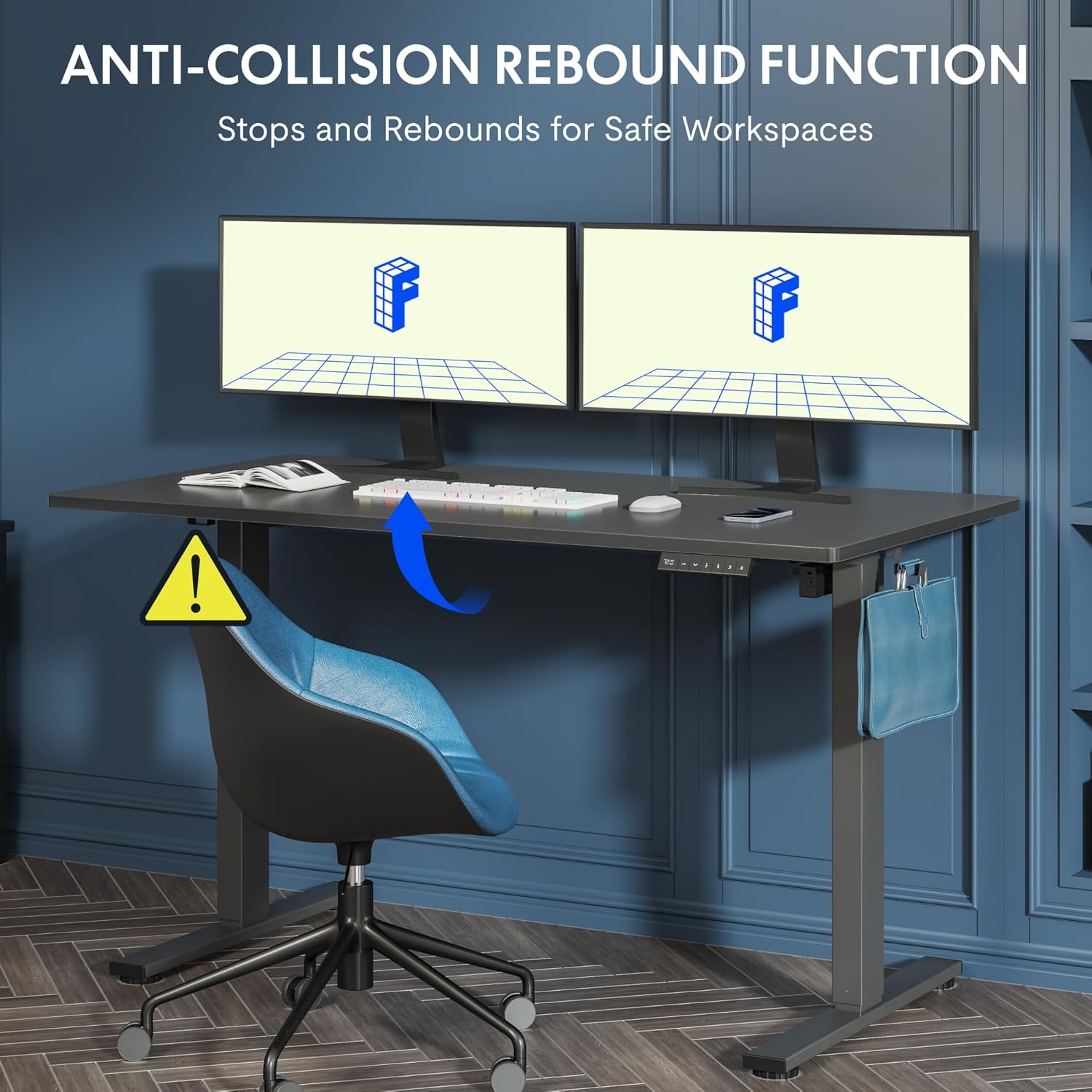
Figure 5.2: Anti-Collision Rebound Function in action.
6. Одржавање и њега
Редовно одржавање осигурава дуготрајност и оптималне перформансе вашег стола за стајање.
- Чишћење: Обришите радну површину и оквир меком крпомamp крпу. Избегавајте абразивна средства за чишћење или јаке хемикалије.
- инспекција: Периодично проверавајте све завртње и вијке да бисте били сигурни да су затегнути. По потреби их поново затегните.
- Управљање кабловима: Ensure all cables are neatly routed and not pinched or tangled, which could affect operation.
- Капацитет оптерећења: Do not overload the desk beyond its 70 kg capacity.
7. Водич за решавање проблема
Ако наиђете на проблеме са својим столом, погледајте следеће уобичајене проблеме и решења:
| Проблем | Могући узрок | Решење |
|---|---|---|
| Сто се не помера нити реагује на команде. | Power cable disconnected; control box cable loose; motor cable loose. | Check all cable connections. Ensure the power cable is securely plugged into the wall outlet and the control box. |
| Сто се помера неравномерно или производи необичне звуке. | Overload; loose screws; obstruction. | Reduce weight on the desk. Check and tighten all assembly screws. Ensure no obstructions are in the path of the lifting columns. |
| Desk stops moving unexpectedly. | Anti-collision system activated; motor overheating. | Check for obstructions and remove them. If no obstruction, allow the motor to cool down for 20 minutes before attempting operation again. |
| Error code displayed on control panel. | Специфична системска грешка. | Refer to the detailed assembly manual for specific error code meanings and troubleshooting steps. If the issue persists, contact customer support. |
8. Техничке спецификације

Figure 8.1: Desk Dimensions and Performance Metrics.
| Спецификација | Детаљ |
|---|---|
| Бранд | ФЛЕКСИСПОТ |
| Број модела | QS1M-1460-IE |
| Боја | White Frame + Maple Top |
| Desktop Dimensions (L x W) | 140 цм к 60 цм |
| Опсег подешавања висине | 73.5 цм - 118 цм |
| Материјал | Wood (Maple Top), Metal (Alloy Steel Frame) |
| Максимални капацитет оптерећења | 70 кг |
| Тежина артикла | 26.9 кг |
| Ниво буке | < 50 дБ |
| Брзина подешавања | 20 мм/с |
| Посебне карактеристике | Ergonomic, Adjustable, Anti-Collision, Memory Presets |
9. Гаранција и корисничка подршка
For warranty information, specific troubleshooting not covered in this manual, or to purchase replacement parts, please contact FLEXISPOT customer support directly. Refer to the product packaging or the official FLEXISPOT webсајт за контакт детаље.