1. Увод и безбедносне смернице
Welcome to the ENGWE MilePort 1 Folding Electric Bike user manual. This guide provides essential information for the safe assembly, operation, maintenance, and troubleshooting of your new electric bike. Please read this manual thoroughly before your first ride to ensure optimal performance and safety.
Важне информације о безбедности
- Увек носите кацигу током вожње.
- Упознајте се са локалним саобраћајним законима и прописима.
- Perform a pre-ride safety check before each use, including brakes, tires, and battery level.
- Немојте возити под утицајем алкохола или дроге.
- Избегавајте вожњу у неповољним временским условима или на клизавим површинама.
- Уверите се да су све компоненте безбедно причвршћене пре вожње.
2. Садржај пакета
Приликом распакивања, проверите да ли су све доле наведене ставке присутне и да нису оштећене. Ако неке ставке недостају или су оштећене, одмах контактирајте корисничку подршку.
- ENGWE MilePort 1 Folding Electric Bike (main unit)
- 468Wh Removable Battery
- Пуњач батерија
- Педале (лева и десна)
- Предњи и задњи рефлектори
- Мултифункционални држач за телефон
- Комплет алата (за монтажу)
- Кориснички приручник (овај документ)
3. Монтажа и почетно подешавање
The MilePort 1 electric bike comes partially assembled. Follow these steps to complete the setup.
3.1 Распакивање и почетни преглед
Carefully remove all components from the packaging. Inspect the bike and all accessories for any signs of damage during transit.
Video: MilePort 1 Unboxing & Assembly. This video demonstrates the unboxing process and initial assembly steps for the electric bike.
3.2 Инсталација управљача
Unfold the handlebar stem and secure it using the folding buckle. Ensure it is locked firmly in place. Adjust the handlebar height to your preference and tighten the screws beside and above the neck using the provided tools.
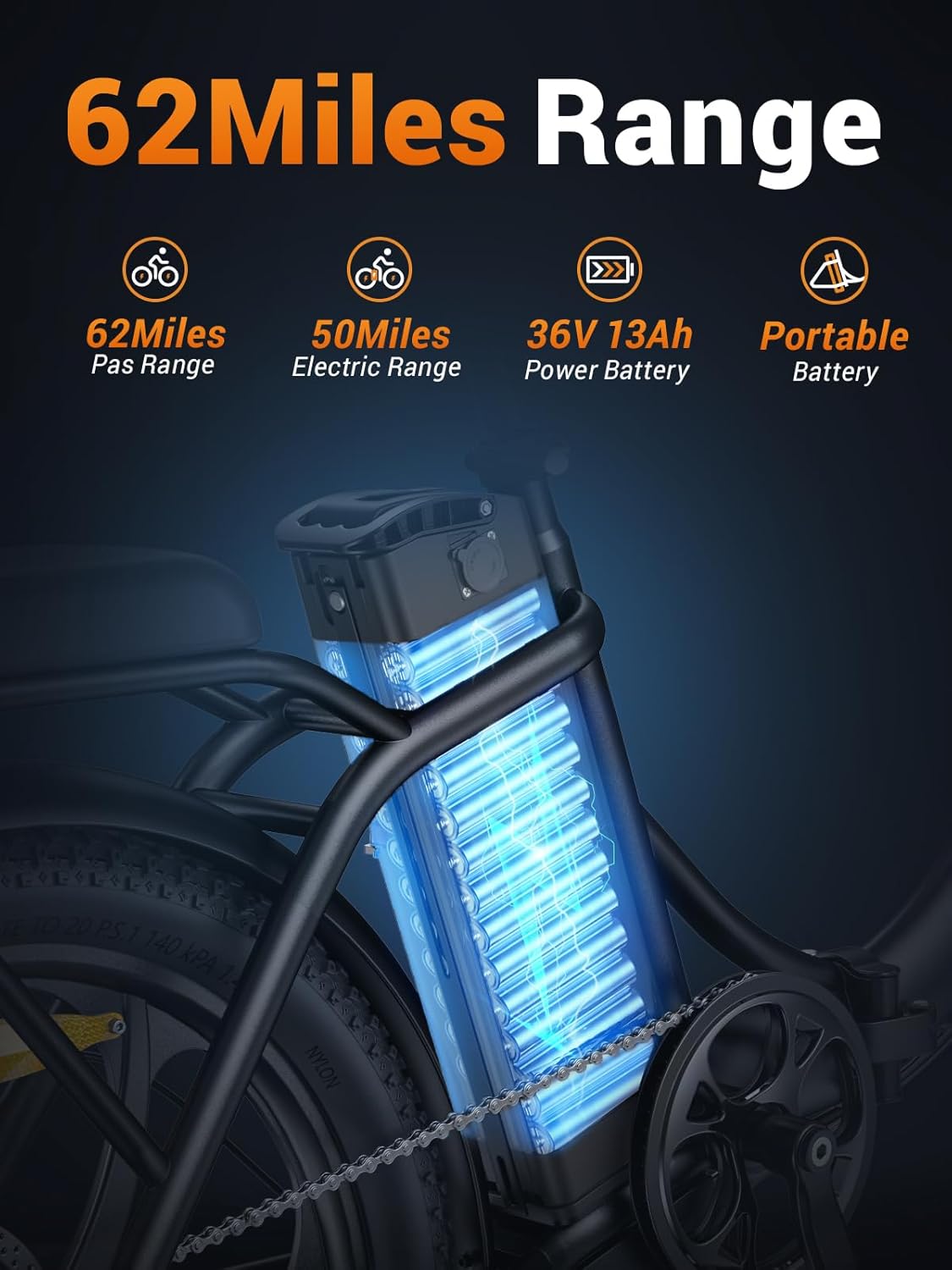
Image: The ENGWE MilePort 1 electric bike with its handlebar unfolded and secured, ready for riding.
3.3 Front Wheel and Fender Installation
Attach the front wheel to the fork, ensuring the brake disc aligns correctly with the caliper. Secure the wheel with the quick-release skewer or nuts. Install the front fender above the wheel, attaching it to the fork using the provided screws.

Image: Close-up of the 20"x3.0" fat tires and front fork suspension of the MilePort 1 electric bike, highlighting its robust design.
3.4 Инсталација педале
Identify the left (L) and right (R) pedals. The left pedal tightens counter-clockwise, and the right pedal tightens clockwise. Thread them into the corresponding crank arms and tighten securely with a wrench.
3.5 Уградња рефлектора
Install the front and rear reflectors onto the wheels. Ensure they are securely fastened and visible from appropriate angles.
3.6 Headlight Connection
Connect the headlight cable. Ensure the arrows on the connectors align before pushing them together firmly.

Image: The LED headlight and rear reflector of the MilePort 1 electric bike, emphasizing high visibility for safer riding.
3.7 Phone Holder Installation
Attach the multifunctional phone holder to the handlebar. Adjust its position for optimal viewing and secure it tightly.

Image: A close-up of the multifunctional phone holder mounted on the handlebar of the MilePort 1 electric bike, designed for convenient access during rides.
3.8 Инсталација и пуњење батерије
Insert the removable 468Wh battery into its compartment on the bike frame. Ensure it clicks into place and is locked with the key. Before your first ride, fully charge the battery using the provided charger. The battery can be charged on or off the bike.

Image: The 468Wh removable battery integrated into the frame of the MilePort 1 electric bike, highlighting its extended range capabilities.

Image: The MilePort 1 electric bike being charged with its portable battery, illustrating the convenience of charging at home or in the office.
4. Упутство за употребу
4.1 Укључивање/искључивање
To power on the bike, insert the key into the battery lock and turn it clockwise. Then, press and hold the power button on the display unit located on the handlebar. To turn off, reverse the process.
4.2 Режими вожње
Your MilePort 1 offers multiple riding modes:
- Режим асистенције педала: The motor provides assistance as you pedal. Adjust the assist level using the '+' and '-' buttons on the display.
- Електрични режим: Користите гас за пуну електричну снагу без педалирања.
- Ручни режим: Возите бицикл као традиционални бицикл без помоћи мотора.
Video: MilePort 1 Electric Bike Overview. This video showcases the key features and riding experience of the MilePort 1 electric bike.
4.3 Промена брзина
The bike is equipped with a 7-speed gear system. Use the thumb shifter on the handlebar to change gears, adapting to different terrains and inclines for efficient riding.

Image: Close-up of the 7-speed gear shifter on the MilePort 1 electric bike, illustrating its mechanism for optimal speed and control.
4.4 Кочење
The MilePort 1 features disc brakes for reliable stopping power. Squeeze the brake levers gently to slow down and firmly to stop. Test the brakes before each ride.
4.5 Рад предњих светала
To turn on the LED headlight, long-press the "+" button on the display for 3 seconds. Repeat the action to turn it off.
5. Одржавање
Редовно одржавање осигурава дуготрајност и безбедан рад вашег електричног бицикла.
- Чишћење: Обришите бицикл огласомamp крпа. Избегавајте прање под високим притиском директно на електричним компонентама.
- Одржавање батерије: Charge the battery regularly, even when not in use, to maintain its health. Store in a cool, dry place.
- Притисак у гумама: Проверите притисак у гумама пре сваке вожње. Одржавајте препоручени притисак у гумама за оптималне перформансе и безбедност.
- кочнице: Regularly inspect brake pads and cables for wear. Adjust or replace as needed.
- ланац: Одржавајте ланац чистим и подмазаним ради глатког мењања брзина и спречавања рђе.
- Причвршћивачи: Periodically check all nuts, bolts, and quick releases to ensure they are tight.
КСНУМКС. Решавање проблема
Ево решења за уобичајене проблеме на које можете наићи:
| Проблем | Могући узрок | Решење |
|---|---|---|
| Бицикл се не укључује | Battery not inserted/locked, low battery, loose connections. | Ensure battery is fully inserted and locked. Charge the battery. Check all cable connections. |
| Мотор не помаже | Low battery, pedal-assist level set to zero, brake levers engaged. | Charge battery. Increase pedal-assist level. Ensure brake levers are fully released. |
| Кочнице су слабе | Worn brake pads, loose brake cables, air in hydraulic system (if applicable). | Inspect and replace brake pads. Adjust brake cable tension. Consult a professional for hydraulic brake issues. |
| Необични звуци током вожње | Loose components, dry chain, misaligned gears. | Check all fasteners. Lubricate the chain. Inspect gear alignment and adjust if necessary. |
For issues not listed here or if problems persist, please contact ENGWE customer support.
7. Спецификације производа
| Феатуре | Детаљ |
|---|---|
| Бике Типе | Електрични бицикл |
| Назив модела | МајлПорт 1 |
| Бранд | ЕНГВЕ |
| Аге Ранге | Адулт |
| Боја | Црно |
| Материјал оквира | Алуминијум |
| Фраме Типе | Фолдинг |
| Вхеел Сизе | 20 инча |
| Вхеел Видтх | 3 инча |
| Мотор Ватtage | 700 вати (вршна снага) |
| Батерија | 468 Watt Hours (Removable) |
| Мак Спеед | 20 МПХ |
| Мак домет | Up to 62 Miles (Pedal-Assist Mode) |
| Број брзина | 7 |
| Браке Стиле | Дисц |
| Тип суспензије | Дуал |
| Препорука за максималну тежину | 265 фунти |
| Минимална висина корисника | 61 инча |
| Преклопљена величина | 35x14x29 inches (approx.) |
| Тежина Ебике | 62 лбс |
8. Гаранција и подршка
The ENGWE MilePort 1 Folding Electric Bike comes with a 1-годишња ограничена гаранција. This warranty covers manufacturing defects and workmanship under normal use. Please retain your proof of purchase for warranty claims.
For technical support, warranty inquiries, or replacement parts, please contact ENGWE customer service. Refer to the contact information provided with your purchase or visit the official ENGWE webсајту.
Manufacturer: ENGWE


