1. Увод
The Ulefone Armor Pad 3 Pro is a rugged tablet designed for durability and high performance in challenging environments. It features a large 33280mAh battery, a 10.36-inch 2K display, powerful cameras, and dual 1100LM LED lights. This manual provides essential information for setting up, operating, and maintaining your device.
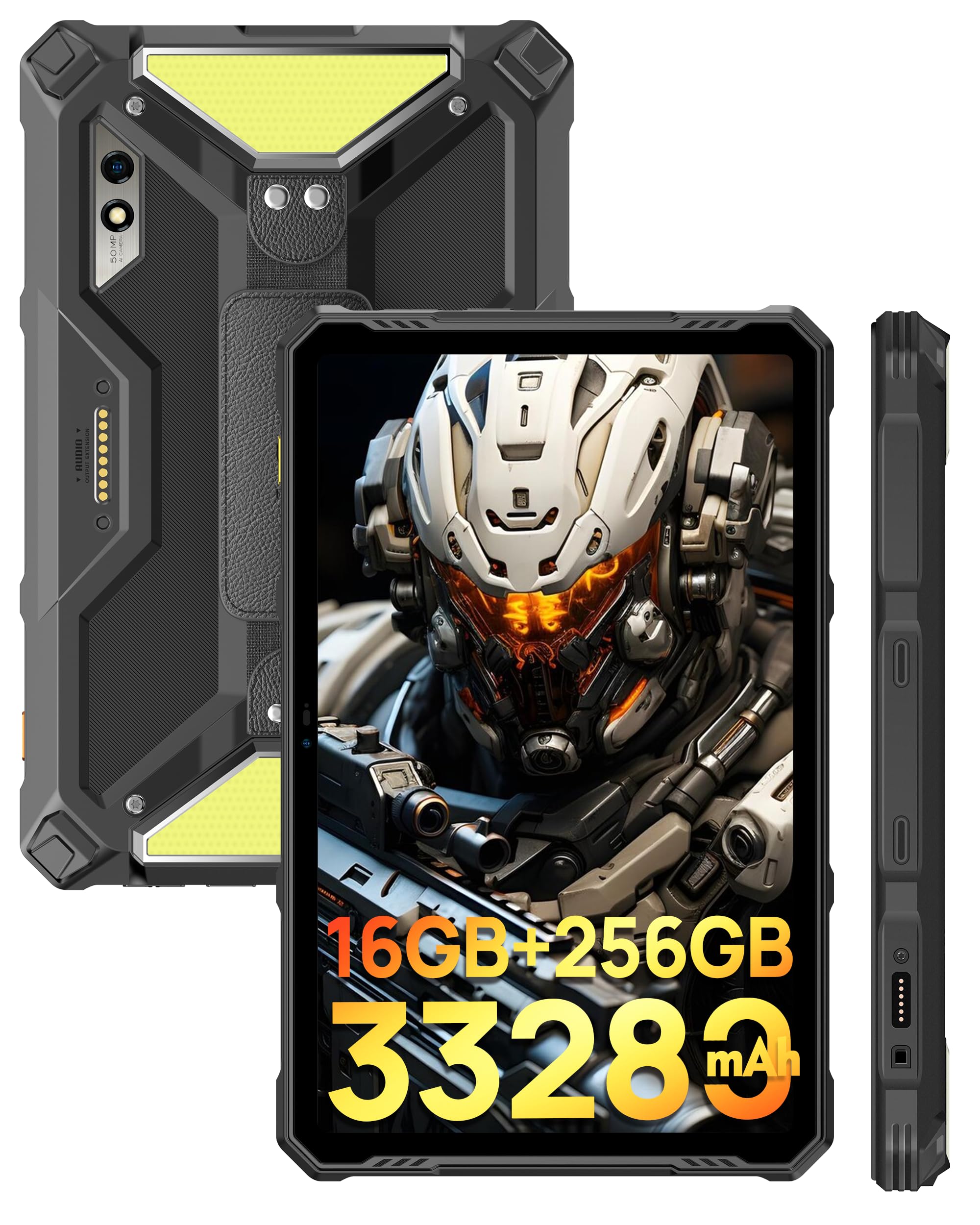
Слика: Предња и задња страна view of the Ulefone Armor Pad 3 Pro Rugged Tablet, highlighting its robust design.
Видео: Оверview of the Ulefone Armor Pad 3 Pro Rugged Tablet, showcasinг његове карактеристике и дизајн.
2. Шта је у кутији
Проверите да ли су све ставке присутне у пакету:
- 1 x AC Power Charger
- 1 x USB Type-C 2.0 Charging Cable
- 1 x Hand Strap & 1 x Screwdriver & 4 x Screws
- КСНУМКС к СИМ игла
- 1 x Protective Film (Pre-installed)

Image: The Ulefone Armor Pad 3 Pro tablet displayed with its standard accessories, including charger, cables, and tools.
3. Подешавање
3.1. Пуњење уређаја
Before first use, fully charge the tablet using the provided AC power charger and USB Type-C cable. The device supports 66W fast charging.
3.2. Укључивање/искључивање
- To power on: Press and hold the Power button until the Ulefone logo appears.
- Да бисте искључили напајање: Притисните и држите дугме за напајање, а затим изаберите „Искључивање“ из понуђених опција.
3.3. Инсталација SIM картице и TF картице
The tablet supports dual Nano SIM cards and one TF card for expandable storage. Use the provided SIM needle to open the card tray.
- Пронађите лежиште за СИМ картицу са стране таблета.
- Insert the SIM needle into the small hole next to the tray and press gently until the tray ejects.
- Place your Nano SIM cards and/or TF card into the designated slots on the tray. Ensure correct orientation.
- Пажљиво гурните лежиште назад у таблет док не кликне на своје место.
4. Упутство за употребу
4.1. Приказ и навигација
The Ulefone Armor Pad 3 Pro features a 10.36-inch 2K display protected by Corning Gorilla Glass 5. Navigate the Android 13 operating system using touch gestures.

Image: The tablet's 10.36-inch 2K display showcasing vibrant visuals and its durable Corning Gorilla Glass 5 protection.
4.2. Управљање батеријом
The tablet is equipped with a 33280mAh mega battery. It supports 66W fast charging and 10W reverse charging (OTG) to power other devices.

Image: Visual representation of the 33280mAh battery capacity, 66W fast charging, and reverse charging capabilities.
4.3. Функције камере
Capture high-quality photos and videos with the 50MP rear camera (Samsung ISOCELL GN1 sensor) and the 32MP front camera.
- Отворите апликацију Камера са почетног екрана или из фиоке апликација.
- Додирните дугме затварача да бисте снимили фотографију.
- Пребацујте се између режима за фотографисање и снимање видеа по потреби.
- Use the front/rear camera toggle to switch between cameras.

Image: Details of the 50MP rear camera, including sensor size and aperture, with exampфотографије.

Image: The 32MP front camera in use for video calls or selfies.
4.4. Dual 1100LM LED Lights
The tablet features two powerful 1100 lumen LED lights for illumination. These lights have 3 lighting modes and 3 brightness levels, accessible via a physical button on the left side.
- Press the dedicated light button to activate the LED lights.
- Press repeatedly to cycle through brightness levels and modes.

Image: The tablet's dual 1100 lumen LED lights in action, providing powerful illumination for various scenarios.
4.5. Повезивање
The Armor Pad 3 Pro supports 4G cellular, 2.4G/5G WiFi, Bluetooth 5.2, NFC, and HDMI output.
- ВиФи: Повежите се са бежичним мрежама преко Подешавања > Мрежа и интернет > Wi-Fi.
- Блуетоотх: Упарите се са Bluetooth уређајима преко Подешавања > Повезани уређаји > Bluetooth.
- НФЦ: Enable NFC for contactless payments and data transfer via Settings > Connected devices > Connection preferences > NFC.
- ДВИ: Connect to an external display using an HDMI cable for screen mirroring.

Image: The tablet connected to an external display via HDMI, demonstrating its screen mirroring capability.

Image: Illustrates the tablet's dual 4G LTE and 2.4G/5G WiFi connectivity, along with fingerprint ID and face unlock security features.
4.6. уСмарт конектор за проширење
The uSmart Expansion Connector allows for fast and stable connections to professional tools such as endoscopes and microscopes (sold separately).

Image: The uSmart Expansion Connector shown with compatible accessories like a digital microscope and endoscopes, demonstrating its versatility.
Video: A showcase of the Ulefone Armor Pad 3 Pro's accessory ecosystem, including the uSmart expansion tools like endoscopes and microscopes.
4.7. Остале карактеристике
- Stereo Dual Speakers: Enjoy enhanced audio with built-in front-facing speakers.
- Fingerprint Sensor & Face Unlock: Secure your device with biometric authentication.
- Режим рукавице: Use the touchscreen while wearing gloves.
- ГПС: Integrated GPS + GLONASS + Galileo + BeiDou for accurate navigation.
- Digital Toolbox: Access various utility tools like Sound Meter, Compass, Magnifier, etc.

Image: The tablet's stereo front-facing dual speakers for spatial audio effects and its headset-free FM radio function.
5. Одржавање
To ensure the longevity and optimal performance of your Ulefone Armor Pad 3 Pro, follow these maintenance guidelines:
- Чишћење: Обришите уређај меком, дamp cloth. Avoid harsh chemicals or abrasive materials. Ensure all port covers are securely closed before cleaning with water.
- температура: Operate the tablet within its specified temperature range. Avoid prolonged exposure to extreme heat or cold.
- Заштита од удара: While rugged, avoid unnecessary drops or impacts.
- Поклопци портова: Always ensure the USB-C and SIM/TF card slot covers are tightly sealed to maintain water and dust resistance.
КСНУМКС. Решавање проблема
Ако наиђете на проблеме са таблетом, погледајте следећа уобичајена решења:
- Уређај се не укључује: Уверите се да је батерија напуњена. Прикључите пуњач и сачекајте неколико минута пре него што поново покушате да је укључите.
- Екран се замрзнуо или не реагује: Притисните и држите дугме за напајање око 10-15 секунди да бисте поново покренули рачунар.
- Проблеми са повезивањем (Wi-Fi/Bluetooth/4G): Try toggling the respective feature off and on in Settings. For cellular issues, ensure your SIM card is correctly inserted and your plan is active.
- Рушење апликација: Обришите кеш меморију проблематичне апликације (Подешавања > Апликације > [Назив апликације] > Меморија и кеш > Обриши кеш меморију). Ако проблем и даље постоји, покушајте поново да инсталирате апликацију.
- Споре перформансе: Close unnecessary background apps, clear cache, or consider a factory reset as a last resort (back up your data first).
7. Спецификације
| Феатуре | Спецификација |
|---|---|
| Бранд | Улефон |
| Назив модела | Ulefone Armor Pad 3 Pro |
| Оперативни систем | Андроид 13 |
| Процесор | MediaTek MT8788 Octa-core (2 GHz) |
| РАМ меморија | 16 GB (8 GB физичке + 8 GB виртуелне) |
| Капацитет складиштења | 256 GB (прошириво до 2 TB путем TF картице) |
| Величина екрана | 10.36 инча |
| Резолуција екрана | 2048x1536 (2K), 500 Nits Brightness |
| Дисплаи Типе | LCD with Corning Gorilla Glass 5 |
| Задња камера | 50 МП |
| Предња камера | 32 МП |
| Капацитет батерије | 33280 мАх |
| Брзо пуњење | 66В |
| Реверсе Цхаргинг | 10W OTG |
| Руггнесс | IP68/IP69K, MIL-STD-810H Certified |
| Повезивање | 4G LTE, Wi-Fi (2.4G/5G), Bluetooth 5.2, NFC, HDMI |
| ГПС | GPS + GLONASS + Galileo + BeiDou |
| Посебне карактеристике | Dual 1100LM LED Lights, uSmart Expansion Connector, Stereo Dual Speakers, Fingerprint Sensor, Glove Mode, Custom Key, PTT |
| Dimensions (L x W x Thickness) | 6.57 cm D x 10.3 cm Š x 0.83 cm Deb |
| Тежина артикла | 1018 грама |
8. Гаранција и подршка
The Ulefone Armor Pad 3 Pro comes with a 1-Year Limited Warranty from the manufacturer, Ulefone. For technical support, warranty claims, or service inquiries, please contact Ulefone customer service through their official webсајт или продавницу где је производ купљен.
Молимо вас да сачувате доказ о куповини ради потврде гаранције.


