Увод
The Tech Feel smartwatch with ECG combines the primary functionalities of a smart watch with comprehensive 360° cardiac monitoring. It is an ideal tool for individuals who wish to monitor their heart functions, as well as for athletes who want to track their performance. Please note: This device is not a medical device and should not be used for medical diagnosis or treatment.
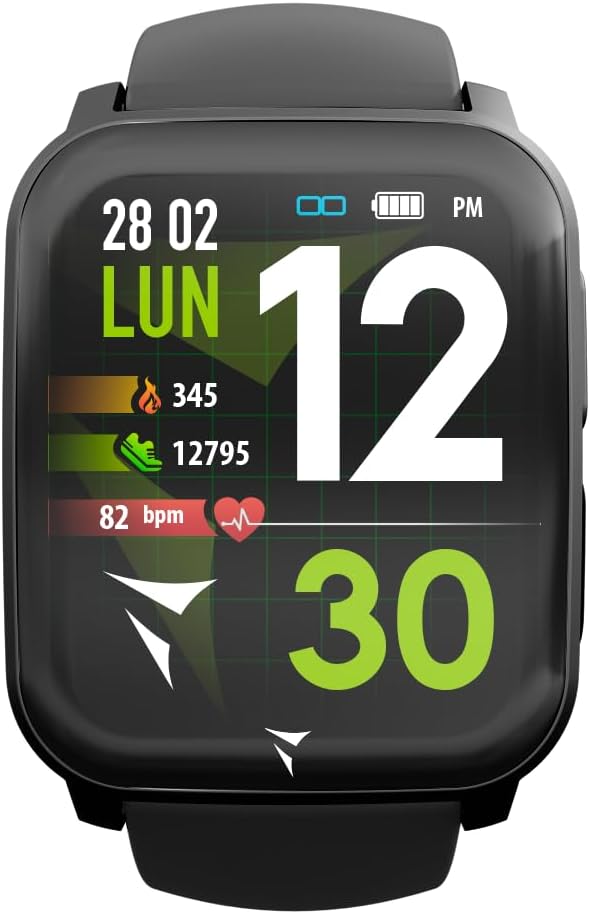
Figure 1: Tech Feel Smartwatch displaying activity data.
1. Подешавање
1.1 Пуњење уређаја
Before first use, fully charge your Tech Feel smartwatch. Connect the magnetic charging cable to the charging contacts on the back of the watch and plug the USB end into a standard USB power adapter (not included) or a computer's USB port. The watch display will indicate charging status.
1.2 Инсталација и упаривање апликације
- Преузмите пратећу апликацију: Тражи the official Techmade companion app (e.g., "Techmade Fit" or similar, check product packaging or quick start guide for exact name) on the Apple App Store (for iOS devices) or Google Play Store (for Android devices).
- Креирајте налог: Отворите апликацију и пратите упутства на екрану да бисте креирали нови кориснички налог или се пријавите ако га већ имате.
- Омогући Блуетоотх: Уверите се да је Блуетоотх омогућен на вашем паметном телефону.
- Pair the Smartwatch: Within the app, navigate to the device pairing section. Select your Tech Feel smartwatch from the list of available devices. Follow any prompts on both the app and the watch to complete the pairing process. A successful connection will usually be indicated on the watch display.
2. Упутство за употребу
2.1 Основна навигација
- екран осетљив на додир: Swipe left/right, up/down to navigate through different screens and menus. Tap to select an option.
- Side Button/Digital Crown: Press the side button (often also a digital crown) to return to the home screen, wake the device, or access the app menu. Rotate the digital crown (if applicable) to scroll through lists.
2.2 ECG Measurement
The Tech Feel smartwatch is equipped with additional electrodes to perform a single-lead Electrocardiogram (ECG) measurement. This feature provides insights into your heart rate and rhythm.
- Припрема: Ensure the watch is worn snugly on your wrist.
- Покрените мерење: Navigate to the ECG function on your smartwatch.
- Position Finger: While wearing the smartwatch, place your fingertip (typically the index finger of the opposite hand) on the digital crown located on the side of the screen. This action closes an electrical circuit through your fingertip, which then reaches the sensor on your wrist.
- Процес мерења: Hold your finger still for approximately 30 seconds while the watch records the electrical signals.
- Резултати: An algorithm within the Techmade application processes the data and generates an ECG graph. This single-lead ECG can provide information on heart rate and rhythm and may assist in the classification of atrial fibrillation.
- Sharing Data: The generated ECG data can be viewed in the companion app and potentially shared with your doctor for review.
Важна напомена: A single-lead ECG cannot be used to detect all heart problems, such as heart attacks. This device is not a medical device and should not replace professional medical advice or diagnosis.
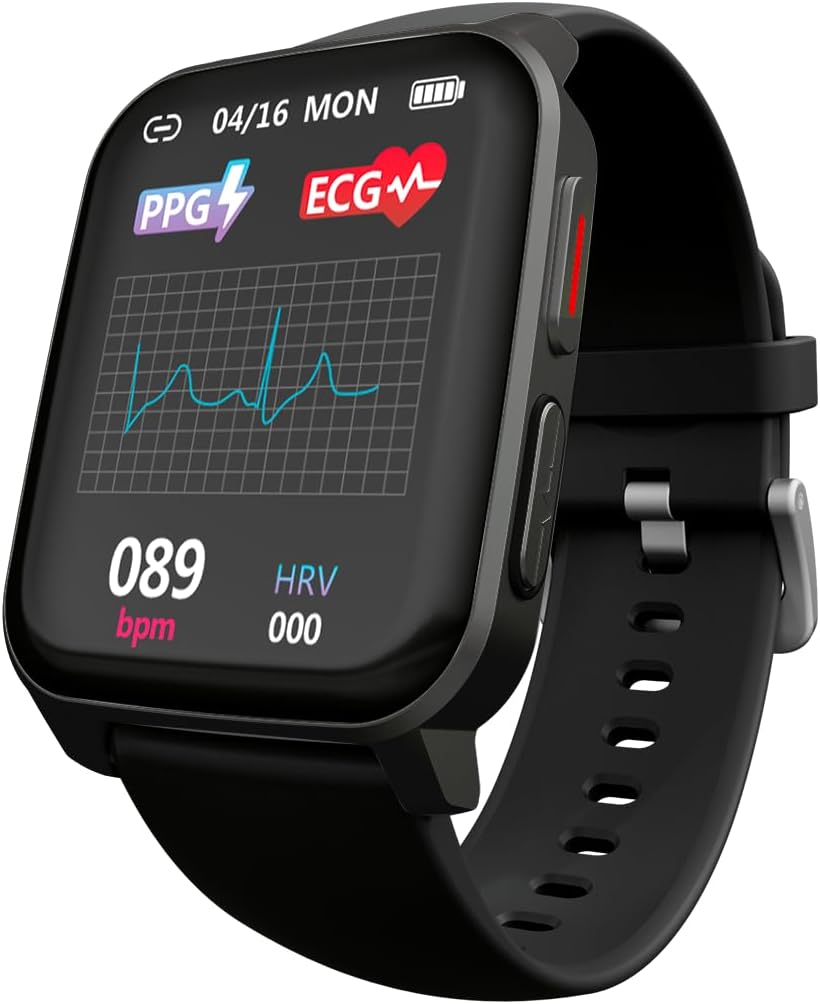
Figure 2: ECG waveform display on the smartwatch.

Figure 3: Smartwatch on wrist with companion app displaying ECG analysis.
2.3 Heart Rate and Blood Oxygen Monitoring
The smartwatch continuously monitors your heart rate and can measure blood oxygen saturation (SpO2). Access these features through the dedicated menus on the watch or view historical data in the companion app.
2.4 спортских режима
The Tech Feel smartwatch supports various sport modes to track your physical activity. Select the desired sport mode before starting your workout to record metrics such as steps, distance, calories burned, and heart rate during exercise.

Figure 4: Smartwatch displaying Sport mode during an outdoor activity.
2.5 Надгледање спавања
Wear the smartwatch to bed to automatically monitor your sleep patterns. The app provides detailed analysis of your sleep stages (deep, light, REM) and duration.
2.6 Обавештења
Once paired with your smartphone, the Tech Feel smartwatch can receive notifications for calls, messages, and app alerts directly on your wrist. Configure notification settings within the companion app.
3. Одржавање
- Чишћење: Редовно чистите сат и каиш меком крпомamp крпа. Избегавајте употребу јаких хемикалија или абразивних материјала. Уверите се да су контакти за пуњење чисти и суви пре пуњења.
- Складиштење: Чувајте паметни сат на хладном и сувом месту када га не користите.
- Отпорност на воду: Refer to the product specifications for water resistance ratings. Avoid exposing the watch to hot water, steam, or high-pressure water jets.
- Избегавајте екстремне температуре: Do not expose the device to extremely high or low temperatures, as this can damage the battery and internal components.
КСНУМКС. Решавање проблема
| Проблем | Могући узрок | Решење |
|---|---|---|
| Сат се не укључује. | Ниска батерија. | Пуните сат најмање 30 минута. |
| Не може се упарити са паметним телефоном. | Bluetooth is off; watch is out of range; app issue. | Ensure Bluetooth is on. Bring watch closer to phone. Restart both watch and phone. Reinstall the app if necessary. |
| Inaccurate heart rate/ECG readings. | Watch not worn snugly; sensor dirty; movement during measurement. | Ensure watch is snug on wrist. Clean the sensor on the back of the watch. Remain still during measurements. |
| Обавештења нису примљена. | Notification permissions not granted; app not running in background. | Check app notification settings on your phone. Ensure the app is running or allowed to run in the background. |
5. Спецификације
| Феатуре | Детаљ |
|---|---|
| Бранд | Techmade |
| Назив модела | ECG Tech Feel |
| Број модела ставке | TM-FEEL-BK |
| Боја | Black Case and Strap |
| Оперативни систем | Веар ОС |
| Технологија повезивања | Блуетоотх |
| Стандард бежичне комуникације | Блуетоотх |
| Посебне карактеристике | Blood Pressure Monitoring, ECG, Heart Rate, Oxygenation, Sport, Sleep Monitor, Call Notification |
| Компатибилни уређаји | Паметни телефон (iOS и Android) |
| Састав батерије | Литијум-полимер |
| Пуњива батерија | Да |
| Капацитет батерије | 180 mAh (приближно) |
| ГПС | ГПС преко паметног телефона |
| Облик | Скуаре |
| Произвођач | Techmade |
| Земља порекла | Кина |
| Доступност резервних делова | Информације о резервним деловима нису доступне |
| Ажурирања софтвера гарантована до | Информације нису доступне |
| Датум прве доступности на Amazon.com.be | 26. април 2024 |
6. Информације о гаранцији
Specific warranty details for the Tech Feel Smartwatch are not provided in the product information. Please refer to the warranty card included with your product or visit the official Techmade webсајт за детаљне услове гаранције.
7. Корисничка подршка
For technical assistance, troubleshooting beyond this manual, or product inquiries, please visit the official Techmade support webсајту или контактирајте њихову службу за кориснике. Контакт информације су обично доступне на сајту произвођача webсајту или у паковању производа.


