1. Увод
The vretti BQ1 Bluetooth Label Printer is a compact, portable thermal label printer designed for various labeling needs in home, office, school, and small business environments. It connects wirelessly to your smartphone via Bluetooth, allowing for quick and easy label creation and printing through the dedicated "xeasy label" application.
This printer utilizes thermal printing technology, eliminating the need for ink or toner, which saves on replacement costs and maintenance. It supports label sizes from 25mm to 58mm, offering flexibility for printing address labels, price tags, food labels, clothing tags, barcodes, QR codes, and more.

Image 1.1: The vretti BQ1 Bluetooth Label Printer, highlighting its Bluetooth connectivity and compatibility with iOS and Android devices.
2. Подешавање
2.1 Садржај пакета
Пре него што почнете, проверите да ли су сви предмети укључени у ваш пакет:
- 1 x vretti BQ1 Label Printer
- 1 x Упутство за употребу (овај документ)
- 1 x 50x30mm Label Paper Roll (pre-installed inside the machine)
- 1 к УСБ кабл за пуњење типа Ц
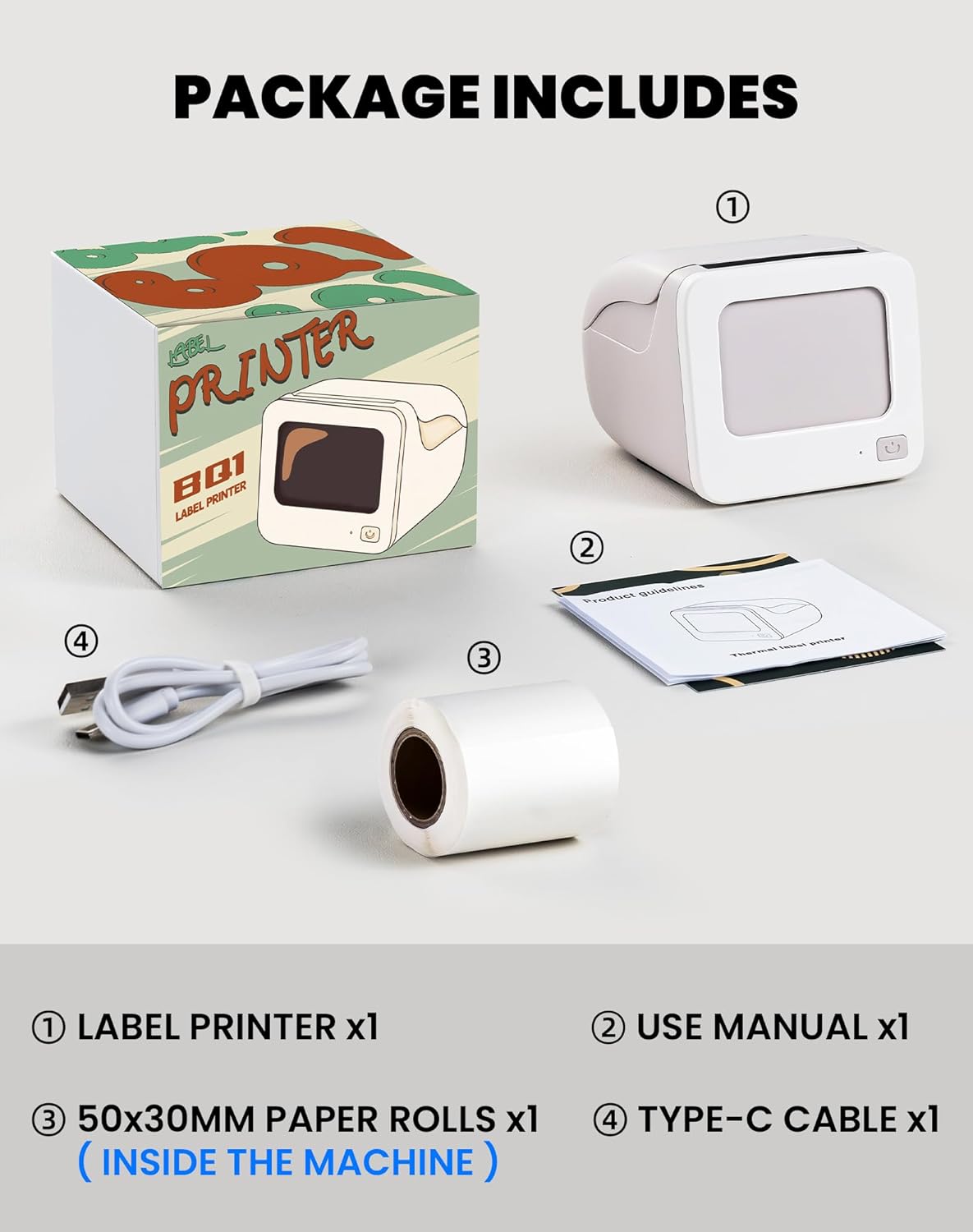
Image 2.1: Visual representation of the items included in the vretti BQ1 label printer package.
2.2 Убацивање папира за етикете
The printer comes with a label roll pre-installed. If you need to replace or load a new roll:
- Gently open the printer cover.
- Insert the new label roll into the compartment, ensuring the labels feed out smoothly. The printable side of the label should face upwards.
- Добро затворите поклопац штампача.

Image 2.2: Proper insertion of a label roll into the vretti BQ1 printer, demonstrating the supported label width range.
2.3 Инсталација апликације и Bluetooth веза
To use your vretti BQ1 printer, you need to download and connect it via the "xeasy label" application.
- Преузмите апликацију: Тражи "xeasy label" in your smartphone's app store (Google Play Store for Android or Apple App Store for iOS) and install it.
- Укључите Блуетоотх: Уверите се да је Блуетоотх омогућен на вашем паметном телефону.
- Отворите апликацију и повежите се: Open the "xeasy label" app. The app will guide you to connect to your printer. Select "BQ1" from the list of available devices.
- Укључено: Press and hold the power button on the printer until the indicator light turns on.

Image 2.3: Step-by-step guide for downloading the "xeasy label" app, connecting to the printer via Bluetooth, and preparing to edit a label.
3. Упутство за употребу
3.1 Creating and Printing Labels
Once connected, the "xeasy label" app provides a user-friendly interface for designing and printing labels.
- Select a Template or Create New: The app offers a variety of pre-designed templates, fonts, icons, and frames. You can choose an existing template or start a new design.
- Customize Your Label: Edit text, add images, barcodes, QR codes, and adjust the layout to fit your needs. The app supports various customization options.
- Преview и штампај: Пре штампања, преview your label to ensure it looks as desired. Then, tap the print button in the app to send the design to your vretti BQ1 printer.
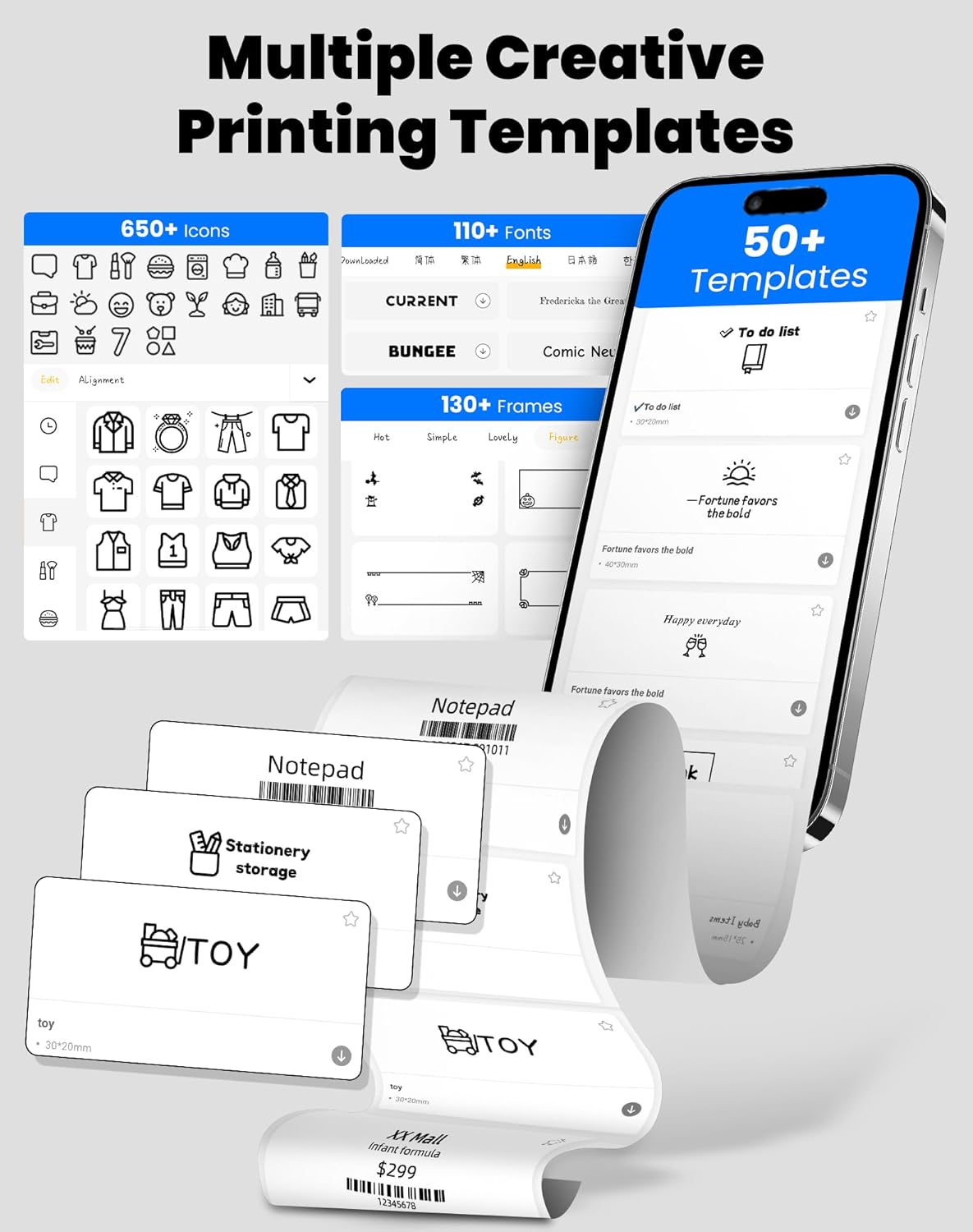
Image 3.1: The "xeasy label" app interface, showcasing a wide range of creative printing templates, icons, and fonts available for label design.

Слика 3.2: Готовоview of the multi-functional applications within the "xeasy label" app, including support for barcodes, QR codes, images, various borders, font shapes, and hundreds of icons.
3.2 Common Label Applications
The vretti BQ1 printer is versatile and suitable for a wide range of applications:
- Организација дома: Label storage bins, pantry items, spice jars, and more.
- Office & School: Организујте files, label stationery, create name tags, or mark assets.
- Retail & Small Business: Print price tags, product labels, address labels for shipping, and inventory management labels.
- Лична употреба: Create decorative labels for gifts, DIY projects, or personal items.

Слика 3.3: Примерamples of the vretti BQ1 printer's versatility, showing labels used for toy classification, light switches, to-do lists, clothing, and gifts.

Image 3.4: Demonstrations of common label types that can be printed, including address labels, price labels, food labels, and customizable DIY labels.
4. Одржавање
4.1 Чишћење штампача
To ensure optimal performance and print quality, regular cleaning is recommended:
- Екстеријер: Wipe the exterior of the printer with a soft, dry cloth. Avoid using abrasive cleaners or solvents.
- Глава за штампање: If print quality degrades, gently clean the thermal print head with an alcohol swab. Ensure the printer is turned off and cooled down before cleaning.
4.2 Label Roll Storage
Store label rolls in a cool, dry place away from direct sunlight and excessive heat to preserve their adhesive properties and print quality.
КСНУМКС. Решавање проблема
If you encounter issues with your vretti BQ1 printer, try the following steps:
- Штампач се не укључује: Ensure the printer is charged. Connect it to a power source using the provided Type-C cable.
- Не могу да се повежем преко Bluetooth-а:
- Уверите се да је Блуетоотх омогућен на вашем паметном телефону.
- Ensure the printer is powered on and within range.
- Restart both the printer and your smartphone.
- Try reconnecting through the "xeasy label" app.
- Лош квалитет штампе:
- Check if the label roll is inserted correctly and is not damaged.
- Очистите термалну главу за штампање као што је описано у одељку Одржавање.
- Ensure the label type is compatible with thermal printing.
- Етикете се не увлаче правилно:
- Verify the label roll is properly seated and not jammed.
- Ensure the printer cover is fully closed.
Video 5.1: A general product overview video for the vretti BQ1 label printer, demonstrating its features and operation. If the video does not load, please ensure your browser supports HLS streaming.
6. Спецификације
| Бранд | вретти |
| Назив модела | БК1 |
| Технологија повезивања | Блуетоотх |
| Технологија штампе | Тхермал |
| Максимална величина медија | 58 mm (supports 25-58mm width) |
| Резолуција штампања | 203 dpi (Monochrome) |
| Компатибилни уређаји | Паметни телефон (Андроид, иОС) |
| Укључене компоненте | 1 Label Printer, 1 Label Roll (starter), 1 Type-C Cable |
| Димензије производа | 10.3Д к 10.4В к 8Х центиметара |
| Посебна карактеристика | Elegant TV-like design |
7. Гаранција и подршка
7.1 Информације о гаранцији
The vretti BQ1 Label Printer typically comes with a једногодишња гаранција од датума куповине. Молимо вас да сачувате доказ о куповини за потребе гаранције. Гаранција покрива производне недостатке, али не покрива штету насталу услед злоупотребе, незгода или неовлашћених модификација.
7.2 Корисничка подршка
For further assistance, technical support, or warranty inquiries, please refer to the official vretti website or contact their customer service through the contact information provided on their official channels. Ensure you have your product model number (BQ1) and purchase details ready when contacting support.


