1. Увод
This manual provides detailed instructions for setting up, operating, maintaining, and troubleshooting your ASUS RT-BE82U BE6500 Dual-Band WiFi 7 Router. Please read this manual thoroughly before using the device to ensure optimal performance and safety.
Кључне карактеристике:
- Ultrafast WiFi 7 (802.11be) dual-band speeds up to 6500 Mbps.
- Five 2.5GbE Ports for optimized wired connectivity.
- Smart AiMesh Extendable Network for whole-home seamless roaming.
- Multi-link Operation for stable internet connections and efficient data transfers.
- Commercial-Grade AiProtection Pro powered by Trend Micro for advanced network security.
- Advanced Parental Controls for managing internet activity.
2. Садржај пакета
Проверите да ли су све ставке присутне у вашем пакету:
- ASUS RT-BE82U Router
- РЈ-45 кабл
- Адаптер за напајање
- Водич за брзи почетак
- Гарантни лист
3. Подешавање и инсталација
Follow these steps to set up your ASUS RT-BE82U router:
- Распакујте рутер: Пажљиво извадите рутер и сву додатну опрему из паковања.
- Повежите антене: Ensure all four external antennas are securely attached and positioned for optimal signal.
- Повежите се на Интернет:
- Connect one end of the provided RJ-45 cable to the WAN port (blue) on the back of the RT-BE82U router.
- Повежите други крај RJ-45 кабла са LAN портом вашег модема.
- Укључено: Connect the power adapter to the router's DC-IN port and then plug it into a power outlet. Press the power button to turn on the router.
- Initial Configuration (via ASUS Router App):
- Download the ASUS Router app from your mobile device's app store (available on iOS and Android).
- Open the app and follow the on-screen instructions to detect and configure your new router. This includes setting up your Wi-Fi network name (SSID) and password.
- Потврдите везу: Once setup is complete, check the LED indicators on the front of the router. The WAN, 2.4GHz, and 5GHz LEDs should be solid white, indicating a successful connection.

Слика 3.1: Предња страна view of the ASUS RT-BE82U BE6500 Dual-Band WiFi 7 Router with antennas extended.

Слика 3.2: Задња страна view showing the 2.5GbE WAN, 2.5GbE LAN ports, USB WAN, DC-IN, Power button, and Reset button.
4. Управљање рутером
4.1. Network Management via ASUS Router App
The ASUS Router app provides comprehensive control over your network. You can:
- Пратите мрежни саобраћај и повезане уређаје.
- Manage Wi-Fi settings for 2.4GHz and 5GHz bands.
- Set up guest networks for visitors.
- Configure advanced security features like AiProtection Pro.
- Implement parental controls to manage internet access for family members.

Figure 4.1: ASUS Router App interface for managing parental controls and network settings.
4.2. AiMesh систем
The RT-BE82U supports ASUS AiMesh technology, allowing you to create a whole-home mesh Wi-Fi system by adding compatible ASUS routers. This extends coverage and eliminates Wi-Fi dead zones, providing seamless roaming throughout your home.
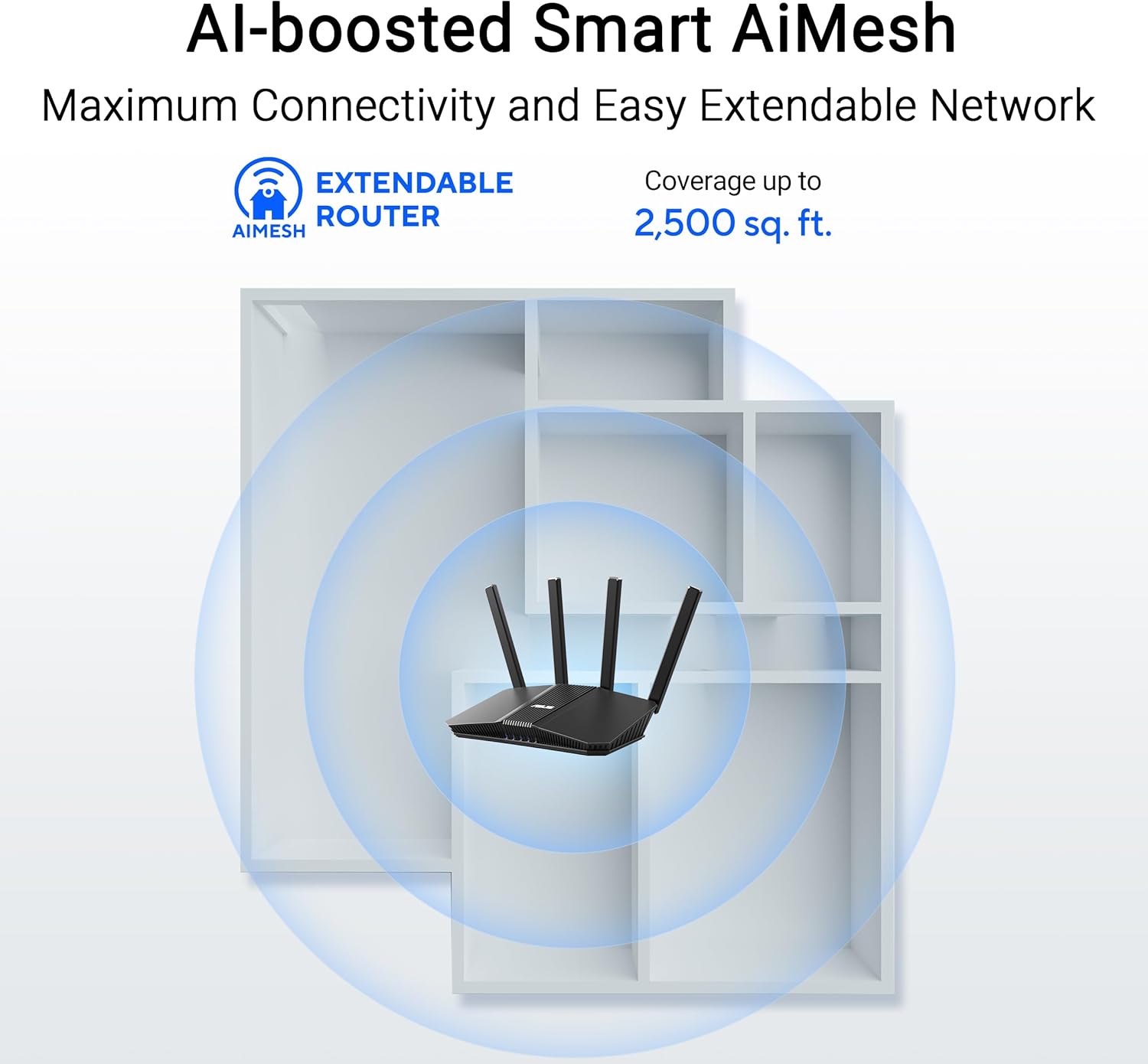
Figure 4.2: AiMesh system extending Wi-Fi coverage up to 2,500 sq. ft.
4.3. Advanced Network Security
The router includes AiProtection Pro, a commercial-grade network security suite. This feature provides real-time network protection against internet threats, malicious websites, and intrusion prevention. It also offers a one-tap security scan and Safe Browsing features.

Figure 4.3: AiProtection Pro interface within the ASUS Router App.
5. Одржавање
To ensure the longevity and optimal performance of your router, consider the following maintenance tips:
- Ажурирања фирмвера: Regularly check for and install firmware updates via the ASUS Router app or the web interface. Updates often include security patches and performance improvements.
- Пласман: Place the router in a central location, away from obstructions and other electronic devices that may cause interference. Ensure good airflow around the device to prevent overheating.
- Чишћење: Keep the router clean and free of dust. Use a soft, dry cloth to wipe the exterior. Do not use liquid cleaners.
- Периодично поново покрени: A periodic restart (e.g., once a month) can help clear temporary issues and refresh network performance.
КСНУМКС. Решавање проблема
Ако наиђете на проблеме са рутером, покушајте са следећим корацима за решавање проблема:
- Нема интернет везе:
- Check all cable connections (WAN, LAN, power) to ensure they are secure.
- Поново покрените модем, а затим рутер.
- Проверите да ли је веза вашег интернет провајдера (ИСП) активна.
- Мала брзина Wi-Fi-ја:
- Уверите се да су ваши уређаји повезани на опсег од 5 GHz за веће брзине, ако је подржан.
- Смањите сметње тако што ћете рутер померити даље од друге електронике.
- Проверите да ли у позадини раде апликације које захтевају много пропусног опсега.
- Consider adding an AiMesh node to extend coverage if you have dead zones.
- Не могу приступити подешавањима рутера:
- Уверите се да је ваш уређај повезан са Wi-Fi мрежом рутера или путем Ethernet кабла.
- Try accessing the router's web interface using the default IP address (e.g., 192.168.1.1) or via the ASUS Router app.
- Фацтори Ресет: If all else fails, perform a factory reset. Locate the Reset button on the back of the router (refer to Figure 3.2), press and hold it for 5-10 seconds until the power LED blinks, then release. This will restore the router to its default settings.
7. Спецификације
| Феатуре | Детаљ |
|---|---|
| Бранд | АСУС |
| Назив модела | РТ-БЕ82У |
| Класа фреквенцијског опсега | Дуал-Банд |
| Стандард бежичне комуникације | 802.11be (WiFi 7), 802.11ac, 802.11ax, 802.11n |
| Брзина преноса података | До 6500 Mbps (5764 Mbps на 5 GHz, 688 Mbps на 2.4 GHz) |
| Број портова | 5 (Five 2.5GbE Ports) |
| Антенна Типе | Fixed (4 Antennas) |
| Сигурносни протокол | AiProtection, VPN, Let's Encrypt, DNS-over-TLS, SSH, Security Scan, Firewall, WPS support, WPA/WPA2/WPA3-Personal, WPA/WPA2-Enterprise, WPS |
| AiMesh Support | Yes (Extendable Router) |
| Димензије (Д к Ш к В) | 5.8 cm D x 3.8 cm Š x 9.3 cm V |
| Тежина артикла | 1.1 фунти |
8. Информације о гаранцији
The ASUS RT-BE82U BE6500 Dual-Band WiFi 7 Router comes with a 3 година гаранције. Please refer to the included Warranty Card in your package for detailed terms and conditions, including information on service and support.
9. Подршка
За додатну помоћ, техничку подршку или преузимање најновијих драјвера и фирмвера, посетите званичну ASUS подршку. website or use the ASUS Router app. You can also find additional resources and FAQs on the ASUS webсајту.
АСУС подршка Webсајт: ввв.асус.цом/суппорт/
АСУС рутер апликација: Доступно на Apple App Store-у и Google Play Store-у.