1. Увод
Thank you for choosing the Aolon GT5 Pro Smart Watch. This manual provides essential information for setting up, operating, and maintaining your device. Please read it carefully to ensure optimal performance and longevity of your smart watch.
2. Садржај пакета
Након отварања пакета, проверите да ли су присутне све доле наведене ставке:
- Aolon GT5 Pro Smart Watch (with one strap attached)
- Additional Strap (e.g., leather or silicone, depending on variant)
- Магнетни кабл за пуњење
- Упутство за употребу

Image: Contents of the Aolon GT5 Pro Smart Watch package, showing the watch, an extra strap, a magnetic charging cable, and the user manual.
3. Производ је готовview
The Aolon GT5 Pro Smart Watch features a robust design with a 1.6-inch HD display and multiple physical buttons for intuitive control, especially during outdoor activities.
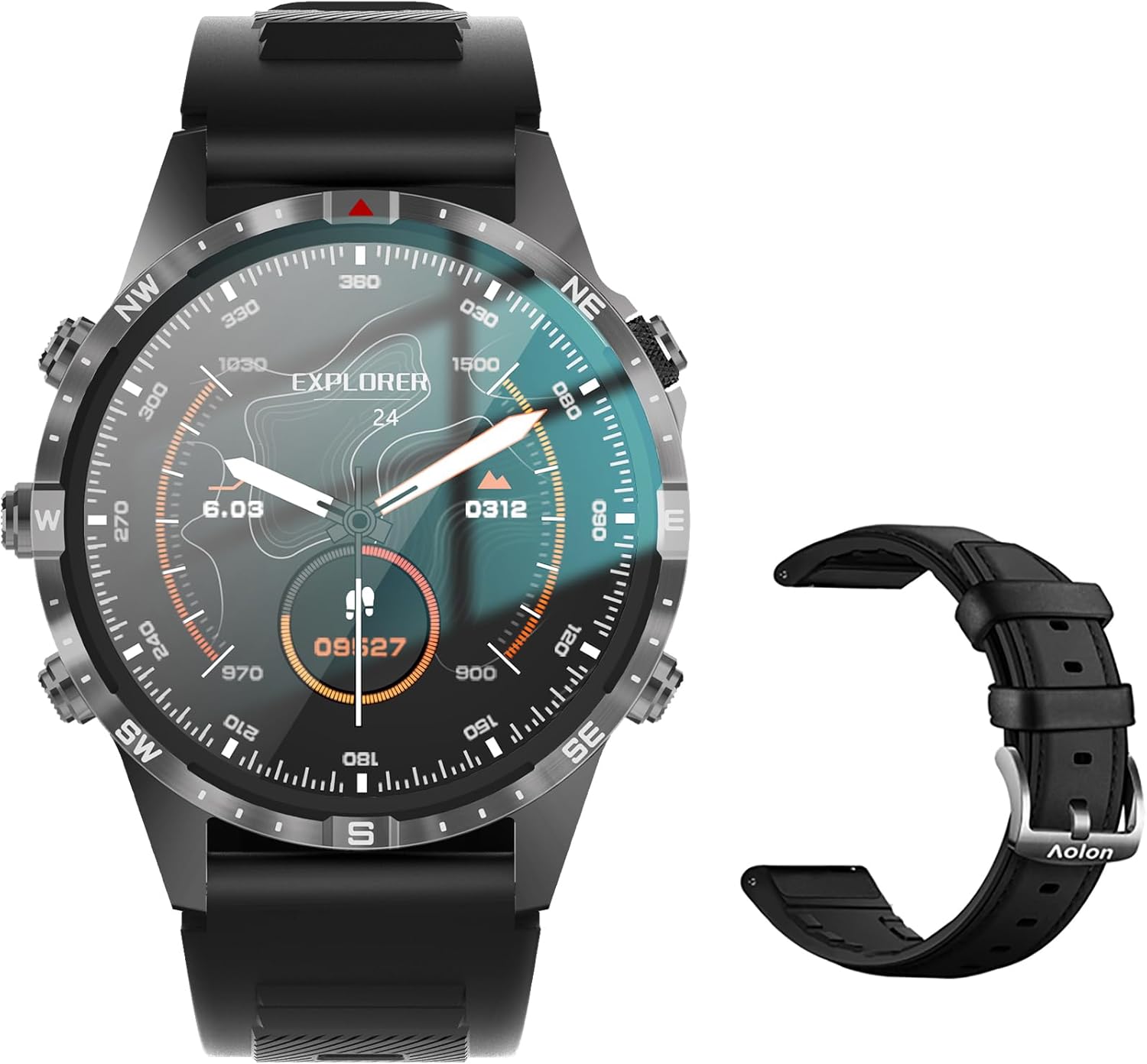
Image: The Aolon GT5 Pro Smart Watch displaying a compass-like watch face, alongside an additional black leather strap.
3.1. Компоненте сата
- Приказ: 1.6-inch HD Large Screen (360x360 resolution IPS HD with ultra-narrow bezel).
- Дугмад: 5 independent physical buttons for precise control and navigation.
- Сензори: Heart rate sensor, blood oxygen sensor, motion sensor.
- Звучник и микрофон: За функционалност позивања путем Блутута.

Слика: Крупни план view of the Aolon GT5 Pro Smart Watch screen, emphasizing its 1.6-inch HD display with 360x360 pixel resolution and narrow bezel.
4. Подешавање
4.1. Пуњење паметног сата
Before first use, fully charge your Aolon GT5 Pro Smart Watch. Connect the magnetic charging cable to the charging points on the back of the watch and plug the USB end into a power adapter (not included) or a computer's USB port.
- Време пуњења: Приближно 1.5 сата за потпуно пуњење.
- Battery Life: Up to 7-10 days with typical use, 30 days standby time.

Image: Visual representation of the Aolon GT5 Pro's battery performance, indicating 30 days standby, 7-10 days typical use, and 1.5 hours charging time.
4.2. Инсталација и упаривање апликације
To unlock the full potential of your smart watch, download the companion app on your smartphone.
- Преузмите апликацију: Scan the QR code in the manual or on the watch screen, or search for the app name (usually mentioned in the quick start guide) in your phone's app store (App Store for iOS, Google Play Store for Android).
- Региструј се/Пријави се: Отворите апликацију и пратите упутства на екрану да бисте креирали налог или се пријавили.
- Упарите сат: Ensure Bluetooth is enabled on your smartphone. In the app, navigate to the device pairing section and select your Aolon GT5 Pro from the list of available devices. Confirm the pairing request on both your phone and watch.
5. Упутство за употребу
5.1. Основна навигација
- Превуците нагоре/надоле: Листајте кроз меније и обавештења.
- Превуците лево/десно: Приступите брзим функцијама или различитим виџетима.
- Притисните дугмад: Use the 5 independent buttons for specific functions like power on/off, back, or quick access to sports modes. Refer to the quick start guide for specific button assignments.
- Додирните екран: Select items or confirm actions.
5.2. Позивање преко Bluetooth-а
The Aolon GT5 Pro supports Bluetooth calling, allowing you to make and receive calls directly from your wrist.
- Уверите се да је ваш сат повезан са телефоном путем Блутут-а.
- Access the call function on your watch to dial numbers or answer incoming calls.
- Receive message notifications from your phone's apps directly on your watch.

Image: The Aolon GT5 Pro Smart Watch showing its Bluetooth calling feature, with icons representing call, music, and contact functions.
5.3. Спортски режими
The watch supports over 100 sports modes, including swimming, running, cycling, and yoga. Select your desired activity to track specific metrics.
- Navigate to the Sports section on your watch.
- Choose your activity. The watch will record data such as calories burned, steps, distance, and pace.
- Connect to your phone's GPS via the app for detailed route tracking.
5.4. Праћење здравља
The Aolon GT5 Pro continuously monitors various health metrics.
- Откуцаји срца: Dynamic heart rate measurement 24/7.
- Кисеоник у крви: Low power consumption blood oxygen level monitoring.
- Праћење спавања: Records your sleep status in real-time, providing data on deep, light, and awake times.

Image: The Aolon GT5 Pro Smart Watch screen showing health monitoring features, including heart rate, blood pressure, and blood oxygen levels.

Image: The Aolon GT5 Pro Smart Watch screen illustrating sleep quality monitoring, detailing sleep stagи трајање.
5.5. Compass Navigation
Utilize the built-in guide needle navigation for accurate direction during outdoor activities.
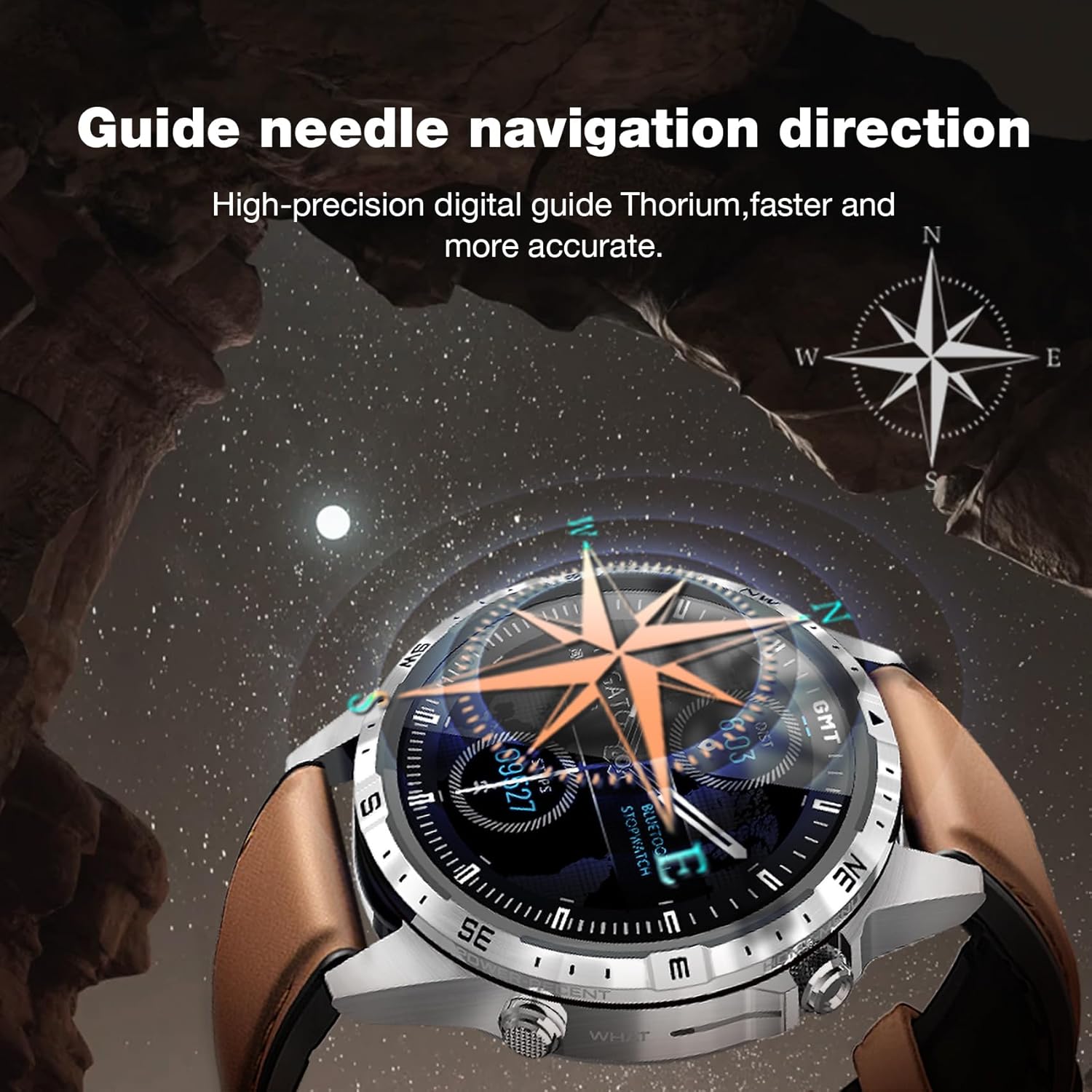
Image: The Aolon GT5 Pro Smart Watch showing its guide needle navigation feature, providing high-precision digital direction.
5.6. Остале функције
The watch includes various other essential functions:
- Контрола музике
- Временска прогноза
- Штоперица
- Даљинска контрола камере
- Ambient Sound Monitoring
- Финд Ми Пхоне
- Аларм Цлоцк
- Седентарни подсетник
- Подсетник о лековима
- Women's Menstrual Health Tips
5.7. Changing Watch Faces
Personalize your watch by choosing from multiple types of dials available through the watch or the companion app.

Image: A selection of diverse watch faces for the Aolon GT5 Pro, demonstrating customization options.
6. Одржавање
6.1. Чишћење сата
- Обришите екран и кућиште сата меком крпом која не оставља влакна.
- За тврдокорну прљавштину, благо дampИсперите крпу водом. Избегавајте употребу јаких хемикалија или абразивних материјала.
- Уверите се да су контакти за пуњење чисти и суви пре пуњења.
6.2. Отпорност на воду
The Aolon GT5 Pro is IP67 waterproof. This means it is protected against dust and can withstand immersion in water up to 1 meter for 30 minutes.
- It is suitable for daily use, such as washing hands, face, or sweating during exercise.
- Избегавајте врућу воду, пару или дуготрајно потапање у воду.
- Не користите дугмад под водом.
6.3. Strap Care and Replacement
The watch comes with standard dual straps (silicone and leather). Clean straps regularly. The silicone strap is ideal for sports, while the leather strap offers a more formal look. Straps can be easily switched without tools.
КСНУМКС. Решавање проблема
If you encounter issues with your Aolon GT5 Pro Smart Watch, refer to the following common solutions:
| Проблем | Решење |
|---|---|
| Сат се не укључује | Уверите се да је сат потпуно напуњен. Притисните и држите дугме за напајање неколико секунди. |
| Не може се упарити са паметним телефоном | Ensure Bluetooth is enabled on your phone. Restart both the watch and phone. Make sure the watch is not already paired with another device. Check app permissions. |
| Нетачни здравствени подаци | Уверите се да сат чврсто приања на зглоб, не превише стегнут или превише лабав. Очистите подручје сензора на полеђини сата. |
| Обавештења нису примљена | Check app notification settings on your phone and within the watch app. Ensure the watch is connected via Bluetooth. |
| Кратко трајање батерије | Reduce screen brightness, turn off unnecessary features (e.g., continuous heart rate monitoring if not needed), and ensure proper charging. |
8. Спецификације
| Феатуре | Детаљ |
|---|---|
| Модел | ГТ5 Про |
| Дисплаи | 1.6-inch HD IPS, 360x360 Pixel Resolution |
| Капацитет батерије | 340 мАх литијум полимер |
| Трајање батерије | 7-10 дана (типична употреба), 30 дана (стање приправности) |
| Време пуњења | Прибл. 1.5 сата |
| Отпорност на воду | ИП67 |
| Повезивање | Блуетоотх |
| Компатибилност | Андроид и иОС |
| Димензије | 16.3 x 10 x 2.5 cm (Package); Watch: 47.5mm diameter, 22mm strap width |
| Тежина | 180 g (Package) |
9. Безбедносне информације
- Не покушавајте да раставите или преправите сат.
- Држите сат даље од екстремних температура и директне сунчеве светлости.
- Consult a medical professional before starting any new exercise regimen or if you have pre-existing health conditions. The health data provided by the watch is for reference only and should not be used for medical diagnosis or treatment.
- Чувати ван домашаја деце.
10. Гаранција и подршка
For warranty information and customer support, please refer to the warranty card included in your package or visit the official AOLON webсајт. Ако наиђете на било какве проблеме који нису обухваћени овим упутством, обратите се корисничкој служби за помоћ.


