Увод
This manual provides detailed instructions for the VEKOOTO AHD 10.36-inch BSD Side View Vertical Monitor and Right Car Camera System. This system is designed to enhance vehicle safety by offering a clear, wide-angle view of the right side of your truck or bus, featuring a touch screen display, loop recording capabilities, and a Blind Spot Detection (BSD) voice alarm. Please read this manual thoroughly before installation and operation to ensure proper use and optimal performance.
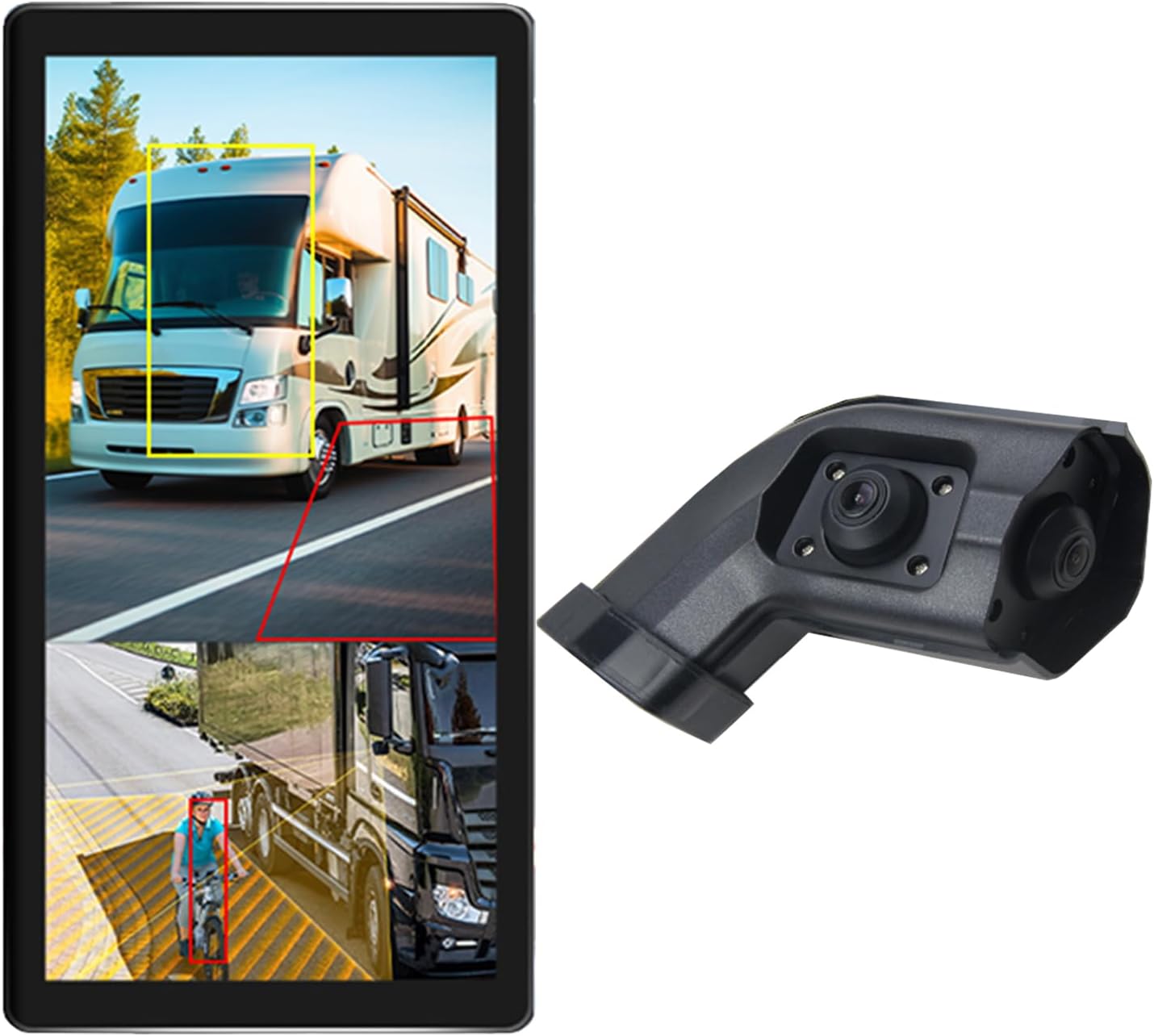
Image: The VEKOOTO 10.36-inch vertical monitor and the right side camera unit, illustrating the primary components of the system.
Шта је у кутији
Проверите да ли су све компоненте присутне и у добром стању након отварања паковања:
- 10.36-inch Touch Screen Monitor
- Integrated dual camera (for right side view)
- Повер Цабле
- Кабл за камеру
- Заграда
Кључне карактеристике
- Приказ: 10.36-inch IPS touch screen with 2-channel split screen display capability.
- Подршка за камеру: Compatible with AHD720P cameras, offering enhanced image clarity, advanced bright color separation, signal filtering, and 3D noise reduction technology.
- Blind Spot Detection (BSD): Features a voice alarm system. The alarm area, volume, and sensitivity are adjustable.
- Контрола слике: Supports camera image screen mirroring function for flexible viewинг.
- Прилагођавање екрана: Allows adjustment of display time, date, brightness, and screen color.
- Компатибилност напајања: Подржава широку волtagе опсег од 9В-36В.
- Подршка за више језика: Available in English, Korean, Japanese, and Chinese.
- Инсталација: Designed for installation on the right side rearview огледало возила.

Image: The monitor interface highlighting features such as image adjustment, BSD voice alarm, and customizable detection areas, shown with various driving scenarios including night, rain, and blind spots.
Подешавање и инсталација
Proper installation is crucial for the system's performance. It is recommended to have this system installed by a qualified professional.
1. Постављање компоненти
- Mount the 10.36-inch vertical monitor securely inside the vehicle, ensuring it does not obstruct the driver's view.
- Install the integrated dual camera unit on the right side rearview mirror of your vehicle. Ensure the camera has a clear, unobstructed view.

Image: The vertical monitor installed inside a vehicle, providing a clear view of the right side, simulating a truck's perspective.
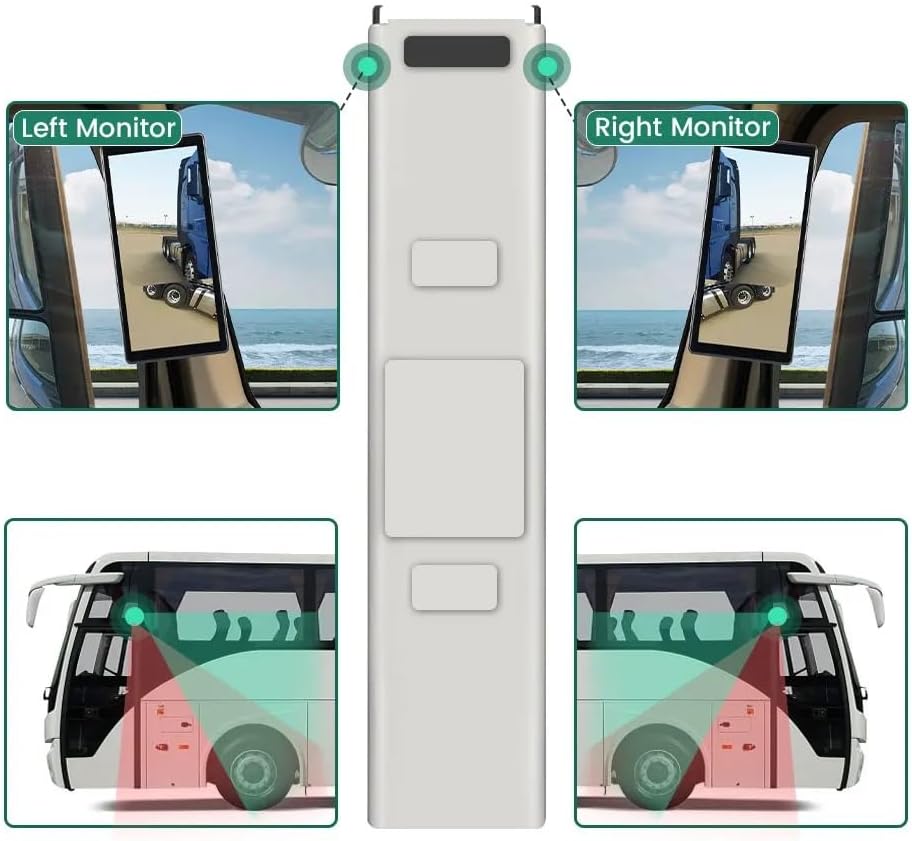
Image: A diagram illustrating the recommended placement of the right monitor and the camera's field of view for comprehensive side coverage on a bus.
2. Ожичење
Refer to the wiring diagram below for correct connections. The system supports 9V-36V wide voltagе инпут.

Image: Detailed wiring diagram showing connections for the monitor, integrated dual camera, ACC power supply (+), Ground (-), and Battery Power (+3A). Channel 1 (CH1) and Channel 2 (CH2) inputs are indicated for the camera cables.
- Повежите ACC Power Supply (+) wire (red) to a switched ignition source.
- Повежите земља (-) wire (black) to a suitable chassis ground point.
- Повежите Battery Power (+) (3A) wire (yellow) to a constant 12V/24V power source.
- Connect the camera cable(s) to the corresponding CH1 and CH2 inputs on the monitor.
- Уверите се да су сви прикључци безбедни и правилно изоловани како бисте спречили кратки спојеви.
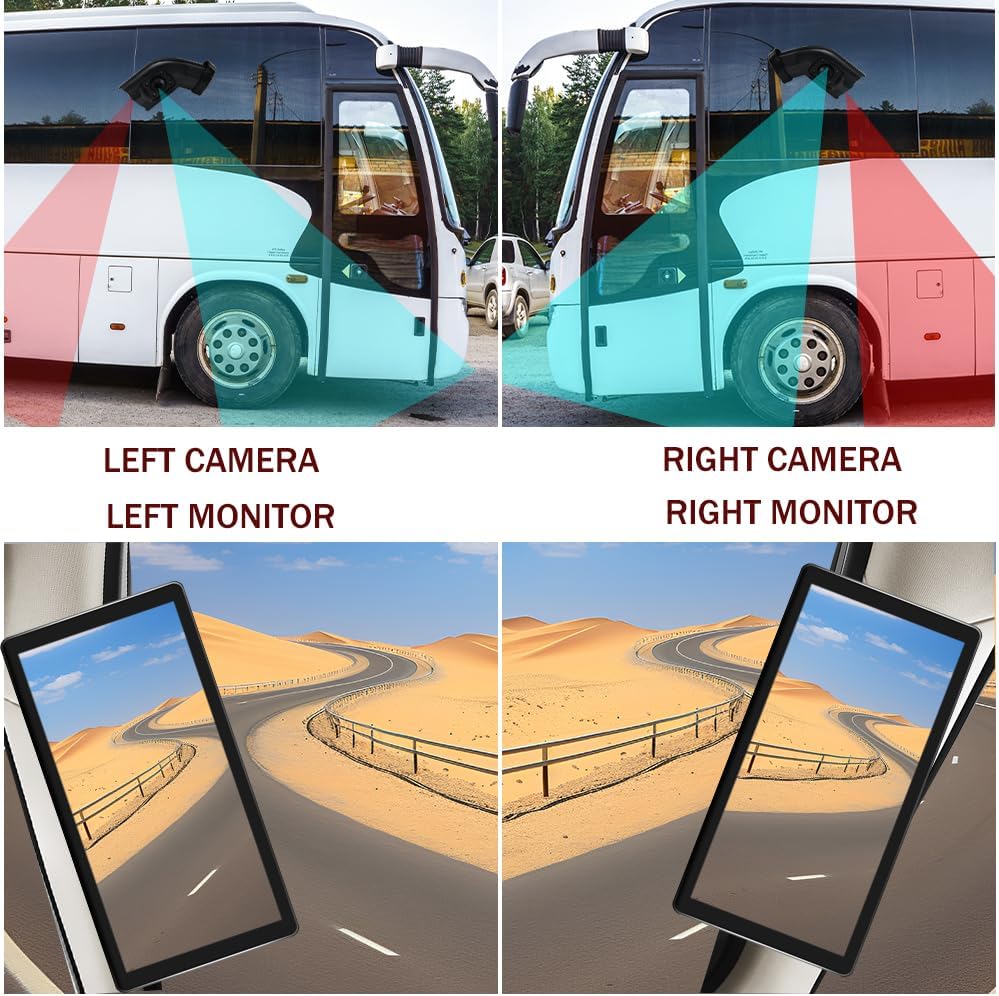
Image: A visual comparison demonstrating the coverage areas for left and right camera installations, along with the corresponding monitor views. This system is for the Right Camera/Monitor.
Упутство за употребу
1. Укључивање/искључивање
The monitor will power on automatically when the vehicle's ignition is turned on (if connected to ACC power) and power off when the ignition is turned off.
2. Touch Screen Navigation
Navigate through the monitor's menus and settings using the touch screen interface. Tap icons or options to select them.
3. Split Screen Display
The monitor supports a 2-channel split screen display. Access the display settings to configure how the camera feeds are shown on the screen.
4. BSD Voice Alarm
- Access the BSD settings menu on the touch screen.
- Adjust Alarm Area: Define the specific zones where the BSD system will detect objects and trigger an alarm.
- Control Alarm Volume: Set the desired volume level for the voice alerts.
- Подесите осетљивост: Adjust the sensitivity of the detection system to suit your driving conditions and preferences.
5. Image Mirroring
If needed, enable the camera image mirroring function through the display settings to flip the camera view хоризонтално.
6. Подешавања екрана
Customize the display by adjusting brightness, screen color, and setting the current time and date through the monitor's settings menu.
7. Лооп Рецординг
The system supports loop recording. Ensure a compatible memory card is inserted (if required, check product specifications for card type and capacity). The system will continuously record video, overwriting the oldest fileс када је меморијска картица пуна.

Image: The monitor screen showing a video playback interface, indicating support for video recording with a timeline illustrating different recording times throughout the day.
Одржавање
- Чишћење монитора: Use a soft, dry cloth to clean the monitor screen. For stubborn smudges, lightly dampОбришите крпу водом или средством за чишћење екрана. Избегавајте јаке хемикалије.
- Чишћење камере: Periodically check and clean the camera lens to ensure a clear view. Use a soft cloth and lens cleaner if necessary.
- Провера веза: Regularly inspect all wiring connections to ensure they are secure and free from corrosion or damage.
- Ажурирања софтвера: Проверите произвођача website for any available firmware or software updates for your system.
Решавање проблема
| Проблем | Могући узрок | Решење |
|---|---|---|
| Нема слике на монитору |
|
|
| Distorted or unclear image |
|
|
| BSD alarm not working |
|
|
| Loop recording not functioning |
|
|
Спецификације
| Феатуре | Детаљ |
|---|---|
| Димензије производа | 10.3"L x 2"W x 8"H (Monitor) |
| Тежина артикла | 4.4 фунти |
| Број модела | Тачно |
| Дисплаи Тецхнологи | ЛЦД |
| Друге функције екрана | Бежични |
| Произвођач | ВЕКООТО |
| Бранд | ВЕКООТО |
| Величина екрана | 10.36 инча |
| Компатибилни уређаји | Монитор |
| Врста инсталације | Сурфаце Моунт |
| Волtage | 9-36 Volts (Wide Voltage Support) |
| Технологија оптичког сензора | ЦМОС |
| Ленс Типе | Широки угао |
| Тип конектора | Бежични |
| Величина оптичког сензора | 1/3 инча |

Image: Diagram illustrating the physical dimensions of the 10.36-inch vertical monitor (27cm/10.63inch height, 13cm/5.12inch width) and the camera unit (14.6cm/5.75inch height, 7.8cm/3.07inch width, 6.4cm/2.52inch depth).
Гаранција и подршка
For warranty information, please refer to the documentation included with your purchase or contact VEKOOTO customer support directly. Support contact details can typically be found on the manufacturer's official webсајту или преко вашег места куповине.
Always ensure you are using genuine VEKOOTO parts and accessories for optimal performance and to maintain warranty validity.


