1. Увод
Хвала вам на куповиниasing the AceGamer RGB Charging Dock for PlayStation Portal. This portable charging station is designed to provide a stable and efficient charging solution for your PlayStation Portal console, featuring customizable RGB lighting and essential protection features. Please read this manual carefully before use to ensure proper operation and maintenance.
2. Садржај пакета
- AceGamer RGB Charging Dock (1 unit)
- Кабл за пуњење типа C (1 јединица)
- Упутство за употребу (овај документ)
3. Карактеристике производа
- Dedicated Charging: Specifically designed for the PlayStation Portal console.
- РГБ осветљење: Features 7 distinct lighting modes for personalized aesthetics.
- Брзо пуњење: Efficient power delivery for fast charging.
- Сигурносне заштите: Уграђена прекострујна, над-волtagе, и под-волtagе заштита.
- Ергономски дизајн: 30-degree comfortable viewing angle for the PlayStation Portal.
- Стабилна база: Equipped with anti-slip mats for secure placement.
- Повезивање: USB Type-C input for power.
4. Упутства за подешавање
- Прикључите напајање: Insert the provided Type-C charging cable into the charging dock's input port and connect the other end to a suitable USB power adapter (not included).

Figure 4.1: Connecting the Type-C power cable to the charging dock.
- Place PlayStation Portal: Carefully align your PlayStation Portal console with the charging connector on the dock and gently place it into position. Ensure a secure connection for charging. The dock is designed to hold the Portal at a 30-degree angle for optimal viewинг.

Figure 4.2: PlayStation Portal placed on the charging dock at a 30-degree angle.
- Anti-slip Stability: The base of the charging dock is equipped with anti-slip mats to prevent accidental movement. Ensure the dock is placed on a flat, stable surface.
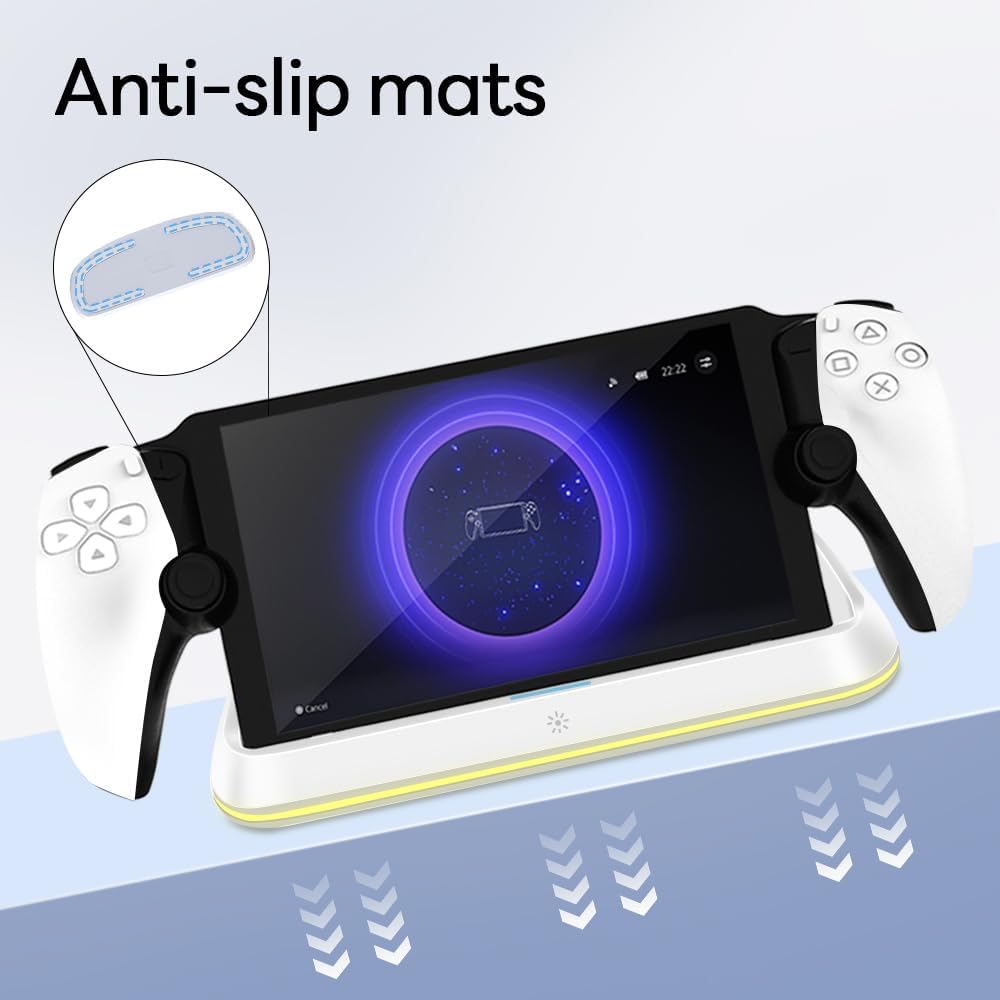
Figure 4.3: Anti-slip mats on the charging dock for enhanced stability.
- Визуелни водич: For a visual demonstration of the setup process, please refer to the video below.
Video 4.1: Demonstration of connecting the power supply and placing the PlayStation Portal onto the charging dock.
5. Упутство за употребу
- Charging the PlayStation Portal: Once the PlayStation Portal is correctly seated on the dock and the dock is powered, charging will begin automatically. A full charge typically takes approximately 3.5 hours. The dock includes protection against over-current, over-voltagе, и под-волtage to safeguard your device.

Figure 5.1: Charging indicators and safety protection features.
- РГБ контрола осветљења: The charging dock features a touch-sensitive button to control the RGB lighting. Press the button to cycle through 7 different lighting modes or to turn the lights off.

Figure 5.2: RGB lighting modes and touch control button.
6. Одржавање
- Keep the charging dock clean and free from dust. Use a soft, dry cloth for cleaning.
- Избегавајте излагање уређаја екстремним температурама, влажности или директној сунчевој светлости.
- Не користите абразивна средства за чишћење или раствараче, јер могу оштетити површину.
- Ensure the charging port and connector are free of debris before placing the PlayStation Portal.
КСНУМКС. Решавање проблема
- Уређај се не пуни:
- Ensure the Type-C cable is securely connected to both the dock and the power adapter.
- Проверите да ли адаптер за напајање исправно функционише и да ли је укључен у утичницу под напоном.
- Check if the PlayStation Portal is properly seated on the charging connector.
- Покушајте да користите други Type-C кабл или адаптер за напајање.
- RGB светла не раде:
- Ensure the charging dock is powered on.
- Press the touch light button to cycle through modes or turn the lights on.
- Unstable placement:
- Ensure the dock is placed on a flat, level surface.
- Check if the anti-slip mats are clean and intact.
8. Спецификације
| Бранд | АцеГамер |
| Број модела | PS-P-White |
| Компатибилни уређаји | PlayStation портал |
| Улазни волtage | 5 Волтс |
| Ватtage | 7 Ваттс |
| Тип конектора | USB Type-C (for power input) |
| Посебне карактеристике | RGB Lighting, Fast Charging, Over-current Protection, Over-voltagе Заштита, недовољно волуменtagе Заштита |
| Димензије | Приближно 22.5 к 8.9 к 8.4 цм |
| Тежина | Отприлике 290 г |
9. Гаранција и подршка
AceGamer products are designed and manufactured to the highest quality standards. For warranty information or technical support, please contact the retailer where you purchased the product or visit the official AceGamer website for customer service contact details. Please retain your proof of purchase for warranty claims.


