Увод
Thank you for choosing the Tibuta K7 Kids Tablet. This device is designed to provide a safe and engaging digital experience for children, featuring parental controls, educational content, and entertainment options. This manual will guide you through the initial setup, operation, and maintenance to ensure optimal performance and longevity of your tablet.
Шта је у кутији
Молимо вас да проверите да ли су све ставке присутне у пакету:
- Tibuta K7 Kids Tablet
- Drop-proof Silicone Protective Case
- Кабл типа Ц
- пуњач
- Упутство за употребу

Image: Contents of the Tibuta K7 Kids Tablet package. This image displays the tablet, its protective case, a USB-C charging cable, a power adapter, and the user manual, illustrating all items included with the product.
Производ је завршенview
The Tibuta K7 Kids Tablet features a 7-inch HD display, a durable silicone protective case, and an Android 12 Go operating system. It is equipped with dual cameras and supports Wi-Fi connectivity.

Слика: Предња и задња страна view of the Tibuta K7 Kids Tablet. The tablet is shown in a pink protective case with a handle and kickstand, displaying a colorful children's cartoon on its screen.
Таблет Цомпонентс

Image: Diagram of the Tibuta K7 Kids Tablet's external features. This illustration points out the front camera, 3.5mm headphone port, TF card slot, USB 2.0 OTG port, rear camera, volume buttons, power ON/OFF/Reset button, and speaker.
- Предња камера: За видео позиве и селфије.
- 3.5 мм прикључак за слушалице: За повезивање слушалица.
- Слот за ТФ картицу: For expanding storage with a microSD card (up to 128GB).
- USB 2.0 OTG Port (Type-C): За пуњење и пренос података.
- Задња камера: За снимање фотографија и видео записа.
- Дугмад за јачину звука: Подесите јачину звука.
- Power ON/OFF/Reset Button: Powers the tablet on/off or performs a reset.
- говорник: За аудио излаз.
Водич за подешавање
1. Почетно пуњење
Before first use, fully charge the tablet. Connect the provided Type-C cable to the tablet's USB port and the charger to a power outlet. The charging indicator will show the charging status.
2. Укључивање/искључивање
- За укључивање: Притисните и држите дугме за укључивање док се екран не укључи.
- За искључивање: Притисните и држите дугме за напајање, а затим изаберите „Искључивање“ из понуђених опција.
- Рестартовати: Притисните и држите дугме за напајање, а затим изаберите „Рестарт“ из опција.
3. Ви-Фи веза
- Иди на Подешавања > Мрежа и интернет > Ви-Фи.
- Укључи/искључи Wi-Fi On.
- Изаберите жељену Wi-Fi мрежу са листе.
- Унесите лозинку за мрежу ако се то од вас затражи, а затим додирните Повежите се.
4. Kidoz Parental Control App Setup
The tablet comes pre-installed with the Kidoz parental control application. This app allows you to manage content, screen time, and access for your child.
- Покрените Kidoz апликацију са почетног екрана.
- Follow the on-screen instructions to create a parent account and set up child profiles.
- Configure settings such as screen time limits, content filtering, and application access.

Image: Parents setting up the Kidoz parental control app on the Tibuta K7 Kids Tablet. The image illustrates a family interacting with the tablet, highlighting features like screen time limits and content filtering.
Упутство за употребу
Навигација
- Екран на додир: Tap, swipe, and pinch to navigate the interface.
- Почетни екран: Приступите често коришћеним апликацијама и виџетима.
- Обавештења: Превуците надоле од врха екрана до view обавештења и брза подешавања.
Using Kidoz and Applications
The Kidoz app provides a child-friendly interface and access to pre-approved content. Parents can manage available applications and content through the parental control settings.
- Приступ апликацијама: Within the Kidoz environment, children can access approved games, educational apps, and media.
- Преузимање нових апликација: Parents can download additional applications from the Google Play Store, which can then be added to the child's approved list within Kidoz.
- Филтрирање садржаја: Kidoz allows for filtering of inappropriate content, ensuring a safe browsing and viewинг искуство.
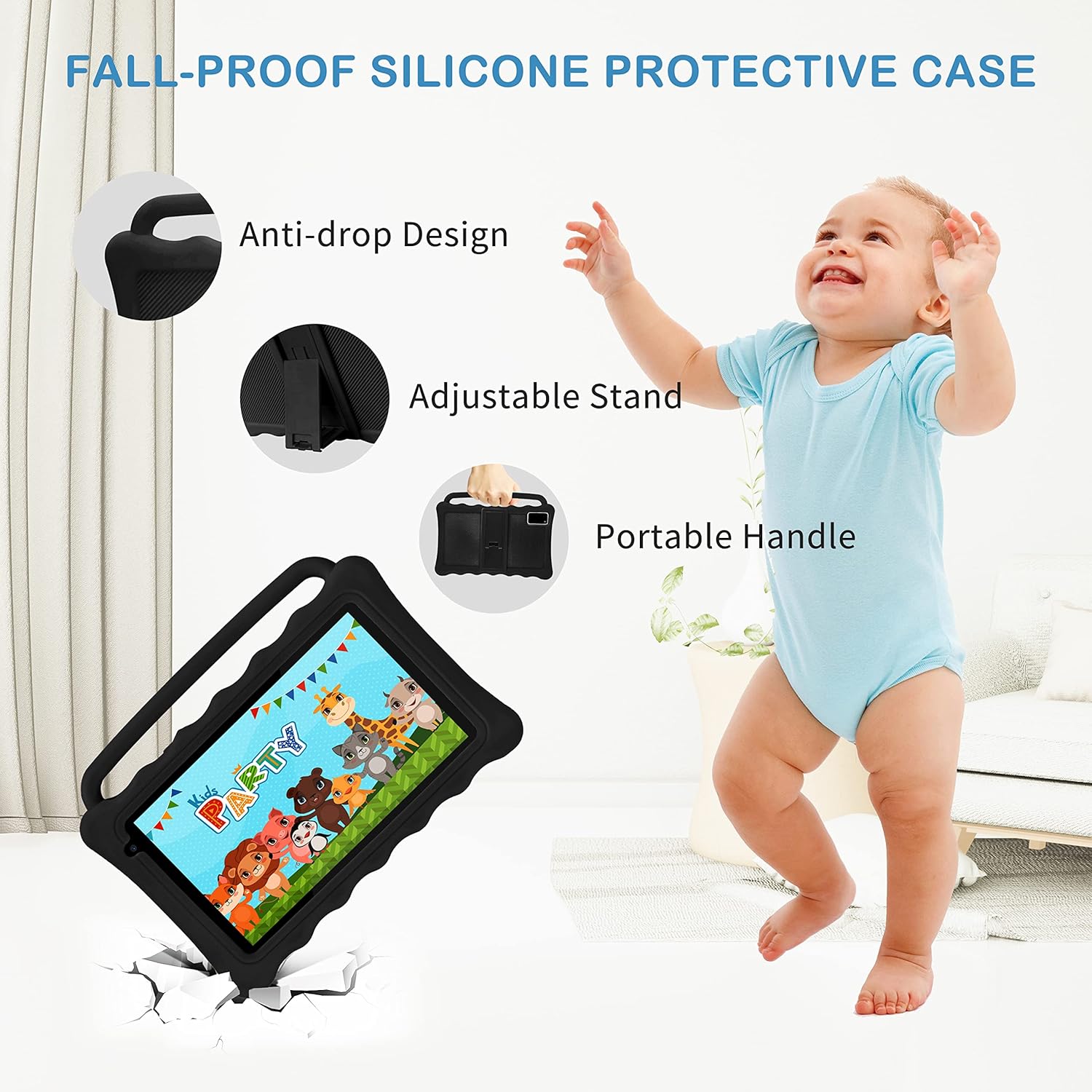
Image: The Tibuta K7 Kids Tablet showcasing its multi-functional capabilities for children. This image highlights pre-installed applications like ABCMouse, YouTube, Netflix, Google Play, and various games, books, and art tools.
Режим заштите очију
The 7-inch LCD screen is equipped with Low Blue Light technology to protect children's eyes. Activate the reading mode in settings to reduce screen flicker and harmful blue light, providing a more comfortable viewинг искуство.

Image: Two children using the Tibuta K7 Kids Tablet, demonstrating the eye protection feature. The image emphasizes the 1024x600 HD screen and its low blue light technology for comfortable viewинг.
Употреба камере
The tablet features a 2MP front camera and a 5MP rear camera for capturing photos and videos.
- Отворите Камера апликација.
- Додирните дугме затварача да бисте снимили фотографију или покренули/зауставили снимање видеа.
- Switch between front and rear cameras using the camera icon on the screen.

Image: Children smiling and looking into the Tibuta K7 Kids Tablet camera. This image highlights the tablet's dual cameras (2MP front, 5MP rear) for capturing fun moments.
Одржавање
Чишћење таблета
- Користите меку крпу која не оставља влакна да бисте очистили екран и кућиште таблета.
- За тврдокорне мрље, благо дampОперите крпу водом или средством за чишћење екрана намењеним за електронику.
- Избегавајте употребу јаких хемикалија, абразивних средстава за чишћење или аеросолних спрејева.
Баттери Царе
- Charge the tablet regularly, but avoid leaving it fully charged or fully depleted for extended periods.
- Use only the provided charger and cable to prevent damage to the battery.
- Avoid exposing the tablet to extreme temperatures, as this can affect battery life.
Протецтиве Цасе
The silicone protective case is designed to safeguard the tablet from drops and impacts. Ensure the tablet is properly seated within the case at all times. The adjustable stand and portable handle enhance usability and portability.

Image: The Tibuta K7 Kids Tablet in a red protective case. This image highlights the anti-drop design, adjustable stand, and portable handle of the silicone case, demonstrating its protective and ergonomic features.
Решавање проблема
- Таблет се не укључује:
- Ensure the tablet is fully charged. Connect it to the charger and wait a few minutes before attempting to power it on again. If unresponsive, press and hold the Power button for 10-15 seconds to force a restart.
- Екран не реагује:
- Restart the tablet. If the issue persists, ensure the screen is clean and free of debris. If the problem continues, a factory reset might be necessary (data will be lost).
- Проблеми са Ви-Фи везом:
- Check if Wi-Fi is enabled in settings. Restart your Wi-Fi router. Forget the network on the tablet and reconnect. Ensure you are within range of the Wi-Fi signal.
- Kidoz app not working correctly:
- Ensure the Kidoz app is updated to the latest version. Clear the app's cache and data in Подешавања > Аппс > Kidoz > Складиштење. If problems persist, reinstall the app or contact Kidoz support.
- Tablet runs slowly or freezes:
- Close unnecessary background applications. Clear cache for frequently used apps. Consider uninstalling unused apps to free up storage. If the issue is severe, a factory reset may resolve it.
Спецификације
| Феатуре | Детаљ |
|---|---|
| Бранд | Тибута |
| Назив модела | K7 |
| Оперативни систем | Андроид 12 Го |
| Марка процесора | Аллвиннер |
| Величина екрана | 7 инча |
| Резолуција екрана | 1024 к 600 пиксела |
| РАМ | 2 ГБ |
| Капацитет складиштења | 32 GB (expandable up to 128 GB via Micro SD) |
| Повезивање | Wi-Fi (802.11g), Bluetooth |
| камере | Front: 2MP, Rear: 5MP |
| Трајање батерије | Over 5 hours (usage dependent) |
| Боја | Rose (as per product listing, other colors may vary) |


